Quick Guide: PS3 (Slim) SSD Upgrade Without Losing Data
User case: How do I make a PS3 SSD upgrade?
2 ADATA SU650 SSDs were installed in a PS3, but the console only displays "Cannot start. The appropriate system storage was not found" on the TV. Help is needed to resolve this issue.
– Question from Reddit
About PlayStation 3 (PS3)
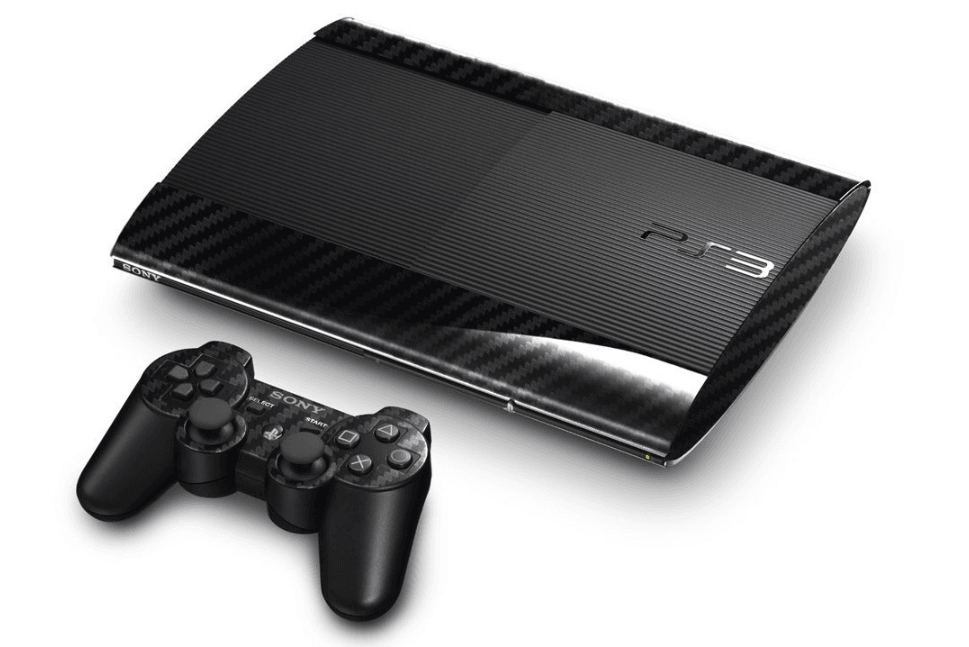
The PlayStation 3 (PS3) is a home video game console developed by Sony, released in 2006, and later replaced by the PlayStation 3 Slim in 2009, which is a lighter and thinner version that no longer supports PS2 game compatibility.
The PS3 series includes the original PS3, PS3 Slim, and PS3 Super Slim models, with the latter two being the most popular. However, the PS3's storage is now considered slow and insufficient for modern 3A games, prompting some users to seek ways to upgrade to a PS3 SSD.
Why make an SSD upgrade for PS3 (Slim)
The PS3 Slim's hard drive capacity can be upgraded to a larger one, allowing for more game downloads and video storage, making it a convenient solution for users who find their original hard drive capacity too small.
🚩Improved Performance: Upgrading to an SSD can significantly enhance the overall performance of your PS3 Slim, speeding up boot times, reducing load times for games and applications, and making system navigation much smoother.
🚩Enhanced Reliability: SSDs are more reliable than traditional HDDs because they have no moving parts, reducing the risk of mechanical failures and ensuring a longer lifespan for your storage drive.
🚩Lower Power Consumption: SSDs consume less power compared to HDDs, which can be beneficial for the PS3 Slim, ultimately reducing the overall power consumption of your gaming console.
🚩Quieter Operation: SSDs operate silently due to having no moving parts, making them a better choice for gaming as they reduce noise levels compared to spinning hard drives.
Before PS3 Storage Upgrade
Before PS3 (Slim) hard drive replacement, there is something you have to prepare.
- To use a hard drive or solid state drive with your PS3, you need to format it to FAT32 or exFAT file system. This is because the PS3 can only detect these file systems.
- To change the PS3 (Slim) hard drive to a larger one, you need to take out the PS3 (Slim) hard drive carefully with the extracting tool.
- Insert the two hard drives, The PS3 Slim's hard drive is the source of the data you want to transfer, and the target hard drive (HDD) or SSD is where you want to move the data to.
- Download hard drive cloning software To replace the hard drive in your PS3 Slim, we recommend using Qiling Disk Master Professional, a top-rated disk cloning software that offers comprehensive functions and an intuitive interface, making it a great tool for the job.
Best PS3 SSD Upgrade Alternative
Here are the top three options for upgrading your PS3 hard drive in a concise paragraph:
- Samsung 860 EVO: The Samsung 860 EVO is a reliable and high-speed SSD that offers excellent read and write speeds, available in sizes from 250GB to 2TB, making it a great choice for enhancing your PS3's performance with a 5-year warranty.
- Crucial MX500: The Crucial MX500 SSD offers fast read and write speeds, improving game load times and system responsiveness, and is available in various capacities from 250GB to 2TB, providing a good balance between price and performance, making it a budget-friendly option for upgrading your PS3.
- WD Blue 3D NAND: This SSD offers improved read and write speeds, boosting gaming and application performance on the PS3, with capacities ranging from 250GB to 2TB, and a low power consumption design that helps keep the console cool and prolongs its lifespan.
When upgrading your PS3 with an SSD, select a drive with enough capacity for your gaming needs and a price that fits your budget. You may also need a 2.5-inch to 3.5-inch adapter to fit the SSD in your PS3 Slim.
Perform PS3 (Slim) SSD Upgrade Quickly
Qiling Disk Master Professional provides two solutions to replace a PS3 (Slim) hard drive or SSD, offering a convenient and efficient way to upgrade or replace the original storage device.
- To back up your PS3 (Slim) hard drive, first, you'll need to connect an external hard drive to your PS3. Then, go to Settings > System Settings > Backup Utility and follow the on-screen instructions to create a backup of your PS3's hard drive.
- Clone PS3 (Slim) hard drive to a larger HDD or SSD.
Upgrading PS3 storage via the Clone feature is highly recommended due to its ease, and this method also applies to the PS3 Super Slim storage upgrade.
To upgrade the PS3 (Slim) SSD to a larger one, you'll need to purchase a compatible SSD, such as a 2.5-inch or 3.
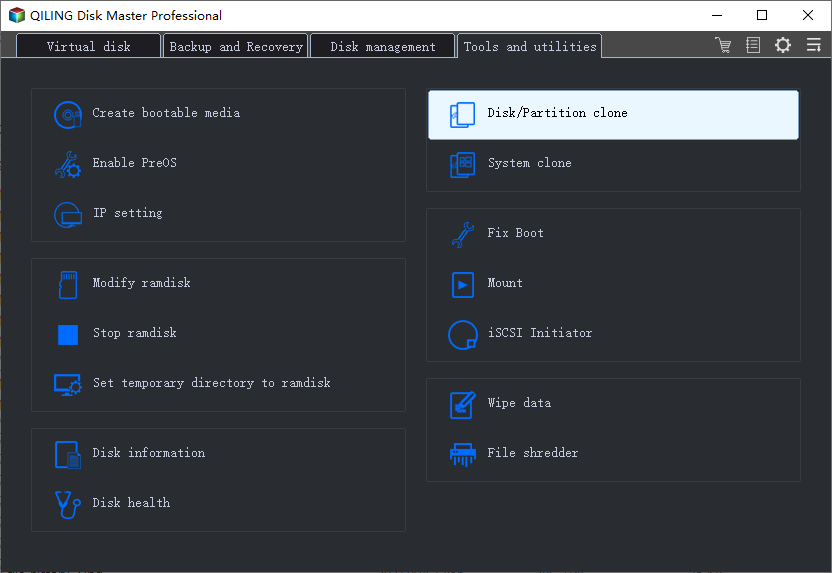
1. Launch Qiling Disk Master Professional, and choose Clone -> Disk Clone to upgrade PS3 (Slim) SSD.
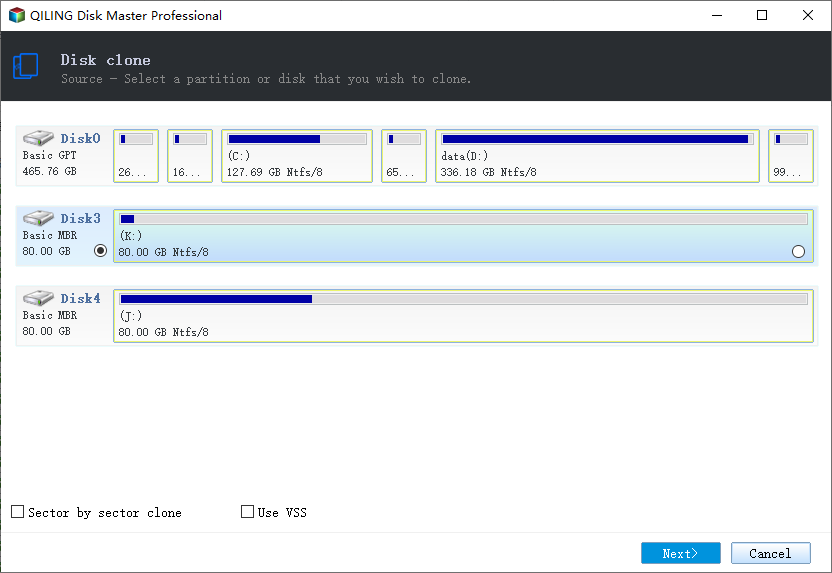
2. To clone the PS3 (Slim) SSD, choose it as the source disk to clone. This will copy the data from the PS3's hard drive to the new SSD.
3. Select the larger SSD as the target location, and click Next.
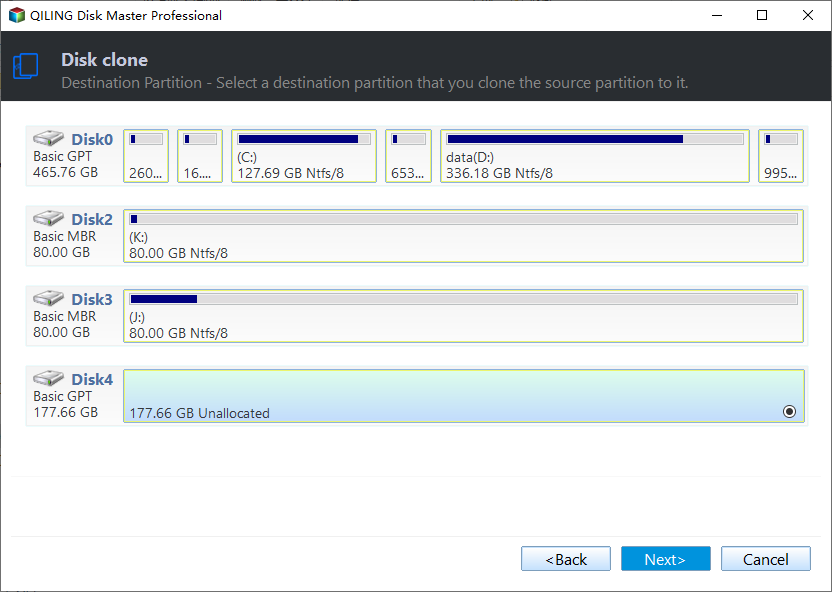
★Please backup the data on the destination disk before proceeding, as it will be overwritten during the operation.
4. To speed up your SSD, select the "SSD Alignment" option and click "Proceed" to automatically upgrade your PS3 (Slim) SSD in Windows 10/8/7.
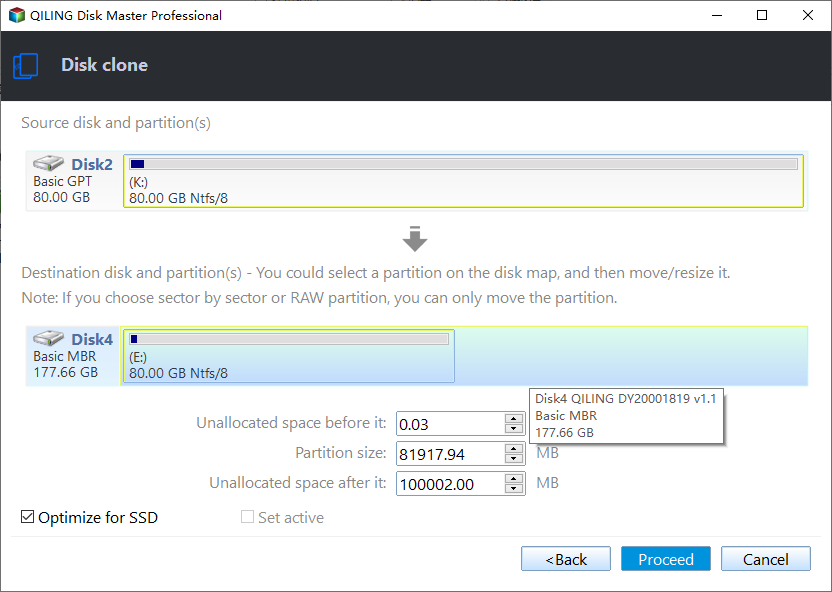
★Tips:
✍To fully utilize the storage space on your larger destination disk, check Edit Partitions to automatically adjust partition sizes while cloning, and also convert disk types from MBR to GPT or GPT to MBR.
✍Cloning all sectors on the source disk, including blank and bad sectors, will take significantly longer. If you uncheck this option, only the used sectors will be cloned, resulting in a faster process.
The PS3 hard drive upgrade process involves formatting the destination disk with FAT32 or exFAT, then applying all the previous steps, which may take several minutes depending on the data size of the source disk.
How to Replace PS 3 Slim Hard Drive
1. To access the PS3's hard drive, turn the console over and place it on its back. Then, open the small access door on the bottom cover near the front of the PS3 and remove the blue Phillips screw hidden underneath. This will allow you to proceed with the hard drive removal process.

2. To remove the hard drive bay cover, slide it to the right side of the lower case and then pull it away from the front edge, effectively removing it from the PS3.

3. Remove the 2.5" hard drive from its bay using the metal handle provided. It can be replaced with another SATA 2.5" hard drive or an SSD that meets the same specifications.
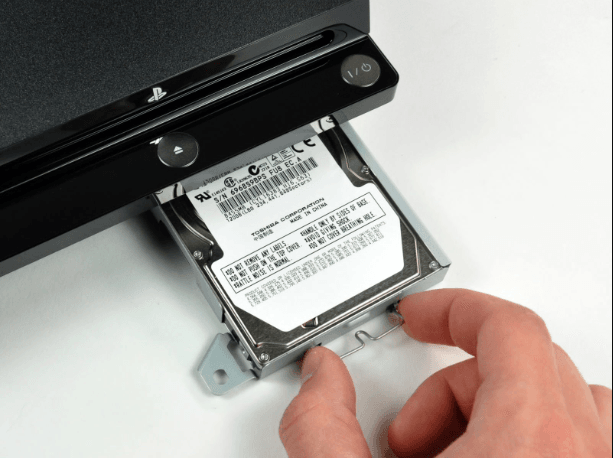
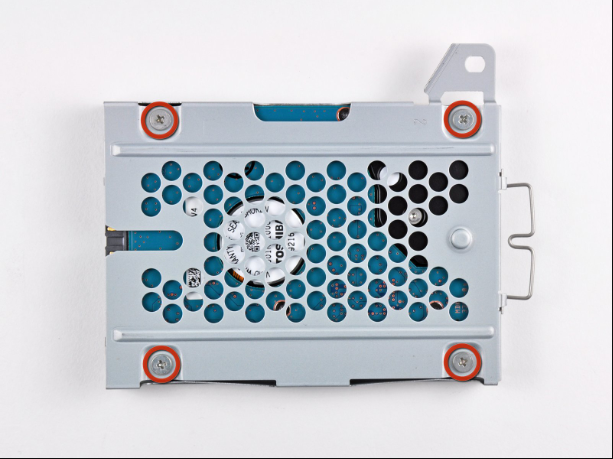
4. Remove the four 4.3 mm Phillips screws securing the hard drive to its tray.
The Epilogue
Upgrading the PS3's hard drive to a larger one or replacing it with a solid-state drive (SSD) is a relatively straightforward process that can be accomplished with the help of Qiling Disk Master. If you need to perform a PS3 hardware upgrade, follow the necessary steps to ensure a smooth transition.
Qiling Disk Master Professional allows you to clone individual partitions to other locations, such as external hard drives, local disks, NAS devices, network shares, and the cloud. It also enables migrating OS to SSD without reinstalling, real-time file syncing to network paths, and restoring to dissimilar hardware computers.
Related Articles
- How to Backup PS4 to External Hard Drive Simply
Backing up PS4 to external hard drive is a good way to prevent losing your PS4 games. Learn how to complete the backup task simply from this page.
Products
Articles & Tutorials
- Data Recovery
- Data Backup
- File Recovery
- File Backup
- File synchronize
- System Backup and Restore
- Disk and Partition Clone
- Technical articles
- Disk Master Help
- Windows Deleted File and Disk Recovery Tutorials
- Windows File and Data Recovery Tutorials
- More Windows Tutorials for Install, Security, Files, and PC Tips
- Windows Boot, Repair, and Recovery Environment Tutorials
- Windows Backup Tutorials
- Windows Restore Tutorials
- Windows Clone and Migration Tutorials
- Windows Server Backup, Recovery, and Management Tutorials
- Windows Disk, Partition, and Storage Management Tutorials