Data loss and system crashes are serious problems for computer users. When they happen, reliable and up-to-date backups are essential. QILING Disk Master helps recover lost data and restore crashed systems in minutes. It provides advanced data backup and system disaster recovery for home office and business desktops and laptops, with full, differential, and incremental backup options.
System backup
Easy system drive backup of all contents, including Windows operating system and system settings without interrupting your work.
Disk/partition backup
Block-level disk imaging quickly and efficiently backs up the entire disk or volumes.
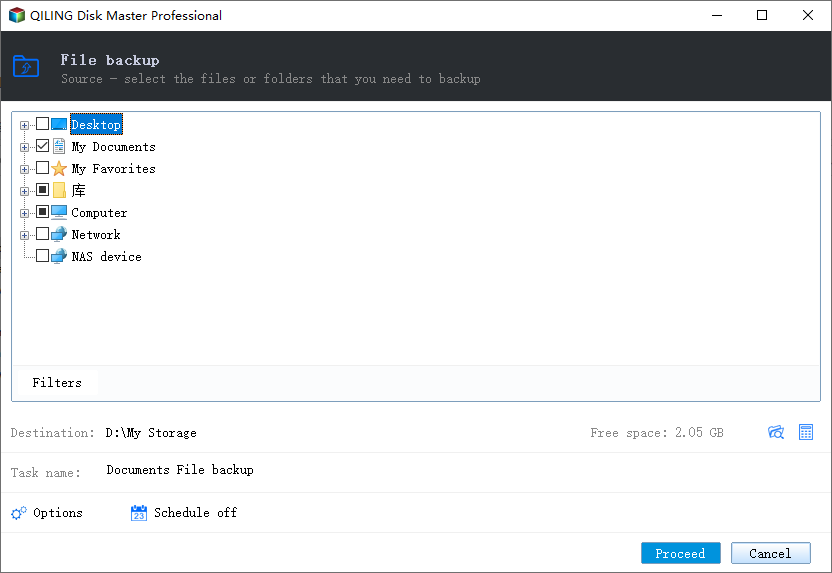
File backup
File-level backup allows you to selectively back up specific files, folders or file types, including network shared files.
File zip
Compress selected files, folders, or file types, including network shared files, into a zip file.
Schedule backup
Flexible backup scheduler allows backups to run daily, weekly, monthly, or by event.
Backup management
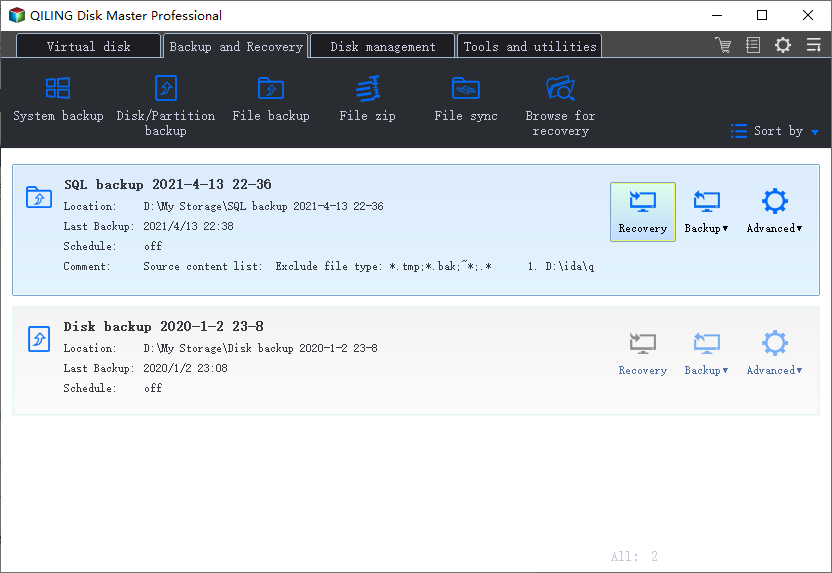
Easily manage backup jobs and automatically delete out-of-date backup images to save storage space.
Unattended backup
Runs as a Windows service, making it ideal for unattended systems. It backs up even when the system is logged out, asleep, or hibernated.
Incremental & Differential
Based on a full backup, the software backs up only changed or new data to save time and disk space.
Hot backup
Back up specific files and volumes without interrupting any current operations, especially for open files backup.
System restore
Quickly recover your entire Windows system to the original or new location using a WinPE bootable media.
Disk/partition recovery
Restore selected partitions, dynamic disk volumes, or an entire disk to a previously backed-up point from its image.
File Recovery
Restore backed-up versions of files & folders that are lost, damaged, or changed accidentally, like emails, music, movies, office documents, etc.
Pre-OS recovery environment
If your system won't boot, select QILING Disk Master from the boot menu to launch Pre-OS and recover your system.
RAM disk
Improve overall system performance and help extend hard disk life.
Secure disk
Protect your data and sensitive information from unauthorized access.
Clone & Migration
Quickly, easily, and safely migrate a system to an SSD or a bigger HDD for disk replacement or upgrade.
Disk health
Check your hard disk's health and detect bad sectors.
Explore and Check Image
Move, resize, create, format, or delete partitions, optimize SSD partitions, and recover lost partitions.
Partition manager
Mount a backup image as a virtual partition so that you can browse its contents in Windows Explorer. Check backup images integrity to ensure they can be restored successfully.
Compatible with GPT/UEFI
Create WinPE bootable media for 64-bit Windows systems installed on GPT disks to start PC recovery in an emergency.
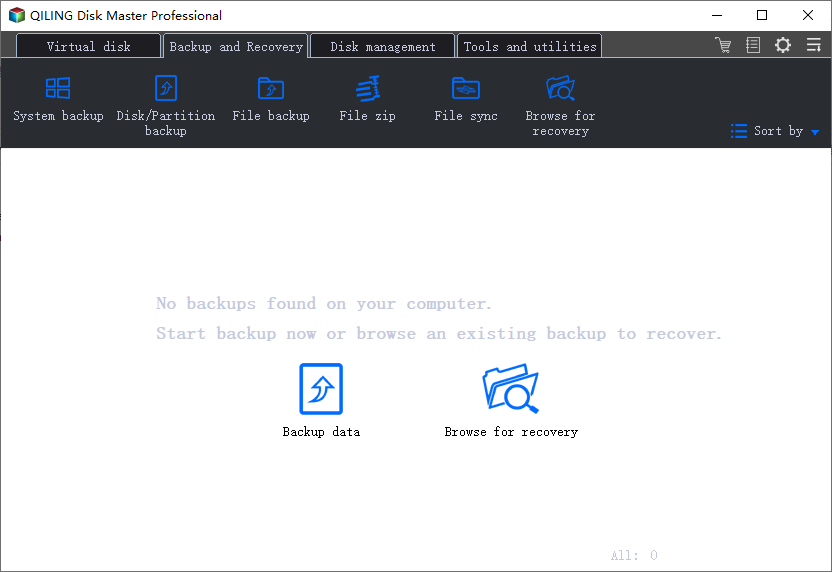
The comprehensive backup and recovery solution uses built-in navigation to help you back up data, drives, or systems in simple steps. You can schedule backup time, choose the backup function, and restore data from the backup whenever needed.

Step 1: Choose a backup mode, such as "File Backup", "Disk Backup", or "System Backup".

Step 2: Select the file, drive, or system you want to back up, set a backup time if needed, and then click "Proceed".

Step 3: When the backup is complete, you can edit the backup image again and restore the data you need.
In order to achieve maximum work efficiency a computer needs, most of all to be protected, as well as the data that is stored on it. There are several options for file protection, for example an antivirus, however you might also use an application like QILING Disk Master, which is not only capable of keeping your files safe, but can also enhance your machine's performance.
Keeping your computer secure as well as in top-notch condition for the best possible performance is something you usually accomplish by using a variety of specialized applications, each with its own purpose. If you've been looking for a single tool that lets you do all that you should definitely try out QILING Disk Master.
I am using this program for many years. I can warmly recommend it for it is a very good program; It has already saved my files for several times. I am very happy and satisfied with it.
Wendy 
QILING Disk Master is an all-in-one utility that focuses on file or folder protection and performance boosts. The approach is simple, yet powerful; Create multiple virtual HDDs, encrypt them and save data in them. It also does the same to RAM giving your PC dedicated RAM units without necessarily installing physical modules.
Gabe 
Be it data backup, recovery or protection, QILING Disk Master Professional will have your hands full. This means the tool has a load of options and features that come in handy when you want to modify your drive or partition structure and size. Given the tool's wide array of options, the only comprehensive way that I could find out if could be my go-to application is by testing it. Here is my take.
Melvin Sync 
Thank you! This is the best backup software on the market in my opinion. The capability of running virtual makes all the difference in the world. It's just what you need to not only keep your system virus free and operating well, but the virtual option makes it so that you can run your system on read only and at the end of the day just have it go back to the state that it was before you even touched it that day.
Rick