
QILING Fast Cache Standard
This product is a data cache tool. It improves overall system performance by accelerating reads for frequently accessed data.
For disk and system tools beyond caching, compare with Qiling Disk Master Professional.
This product is a data cache tool. It improves overall system performance by accelerating reads for frequently accessed data.
For disk and system tools beyond caching, compare with Qiling Disk Master Professional.
QILING Fast Cache can improve overall system performance by caching frequently accessed system and application data. Because RAM is much faster than a physical hard disk, placing frequently used data in RAM can significantly increase read speed. By reducing repeated disk reads, Fast Cache can also help extend the service life of hard disks and SSDs.
Improve system performance
The system frequently reads certain sectors and files. If these files are cached in memory, they increase access speed and improve system performance.
Improve game responsiveness
Modern games frequently access data such as maps and resources. If disk read speed is slow, stuttering may occur. Fast Cache stores frequently used game data in cache, improving read speed and helping games run more smoothly.
Improve the responsiveness of service programs
Many programs access different files, and some files are used repeatedly. Fast Cache stores these high-frequency files in memory, improving overall access speed.
Extend hard disk life
All hard disks have limited read and write cycles. Fast Cache reduces repeated reads, helping extend the life of the hard disk.
Fast Cache uses high-speed storage devices and optimized algorithms to improve access speed for slower storage devices. For example, it can use memory or SSD cache to accelerate ordinary mechanical disks.
Multiple caches - Not only is there a memory cache, but you can also use the SSD as a cache medium. Caching with SSDs is especially useful when memory is small.
Keep the cache settings - Even when the computer is powered off or restarted, the cache you set up will automatically remain and work.
Caching algorithm - The algorithm keeps recently and frequently accessed data in memory by considering both access time and access frequency.
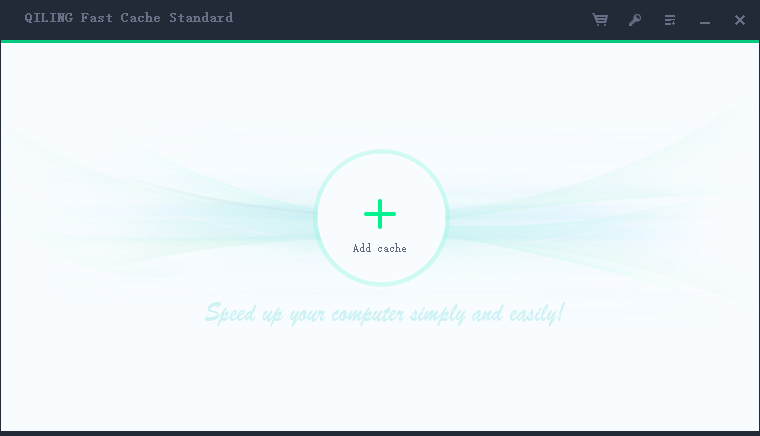
Step 1: Launch Qiling Fast Cache.
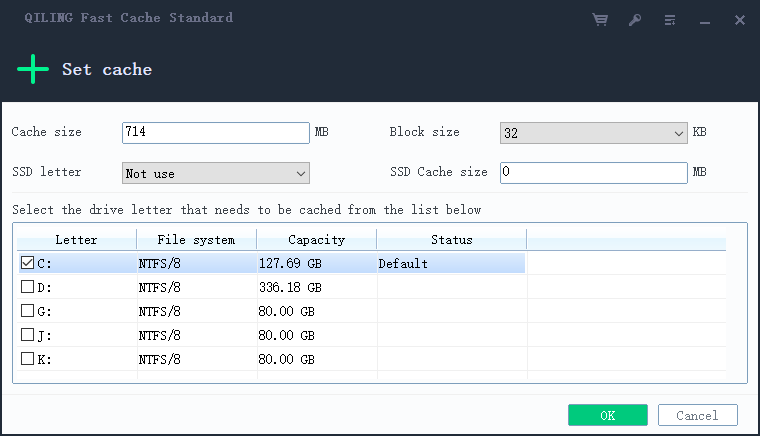
Step 2: Set cache information.
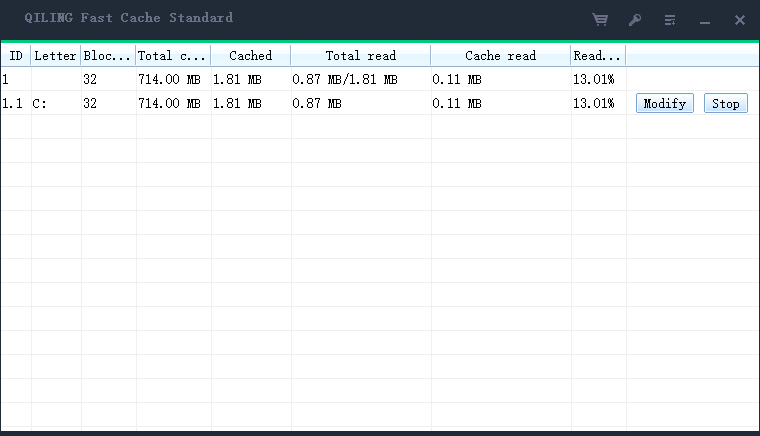
Step 3: View cache data information.