Overview:
QILING Disk Master Free is reliable data backup and system disaster recovery software for home users. It helps users back up the system and restore it to a previous state when disaster happens, while full, incremental, and differential backups save time and reduce risk.
-
 System backup
Easy system drive backup of all contents, including Windows operating system and system settings without interrupting your work.
-
 Data backup
Back up data, system, hard disk, partition or individual files to a safe destination for disaster recovery.
-
 Disk clone
Disk clone, disk upgrade, and OS migration to SSD/HDD solutions.
-
 Ram disk
The ramdisk feature improves overall system performance and speed.
-
 Differential backup
Comprehensive full, incremental, and differential backup.
-
 Check disk
Check your hard disk's health and detect bad sectors.
-
 Recovery files
Quickly restore what you need, recover granular files, folders, volumes, or all from a single image.
-
 Partition manage
Create, format, delete, and recover partitions.
-
Simple User Guide to Backup Your Data
The comprehensive backup and recovery solution uses built-in navigation to help you back up data, drives, or systems in simple steps. You can schedule backup time, choose the backup function, and restore data from the backup whenever needed.
-
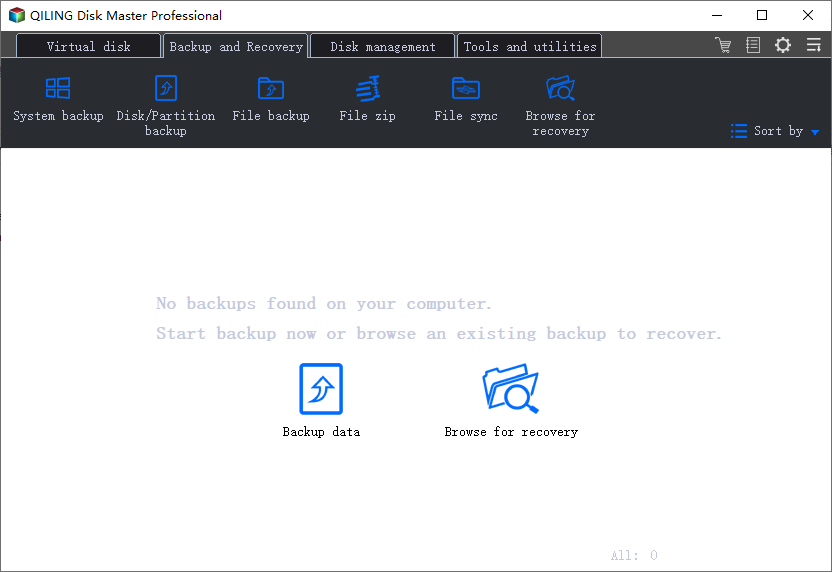
Step 1: Choose a backup mode, such as "File Backup", "Disk Backup", or "System Backup".
-
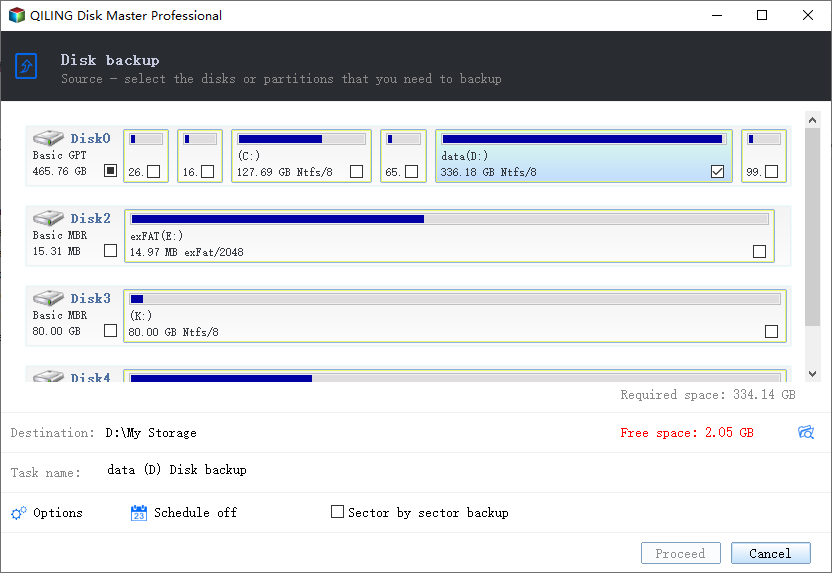
Step 2: Select the file, drive, or system you want to back up, set a backup time if needed, and then click "Proceed".
-
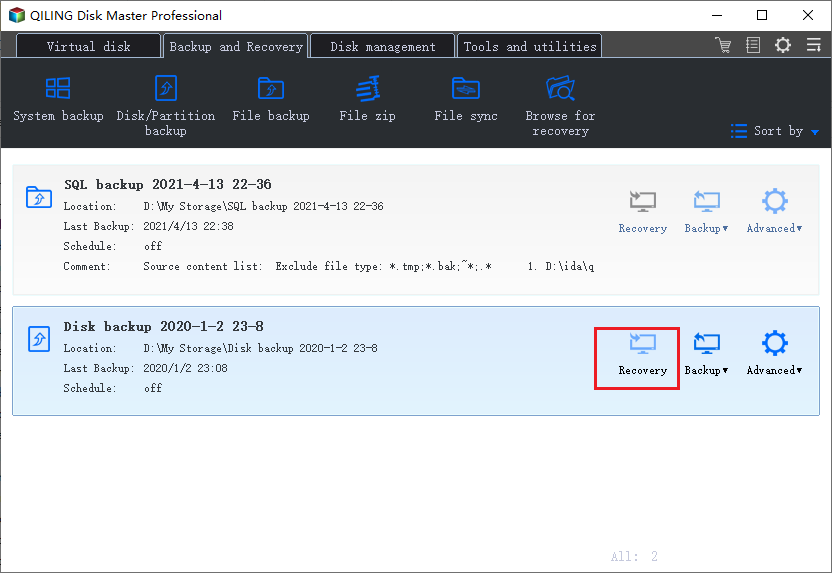
Step 3: When the backup is complete, you can edit the backup image again and restore the data you need.