Protect Your Privacy and Avoid Sensitive Information Leakage
Deleting files or formatting a disk does not always erase data completely. Some sensitive files can still be recovered with data recovery software. To protect private data such as passwords, financial records, health records, and browsing history, you need to securely erase important PC data and prevent unauthorized recovery.
File Shredder Tech Specification
Qiling File Shredder can shred many file types, including pictures, documents, videos, audio files, archives, and emails. It can delete unnecessary or redundant files from HDDs, SSDs, computers, USB drives, memory cards, digital cameras, and external hard drives to help reclaim space and keep storage devices clean.
-
System: Windows 10/8/7/Vista/XP/2000 and Windows Server
File System: FAT 12/16/32, exFAT, NTFS, NTFS5, ext2, ext3, HFS+
Disk Space: The minimum of space for running is 100 MB.
CPU: 1GHz (32 bit or 64 bit)
RAM: 128 MB or more of RAM
-
Computer: PC, Laptop, hard drive (SSD included) etc.
Card Storage: SD Card, Memory Card, CF Card, Smart Card etc.
Digital Device: Digital Camera/Camcorder, DV, MP3/4 Player etc.
Large Storage Device: RAID, Large-capacity Drive (more than 2TB) etc.
Storage Media: USB/Pen/Zip drive, Floppy Disk, Memory Stick etc.
How to Shred Data and Wipe Hard Drives
The data wiping software has an intuitive interface and is easy for beginners to use. Launch the program, select the folder, partition, or disk you want to wipe, and click "Shred Now". The program will then shred data and overwrite the selected space. To avoid accidental data loss, back up valuable files first and carefully confirm the folder or drive list before shredding.
-
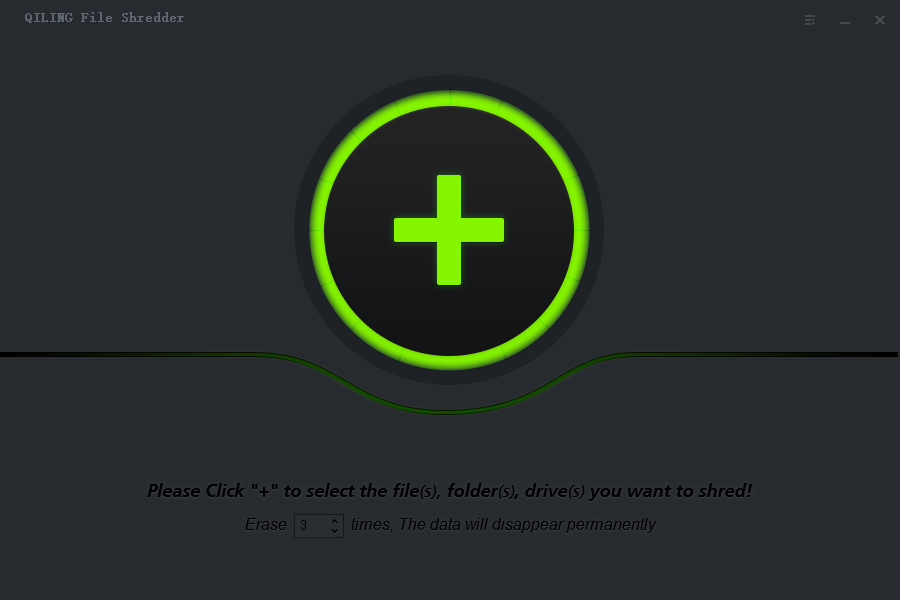
Step 1: click the "+" button
-
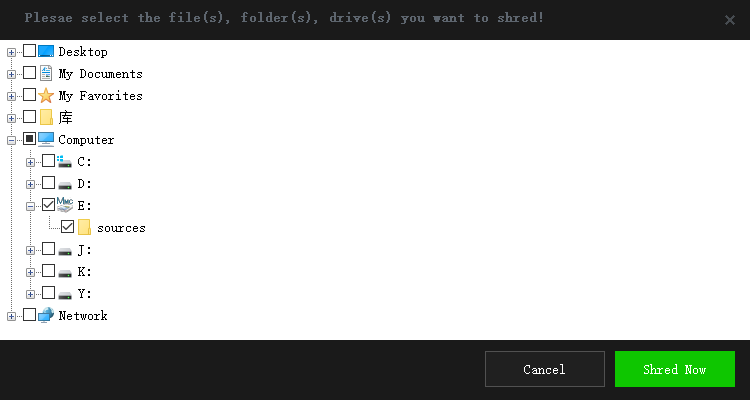
Step 2: Select specific folder/partition/drives
-
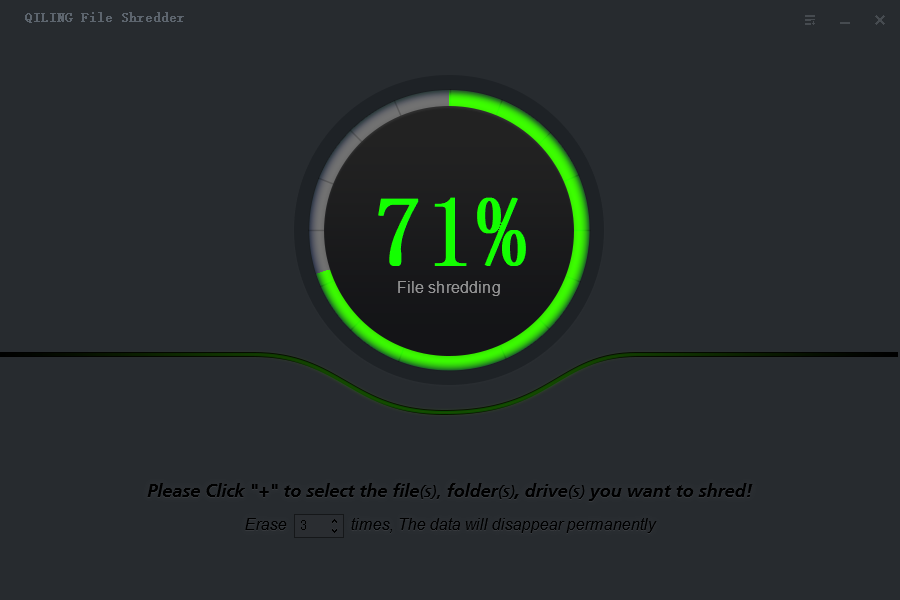
Step 3: Click "Shred" to shred files completely.


