Overview:
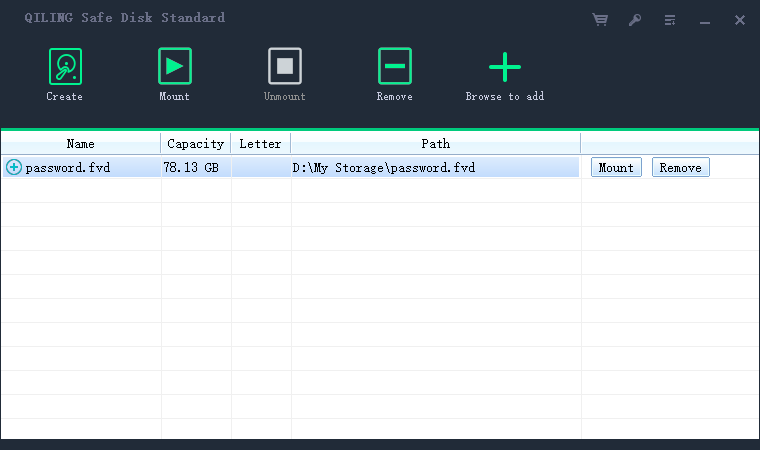
QILING Safe Disk keeps confidential data encrypted on your disk while allowing transparent access from applications after the virtual drive is mounted. You create a password-protected container file on an existing hard drive, and the virtual drive can only be accessed with the correct password. Once mounted, it works like a normal drive, so files can be saved to and retrieved from it. The maximum encrypted drive size mapped to a container file is 2048 GB. Safe Disk supports Blowfish (448-bit key size), AES (256-bit key size), GOST (256-bit key size), and 3DES (168-bit key size).
In Any Case, We Can Help You Protect Data
-
Protect your data in flash media and USB hard disk drives
Safe Disk uses strong encryption to protect data on flash media and USB hard disk drives, so unauthorized users cannot access your files if the device is lost.
-
Protect your data on your PC or laptop
It helps protect confidential information, client records, and business documents stored on your PC or laptop.
-
Protect your confidential data
It helps secure company financial data, personal privacy, browser history, instant messenger records, and incoming or outgoing emails stored in the encrypted drive.
-
Safe Disk lets you create secure encrypted space for work files, exchange protected data, and reduce the risk of external or internal data exposure.
The Best Protection for Your Data
Safe Disk is designed to protect sensitive information from theft or unauthorized access. It turns part of your current hard disk into a secure virtual disk, and private files stored on this disk are protected by strong encryption.
-
Create encrypted containers - Store confidential files in password-protected virtual disks to reduce exposure risk.
-
Mount it read-only - Mount the disk as read-only to help prevent unwanted changes to protected data.