An Alternative Freeware to Hard Drive Duplicator
Looking for an alternative freeware for hard drive duplicator
I bought a new SSD and I want to transfer all the data on my computer to it, but my hard drive duplicator is broken. I tried to contact the after-sales to repair it. Unfortunately, it requires a lot of money. So, I am looking for a software to clone hard drives. Can anyone recommend me a free and reliable software to clone hard drives?
Why require a software to replace hard drive duplicator?
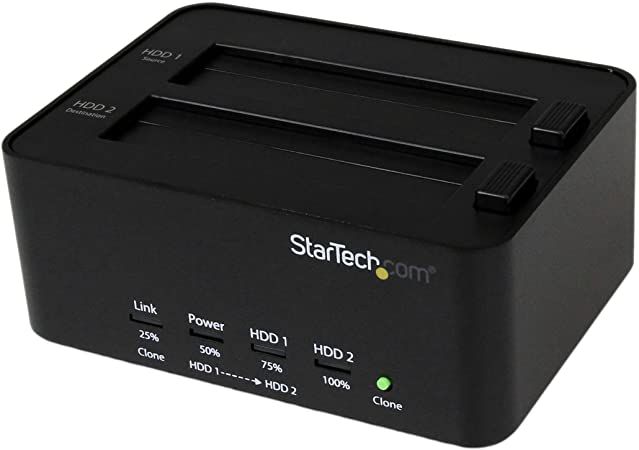
Users prefer hard drive duplicators for their fast cloning speed, but they are often expensive, prone to breaking, and too bulky to be easily carried around. This limits their use to fixed locations.
Using computer software to clone a disk can resolve the issues of manual cloning, and it's often free.
Hard drive duplicator alternative
Qiling Disk Master Standard is a reliable hard drive duplicator software that's compatible with Windows 11/10/8.1/8/7, XP, and Vista. It's completely free and doesn't come with any bundled software, making it a great choice for cloning an entire hard drive to a new one.
The software has advanced features, including migrating only Windows systems to new hard drives, resizing partition size, and merging partitions to a larger one.
Warning: For cloning data disks, Qiling Disk Master Standard supports MBR/GPT to MBR/GPT cloning. If you're planning to clone a system disk, consider upgrading to the Professional Version.
What to do before cloning hard drives:
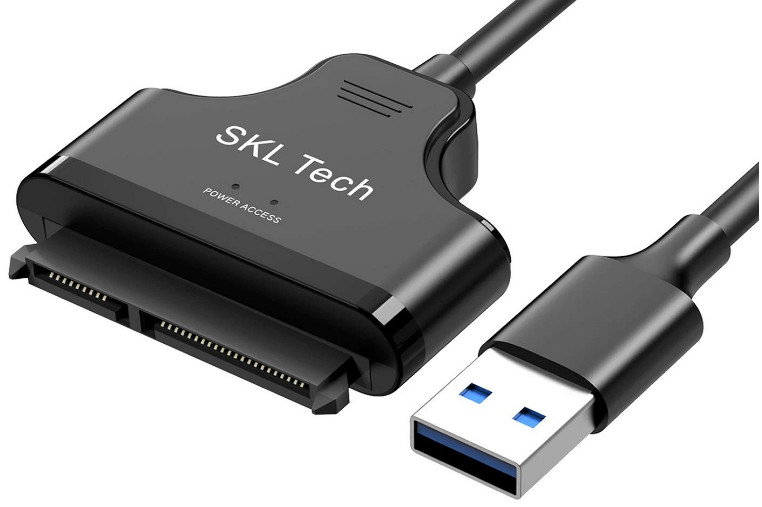
✎ You may need a SATA-USB converter to connect the hard drive to the PC.
✎ If the hard disk has not been used, please initialize the disk first. This will help to ensure that the disk is in a clean state and ready for use.
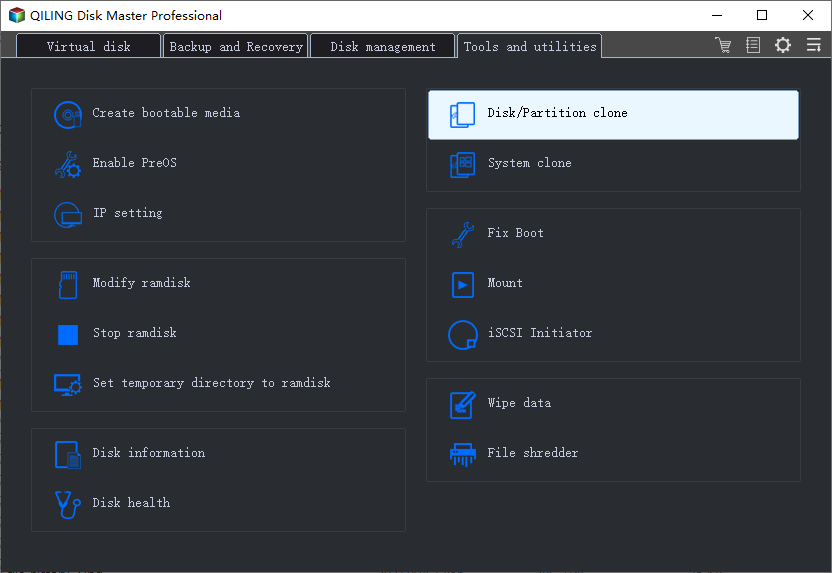
Step 1. In the main interface of Qiling Disk Master Standard. Click "Tools" in the main interface, and select "Clone Disk".
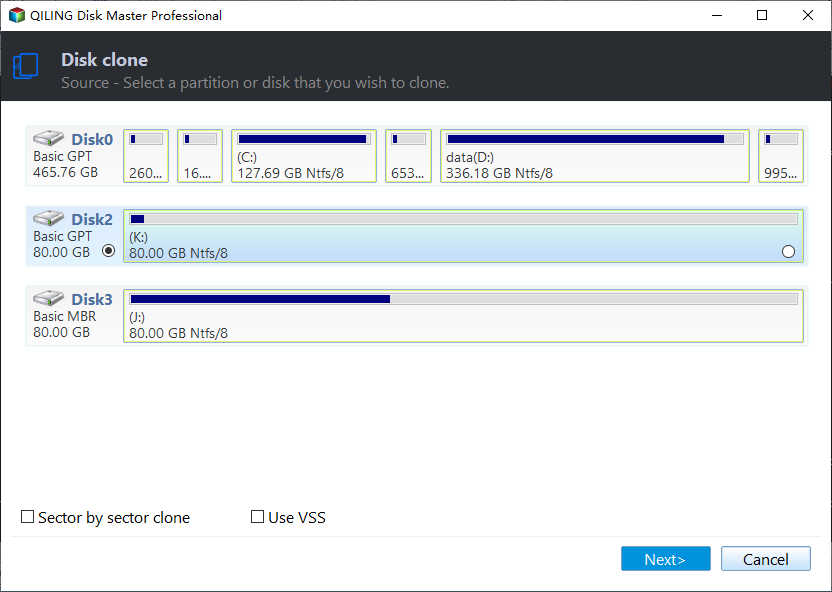
Step 2. Choose the hard disk that you need to clone as the source disk and click "Next".
Step 3. Select the SSD drive as the destination disk, and then click "Next".
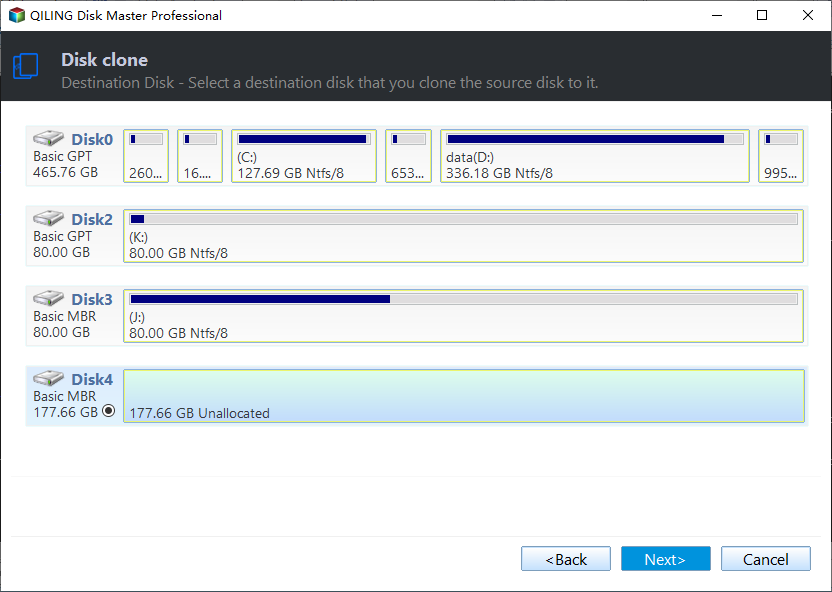
Step 4. Then, you can check the source and destination disk in the next window or change to "Sector to Sector clone",
Here, you can also adjust the partition size on the destination disk or tick "4k alignment" to improve the reading and writing speed of the SSD.
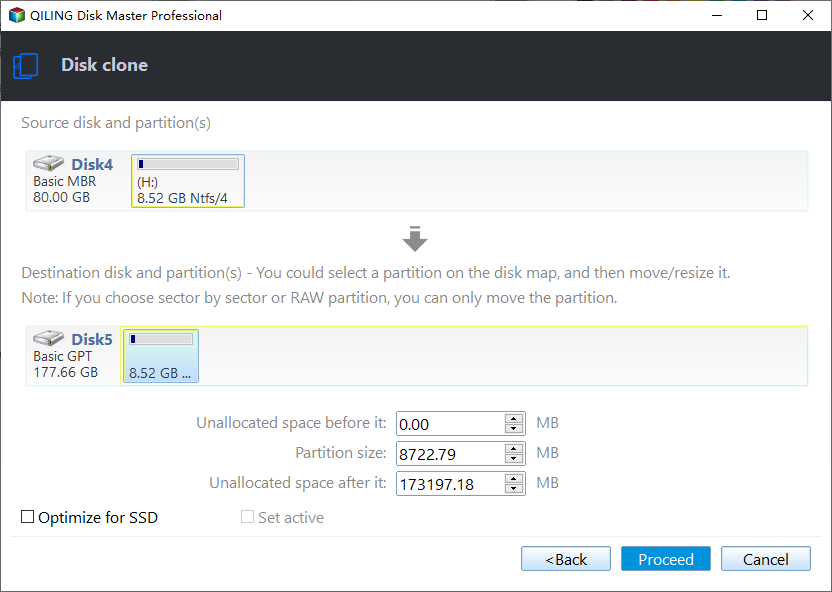
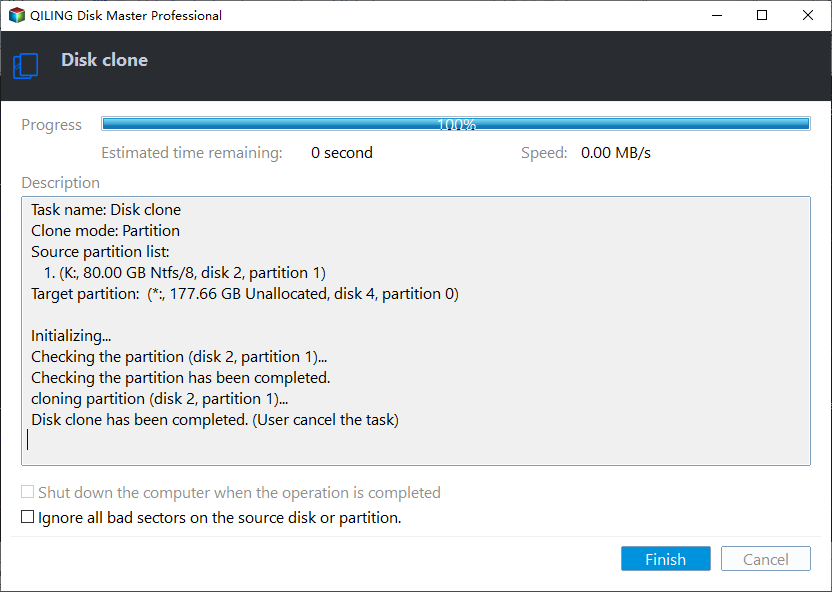
Step 5. Click "Proceed" to commit the operation.
How to boot computer from cloned disk
You'll need to remove the old disk from the bottom of your laptop, replace it with the new disk, and reboot to boot from the new disk.
To use a desktop, you need to install a new disk in the hard drive slot of the host and change the disk to the first boot order in the BIOS.
Step 1. To access the BIOS menu, reboot your PC and repeatedly press F2, Del, F8, or F12 keys until the BIOS interface appears on the screen.
Step 2. You can use the arrow keys to choose the Boot tab.
Step 3. To resolve the issue, you can try running `sudo apt update && sudo apt install -y grub-pc` to reinstall the GRUB bootloader, or `sudo update-grub` to update the GRUB menu. If the problem persists, you can try reinstalling GRUB using `sudo apt install --reinstall grub-pc grub-gfxpayload-list grub-common` and then running `sudo update-grub`. If you're still experiencing issues, you can try running
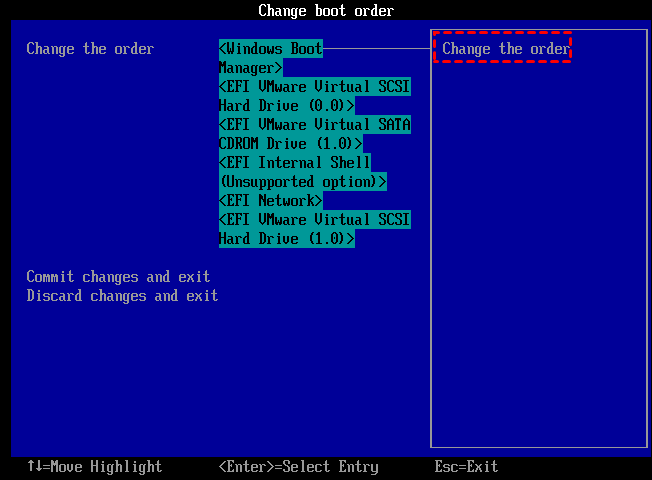
Step 4. Save the changes and exit the BIOS setup utility. Your PC will then restart from the disk.
If you successfully boot your desktop from the cloned disk, you can then wipe the old HDD to free up disk space for saving data.
Qiling Disk Master Standard is a game-changer that exceeds the capabilities of a hard drive duplicator. Not only does it meet your needs, but it also offers additional features that a hard drive duplicator can't provide. If you haven't tried it yet, click the download link to experience its full potential.
Related Articles
- How to Erase C Drive completely in Windows 11, 10, 8, 7?
To erase C drive totally and effectively, you can employ a great partition manager, Qiling Disk Master Professional. - Free OS Migration Software: Migrate OS to SSD without Reinstallation
If you want to migrate OS to another hard drive, download the free OS migration software: Qiling Disk Master Standard, which allows you to migrate OS to a new SSD/HDD drive without reinstallation. - 3 Ways to Extend C Drive in Windows 10 Easily
When your C drive is almost full and computer runs slower, you can extend C drive in Windows 10 or 11 via Disk Management, DiskPart, and a third-party free partition manager. Each one can help you increase C drive space easily. - How to Clone Hard Drive to USB Flash Drive in Windows 10, 8, 7?
Learn how to Clone Hard Drive to USB Flash Drive in Windows 10, 8, 7 with clear steps, key checks, and practical tips. - How to Clone Hard Drive with Bad Sectors?
This tutorial tells you how to clone hard drive with bad sectors on a Windows 11, 10, 8, and 7 laptop or desktop computers, and the cloned hard drive can boot normally.
Products
Articles & Tutorials
- Data Recovery
- Data Backup
- File Recovery
- File Backup
- File synchronize
- System Backup and Restore
- Disk and Partition Clone
- Technical articles
- Disk Master Help
- Windows Deleted File and Disk Recovery Tutorials
- Windows File and Data Recovery Tutorials
- More Windows Tutorials for Install, Security, Files, and PC Tips
- Windows Boot, Repair, and Recovery Environment Tutorials
- Windows Backup Tutorials
- Windows Restore Tutorials
- Windows Clone and Migration Tutorials
- Windows Server Backup, Recovery, and Management Tutorials
- Windows Disk, Partition, and Storage Management Tutorials