How to Permanently Delete Files from Hard Drive
Quick Navigation:
The shortcut Shift + Delete may seem like a quick way to permanently delete files, but it is not truly secure. While Shift + Delete bypasses the Recycle Bin (unlike the regular Delete key), the deleted files still remain on your hard drive and can be recovered using specialized software.
Many people assume that deleted files are completely gone after hitting the Recycle Bin and emptying it, but in reality, they're still present on your computer - albeit invisible and occupying their original space until new data fills it up. This leaves room for file recovery using tools like Deep Data Recovery or other software designed specifically for Windows operating systems (Windows 11, 10, 8, 7). For a more secure approach to permanently deleting sensitive information from hard drives, consider utilizing specialized software tailored for this purpose.
For a broader Windows workflow, you can also review how to permanently delete files in Windows before choosing a hard drive erasing method.
#1. Qiling File Shredder
This software is designed specifically for individuals who want to permanently delete sensitive data or folders on their hard drives. Leveraging advanced technology, it functions similarly to a secure shredder, effectively destroying the targeted information and rendering it unrecoverable. The user interface has been kept simple and intuitive, making navigation easy even for those unfamiliar with file deletion processes. A built-in wizard guides users through each step of the process, ensuring a successful outcome. Here are its main features:
- Support deleting data on HDD and SSD
- Support removing files on external hard drive
- Allows to wipe partition
For complete removal of files from a hard drive using Qiling File Shredder, follow these steps:
Step 1. To get started, download and run the Qiling File Shredder installer (.exe) on your system. Once downloaded, simply double-click the file to initiate the installation process. This software is fully supported by all versions of Microsoft Windows, including Windows 11/10/7/8/XP/Vista.
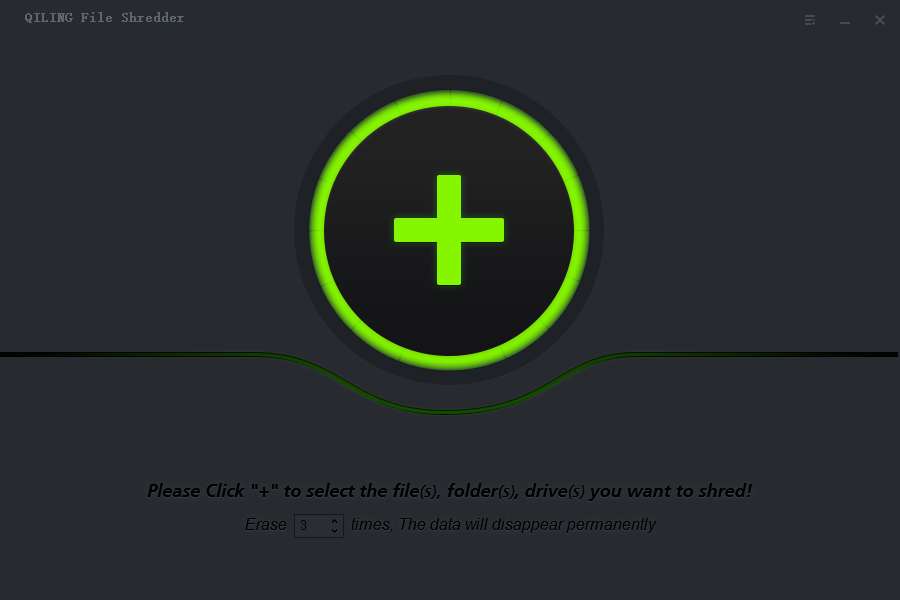
Step 2. Navigate to the main window of Qiling File Shredder and click the "+" button located at the top or bottom (depending on your interface layout). This will prompt you to select the files or folders that you wish to permanently delete from your hard drive.
Please note that files and folders are folded under directories. You need to click the "+" before each directory to unfold them.
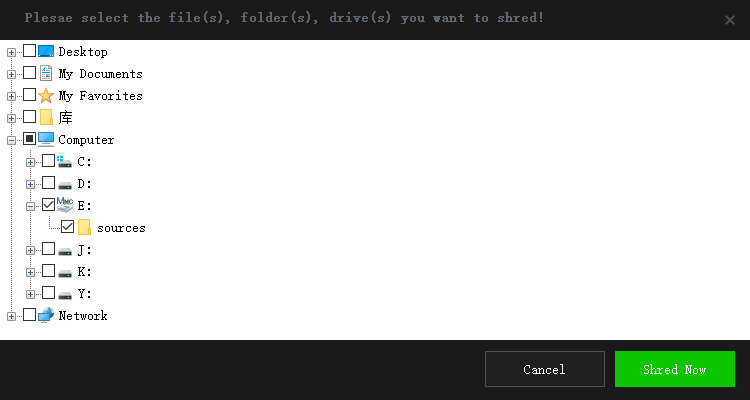
Step 3. Once selected, proceed by configuring how many times you want the software to overwrite and destroy the targeted data. The default setting is 3 passes, but you can choose any number of iterations that suits your specific needs for maximum security.
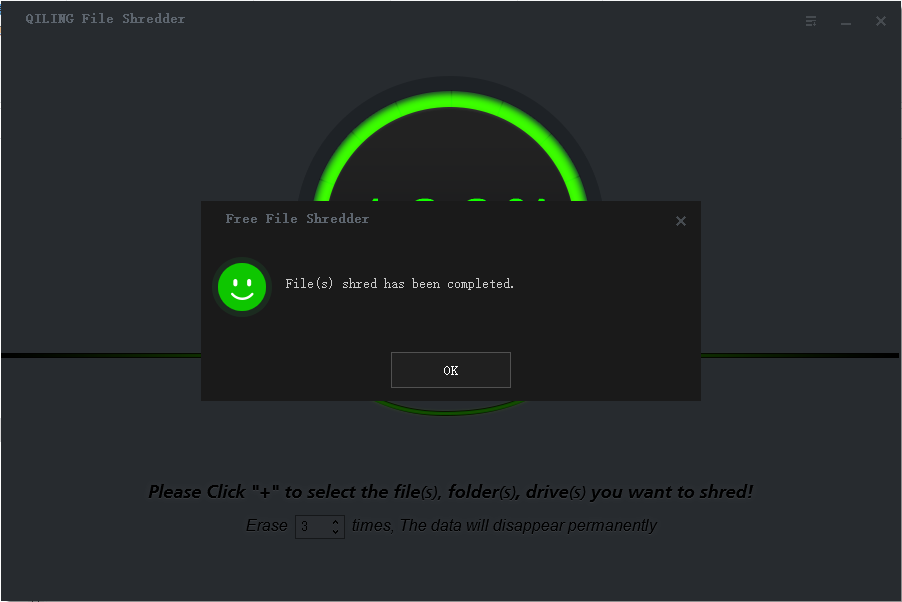
Step 4. To finalize the deletion process, click "Shred Now" in Qiling File Shredder's main window. This command will instruct the software to securely erase your selected data. Depending on the quantity of files being deleted and your system configuration, this operation might take a few seconds or slightly longer.
#2. SDelete
SDelete is a free utility provided by Microsoft that operates in command-line interface mode. Its primary function is to enable users to securely erase one or more files, folders, and completely cleanse any remaining data from the hard drive's empty space.
To utilize this tool for permanent file deletion on your hard drive:
- Set up a new folder on your hard disk to save the SDelete utility which you're going to download to your computer. Next, download SDelete and save it to the destination. Please remember the file path, as it will be used in step 2.
- Click the Start menu at the bottom left, type in "cmd" in the Windows Search box, and press Enter (Return). Next, type the file path of SDelete, where you have set it up in step 1. For example, if it is located at C:\sdeletetools, type cd C:\sdeletetools, and press Enter.
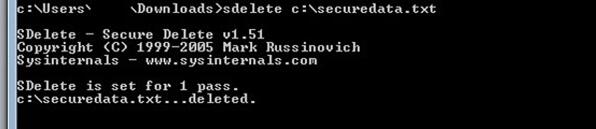
- Please type SDelete and then the file path or directory where you want to delete the file or directory, and press Enter. For example, to delete C:\needtodeleteddata.txt, you would type SDelete c:\needtodeleteddata.txt, and press Enter.
- When the deletion is finished, you'll receive confirmation that the files or directory is permanently deleted.
Tips for Wipe the whole hard drive permanently
If you're preparing your computer for resale, donation, or disposal, it's essential that all data stored on its hard drives be securely erased. One effective method is using Qiling File Shredder.
For those who don't wish to utilize software or are considering a more permanent solution due to the high sensitivity of their discarded device, physically destroying the hard drive can provide an absolute level of security against data recovery.
Related Articles
- How to Permanently Delete Videos from Laptop/PC without Recovery
- How to Permanently Remove Data from a Hard Drive
- How to Permanently Delete Files from Thumb Drive/Pen Drive
- How to Permanently Delete Files from Computer without Recovery
- How to Completely Erase SD Card
- Top 6 File Eraser for Windows to Eraser Files from Computer and Hard Drive
- How to Delete Files on Flash Drive Permanently
- How to Delete Files Without Sending to Recycle Bin
- How to Permanently Delete Files from SSD
- 2 Ways to Permanently Delete Files in Windows 7
Products
Articles & Tutorials
- Data Recovery
- Data Backup
- File Recovery
- File Backup
- File synchronize
- System Backup and Restore
- Disk and Partition Clone
- Technical articles
- Disk Master Help
- Windows Deleted File and Disk Recovery Tutorials
- Windows File and Data Recovery Tutorials
- More Windows Tutorials for Install, Security, Files, and PC Tips
- Windows Boot, Repair, and Recovery Environment Tutorials
- Windows Backup Tutorials
- Windows Restore Tutorials
- Windows Clone and Migration Tutorials
- Windows Server Backup, Recovery, and Management Tutorials
- Windows Disk, Partition, and Storage Management Tutorials