How to Convert Dynamic Disk to Basic Disk without Deleting?
Get to know dynamic disk and basic disk
In Windows, basic and dynamic disks were introduced in Windows 2000 and have since been part of the system administrator tools. Basic disks, which are the default configuration for most personal computers, are the simplest to manage. Both basic and dynamic disks can use any file system, including FAT and NTFS, and a basic disk can be converted to a dynamic disk, but not vice versa, unless you recreate the volume or use a tool like Qiling Disk Master.
The main difference between basic and dynamic disks is that basic disks are supported by all versions of Windows and DOS, while dynamic disks are only supported by later versions of Windows, including Windows 2000 and beyond.
Why need to convert dynamic disk to basic disk?
The main reason is that a basic disk is more compatible with older systems and some software. It is also easier to manage and maintain, especially for users who do not need advanced dynamic disk features.
Dynamic disks may cause compatibility issues in multi-boot environments and may not be recognized by some recovery tools or older systems.
For these reasons, some users need to switch from a dynamic drive to a basic disk.
How to convert dynamic disk to basic disk without deleting?
Disk Management can convert a dynamic disk to a basic disk only after all dynamic volumes are deleted. If you want to avoid deleting or formatting everything, use a partition manager that can handle both dynamic and basic disks.
Qiling Disk Master Pro Edition is a professional tool that helps solve disk partition problems, protecting all data while providing an easy-to-follow guide to manage disk partitions.
Step 1: Download and launch the software, then right-click on the disk you want to convert and select "Dynamic Disk Converter" from the context menu.
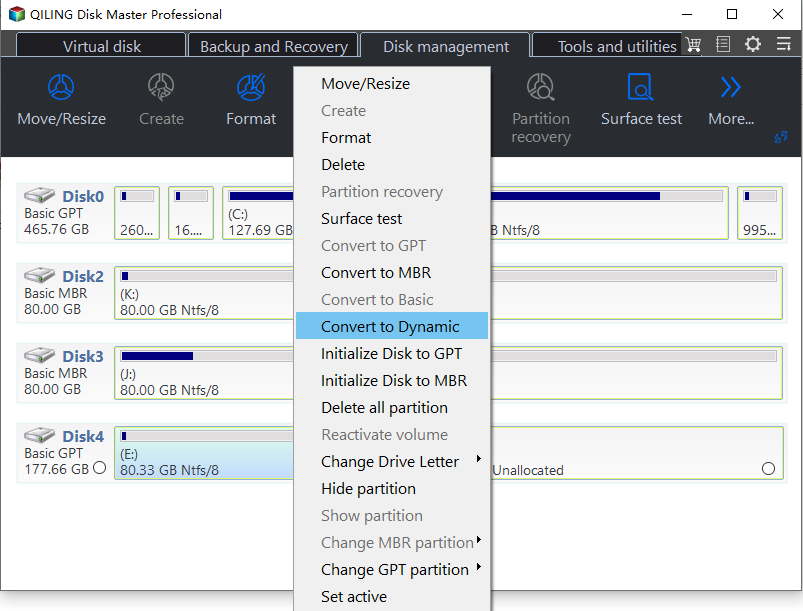
The Qiling Dynamic Disk Converter will be activated. Click Next to continue.
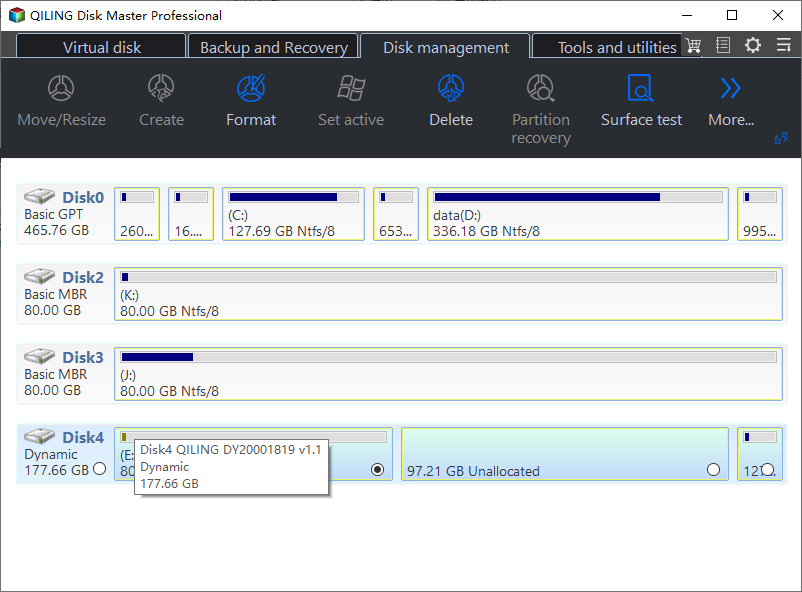
Step 2: To convert a dynamic disk to a basic disk, first select the dynamic disk you want to convert, then click Next. This will initiate the conversion process, which may take a few minutes depending on the size of the disk.
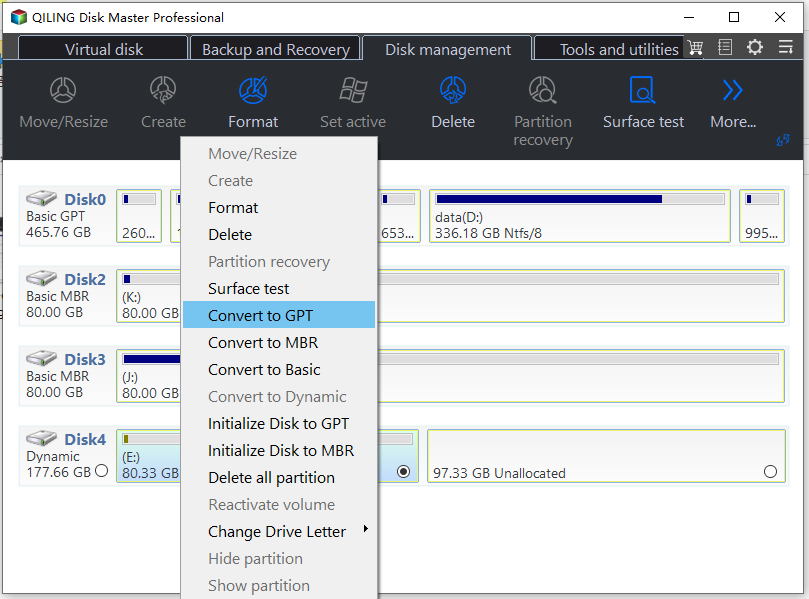
After that, follow the on-screen wizard, confirm the target disk, and apply the pending operation.
Converting dynamic to basic without deleting volumes is straightforward with the right tool. The software supports various Windows operating systems, including Windows 7/8/8.1, Vista, XP, and 2000, both 32-bit and 64-bit versions.
Download Qiling Disk Master Professional
Related article: convert dynamic disk to basic without deleting volumes.
Related Articles
- Change Windows Password Using Command Prompt - 2 Ways
If you're having trouble changing your Windows password, you can try using the Command Prompt to do so. However, if you're looking for a more straightforward alternative, there are other options available. - How to Clone PS4 Hard Drive to SSD Without Losing Data
If you're running out of space on your PS4 hard drive and can't afford a PS5, consider cloning your PS4 hard drive to a larger SSD for increased capacity and improved performance. - Which Command Is Used to Format a Disk Partition as EXT4? Check and Find Answer Here
The command used to format a disk partition as EXT4 is `mkfs.ext4`. This command is used to create a file system on a disk partition, and the `ext4` option specifies the file system type as EXT4. - Can I Delete Dynamic Volume on GPT or MBR Disk? Your Guide Here [2024 Tutorial]
To delete a dynamic volume on a GPT or MBR disk, you can use the Disk Management utility built into Windows. First, open the Disk Management tool by searching for it in the Start menu. Then, locate the disk containing the dynamic volume you want to delete and select it. - Windows 11 System Migration Software: Free/Paid Software to Move OS to SSD
Many users are now choosing SSDs for a better user experience. After investing in a new device, the next step is to consider using a Windows 11 system migration software to ensure a smooth transition. - 9 Best Tips to Troubleshoot Windows 7 Is Running Slow
Your Windows 7 may slow down when too many apps, programs, or browser windows are open at once. This guide provides useful solutions to optimize the system and improve performance. - Install Windows 10 on a Dynamic Disk
Install Windows 10 when a disk is dynamic by backing up data, checking boot support, and converting safely if needed.
Products
Articles & Tutorials
- Data Recovery
- Data Backup
- File Recovery
- File Backup
- File synchronize
- System Backup and Restore
- Disk and Partition Clone
- Technical articles
- Disk Master Help
- Windows Deleted File and Disk Recovery Tutorials
- Windows File and Data Recovery Tutorials
- More Windows Tutorials for Install, Security, Files, and PC Tips
- Windows Boot, Repair, and Recovery Environment Tutorials
- Windows Backup Tutorials
- Windows Restore Tutorials
- Windows Clone and Migration Tutorials
- Windows Server Backup, Recovery, and Management Tutorials
- Windows Disk, Partition, and Storage Management Tutorials