(Fixed) 4 Solutions to Acer eRecovery Management Restore Failed
- Brief Introduction for Acer eRecovery Management Restore Failed
- How to fix Acer eRecovery Management Restore failed error
- Situation One: restore failed - error code=0x241
- Situation Two: error 0xA000000E
- Situation Three: restoration failed - error code=1005
- Situation Four: restore failed - error code= 0x45d
- All-round protection to your Acer computer
- Conclusion
Brief Introduction for Acer eRecovery Management Restore Failed
For Acer computers, the recovery process can be problematic, particularly with errors like 0xf0000051 or 0xd0000017, which may occur when trying to reinstall the system using the recovery discs. This can happen when the computer is started with the Acer System disk and the recovery discs are inserted as prompted, highlighting issues during the recovery process.
The Acer eRecovery Management restore failed due to an unexpected file structure on the hard drive, which doesn't match the program's expectations.
How to fix Acer eRecovery Management Restore failed error
Acer eRecovery Management restore failed can be fixed in various situations. If you see a specific error message or code, refer to the corresponding solution. Otherwise, you can try troubleshooting steps such as checking the system requirements, ensuring the eRecovery disk is properly created and used, and verifying the restore process.
Situation One: restore failed - error code=0x241
Problem
I'm trying to fix my friend's Acer Aspire 5552-7803 and ended up having to order a set of Recovery discs for $20. The problem is that when I try running the Restore to factory default option, it loads through the first two recovery discs, then on the third, I get an error message that says "Restore failed - Error code=0x241 (WIMApplyImage cannot apply image : Windows cannot verify the digital signature for this file. A recent hardware or software change might have installed a file that is signed incorrectly or damaged, or that might be..." The rest is obscured by the box and you can't scroll to read it.
You tried using diskpart to clean and prepare the disk for the image restore, but it still failed with an error code 0x570, indicating that the file or directory is corrupted and unreadable, preventing the image from being applied.
Solution
If you're experiencing issues with your computer, it might be due to a problem with one of your memory sticks. Try removing one stick, restarting your computer, and then see if the issue persists. If it does, try swapping the removed stick with the other one to see if that resolves the problem. This troubleshooting step can help you identify if the issue is with one specific stick or not.
Situation Two: error 0xA000000E
Problem
Trying to reinstall windows on extensa 5630z with recovery media i purchased from Acer store. Reason is original hardrive failed. I pulled a hardrive from another laptop, formatted it and placed the system disk in the CD. I booted to the cd and the system disk installed windows. it then asked for the recovery disk which I inserted. The disk drive made a crunching noise and spit the disk out giving me: error 0xA000000E on reinstall recovery disk 1 extensa 5630z. I removed the hardrive, reformatted it, checked it for errors and found none. Reinstalled and tried again with the same result. The cd drive is working because it loads the system disk. If i put the second recovery disk in, it spits it out and asks for the first...
Solution
To resolve the issue, wipe the existing partitions from the hard disk drive, repartition it, and then retry. If there's important data on the hard disk, move it out or make a backup before deleting the partitions.
Situation Three: restoration failed - error code=1005
Problem
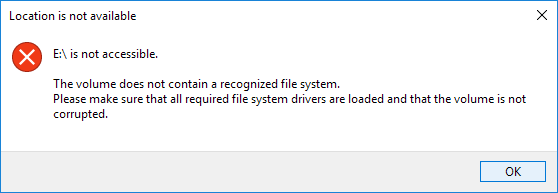
You're trying to restore your Acer Aspire 5532 to its factory settings using eRecovery management, but the process fails with error code 1005, saying the volume is not recognized or is corrupted.
Solution
Reformat the hard drive, have the drivers for the hard disk ready to install via USB drive... boot to USB install the Drivers, then reboot and restore.
Situation Four: restore failed - error code= 0x45d
Problem
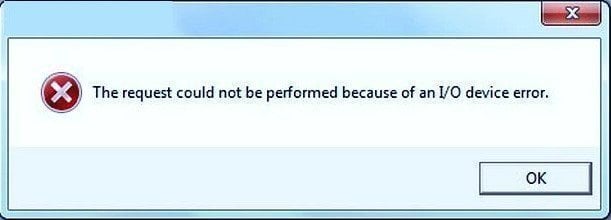
You're trying to restore your Acer Aspire One D255 to its original factory settings, but the restore process fails at around 14% with an error code 0x45d, indicating an I/O device error. This could be due to a faulty hard drive or a corrupted system image. You may want to try running a disk check on the hard drive to see if there are any physical issues. Additionally, you can try restoring the system using a different method, such as using a USB drive with a bootable factory image, or seeking assistance from Acer's support team. Would you like me to guide you through any of these steps?
Solution
The hard disk may have failed or there is a problem with the recovery partition, causing the Acer recovery disk to fail. To resolve this, diagnose the hard disk to identify the issue and fix it accordingly.
All-round protection to your Acer computer
If the restore process fails when trying to factory reset or restore an Acer computer, it can be frustrating, especially if it results in losing important data or programs. Users may then need to reinstall Windows from scratch, which can be a hassle. This is a common concern for many users who prefer to avoid this outcome.
To avoid computer data loss, create a customized recovery partition with a reliable system backup and recovery tool like Qiling Disk Master, which can contain a system image of your computer, including OS, installed programs, and data, allowing for easy recovery in case of a disaster, applicable to all computer brands.
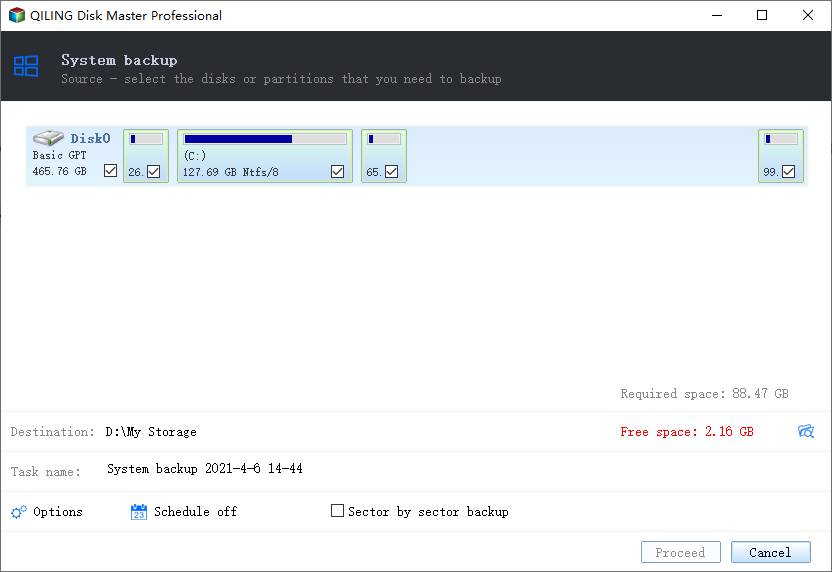
The software allows users to choose a location for system backup, including the Qiling OneKey recovery partition, external disk, USB drive, CD or DVD, with the recovery partition being the recommended option for its added safety.
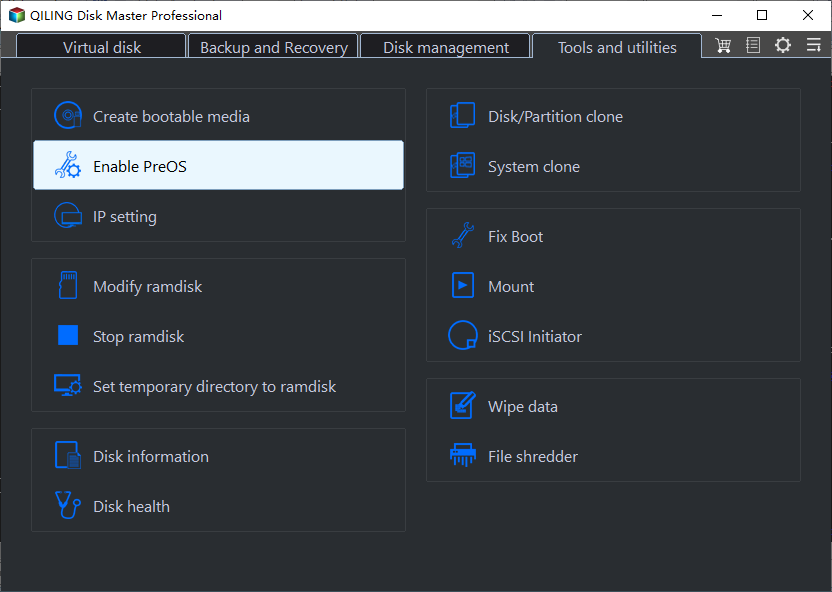
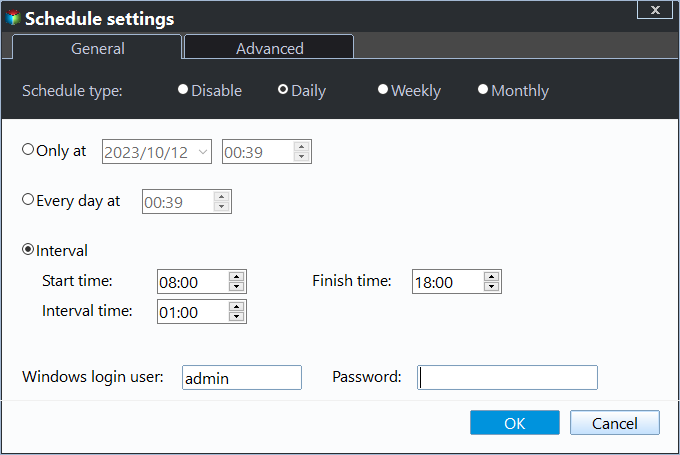
You can enjoy various backup settings, including compression, encryption, and scheduling options for daily, weekly, or monthly backups. Additionally, you can add a fast recovery key (F11 or A) or a boot menu to the startup.
Conclusion
Analysis of the above situations and internet research reveal that the most likely reasons for Acer eRecovery Management restore failure include corrupted system files, incorrect BIOS settings, and outdated or incompatible software drivers. Solutions to each cause include running a System File Checker (SFC) scan to repair corrupted files, updating BIOS to the latest version, and reinstalling or updating software drivers to ensure compatibility.
- Defective or incompatible hardware (bad hard drive, memory, or mainboard). You can either set up your system for repair service online, or replace the damaged hard disk with a complete one and try again.
- Partitioning problems of hard disk. Try to delete all partitions on the hard drive and retry.
- Recovery process stuck at 99% while installing. If you replace an older 512b disk with a newer 4k drive, you may encounter issues. To resolve this, try installing a hard disk that matches the specification of the original hard drive. This should help resolve the problem.
- Recovery media asks for an 'extra' disc (Example: RCDs are disc 1 of 2 and disc 2 of 2, but the process asks for disc 3.) The issue is likely caused by a hardware problem with the computer. To resolve it, you should try to identify and fix the underlying hardware issue.
- Recovery stops on a step and does not progress. Press the "Alt + Home" keys together, close the process with the error message, and the restore should continue installing.
- Error "Restore failed- cannot find image path: M:\recovery image\install.wim".The Acer recovery disk may be damaged or incomplete, causing the recovery process to fail. To resolve this, it is recommended to create a new recovery media and attempt the recovery process again.
- Media appears to be blank. If you're trying to determine if a media is healthy or not, connect it to another computer and open it in My Computer. If you see files on it, it should be functional. If not, it's likely faulty and you'll need to replace it to restore your data.
Related Articles
- Acer erecovery hard drive configuration is not set
Solutions for Acer eRecovery Management problem - Acer eRecovery hard drive configuration is not set to the factory default, restore aborted. - Acer eRecovery Management cannot install bootable file
Solutions for Acer eRecovery Management problem - Acer eRecovery Management cannot install bootable file. - Acer eRecovery Management not working
If you encounter the problem of Acer eRecovery Management not working, read this article carefully to get effective solutions. - Acer eRecovery Management stuck
You will learn how to fix Acer eRecovery Management stuck problem in common situations and easily factory reset Acer without losing data. - Acer eRecovery Management missing
This guide explains Acer eRecovery Management missing with clear steps, key checks, and practical tips. - Backup and Restore Windows 8.1 with/Without Built-in Tool [Full Guide]
We will introduce the built-in backup tools of Windows 8.1 in this article. You can also find the full guide to back up and restore Windows 8.1 with/without the built-in tools. We recommend you use Qiling Backup for its quick backup process and user-friendly interface.
Products
Articles & Tutorials
- Data Recovery
- Data Backup
- File Recovery
- File Backup
- File synchronize
- System Backup and Restore
- Disk and Partition Clone
- Technical articles
- Disk Master Help
- Windows Deleted File and Disk Recovery Tutorials
- Windows File and Data Recovery Tutorials
- More Windows Tutorials for Install, Security, Files, and PC Tips
- Windows Boot, Repair, and Recovery Environment Tutorials
- Windows Backup Tutorials
- Windows Restore Tutorials
- Windows Clone and Migration Tutorials
- Windows Server Backup, Recovery, and Management Tutorials
- Windows Disk, Partition, and Storage Management Tutorials