Cannot Merge Partitions
This article applies to: all versions of Qiling Disk Master.
If free space is not adjacent, check Shrink Volume greyed out and related partition limits.
Overview
Introduction:
The "Merge Partitions" option may be greyed out, or the partition you want to select may be unavailable when you try to merge two partitions. This usually happens because the selected partitions do not meet the merge requirements.
Common reasons partitions cannot be merged
Generally, the following situations can lead to the problem:
Case 1: The two partitions are on different disks. Qiling Disk Master can only merge partitions on the same disk.
Case 2: The partition is a system partition or a system reserved partition.
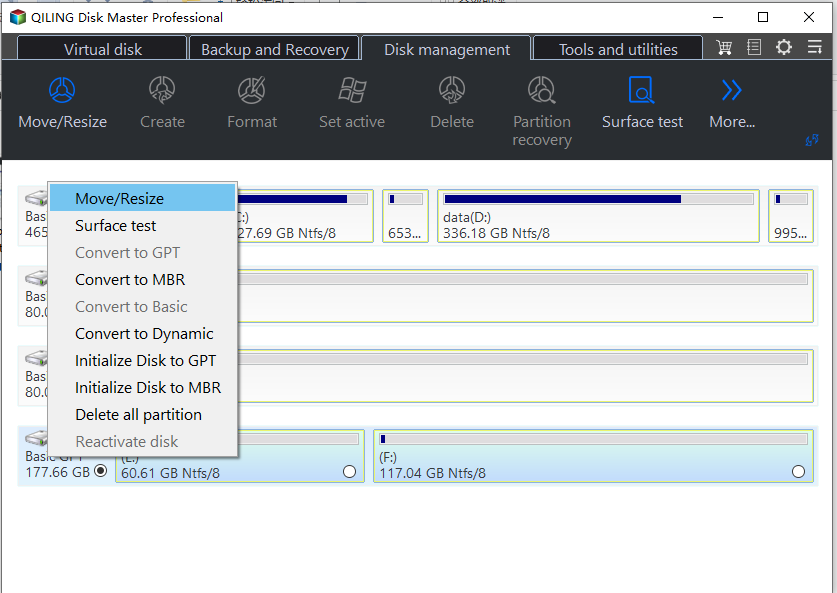
Case 3: The host partition does not have enough free space. If the host partition has less than 1GB of free space, the merge operation may be blocked to avoid file system errors.
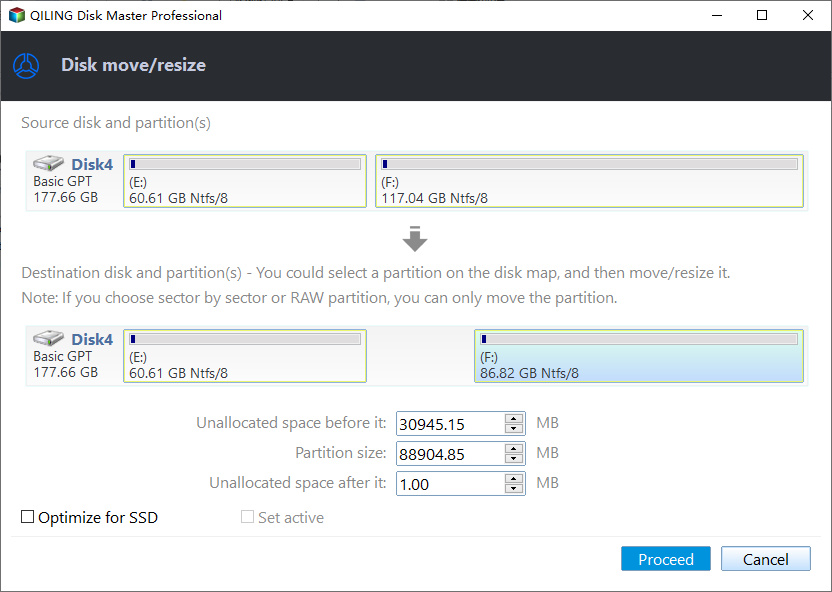
Case 4: The two partitions are not adjacent. Qiling Disk Master cannot directly merge non-adjacent partitions.
Solutions
Solutions:
If it is case 1, you cannot merge two partitions on different disks. Consider creating a large partition on another disk and copying data to it instead.
In case 2, Qiling Disk Master does not support merging the System Reserved partition because it contains files required to boot Windows.
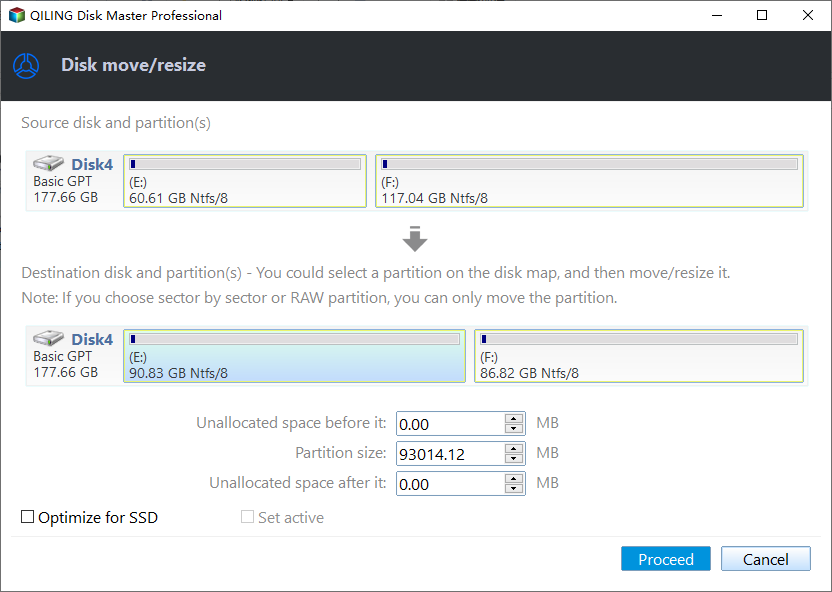
If it is case 3, the host partition needs at least 1GB of free space. You can delete unnecessary files to free up space, or shrink another partition to create unallocated space and then use "Resize/Move Partition" to add that space to the host partition.
If it is case 4, Qiling Disk Master cannot merge non-adjacent partitions directly. If the host partition has enough free space to store data from the second partition, you can manually copy the data, delete the second partition, and then merge the host partition with the newly unallocated space.
If you're still having trouble, please contact our Qiling support team for assistance.
Related Articles
- Qiling Partition Master vs. Acronis Disk Director, Differences and Similarities [2022 New]
Compare Qiling Partition Master and Acronis Disk Director to learn their differences, similarities, and which partition software may better fit your computer. - Accidentally Formatted/Deleted HP Recovery Partition, How to Recover
This guide explains Accidentally Formatted/Deleted HP Recovery Partition, How to Recover with clear steps, key checks, and practical tips. - How to Resize/Remove Dynamic Volume
Step-by-step tutorial to resize or remove GPT dynamic volume with Qiling Partition Master on Windows XP/Vista/7/8 and Server 2003/2008/2012. - Resize Partition Under Windows 7 (32 Bit and 64 Bit)
Qiling free partition magic for Windows 7 works flawlessly to resize/move/merge/split partitions in Windows 7 (32 bit and 64 bit). Qiling Partition Master is a magic partition tool for Windows 7 which offers complete Windows 7 disk management solution. - How to Install M.2 SSD [Beginner's Guide⭐]
Learn how to install an M.2 SSD with beginner-friendly steps, from locating the M.2 slot to preparing the drive for Windows use. - How to Install Windows 10 on Raspberry Pi 4 [Step-by-Step]
Learn how to install Windows 10 on Raspberry Pi 4 step by step, so you can run Windows programs on this compact device more easily.
Products
Articles & Tutorials
- Data Recovery
- Data Backup
- File Recovery
- File Backup
- File synchronize
- System Backup and Restore
- Disk and Partition Clone
- Technical articles
- Disk Master Help
- Windows Deleted File and Disk Recovery Tutorials
- Windows File and Data Recovery Tutorials
- More Windows Tutorials for Install, Security, Files, and PC Tips
- Windows Boot, Repair, and Recovery Environment Tutorials
- Windows Backup Tutorials
- Windows Restore Tutorials
- Windows Clone and Migration Tutorials
- Windows Server Backup, Recovery, and Management Tutorials
- Windows Disk, Partition, and Storage Management Tutorials