How to Wipe a Hard Drive for Reuse in Windows 10, 8, 7?
Scenario
People often store large amounts of data on hard drives or other storage devices, but these drives can be vulnerable to viruses and malware. If a hard drive fails and can't be repaired, wiping it clean for reuse is often the best option. Additionally, before selling or abandoning a hard drive, it's essential to delete all data on it to prevent data leakage.
Formatting a hard drive doesn't actually erase all data, it just deletes the partition table, making data and files invisible to the system, allowing them to be easily recovered.
To completely and permanently wipe a hard drive in Windows 10, 8, 7, you can use the built-in Disk Cleanup tool or the Command Prompt to run a secure erase command. The Disk Cleanup tool can be accessed by searching for it in the Start menu, selecting the drive you want to wipe, and then choosing the 'Clean up system files' option.
Reliable and powerful hard drive wiping software
For a thorough hard drive clean, Qiling Disk Master Professional is a top pick. This reliable and powerful software securely deletes all data on a hard drive, USB drive, SD card, or partition, making it a go-to choice for most people.
And it is a user-A user-friendly tool, Qiling Disk Master, allows for a hassle-free process of wiping a hard drive. The process is completed in just a few steps. Additionally, if the PC is unable to boot from the hard drive, the tool enables the creation of a Windows PE USB or CD, allowing the PC to boot up first and then successfully wiping the hard drive.
To try out the software, download the Demo version and follow these steps. The Demo version allows you to experience how to use the software and see its capabilities.
How to wipe a hard drive for reuse in Windows 10, 8, 7?
To completely wipe the data on a hard drive, first, ensure the drive is connected to your PC. Then, open the Disk Management utility on your PC, which can be accessed by pressing the Windows key + R, typing "diskmgmt".
Step 1. Launch Qiling Disk Master, click "Wipe" on in the top toolbar, and choose "Wipe Hard Drive".
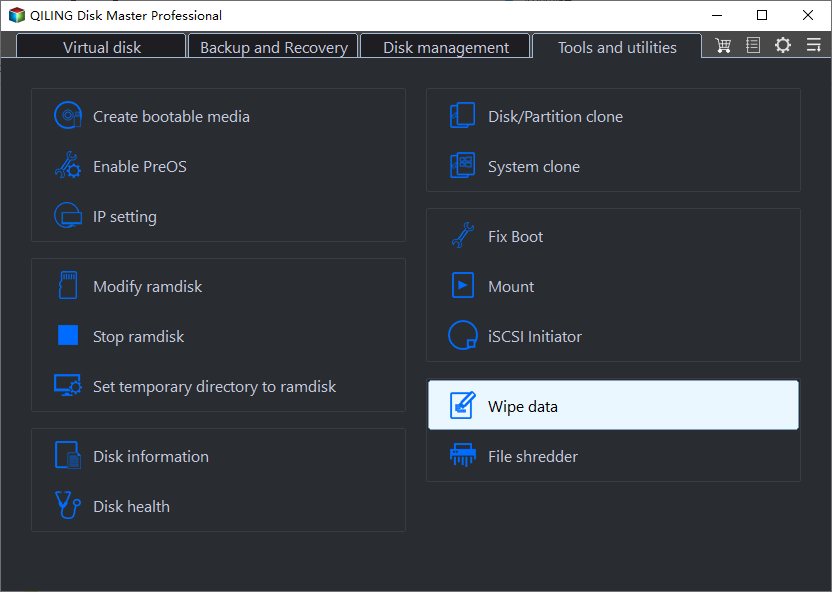
Step 2. Here you can choose a wiping method with one of erase times.
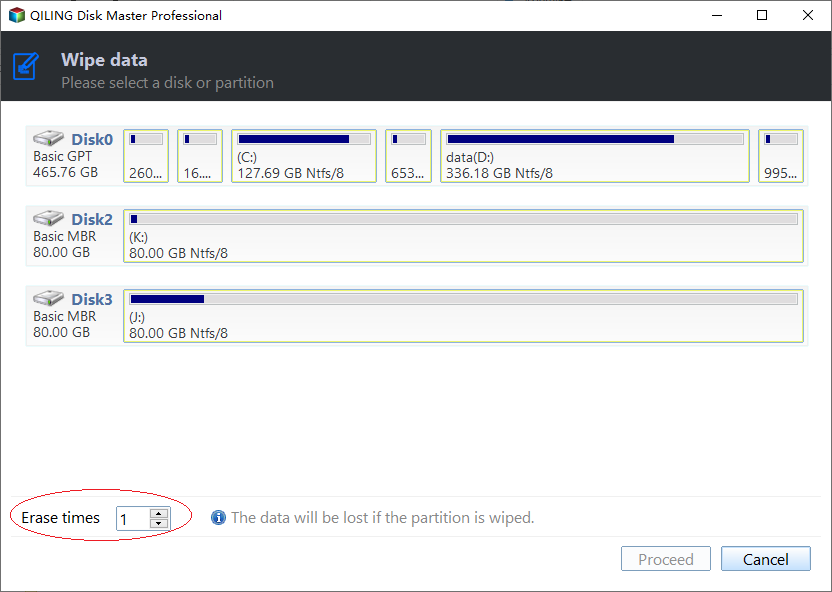
✍ Note: The 4 wiping methods come with different strengths of erasing.
● Fill sector with Zero: Overwriting a hard drive with zeros is a safe and efficient method to erase data, making it difficult for recovery programs and software to retrieve any information. This process is relatively quick and effectively prevents data recovery.
● Fill sectors with random data: This method writes random data to the hard drive to wipe it, making it safer than the first option but taking a little more time.
● DOD (Department of Defense) sanitization is a software-based method that thoroughly erases data by overwriting a drive with three passes: zeros, ones, and random data. This process is highly secure and time-consuming, making it an effective way to completely wipe data from a drive.
● Gutmann: The software performs 35 passes to completely wipe a hard drive, making it the safest way to prevent data recovery. However, this process can cause wear on the drive and takes more time.
Step 3. And you can view preview the operation on the main interface, and click "Proceed" to execute the task.
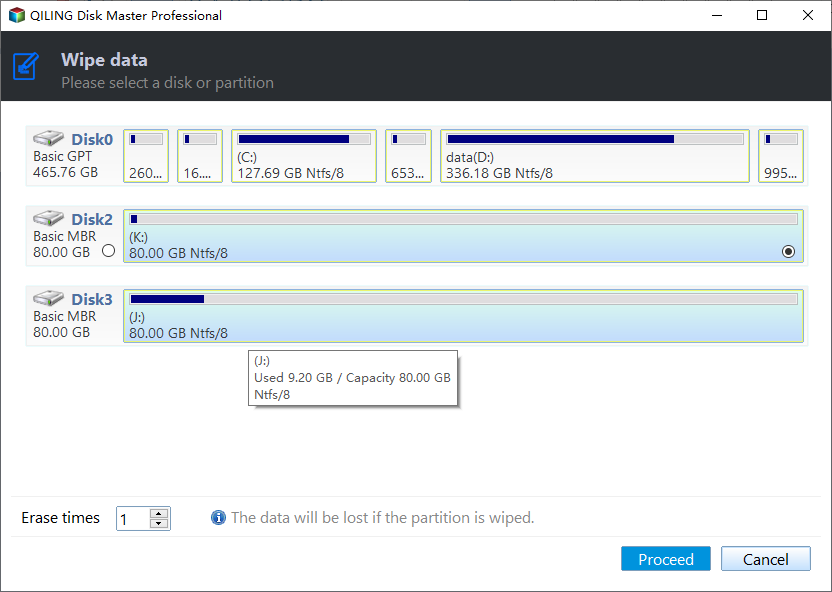
After a while, the hard drive will be completely wiped out, allowing it to be reused by connecting it to other machines.
Addition: How to completely wipe an SSD?
The method of wiping a hard drive (HDD) by overwriting it with zeroes or ones is not suitable for solid state drives (SSDs) as it can reduce their lifespan. SSDs store data using flash memory chips, which is different from HDDs, and the same wiping method can cause damage to the SSD.
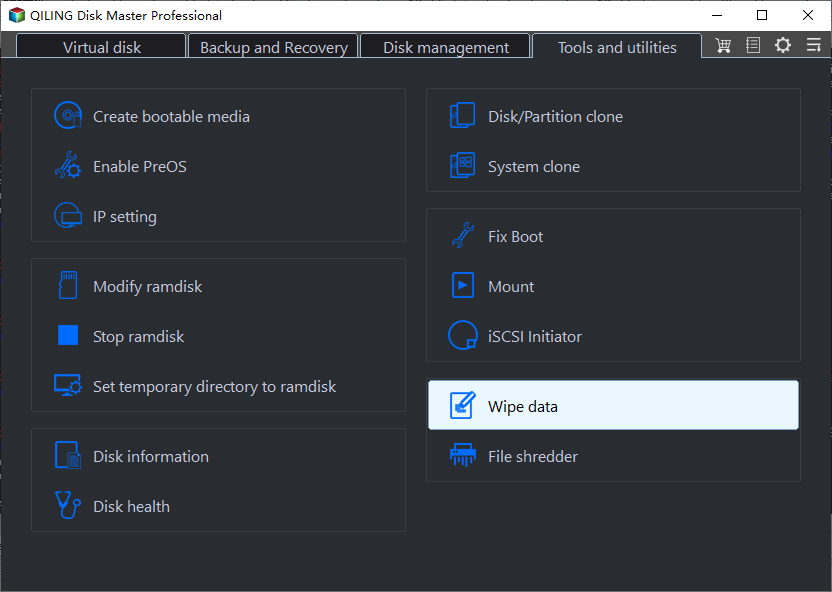
Fortunately, Qiling Disk Master also provides a wiping way that can delete all data on an SSD without hurting it, specifically designed for SSDs, but currently only available in the Windows 7 environment.
To securely erase an SSD on a Windows 7 computer, simply connect the SSD to the computer and launch the SSD secure erasing tool. From there, right-click on the SSD and select "SSD Secure Erase" to initiate the secure erase process.
Conclusion
To wipe a hard drive for reuse in Windows 10, 8, 7, you can use Qiling Disk Master, a professional disk and partition manager, to securely erase private data and files, and then create a new partition on the drive for reuse.
Qiling Disk Master Server is used for wiping disk on Server systems, while the Unlimited Edition is used for multiple PCs.
Related Articles
- Can't Erase DVD, CD
Covers safe ways to protect or remove data, including preparation steps to avoid unwanted file loss. - How to Clean a Disk Using CMD [2022 New Guide]
Introduces Clean a Disk Using CMD [2022 New Guide] with practical steps and checks that help complete the task more safely. - How to Delete All Data from HP Laptop in Windows 11/10/7 [2022 New]
Covers safe ways to protect or remove data, including preparation steps to avoid unwanted file loss. - How to Delete Everything But OS in Windows 10/11 [Beginners' Guide]
Introduces Delete Everything But OS in Windows 10/11 [Beginners' Guide] with practical steps and checks that help complete the task more safely. - [Tutorial] Do Samsung SSD Secure Erase via 2 Methods
Here, you can learn how to perform Samsung SSD Secure Erase operation. Two different secure SSD erase utilities, Samsung Magician and CrystalDiskInfo, will be introduced and used to securely erase data from your Samsung SSD. - 2 Methods to Secure Erase SSD in Windows 10, 8, 7
Learn how to secure erase SSD drive in Windows 10, 8, 7. Qiling Disk Master Professional can securely wipe all data from SSD permanently.
Products
Articles & Tutorials
- Data Recovery
- Data Backup
- File Recovery
- File Backup
- File synchronize
- System Backup and Restore
- Disk and Partition Clone
- Technical articles
- Disk Master Help
- Windows Deleted File and Disk Recovery Tutorials
- Windows File and Data Recovery Tutorials
- More Windows Tutorials for Install, Security, Files, and PC Tips
- Windows Boot, Repair, and Recovery Environment Tutorials
- Windows Backup Tutorials
- Windows Restore Tutorials
- Windows Clone and Migration Tutorials
- Windows Server Backup, Recovery, and Management Tutorials
- Windows Disk, Partition, and Storage Management Tutorials