Partition Becomes Unallocated After Windows 10 Upgrade
A Windows 10 upgrade can expose disk problems or fail while updating partition information. A former partition may then appear as unallocated.
Background and causes
Do not create a new volume immediately. New partition information can overwrite traces needed for recovery.
- Confirm the exact disk, partition, drive letter, file system, and capacity before changing anything.
- Recover or back up important files before formatting, deleting, converting, or recreating partitions.
- For boot-related changes, check BIOS/UEFI mode and boot order before editing disk layout.
Use Windows built-in tools
Open Disk Management, note disk number and capacity, check SMART health, and recover files before rebuilding the partition.
Use Qiling tools for guided steps
 Qiling Disk Master
Recover files before formatting, deleting, or rebuilding the problem partition.
Step 1. Open Deep Data Recovery and choose Fast Scan.
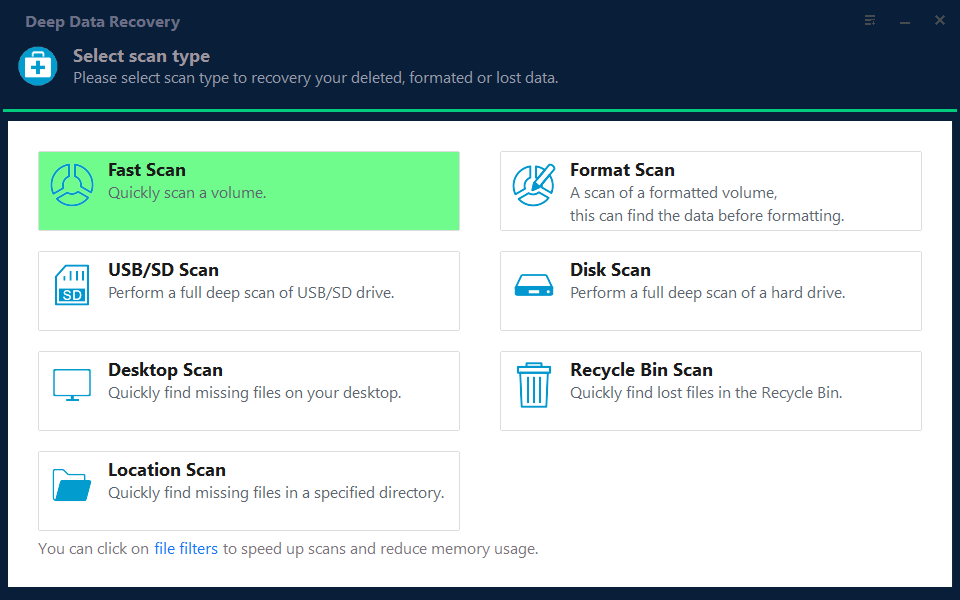
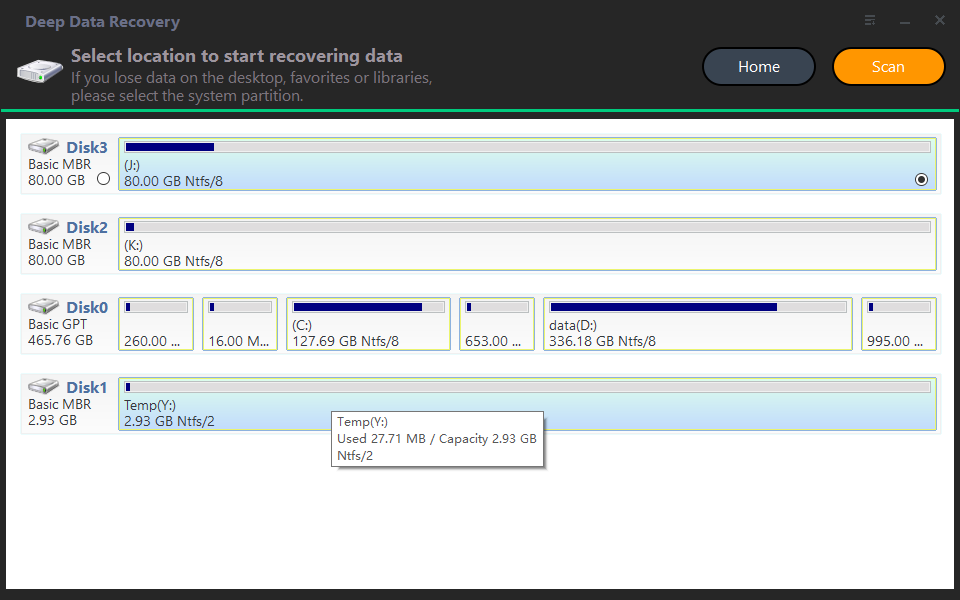
Step 2. Select the lost, RAW, or unallocated location and start scanning.
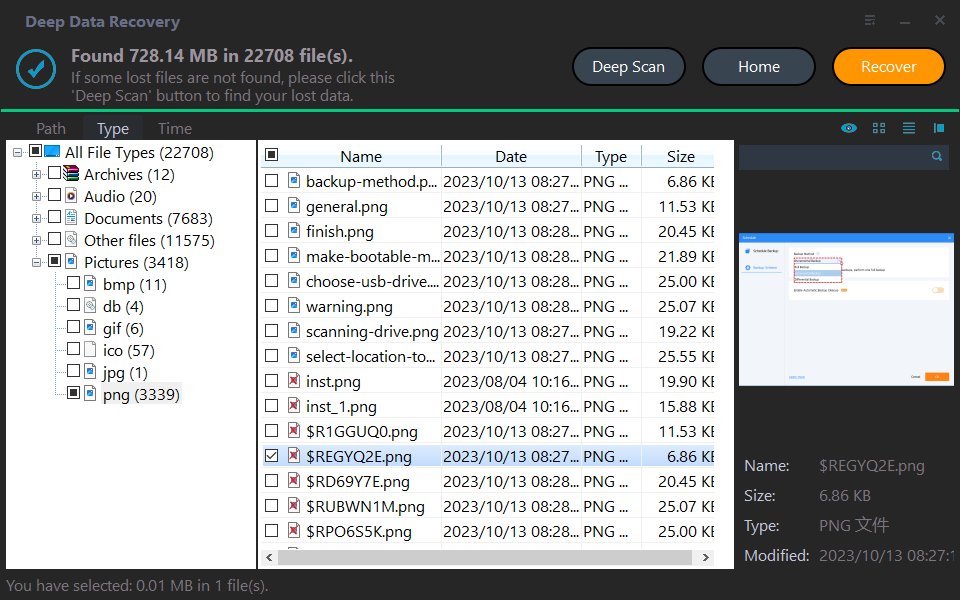
Step 3. Preview files and recover them to another healthy disk.
Check the result
After files are recovered, create a new partition only on the correct unallocated space and restore data from the recovery destination.
Related Articles
-
How to Recover Data
Recover lost files before formatting, deleting, or rebuilding a partition. -
Unallocated Partition Recovery
Recover data from a partition that becomes unallocated or invisible.
Products
Articles & Tutorials
- Data Recovery
- Data Backup
- File Recovery
- File Backup
- File synchronize
- System Backup and Restore
- Disk and Partition Clone
- Technical articles
- Disk Master Help
- Windows Deleted File and Disk Recovery Tutorials
- Windows File and Data Recovery Tutorials
- More Windows Tutorials for Install, Security, Files, and PC Tips
- Windows Boot, Repair, and Recovery Environment Tutorials
- Windows Backup Tutorials
- Windows Restore Tutorials
- Windows Clone and Migration Tutorials
- Windows Server Backup, Recovery, and Management Tutorials
- Windows Disk, Partition, and Storage Management Tutorials