Create Image of SSD Drive with Free SSD Image Software
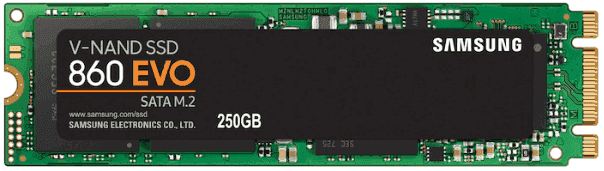
What is SSD?
SSD is short for Solid-State Drive. It uses non-volatile memory to store and access data, unlike traditional hard drives with moving parts. This design makes SSDs faster, quieter, more reliable, and more power-efficient, giving them a clear advantage in performance and user experience.
Why create an image of SSD?
Backing up your SSD is crucial, especially for home users who want to prevent data loss after unexpected SSD failure. Important work documents, photos, and system files deserve a reliable backup strategy. Creating a disk image of your SSD preserves the contents and structure of the drive, making recovery easier when problems occur.
How to create an image of SSD easily
Creating an image of an SSD involves cloning the drive to another hard drive. The best tool for this task should have the capability of disk cloning, and ideally, the cloned drive should be bootable. Furthermore, the tool's user interface should be intuitive and easy to use, even for new users, to ensure a seamless cloning experience.
Qiling Disk Master Standard meets these requirements and helps reduce the risk of cloned SSDs failing to boot.
- The cloning process only copies used sectors, so even if you clone a larger hard drive to a smaller solid-state drive, the cloned SSD can still boot successfully.
- Thanks to its Edit Partitions feature, you can successfully clone MBR to GPT and vice versa, while also being able to add unallocated space to all partitions or adjust it manually.
To create an image of your SSD, you'll first need to download and install a cloning software, such as Qiling Disk Master Professional, onto your computer.
Connect an external SSD to your computer before starting the process.
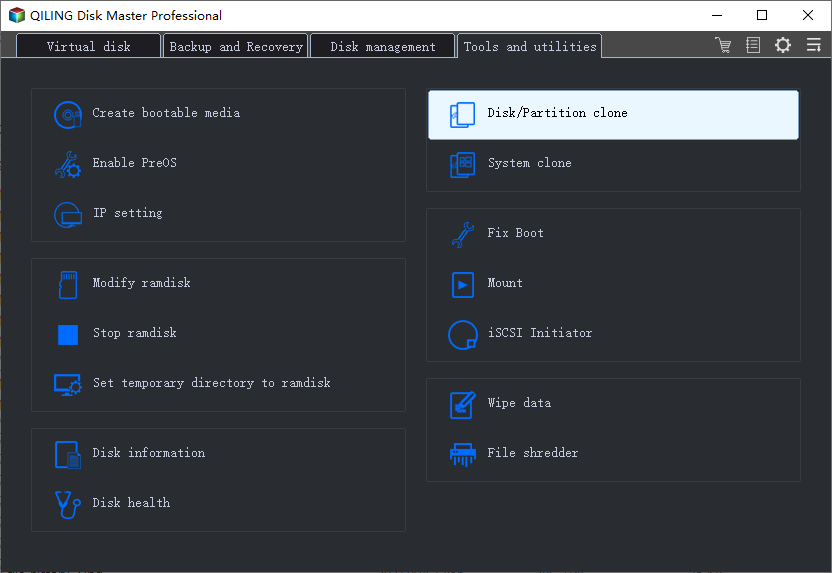
Step 1. Launch Qiling Disk Master, select Disk Clone under the Clone option.
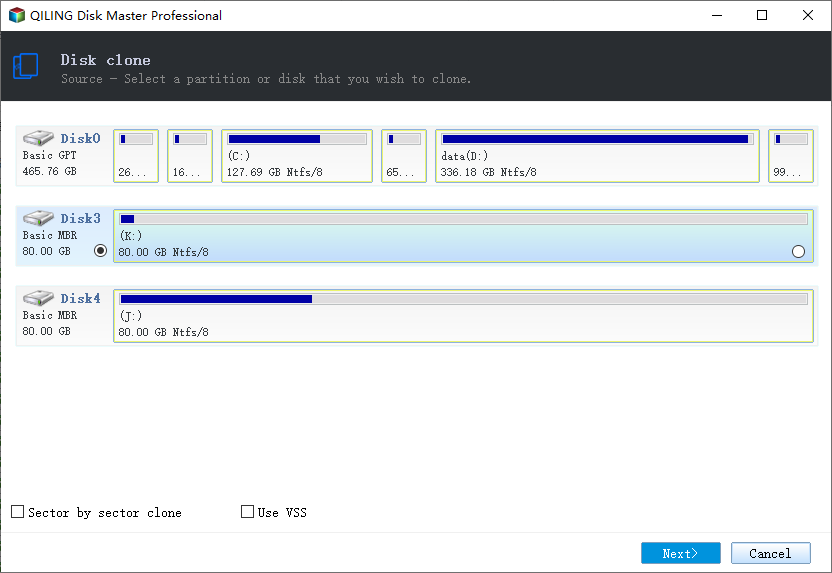
Step 2. Select SSD (Disk0) as the source disk.
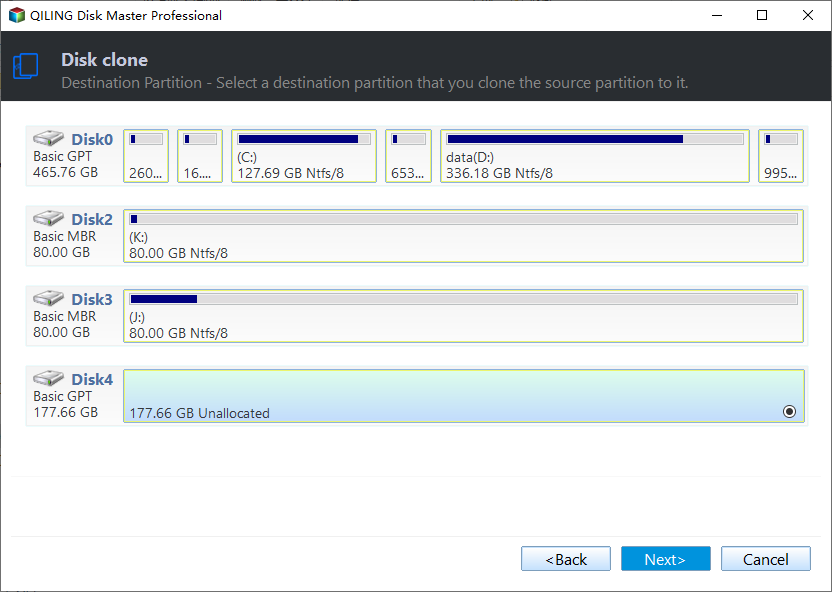
Step 3. Select the external hard drive (Disk 2) as the destination for the SSD image or clone.
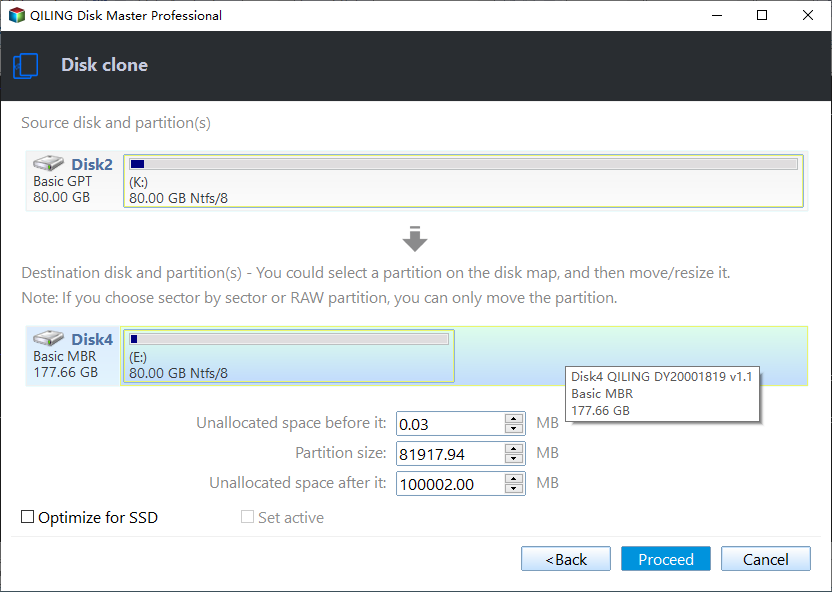
Step 4. After selecting the destination path, you will get a clear confirmation about the operation. If anything is not right, you can go back to correct the mistakes. Click Proceed to start the cloning process.
Summary
You can easily create an image of an SSD disk with professional disk image software such as Qiling Disk Master Professional. Its Disk Clone feature lets you copy the SSD to another drive and keep the target drive bootable.
The software allows you to create a disk image of your SSD using its Disk Backup feature. This requires two storage devices: one to store the backup image and another to mount the backup image. To boot from a new hard drive, you first need to restore the disk image. For more information on cloning disk partitions, please refer to the provided link.
Related Articles
- [Free] Backup SSD to HDD Partition in Windows 10/8/7
- 2 Ways to Restore Windows 10 System Image to New Hard Drive
- How to Migrate OS from MBR Disk to GPT SSD or HDD? (Bootable)
If you want to migrate OS from MBR disk to GPT SSD or HDD, here you can learn the simplest way to move OS from MBR to GPT disk without reinstalling everything from scratch. - Full Guide: Migrate Windows/Mac OS from Slow HDD to Fast SSD Drives
This guide explains Full Guide: Migrate Windows/Mac OS from Slow HDD to Fast SSD Drives with clear steps, key checks, and practical tips. - How to Fix Acronis Clone Disk Failed Error
There are two methods to fix the Acronis clone disk failed error and both have been discussed here. If the first one does not work for you, then you can try the second method and vice versa. - How to Clone A Hard Drive in Windows 7(No OS Reinstalling)
You might need to clone a hard drive in Windows 7 to a new HDD/SSD for many reasons. Cloning Windows hard drives to HDD or SSD isn't tricky if you use the right tool. Qiling Disk Copy is a perfect solution for hard drive cloning without reinstalling OS and applications.
Products
Articles & Tutorials
- Data Recovery
- Data Backup
- File Recovery
- File Backup
- File synchronize
- System Backup and Restore
- Disk and Partition Clone
- Technical articles
- Disk Master Help
- Windows Deleted File and Disk Recovery Tutorials
- Windows File and Data Recovery Tutorials
- More Windows Tutorials for Install, Security, Files, and PC Tips
- Windows Boot, Repair, and Recovery Environment Tutorials
- Windows Backup Tutorials
- Windows Restore Tutorials
- Windows Clone and Migration Tutorials
- Windows Server Backup, Recovery, and Management Tutorials
- Windows Disk, Partition, and Storage Management Tutorials