12 Best Free Partition Recovery Software in 2023: Recover Deleted/Lost Partition
A computer partition is a logical division of a hard disk drive (HDD) or solid-state drive (SSD) that helps organize data and separate program files from user files. However, partitions can become missing due to various reasons such as accidental deletion, virus attacks, bad sectors, power outages, or file system corruption. In such cases, a recovery tool for volume is needed to retrieve the lost data. To assist in choosing the best free partition recovery software, we have discussed 12 fabulous options in detail.
- Quick Navigation
- Part 1. How to Select the Rihgt Partition Recovery software for Your Needs?
- Part 2. 12 Best Free Partition Recovery Programs You Need to Know
- Part 3. Frequently Asked Questions
How to Select the Rihgt Partition Recovery software for Your Needs?
Having issues with your computer's partition is a common problem, and using partition recovery software can help you recover lost data and partitions on your hard drive. However, with numerous options available, choosing the best one for your needs can be challenging. To make an informed decision, you should consider specific parameters, such as the operating system (Mac or Windows PC), to find the best free partition recovery software for your needs.
- 🚫 I'll make sure to test the free version and confirm that it has no functional limitations. I'll let you know the result shortly.
- ⚽ You'll want to ensure that the program is easy to use, avoiding complexity that might deter users.
- ⚙️ You'll want to ensure that the program is compatible with your operating system.
- 🥇 The software should be able to recover lost partitions and files quickly and efficiently, providing excellent performance in the process. This ensures that users can recover their important data without significant delays or complications.
- 🤹 A company should regularly update its products or services and provide practical and responsive customer support to ensure customer satisfaction and loyalty.
- 🏷️ Before making a decision, be sure to read online reviews to get a sense of the program's reputation. This can help you make an informed choice.
When looking for the best partition recovery software, consider factors such as ease of use, data recovery capabilities, and file system support. Keep in mind that some tools may have limitations, such as not being able to recover data from certain file systems or having a limited number of recoverable files. Additionally, some software may have a free version with limited features or a paid version with more advanced capabilities.
12 Best Free Partition Recovery Programs You Need to Know
When a partition goes missing, it can be frustrating to lose access to your data and go through the hassle of recovery, but there are many free partition recovery software programs that can help you get your data back, including 12 top options.
- Qiling Free Data Recovery
- Active Partition Recovery
- Partition Find and Mount
- Disk Drill Partition Recovery Software
- Orion File Recovery Software
- DiskInternals Partition Recovery
- Acronis Disk Director
- MiniTool Partition Wizard
- TestDisk
- Lazesoft Recovery Suite Free
- FonePaw Data Recovery
- BPlan Data Recovery
Qiling Free Data Recovery
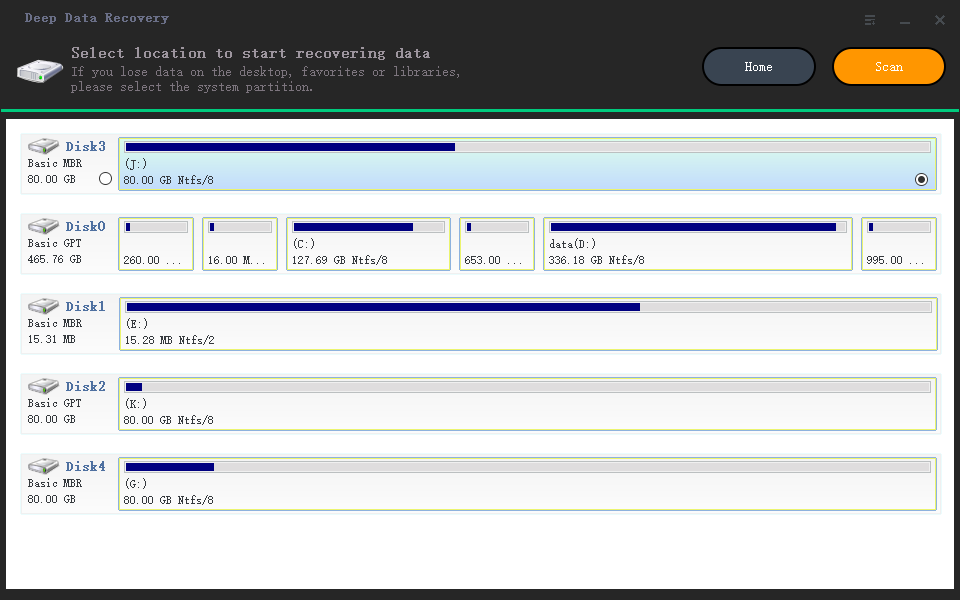
Qiling free data recovery software is a popular and effective tool for recovering data from partitions or disks, compatible with both Windows and macOS. It offers two scan modes, thoroughly scanning every sector to rescue all data, and has no functional limitations, making it a top choice for free partition recovery.
- Pros:
- You can recover lost partitions as a whole or make a selection of required files from the display.
- You get the preview facility before recovering your partition to check whether you are on the right track.
- It helps in fixing the corrupted files automatically with the help of a recovery vault.
- It can also recover deleted files from an SD card, USB drive, and disk/partition.
- Cons:
- Free recovery of up to 2GB of files available.
Active Partition Recovery
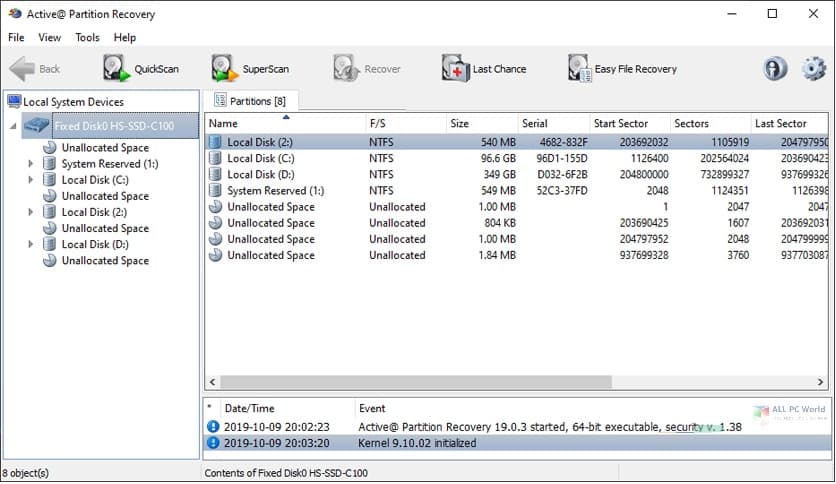
Active Partition Recovery is a free partition recovery software that is compatible with various operating systems, including DOS, Linux, Windows, and WinPE. It offers multiple partition recovery modes and can even help recover a lost volume that was created a long time ago, even if a new one has been created in its place.
- Pros:
- You do not require any technical expertise to operate the software.
- With the automatic mode, you can locate and restore partitions that get deleted seamlessly and quickly.
- You get better control over the volume recovery process with the manual mode.
- Cons:
- There are minimal features in the free version.
- It cannot rescue data from other storage devices.
Partition Find and Mount
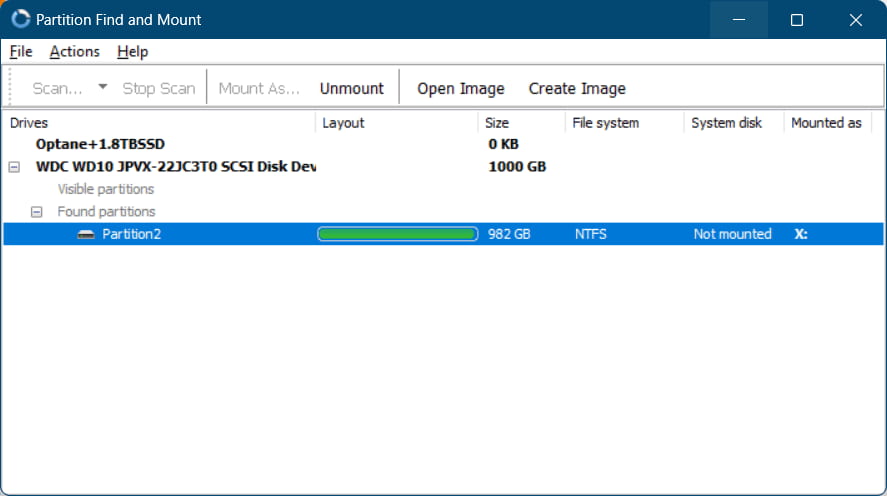
Partition Find and Mount is a crucial feature in the best free partition recovery software for Windows 11/10 and macOS, allowing you to recover deleted partitions and mount them as a virtual drive, enabling access to and copying of files from the recovered partition.
- Pros:
- It has an interface that is user-friendly and is apt for beginners.
- It supports all popular file systems, including NTFS, FAT32, EXT2/3/4, and so on.
- It can come in handy if you ever need to access files on a damaged or corrupt hard drive.
- Cons:
- You may find the software incapable due to missing functionalities and features.
- It may not be apt for professional users.
Disk Drill Partition Recovery Software
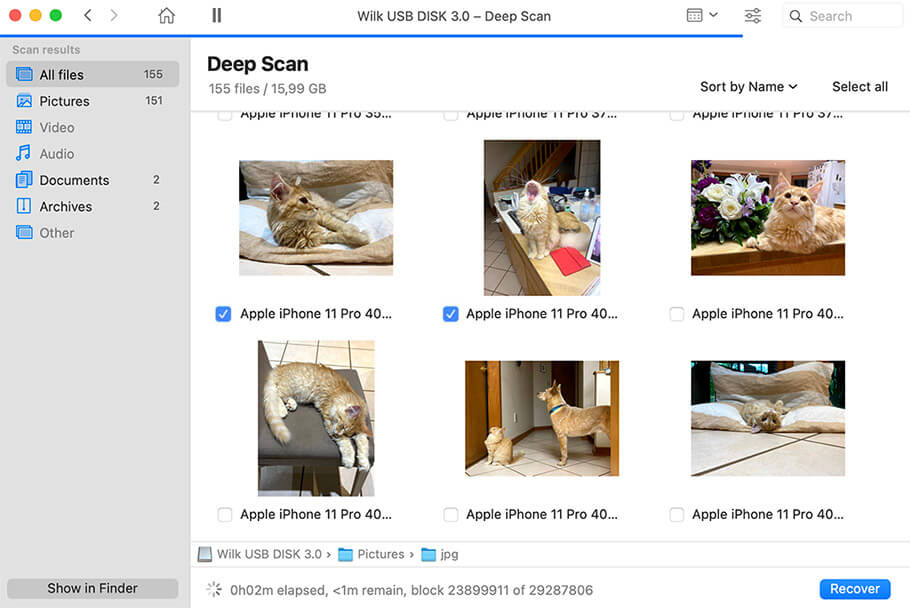
Disk Drill Partition Recovery Software offers a free version that can recover partitions on both Windows and Mac devices, supporting file systems like NTFS, FAT, EXT4, and exFAT, and effectively handling damaged or lost partitions with ease of use.
- Pros:
- The scanning algorithms of the software are powerful.
- You do not require any expertise to operate it.
- You get data backup facilities.
- Cons:
- Certain functions are available in the Pro version, not the free version.
- You can retrieve only 500MB of data on a free version.
Orion File Recovery Software
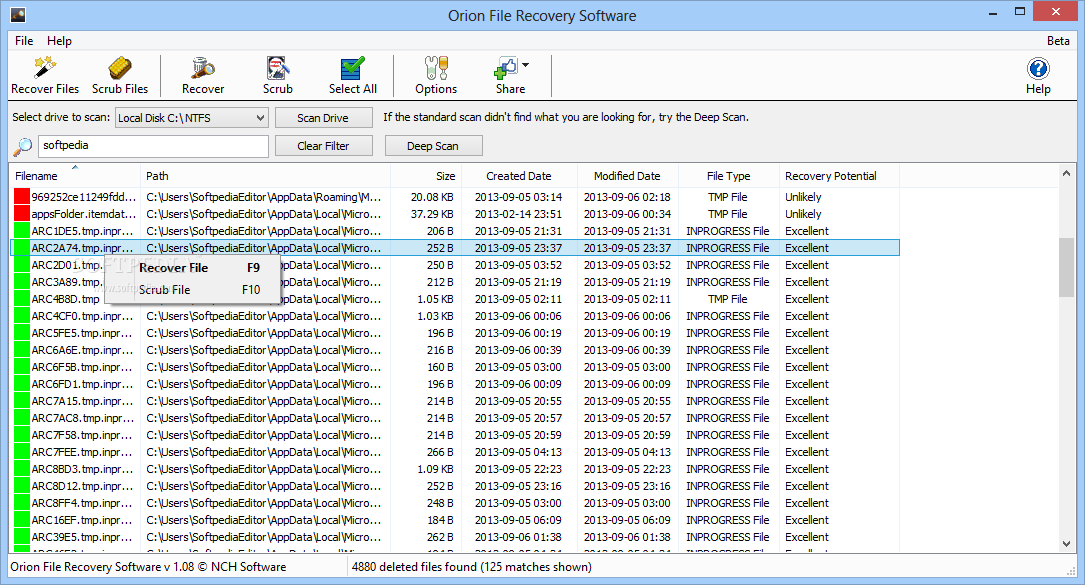
Orion file recovery software is a top-notch free option for recovering lost files on Mac or Windows, offering a range of features to make the process easy and efficient. With Orion, you can search for files by type, date range, or specific keywords, and even preview files before recovering them to ensure you get the right ones. This makes it a great choice, even for those who don't know exactly what they're looking for.
- Pros:
- Many security features come in handy with the software.
- It is easy to operate, and the wizard makes easy recovery possible.
- Orion's expert mode can help you identify the most likely to be recovered.
- Cons:
- There are minimal options that can get configured.
- It is not suitable for scenarios where some partitions are lost.
DiskInternals Partition Recovery
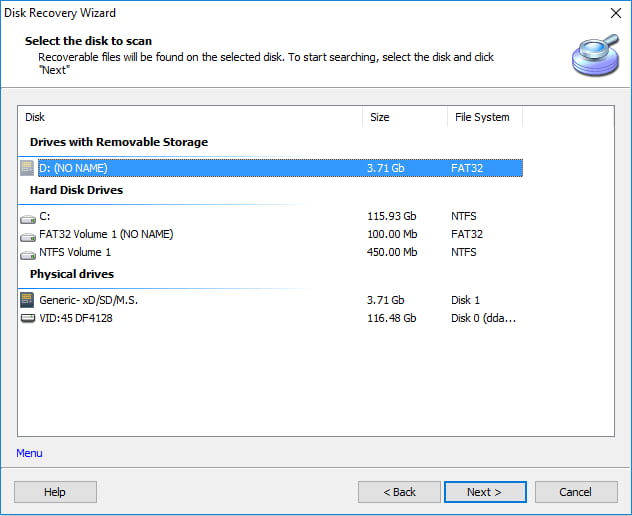
DiskInternals Partition Recovery is a top-notch free partition recovery software that makes data recovery a breeze. It employs a unique algorithm to scan your hard drive and rebuild the partition tables, ensuring a successful recovery. Compatible with all popular Windows versions, this software is an ideal solution for both home and business data recovery needs.
- Pros:
- The interface is user-friendly.
- It helps scan all the formatted partitions and works with inaccessible and deleted partitions.
- It supports various file systems such as XFS, NTFS, FAT, etc.
- Cons:
- The free version comes with minimal features.
- It is not suitable for data recovery of memory cards, Pendrive, and other storage devices
Acronis Disk Director
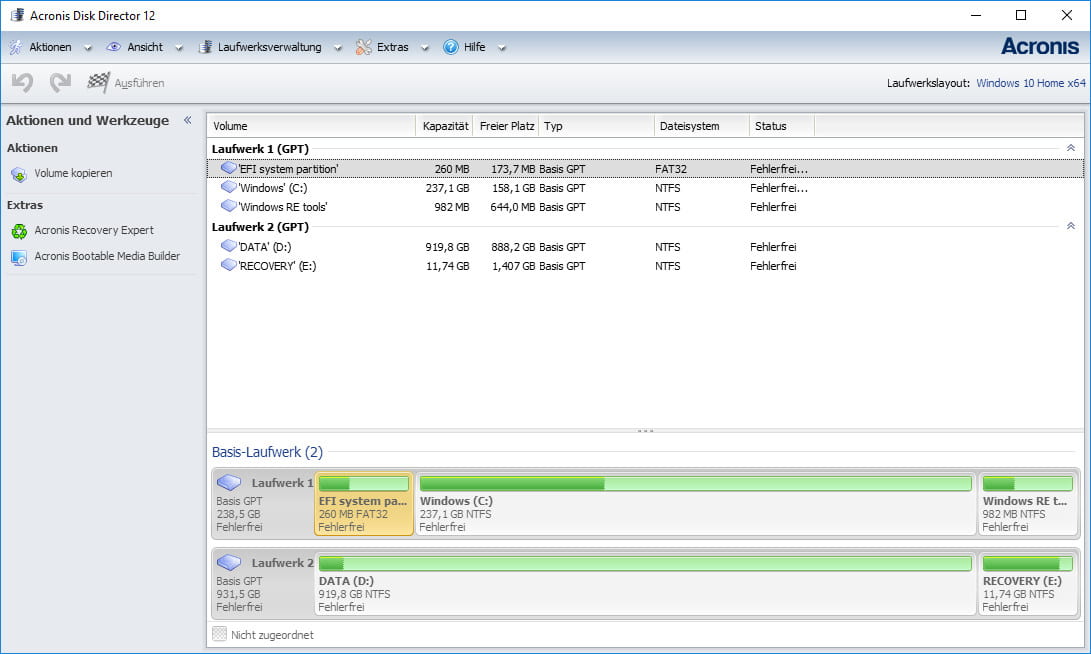
Acronis Disk Director is a free partition recovery software that can also repair damaged file systems. It offers both manual and automatic modes, allowing users to choose their preferred method. While the free version is sufficient for basic needs, paid upgrades are available for additional services.
- Pros:
- It can also be used to recover data from a damaged or formatted hard drive.
- The wizard provides a step-by-step guide that walks you through recovering your partition.
- It supports multiple file formats and systems.
- Cons:
- It cannot retrieve data from encrypted drives or partitions.
- Partition recovery can sometimes be confusing for beginners.
MiniTool Partition Wizard
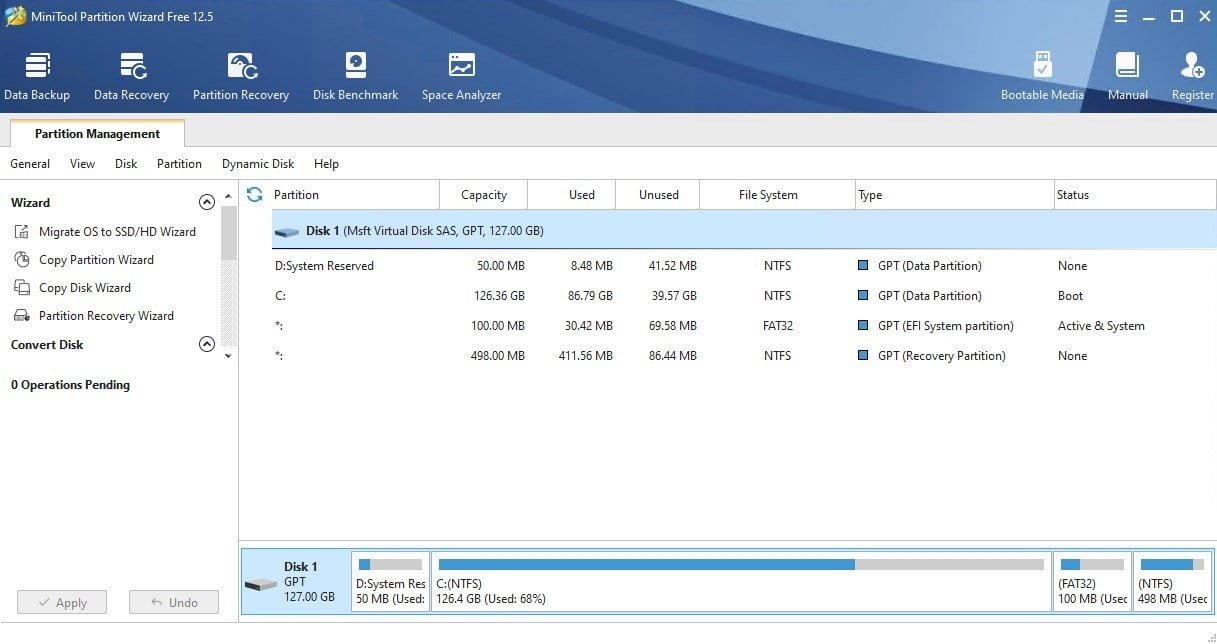
MiniTool Partition Wizard is a tool that helps recover deleted, hidden, lost partitions, and more. It also has a free version that allows creating, deleting, formatting, and resizing partitions on Windows and Linux devices, and can convert FAT files to NTFS format. This makes it an essential tool for anyone who needs to manage their hard drive partitions.
- Pros:
- It has a media builder that is bootable.
- You can recover raw partition by converting them.
- The interface is intuitive and easy to use, even for beginners.
- Cons:
- It is available for Windows and Linux, and you require a paid license to acquire significant features.
- It lends support to very few file systems.
TestDisk
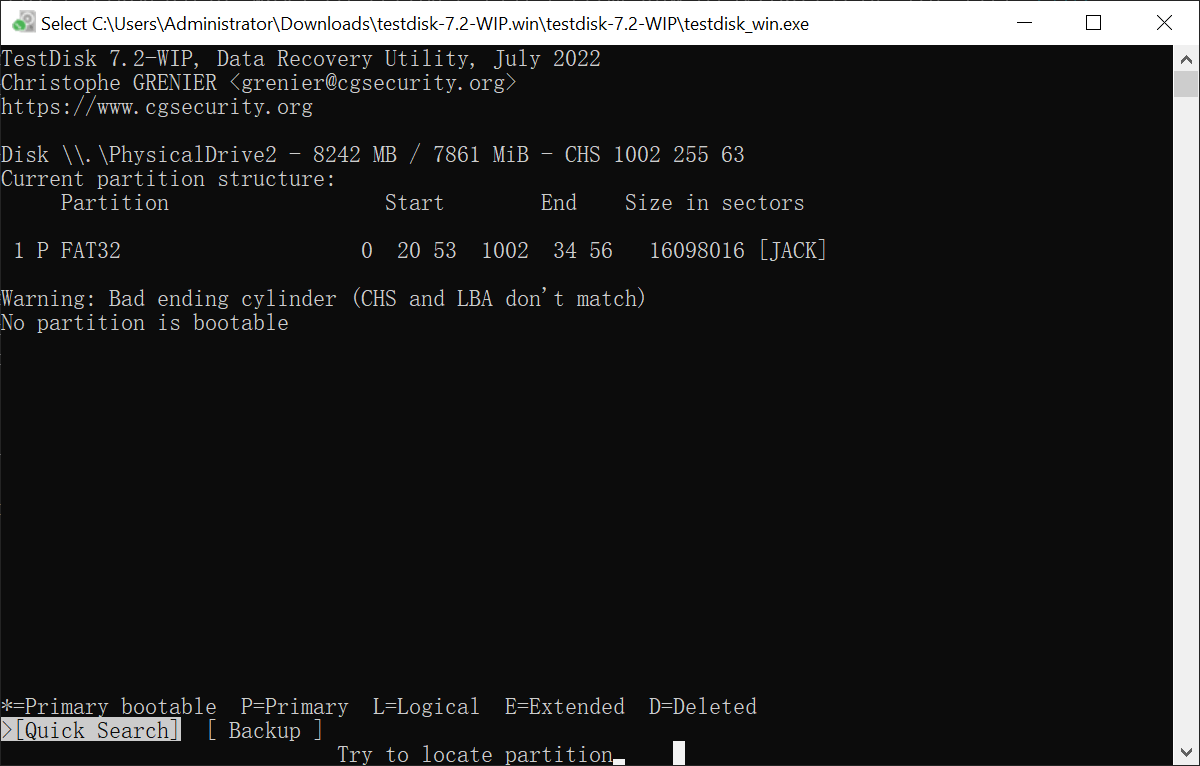
TestDisk is a free and open-source partition recovery software that helps recover lost files from a partition, making it a valuable tool for professionals. It's user-friendly and can be used on various devices, including Linux, DOS, Windows, and Mac.
- Pros:
- It offers a portable version.
- Open-source software
- It can also fix disk unbootable issues due to loss of partitions or partition tables due to software defects or some viruses.
- Cons:
- There is no preview facility available.
- You require a good knowledge of Command lines to operate the software.
Lazesoft Recovery Suite Free
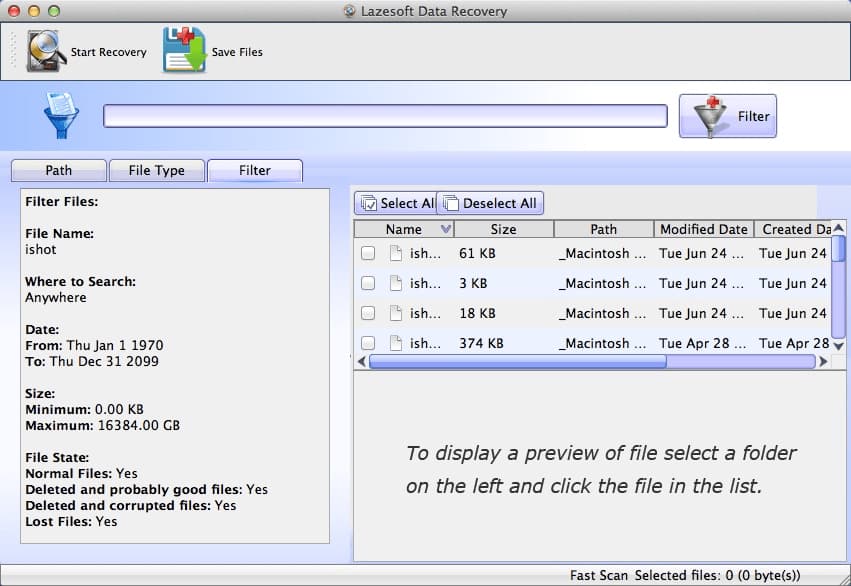
If you're looking for free software to recover lost data, Lazesoft Recovery Suite Free is a powerful tool that can help. This data recovery software is compatible with Windows 11, 10, 7, and macOS, and can easily recover lost or deleted files and repair damaged partitions, all through a simple and user-friendly interface.
- Pros:
- It is straightforward and comfortable to use.
- It works for a majority of scenarios where the loss of data has occurred.
- The partition recovery features for data are pretty powerful.
- Cons:
- The recovery is possible only in cases where the data is not overwritten.
- The free version only gives you the bare minimum features.
FonePaw Data Recovery
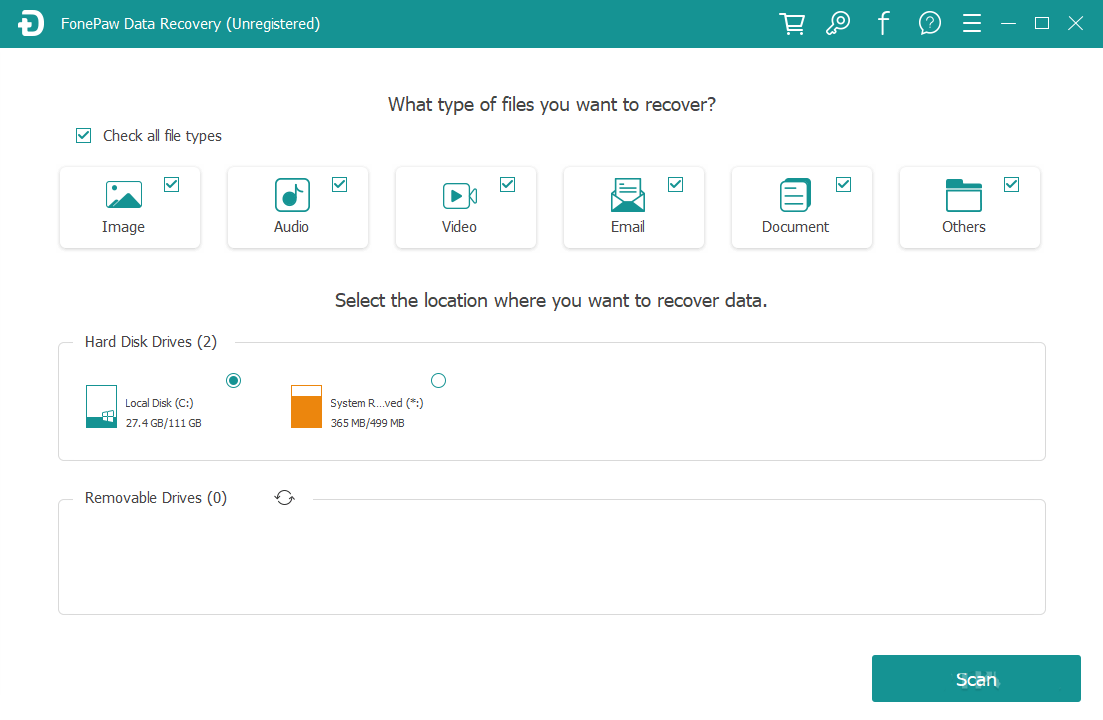
FonePaw Data Recovery offers a free trial to help you decide if it's the best free partition recovery software. It can recover deleted partitions and data lost due to complex drive formats, providing easy steps for operation and quick data retrieval.
- Pros:
- It provides you with a file preview before recovery takes place.
- It provides support to a variety of files for recovery.
- There are both quick and deep scanning options for getting back lost files.
- Cons:
- After the free trial, the pro version may be expensive.
- The software slows down the performance of your PC.
BPlan Data Recovery
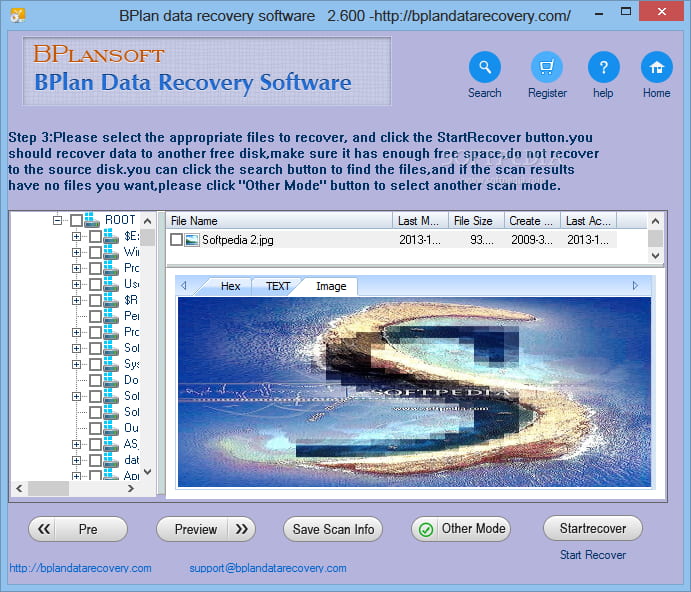
BPlan Data Recovery is a user-friendly tool that can recover lost, deleted, or inaccessible data from your computer in just a few steps. Even if you've cleaned the recycle bin or formatted your hard drive, it can still help you retrieve your data. Compatible with major file systems like NTFS, FAT32, exFAT, and EXT, this tool is a great option for those who need to recover their files. Its ease of use makes it accessible even to beginners.
- Pros:
- It helps you to avail lost data from various devices, be it a computer, memory card, digital camera, etc.
- It gives you a preview of data before heading for recovery.
- Cons:
- You are limited to 3 files recovery with the free version.
- The free updates for a lifetime are only available with the pro version.
Frequently Asked Questions
What is partition recovery, and how does it work?
-
A: There can be many reasons why partitions may be lost. Sometimes, it may be due to user error, such as accidentally deleted, corrupted master boot sector, hard drive logic error, etc. Other times, it may be due to an application glitch or a virus. And in other cases, it may be due to hardware failure.
-
A: In most cases, yes. Deep Data Recovery software has a success rate of over 90% in recovering lost or deleted partitions and data.
-
A: The time frame for partition recovery can vary depending on the data loss severity and the drive's size. However, in most cases, Deep Data Recovery completes the process within 1 hour.
-
A: In short, it's restoring data from a corrupt or lost partition. When a partition becomes corrupt or lost, all of the data stored on that partition is at risk of being lost forever. That's where partition recovery comes in. Partition recovery software scans your hard drive for any traces of the lost or deleted partition, and then attempts to restore the data from that partition.
-
A: If you need to recover some important files which were stored in the deleted or lost partition previously, you can follow these steps:
- Download, install and launch Deep Data Recovery on your computer.
- Select the lost partition with a yellow warning icon to scan in the first interface.
- After completing the scan, select the found files and click the Recover to save them.
Finally, depending on your needs, you can recreate a new volume in Disk Management and copy the original data into it.
Conclusion
The best free partition recovery software for Mac or Windows PC include Qiling Free Data Recovery, Disk Drill, and Qiling Partition Recovery, among others. These solutions can quickly and easily recover lost or deleted partitions, making them a valuable tool in case of data loss. Qiling Free Data Recovery stands out as a top-rated choice, offering a comprehensive solution for partition recovery. It's essential to have a backup plan in place to prevent data loss, and these software can be a lifesaver in case of an emergency.
Related Articles
- Free Data Recovery Software for Windows 11
- Top 10 Best SanDisk Data Recovery Software
- 12 Best Free USB Recovery Software for Mac/Windows
- Top 10 Best Hard Disk Repair Software
- Free Disk Cloning Software for Windows 10/11
- Top 10 Best Pen Drive Recovery Software
- How to Recover Overwritten or Replaced Photos, Excel, Word files
Learn the key steps, checks, and practical tips for this related guide.
Products
Articles & Tutorials
- Data Recovery
- Data Backup
- File Recovery
- File Backup
- File synchronize
- System Backup and Restore
- Disk and Partition Clone
- Technical articles
- Disk Master Help
- Windows Deleted File and Disk Recovery Tutorials
- Windows File and Data Recovery Tutorials
- More Windows Tutorials for Install, Security, Files, and PC Tips
- Windows Boot, Repair, and Recovery Environment Tutorials
- Windows Backup Tutorials
- Windows Restore Tutorials
- Windows Clone and Migration Tutorials
- Windows Server Backup, Recovery, and Management Tutorials
- Windows Disk, Partition, and Storage Management Tutorials