Acer Iconia Recovery: How to Recover Files from Acer Iconia Tablet
You can try to recover the lost photos from your Acer Iconia by using a data recovery software or by connecting it to a computer and accessing the device's internal storage. If the device is still powered on, you can also try to access the photos through the device's file manager. If the device is not responding, you can try to boot it in recovery mode and access the internal storage. It's also a good idea to stop using the device to avoid overwriting the lost data.
For related Android storage loss, see Android phone memory recovery.
Losing data from an Acer Iconia tablet can be caused by various incidents, such as accidental deletion, physical damage, virus attacks, interrupted file transfers, or memory card issues. Despite the reason for data loss, there is still a chance to recover the lost files, but it requires following a specific procedure.
1. If you've lost or deleted files on your Acer Iconia, don't use it for anything else. The deleted files are still there, but they're invisible and marked as useless. If you continue to use the tablet, installing apps or downloading new files, the lost data will be permanently overwritten and lost forever.
2. It's not enough to just keep your Acer Iconia tablet without recovering the files from it. To recover data, you need to use a desktop data recovery software on a computer, not search or download recovery information on the tablet, as the data can be overwritten and a computer software is necessary.
You can find various data recovery tools available for download on the Internet, but you need to choose the best one that is compatible with your computer and Acer Iconia, and supports the files you want to recover. I strongly recommend using Deep Data Recovery.
Your Safe & Effective Acer Iconia Recovery Software
- Recover data from your Acer Iconia device in just 3 simple steps. Regardless of how you lost your files - due to formatting, factory reset, deletion, or a virus attack - this process has a great success rate, ensuring you can retrieve your important data.
- The software supports over 200 file types, encompassing a wide range of daily used documents, videos, audio files, text files, pictures, and many more.
- The free trial version of the software allows you to scan your Acer Iconia, and after identifying the types of recoverable files, you can upgrade to the full version.
To recover data from an Acer Iconia tablet, download the Acer Iconia data recovery software and use it to retrieve your lost files.
To recover deleted or lost files from an Acer Iconia, you can use Deep Data Recovery. This process involves following a series of steps to retrieve your files.
To recover data from your Acer Iconia, click the DOWNLOAD button to get the trial version of the Acer Iconia data recovery software. The software has separate versions for Windows and Mac, so download and install the correct one for your computer's operating system. Then, connect your Acer Iconia to your computer using a USB cable.
If you're looking for a data recovery software, it's worth noting that it can also recover files from other Android system-based tablets and phones, not just Android smartphones. If you've lost files from your Android device, you can try this software as well.
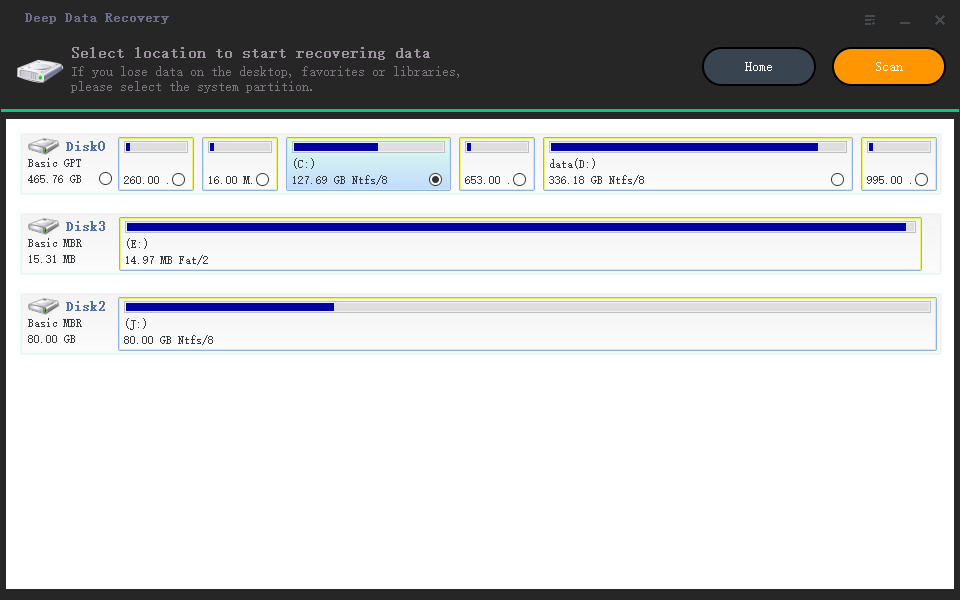
To recover data from an Acer Iconia, launch the recovery software, locate the drive representing the Acer Iconia, and select it. Then, click "Scan" to begin the recovery process, which will help retrieve deleted files from the tablet.
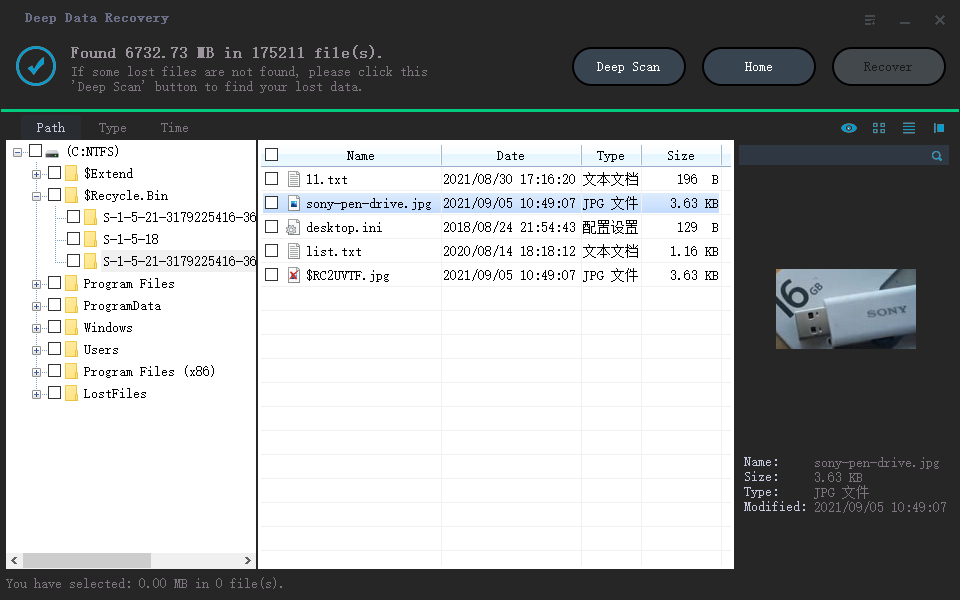
The Acer Iconia recovery software takes time to scan your Acer Iconia memory, searching for lost data. Once the scan is complete, you can view the results with file types listed on the left panel. Select the desired file type and check its details on the right side. Once you've found the target files, select them and click "Recover" to complete the data recovery process.
Recovering data from an Acer Iconia is not a difficult task, but its success depends on the approach taken. The sooner the recovery process is initiated, the better. A great tool for assistance in this task is Deep Data Recovery, which can provide the necessary help to retrieve data from the device.
Backing up important data is crucial, and it's not just a simple copy and paste. Utilize software like Qiling Disk Master to do it efficiently and save space.
Related Articles
- How to Recover Call Recording from Automatic Call Recorder on Android Phone
- How to Recover Deleted Videos from Android Phone/Computer
- Download Video Recovery App for Android
- How to Recover Incognito History on Phone/Android/Computer
- How to Recover Files from Formatted SD Card Android
- Recover an Unsaved Excel File
- Phone Memory Recovery for Android Software
- How To Recover Deleted Files From Pen Drive Without/With Software
Products
Articles & Tutorials
- Data Recovery
- Data Backup
- File Recovery
- File Backup
- File synchronize
- System Backup and Restore
- Disk and Partition Clone
- Technical articles
- Disk Master Help
- Windows Deleted File and Disk Recovery Tutorials
- Windows File and Data Recovery Tutorials
- More Windows Tutorials for Install, Security, Files, and PC Tips
- Windows Boot, Repair, and Recovery Environment Tutorials
- Windows Backup Tutorials
- Windows Restore Tutorials
- Windows Clone and Migration Tutorials
- Windows Server Backup, Recovery, and Management Tutorials
- Windows Disk, Partition, and Storage Management Tutorials