15 Best Free Data Recovery Software for Windows 11 in 2023
Windows 11 has been widely celebrated by users for its attractive user interface and faster effect speeds. Since its release, many have updated their systems to take advantage of these improvements. Unfortunately, you will inevitably encounter the problem of data loss in the process of using Windows 11. To help you protect cherished memories and important files, we conducted multiple tests under challenging data loss scenarios to determine which file recovery programs worked effectively. After extensive research, we compiled a list of the 15 best free data recovery software for Windows 11 that can save you from a catastrophic situation.
- Quick Navigation
- Part 1. File Loss Scenarios Tested in Windows 11
- Part 2. 15 Best Free File Recovery Software for Windows 11
- Part 3. Tips Before Starting to Recover Files in Windows 11
- Part 4. FAQs
File Loss Scenarios Tested in Windows 11
Every day we hear stories of people who have experienced devastating data loss due to various scenarios, from technical glitches to catastrophic user mistakes. So, we have performed the performance test of the free data recovery software for Windows 11 on the following significant scenarios.
Accidental Deletion
It is the main reason for data loss. When you delete a file with Shift+Delete, Windows 11 will bypass the Recycle Bin to remove it directly.
Empty Recycle Bin
The Recycle Bin is the last line of defense against the accidental deletion of files. If you empty it for any reason, the items in it will be lost forever.
Format
Reinstalling an operating system, repartitioning, or formatting a drive without a backup will cause all data it holds to be wiped.
Damaged Volume
Partition table/file system damage, bad sectors, etc., will cause you to be unable to access the saved files or prompt that the files are corrupted.
Large file
To speed up their reading, they are stored as contiguous fragmented files. Therefore, they are more difficult to recover than other types of files.
Delete Partition
Sometimes, you may delete the entire hard disk or partition due to accidental operation, and the files stored on it will disappear with it.
With such a diverse set of tests, you can rest assured that our findings are reliable and should help you choose the best Windows 11 data recovery software free solution for your needs. If you're ever faced with a data loss crisis, give the tools a try without worry!
Top Best 15 Free File Recovery software for Windows 11
Data loss is a daunting reality that no one wants to face. A good data recovery program is essential to maintain the personal files stored on your computer in case something happens. Here are 15 of the best we've rigorously tested and stand out from the crowd.
- Qiling Free Data Recovery
- Stellar Data Recovery Free
- DiskDrill
- EaseUS Free Data Recovery Wizard
- Recuva
- FreeUndelete
- Windows File Recovery
- PhotoRec
- TestDisk
- iOBit Undelete
- MiniTool Power Free Data Recovery
- Kernel for Windows Data Recovery-Free Version
- iCare Data Recovery Free
- DM Disk Editor and Data Recovery Software
- DiskInternals Uneraser
1. Qiling Free Data Recovery
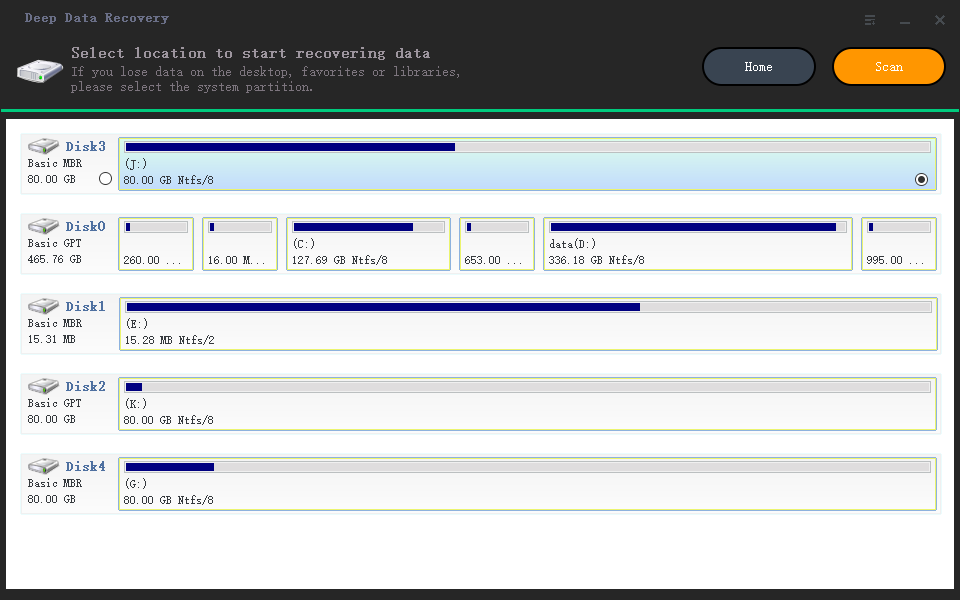
For anyone who has ever experienced the panic of losing an important file, Qiling Free Data Recovery is the perfect solution. It provides two reliable recovery modes that allow users to recover different data types in various scenarios. With its intuitive interface, you only need a few mouse clicks, and you'll be well on your way to reuniting with your cherished files. Most importantly, the best free file recovery software for Windows 11 uses advanced algorithms that can automatically repair files damaged during the loss process.
Overview:
-
Score:
★★★★☆ 4.5
-
Limitations:
Recover 2GB of files for free
-
Premium Version Price:
$45.95/year
Recovery Rate of Test Scenarios:
-
Accidental Deletion
-
Empty trash
-
Format
-
Damaged Volume
-
Large file
-
Delete Partition
Overall experience:
-
- Pros:
- Preview before recovery
- Remote assistance available
- No ads
-
- Cons:
- No phone support
- No portable versionsion.
2. Stellar Free Data Recovery
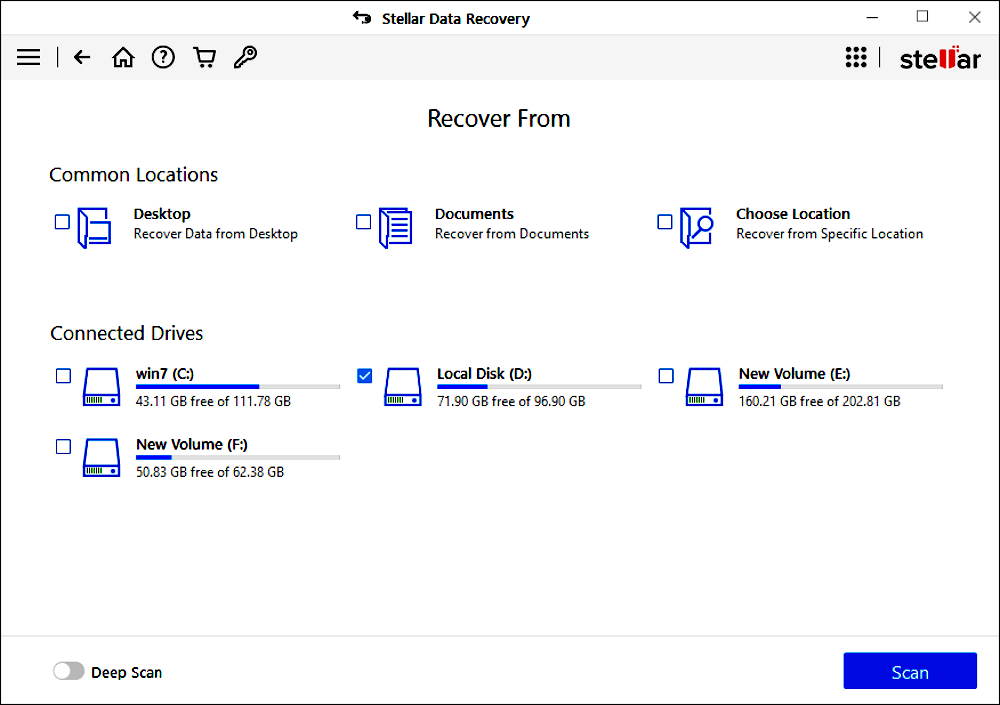
It is a powerful, cost-effective tool to help users recover lost or inaccessible data from hard disks and storage media. Its advanced recovery algorithms and highly efficient search engine make it one of the most popular free recovery software for Windows 11 solutions. Its user-friendly interface provides an intuitive experience for new and experienced users, creating a once daunting recovery task much more straightforward.
Overview:
-
Score:
★★★★☆ 4.3
-
Limitations:
Restore 1GB of data for free
-
Premium Version Price:
$29.99/month
Recovery Rate of Test Scenarios:
-
Accidental Deletion
-
Empty trash
-
Format
-
Damaged Volume
-
Large file
-
Delete Partition
Overall experience:
-
- Pros:
- Can be classified by file type
- Support RAID
- Easy to use
-
- Cons:
- Scanning is slow
- Some external drives are not recognized
- Network drives are not supported
3. EaseUS Free Data Recovery Wizard
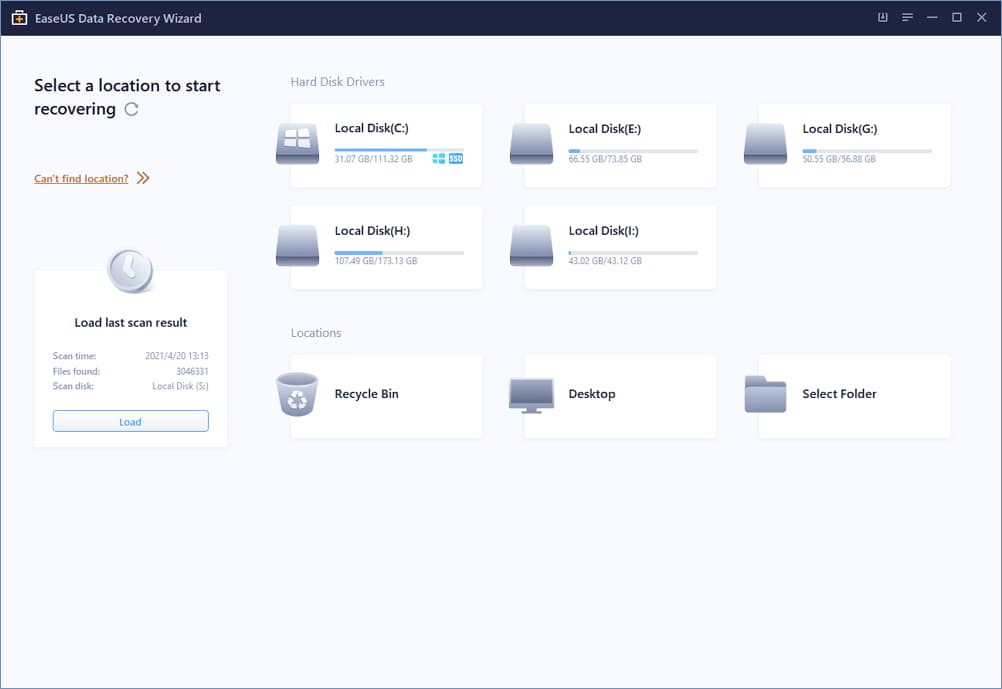
Recovering data in Windows 11 can be a difficult and stressful process, especially when important files are lost or accidentally deleted. EaseUS Data Recovery Free Wizard provides an easy-to-use solution to this problem - it allows users to retrieve data from internal and external hard drives, no matter the reason for the loss. With its help, retrieving precious and irreplaceable information is made safe, secure, and worry-free.
Overview:
-
Score:
★★★★☆ 4.2
-
Limitations:
It is advertised that 2GB can be restored for free. But you need to share it on social platforms.
-
Premium Version Price:
$69.95/month
Recovery Rate of Test Scenarios:
-
Accidental Deletion
-
Empty trash
-
Format
-
Damaged Volume
-
Large file
-
Delete Partition
Overall experience:
-
- Pros:
- File Filter
- Quick Scan
- Scan results can be saved.
-
- Cons:
- File previews are limited
- Pop-up ads
- Recovered files may be incomplete.
4. DiskDrill

Its intuitive interface makes the process of file retrieval a breeze. This free data recovery software for Windows 11 provides users with multiple scan engines for finding deleted or lost partitions quickly and efficiently. It supports both deep scan and quick scan modes, so users can find exactly what they're looking for in no time. It also supports nearly all devices and precisely recognizes different file systems, meaning this app can help with whatever the cause of the data loss.
Overview:
-
Score:
★★★★☆ 4.0
-
Limitations:
Recover 500M files for free
-
Premium Version Price:
$89.00/Year
Recovery Rate of Test Scenarios:
-
Accidental Deletion
-
Empty trash
-
Format
-
Damaged Volume
-
Large file
-
Delete Partition
Overall experience:
-
- Pros:
- Provides other useful options
- Ease of use
- File preview
-
- Cons:
- Bootable disk
- Encrypted drive
- Slow scan
5. Recuva
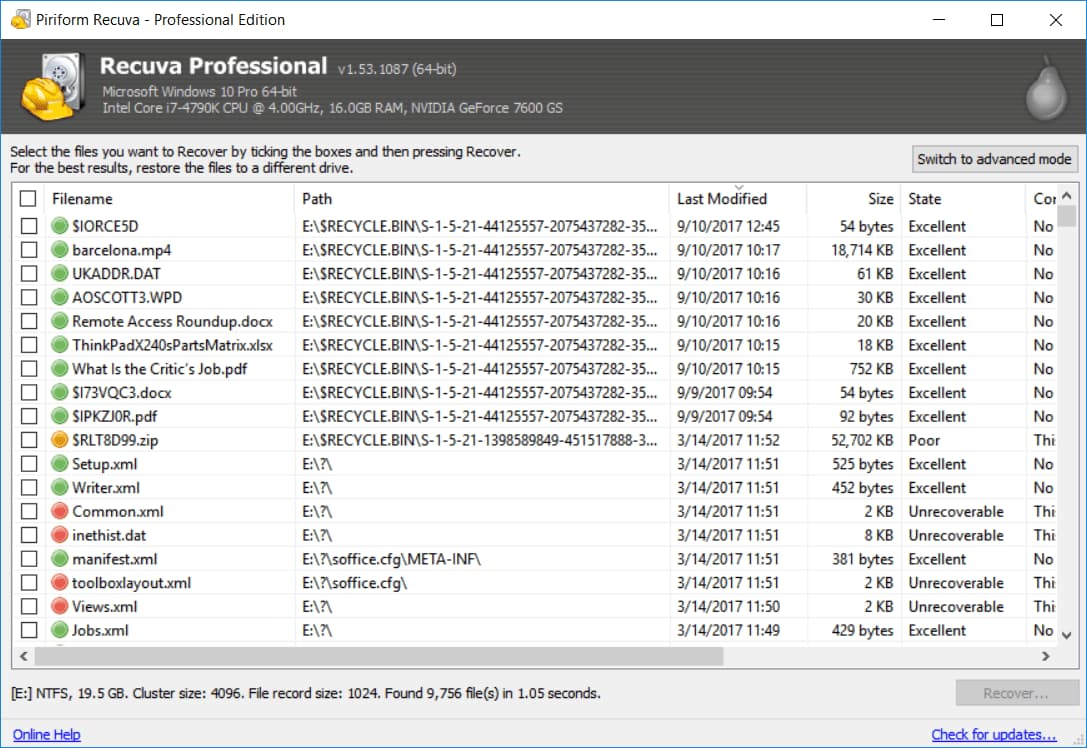
This free file recovery software for Windows 11 can recover lost data from all digital storage devices, including hard drives, memory cards, USB drives, and digital cameras. It's a safe, reliable way to get back those precious photos, documents, and other data you thought were gone forever. With its intuitive interface and advanced technologies, Recuva is an excellent app for anyone who wants to access the files they desperately need back safely.
Overview:
-
Score:
★★★★☆ 4.0
-
Limitations:
No updates and premium support
-
Premium Version Price:
$19.95/Year
Recovery Rate of Test Scenarios:
-
Accidental Deletion
-
Empty trash
-
Format
-
Damaged Volume
-
Large file
-
Delete Partition
Overall experience:
-
- Pros:
- Display the status of recoverable files
- Portable version available
- Wizard mode
-
- Cons:
- Poor for video file recovery
- RAW picture
6. FreeUndelete
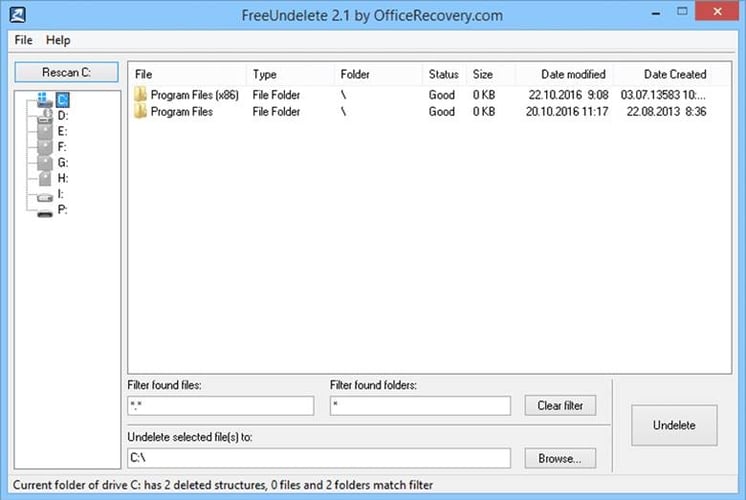
It specializes in quickly restoring deleted items on Windows PC. With this simple-to-use tool, users can effortlessly get back almost any type of file, such as photos, videos, spreadsheets, emails, archives, and more. This amazingly effective program has a straightforward graphical user interface (GUI) that allows anyone to quickly discover data to begin the recovery process without spending time understanding complex steps.
Overview:
-
Score:
★★★☆☆ 3.9
-
Limitations:
For personal use
-
Premium Version Price:
No
Recovery Rate of Test Scenarios:
-
Accidental Deletion
-
Empty trash
-
Format
-
Damaged Volume
-
Large file
-
Delete Partition
Overall experience:
-
- Pros:
- Simple interface
- Filterable items
- Supports multiple file types
-
- Cons:
- No preview option
- Recovery of files from system partition does not work well.
7. Windows File Recovery
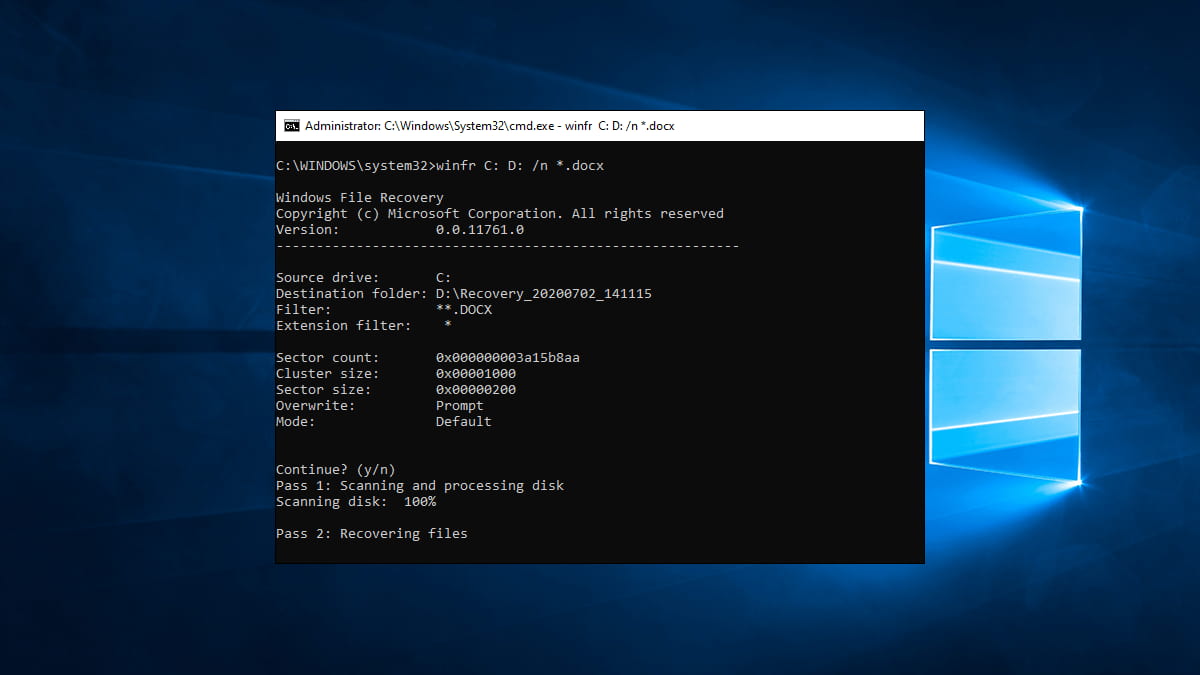
The Windows File Recovery can be an invaluable asset for users of Microsoft operating systems who need to restore permanently deleted files in Windows 11 and 10. It can ensure that every sector is thoroughly scanned and all potential sources of recovery are explored. With the help of this free Windows 11 data recovery software, you can easily recover any file that was accidentally deleted from your computer.
Overview:
-
Score:
★★★☆☆ 3.7
-
Limitations:
None
-
Premium Version Price:
No
Recovery Rate of Test Scenarios:
-
Accidental Deletion
-
Empty trash
-
Format
-
Damaged Volume
-
Large file
-
Delete Partition
Overall experience:
-
- Pros:
- Developed by microsoft
- Three modes
-
- Cons:
- Command-line interface
- Could not check for found file
- Requires DOS basics
8. PhotoRec
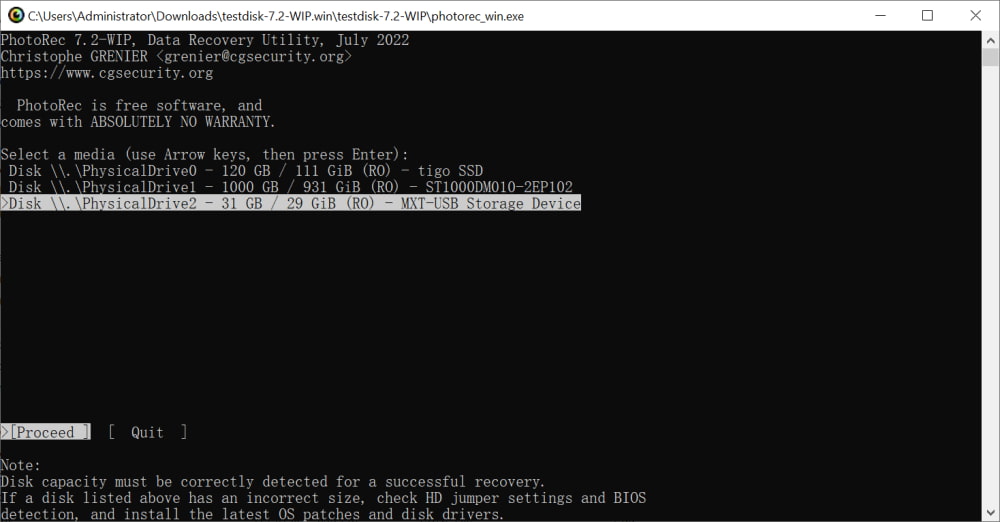
It is open-source software that enables users to recover lost files from a hard disk, pen drive, camera card, and more. Using an array of formulas, PhotoRec can identify information that can be recovered and restored to its original form. It has saved users countless hours of work, stress, and money as they no longer need to worry about recovering lost and irreplaceable files - they can trust PhotoRec to do the job!
Overview:
-
Score:
★★★☆☆ 3.6
-
Limitations:
None
-
Premium Version Price:
No
Recovery Rate of Test Scenarios:
-
Accidental Deletion
-
Empty trash
-
Format
-
Damaged Volume
-
Large file
-
Delete Partition
Overall experience:
-
- Pros:
- Free
- No installation required
- Scanning is fast
-
- Cons:
- No user interface
- Complicated operation
9. TestDisk
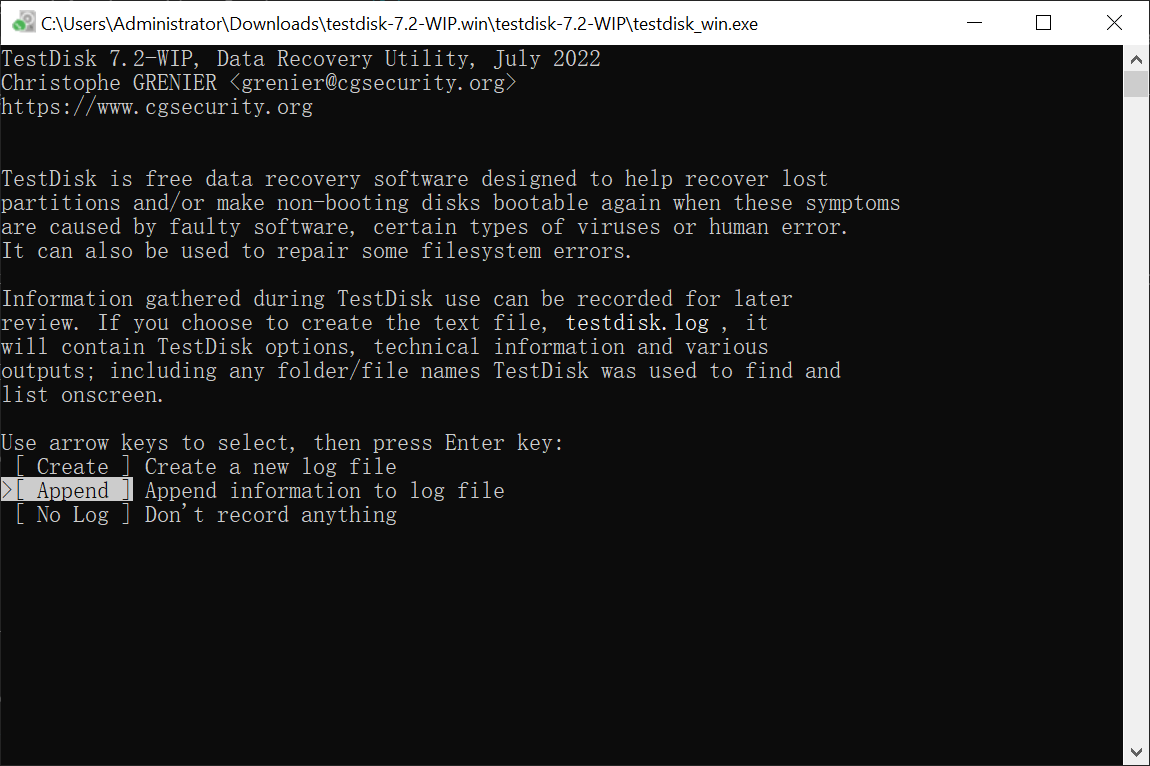
It is a sister tool of PhotoRec. It was developed to help users undelete files and fix corrupt storage devices. This free recovery tool for Windows 11 can be used on most computer storage hardware, including hard disks, USB drives, memory cards, and even floppy disks. It enables the recovery of accidentally lost files due to accidental erasing, reformatting, and partitioning issues.
Overview:
-
Score:
★★★☆☆ 3.6
-
Limitations:
None
-
Premium Version Price:
No
Recovery Rate of Test Scenarios:
-
Accidental Deletion
-
Empty trash
-
Format
-
Damaged Volume
-
Large file
-
Delete Partition
Overall experience:
-
- Pros:
- Open-source software
- Can repair damaged partitions
- Portable version
-
- Cons:
- Not for beginners
- SSD recovery doesn't work well
10. iOBit Undelete
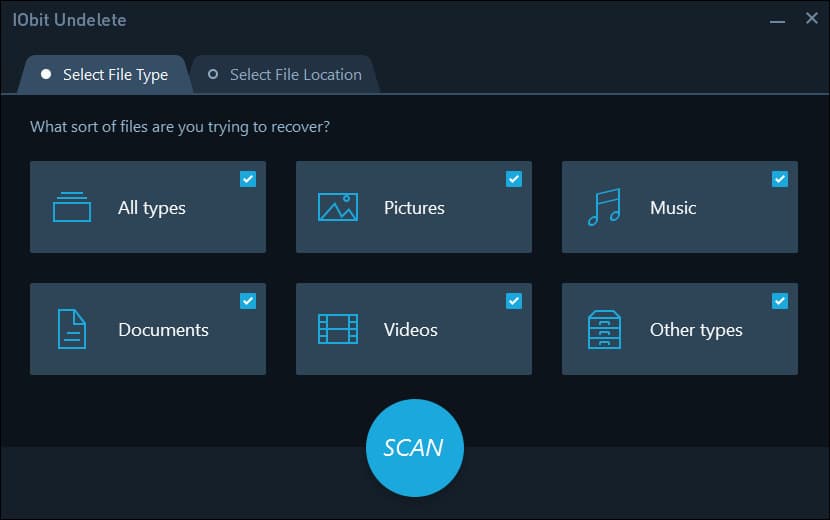
It is a lifesaver when accidentally deleting an important file. iObit Undelete can quickly scan your drive to identify recoverable items and provides options for recovering everything from pictures and documents to music and even emails from the Outlook program. So keep hope if you've mistakenly deleted an important file on your computer because this free Windows 11 data recovery software can help you!
Overview:
-
Score:
★★★☆☆ 3.6
-
Limitations:
None
-
Premium Version Price:
No
Recovery Rate of Test Scenarios:
-
Accidental Deletion
-
Empty trash
-
Format
-
Damaged Volume
-
Large file
-
Delete Partition
Overall experience:
-
- Pros:
- Supports multiple file systems
- Quick scan
-
- Cons:
- File Recovery can be better
- Deep scan can be confusing
11. MiniTool Power Free Data Recovery
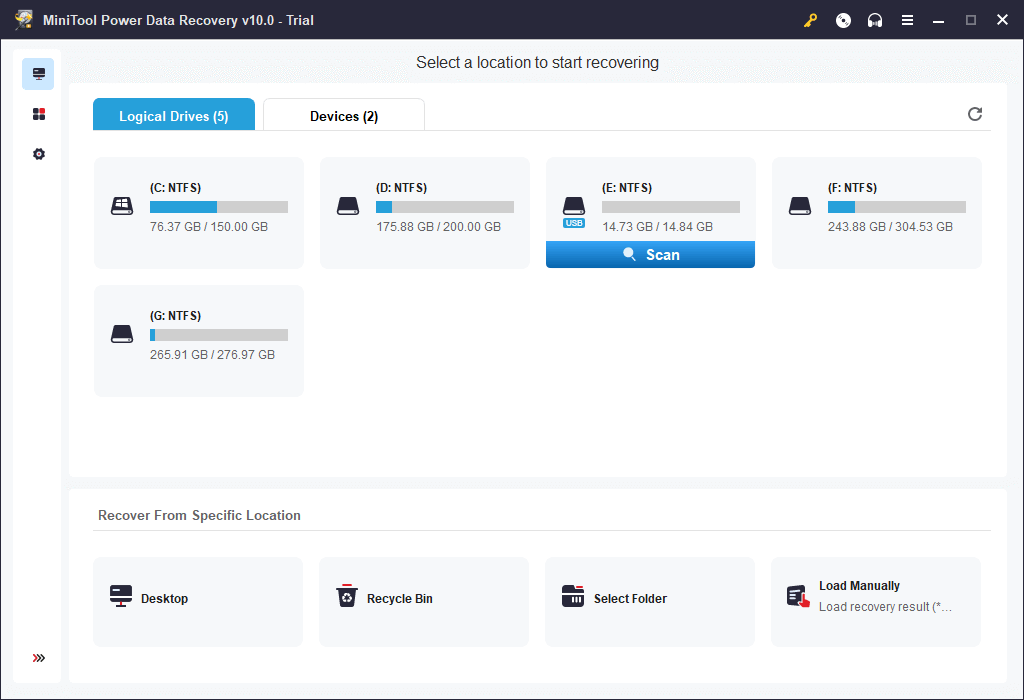
Many of us have experienced the frightening feeling of losing valuable information from digital devices due to accidental deletion, system crashes, and power failures. Fortunately, MiniTool Power Free Data Recovery offers dependable solutions for various scenarios resulting in lost data. It features a simple, user-friendly interface that makes it easy to use, even if you have no experience with data recovery in Windows 11.
Overview:
-
Score:
★★★☆☆ 3.5
-
Limitations:
1GB of data can be recovered for free
-
Premium Version Price:
$69/monthly
Recovery Rate of Test Scenarios:
-
Accidental Deletion
-
Empty trash
-
Format
-
Damaged Volume
-
Large file
-
Delete Partition
Overall experience:
-
- Pros:
- Easy to use
- Quick scan
-
- Cons:
- WinPE bootable disk
- Cannot repair corrupted videos/pictures
- Poor data recovery from exFat file system
12. Kernel for Windows Data Recovery-Free Version

It is an efficient piece of software that can help computer users recover lost data in no time. This free hard disk recovery software can be used to find images, documents, videos, audio files, and more from various types of storage devices such as hard drives, external drives, and memory cards. It can scan deeply into the storage media so that any inaccessible data outside its file system gets detected for potential recovery.
Overview:
-
Score:
★★★☆☆ 3.3
-
Limitations:
Recover files up to 2GB for free
-
Premium Version Price:
$49/year
Recovery Rate of Test Scenarios:
-
Accidental Deletion
-
Empty trash
-
Format
-
Damaged Volume
-
Large file
-
Delete Partition
Overall experience:
-
- Pros:
- Phone support
- Three Scanning Modes
-
- Cons:
- No file filtering
- Few updates
- Fetching missing items is slow
13. iCare Free Data Recovery
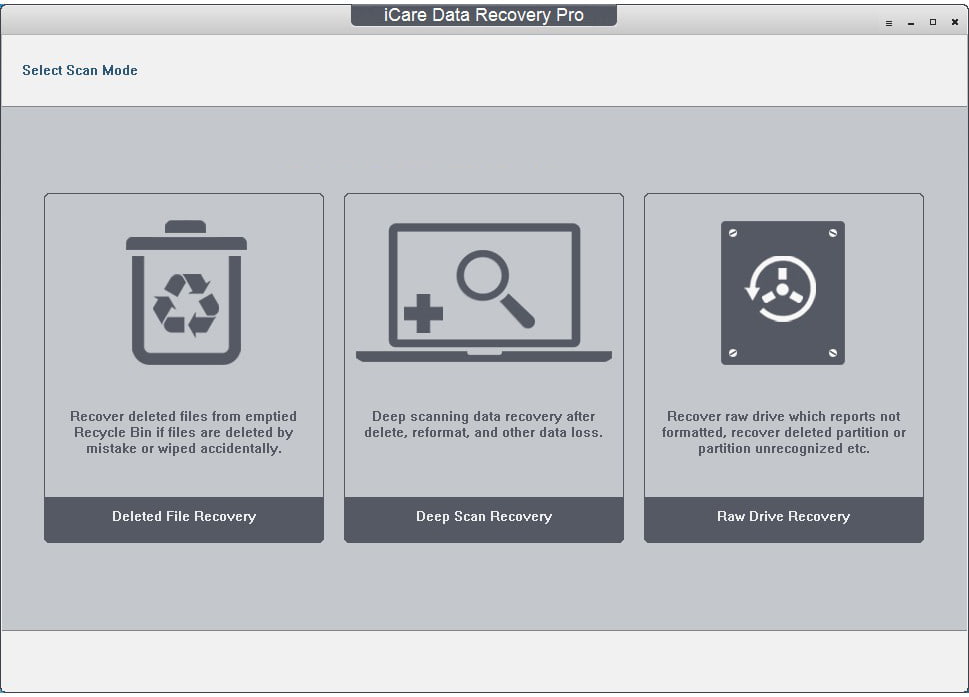
Its simple-to-use interface makes it easy to quickly retrieve photos, videos, documents, emails, and music with just a few clicks. With this program, you get a powerful scanning engine that can be used in various scenarios, such as accidental deletion, virus infection, damaged disc, partition loss, etc., so no matter the type of device you have suffered data loss on, the free data recovery software for Windows 11 has got you covered.
Overview:
-
Score:
★★★☆☆ 3.2
-
Limitations:
Save 1GB of data for free
-
Premium Version Price:
$69.99/year
Recovery Rate of Test Scenarios:
-
Accidental Deletion
-
Empty trash
-
Format
-
Damaged Volume
-
Large file
-
Delete Partition
Overall experience:
-
- Pros:
- Support multiple storage devices
- Can preview found items
-
- Cons:
- May crash while scanning.
- The interface is crowded.
- Poor Raw drive recovery
14. DM Disk Editor and Data Recovery Software
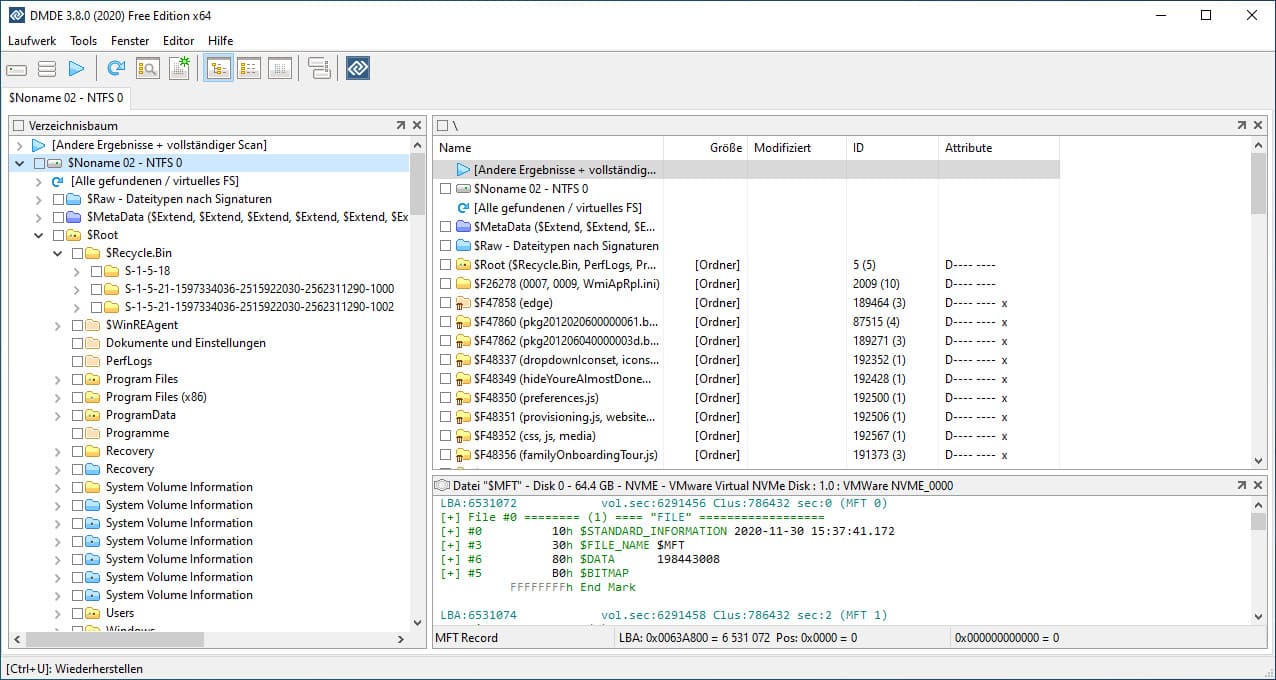
This powerful tool helps its users retrieve data of any type, from any storage device and even from hard drives considered "Dead." The user-friendly interface makes the free recovery software for Windows 11 ideal for everyone, from novice users to experienced professionals who often face challenging recovery problems.
Overview:
-
Score:
★★★☆☆ 3.0
-
Limitations:
None
-
Premium Version Price:
No
Recovery Rate of Test Scenarios:
-
Accidental Deletion
-
Empty trash
-
Format
-
Damaged Volume
-
Large file
-
Delete Partition
Overall experience:
-
- Pros:
- Clean interface
- Provide additional functions
-
- Cons:
- Slow scan
- Encrypted disk not recognized
15. DiskInternals Uneraser
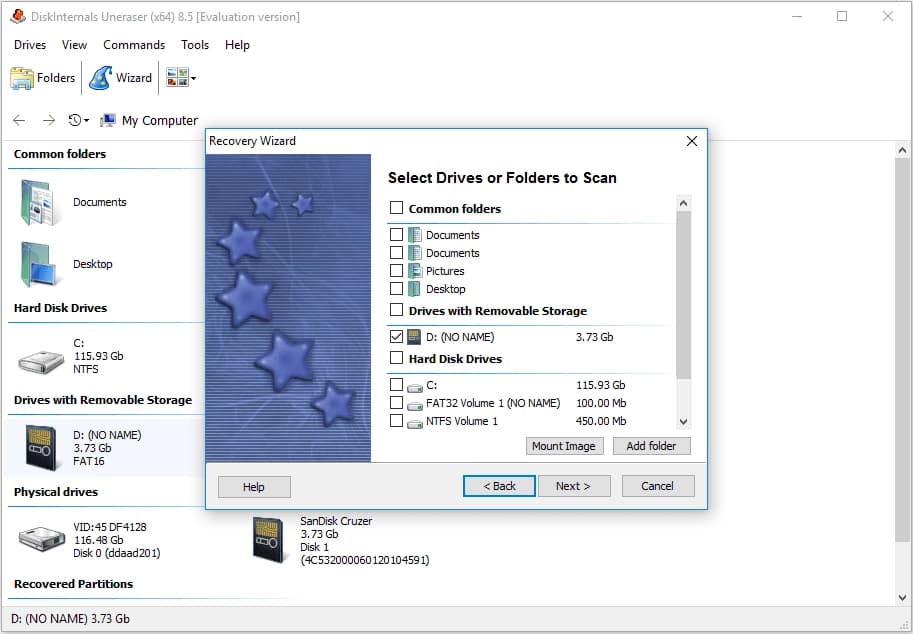
It has helped people recover files and documents they thought were lost forever. With features like file recovery from emptied recycle bin, external device recovery, RAW hard drive recovery, and more, DiskInternals Uneraser ensures that your data won't be gone for long. Moreover, the free data recovery software for PC is also compatible with various file systems like FAT12/16/32, NTFS, ExFAT, and ReFS.
Overview:
-
Score:
★★★☆☆ 3.0
-
Limitations:
Not for commercial use
-
Premium Version Price:
$39.95/year
Recovery Rate of Test Scenarios:
-
Accidental Deletion
-
Empty trash
-
Format
-
Damaged Volume
-
Large file
-
Delete Partition
Overall experience:
-
- Pros:
- Wizard mode
- Mark the status of recoverable files.
-
- Cons:
- Must be installed on a local drive.
- Sometimes recovered files cannot be opened.
- Cannot restore to the original folder.
Above is our sifting of the 15 best free file recovery software for Windows 11. Overall, they can be extremely helpful in getting back essential files on your PC under almost any circumstance.
Tips Before Starting to Recover Files in Windows 11
Many PC users have been frustrated with losing items, but fear not! Recovering data in Windows 11 is a straightforward process. However, before attempting to retrieve files, there are a few essential tips to keep in mind to increase the chances of success.
- ⛔ Foremost, try to minimize the use of the affected disk as much as possible and disable any automatic software/Windows 11 updates. This will reduce the possibility of overwriting the lost data, making it less likely that recovery will be successful or complete.
- 🛠️ To prevent recovered files cannot be opened, maintenance of this drive should be avoided, such as defragmentation, disk optimization, repartitioning, etc.
- 💎 When trying to recover data, trust reliable free data recovery software for Windows 11 and read user reviews before downloading anything.
- 🏠 Finally, consider using a data recovery professional if the tools are unavailable for this task. They are adept at working with most storage media and dealing with different failure scenarios.
With these tips in mind, the chances of data loss should be minimized.
FAQs
-
Windows 11 has two options built in to do the job. They are "File History" and "Backup and Restore (Windows 7)". You can enable them by going to Control Panel > System and Security.
-
Microsoft has developed a program called Windows File Recovery, which can help you recover deleted files in Windows 11 and 10. However, it is run from the command line. It is difficult for regular users to use it. We recommend you use Qiling's free data recovery software.
-
If your necessary data is stored in the system partition, then the possibility of recovery is relatively low. Because resetting Windows 11 will format your volume and then transfer system files. Chances are high that they will be overwritten. But don't worry, and you can try Qiling free file recovery software for Windows 11.
-
When it comes to recovering lost data, Recuva is free to try. You need to pay if you want to upgrade to the latest version.
-
The trial version of Disk Drill can only recover 500M data for free. To save more files, you need to upgrade to the professional version.
-
Without a backup, you can only rely on file recovery software for Windows 11. For this, you can use Deep Data Recovery. Here are the specific steps:
- Download and install Qiling free data recovery software for Windows 11.
- Select the location of lost files to start scanning.
- In the results page, preview the found files.
- Finally, choose your target file to save.
Conclusion
If you've lost valuable files in Windows 11, recovering them can seem daunting. Fortunately, the best 15 free data recovery software for Windows 11 exists that can help you retrieve lost or deleted data quickly and easily. While this type of software can perform miraculous feats, it pays to be aware of some basics about free Windows 11 recovery software before taking the plunge into file recovery.
Related Articles
- Top 10 Best Hard Disk Repair Software
- How to Recover Files from Formatted Hard Drive in Windows 11
- How To Recover Data From SSD In Windows 11