The Introduction of SSD: Cons, Pros and How to Choose
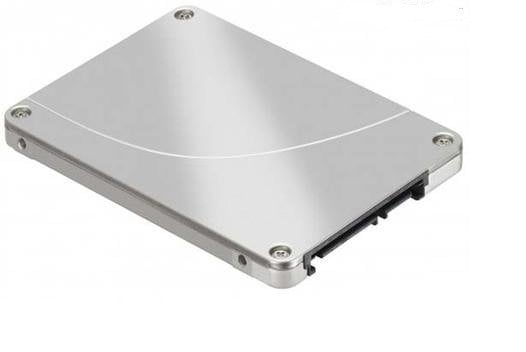
After choosing an SSD, you can use disk cloning software to move data or Windows to the new drive.
What is SSD?
With the increasing demands for computer speed, Solid-State Drives (SSDs) have become the preferred choice over traditional hard drives. As a result, SSDs have gained popularity among users and are now considered a replacement for traditional hard drives. But what exactly is an SSD?
SSD, or Solid State Drive, is a type of hard drive that stores and accesses data using non-volatile memory chips, retaining information even without power. To evaluate an SSD's performance, benchmarking may be necessary. Unlike traditional hard drives, SSDs have no moving parts and should not be defragmented (SSD defrag) as it's not suitable for them. Additionally, secure erasing an SSD is also distinct from erasing a traditional hard drive.
The Advantages of SSD
Compared to traditional hard drives, SSDs have no moving parts and drive heads, making them more reliable and efficient. Despite having the same partition structure as HDDs, SSDs store data on memory chips, which allows them to offer several advantages. When you install an operating system on an SSD, you can experience significant benefits, including improved performance, faster boot times, and increased durability. This is especially true for PC users, who can take full advantage of these advantages and enjoy a smoother and more efficient computing experience.
▪ Less Power Usage
The SSD uses significantly less power than traditional hard drives, making it a more energy-efficient option. This is because SSDs don't rely on motors, which consume power. As a result, SSDs consistently use less power than their traditional counterparts, even with the industry's efforts to improve power efficiency in traditional drives.
▪ Faster Data Access
The use of SSDs (solid-state drives) provides faster access to data due to their ability to read data instantly without the need for drive platters to spin up or drive heads to move. This results in a significant improvement in data access speed, making users happy. Additionally, SSDs offer improved reliability as they have fewer moving parts and are less prone to mechanical failures.
▪ Reliability
SSD (Solid-State Drive) storage is more resilient than traditional hard drive platters due to its design. Unlike hard drives, which have fragile platters that can be damaged by even slight movements, SSDs store data in memory chips with no moving parts. This makes them less susceptible to physical shocks and vibrations that can render hard drives unreadable.
▪ No Noise
The only noise you'll hear is from the higher capacity storage spaces, which often have fans attached to keep them cool.
The Disadvantages of SSD
While SSDs have several advantages over traditional hard drives, they also have some limitations, including more limited write-cycle lifetimes and less storage space, which can be frustrating for users. However, there are ways to increase SSD lifespan and improve performance, making them a worthwhile investment despite their higher cost compared to traditional hard drives.
To learn more about the differences between SSDs and HDDs, please refer to the article on SSD vs HDD.
How to Choose a Right SSD?
Computer users can benefit from SSD drives, but many people overspend on expensive drives without considering their actual needs. A cheaper SSD may be sufficient, and choosing the right one can be done by considering the following factors.
1. Supported Trim
A solid-state drive (SSD) without TRIM can greatly improve performance for laptops, but may cause issues for desktops that don't frequently write data.
2.Supported SATA
Most solid-state drives (SSDs) use the Serial ATA (SATA) interface, but not all use the latest version, which can limit their performance. The speed of SATA versions varies, with SATA I at 1.5 Gbps, SATA II at 3.0 Gbps, and SATA III at 6 Gbps. To take full advantage of an SSD's speed, it's essential to have a SATA III-compatible computer, as older versions will still work but may not utilize the full potential of the drive. This ensures that the drive can transfer data quickly and efficiently.
3.ECC Memory
Error-ECC memory can provide your SSD with the capacity of detecting and correcting the common data corruption.
4.High Maximum Speeds
Max read and write speeds of a hard drive are approximately 400 MB/second and 300 MB/second, respectively, with minimal variation between slightly faster and slower speeds.
SSD has a clear advantage over traditional hard drives due to its lack of moving parts, which reduces wear and tear. If you prefer SSDs and want to upgrade your hard drive, you may need to know how to clone an SSD to another SSD. After learning about the benefits of SSDs, you might be eager to buy one, but first, consider what size of SSD you need. As a relatively new technology, SSDs are still evolving and may become the leading choice for hard drives in the future.
Related Articles
- 3 Efficient Ways to Check SSD for Errors on Windows 10/11
This guide explains 3 Efficient Ways to Check SSD for Errors on Windows 10/11 with clear steps, key checks, and practical tips. - Beginners' Shot: Clone Windows 11 for Free with Step-by-Step Guide
This guide explains Beginners' Shot: Clone Windows 11 for Free with Step-by-Step Guide with clear steps, key checks, and practical tips. - How Do I Clone Windows to New Computer/PC? Your Checklist in 2024 [New]
Follow practical steps to how Do I Clone Windows to New Computer/PC Your Checklist in 2024 while keeping files, partitions, and boot settings safe. - DiskPart Force Delete Partition: How to Force Delete Partition on Windows 11/10/8/7
This guide explains DiskPart Force Delete Partition: How to Force Delete Partition on Windows 11/10/8/7 with clear steps, key checks, and practical tips. - Setup Was Unable To Create a New System Partition or Locate an Existing System Partition Windows 7
Error! Setup was unable to create a new system partition or locate an existing system partition in Windows 7. Read on to see four quick fixes. - SFC SCANNOW Stuck – Fixed with 5 Ways
This guide explains SFC SCANNOW Stuck – Fixed with 5 Ways with clear steps, key checks, and practical tips.
Products
Articles & Tutorials
- Data Recovery
- Data Backup
- File Recovery
- File Backup
- File synchronize
- System Backup and Restore
- Disk and Partition Clone
- Technical articles
- Disk Master Help
- Windows Deleted File and Disk Recovery Tutorials
- Windows File and Data Recovery Tutorials
- More Windows Tutorials for Install, Security, Files, and PC Tips
- Windows Boot, Repair, and Recovery Environment Tutorials
- Windows Backup Tutorials
- Windows Restore Tutorials
- Windows Clone and Migration Tutorials
- Windows Server Backup, Recovery, and Management Tutorials
- Windows Disk, Partition, and Storage Management Tutorials