How to Delete All Partitions on Windows 10, 8, 7 at One Time?
“I want to delete all partitions including the system on my Windows 10”
The user is looking to completely wipe and reset their Windows 10 computer by deleting all existing partitions, effectively performing a clean install of the operating system to improve its performance and usability.
Many users want to delete all partitions on their hard drive, either for reinstallation, selling the drive, or other reasons. Fortunately, it is possible to delete all partitions on Windows 10/8/7.
Wow, cannot delete the system partition!
Windows users often rely on Windows Disk Management to delete partitions on their hard drives, a process they're familiar with.
Right-click This PC/Computer/My Computer. Select Manage-> Disk Management.
Here you can see all partitions on your computer. To delete a partition, right-click it and select Delete Volume, deleting each partition individually in this manner.
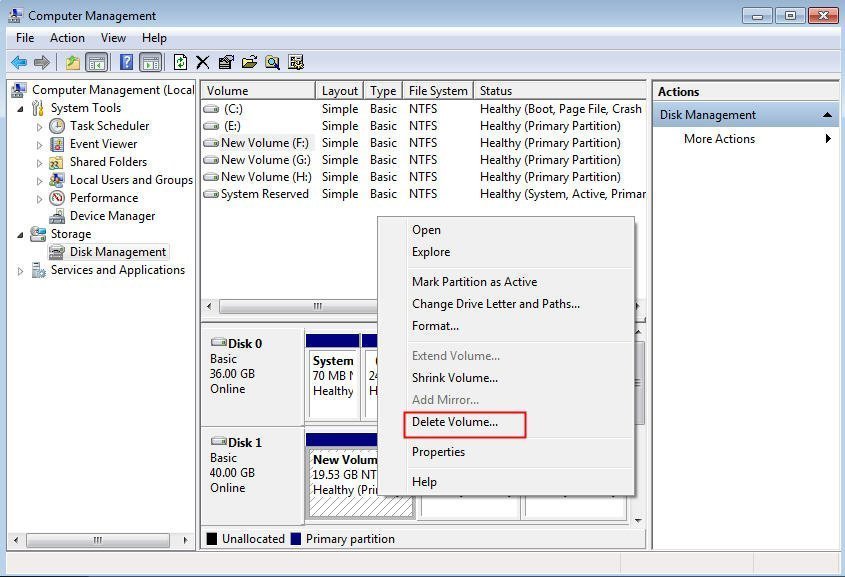
When trying to delete the system partition, most other partitions can be deleted, but the system partition itself cannot be deleted, as it contains essential system files and is required for the operating system to function.Delete Volume should be greyed out.
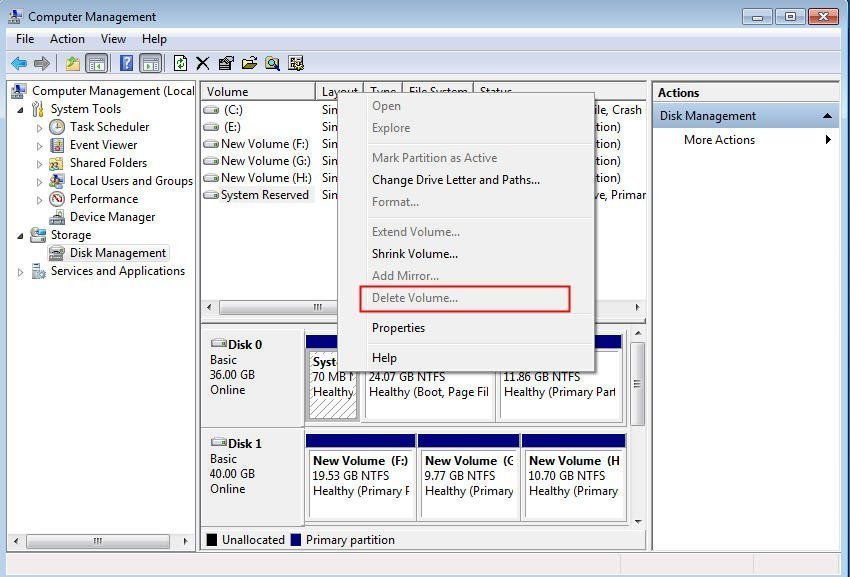
If you're looking to delete the system partition or all partitions on Windows 10/8/7 at once, you may be wondering how to do it. This guide will provide the answers, so read on to find out how to delete partitions in Windows.
Delete all partitions on Windows 10/8/7 with third-party software
Since you cannot delete system partition with Windows Disk Management, you can use third-party software like Qiling Disk Master Professional, which allows you to delete all partitions including system partition at one time on Windows 10/8/7.
Delete all partitions on disk without the system installing
If you want to delete all partitions on a hard disk without system installation, like the second disk or third disk, it is easy to operate.
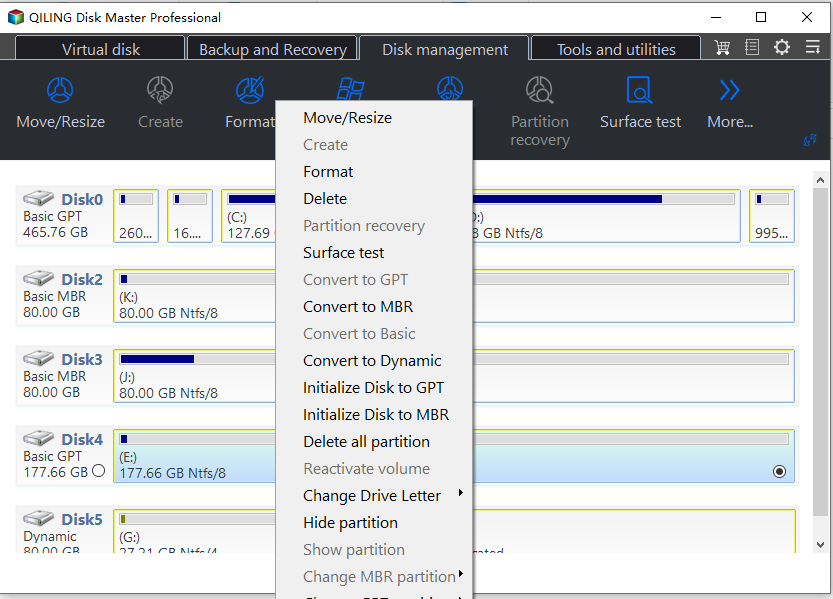
1. Install and launch Qiling Disk Master, select the disk you want to delete, right-click it and select "Delete All Partitions".
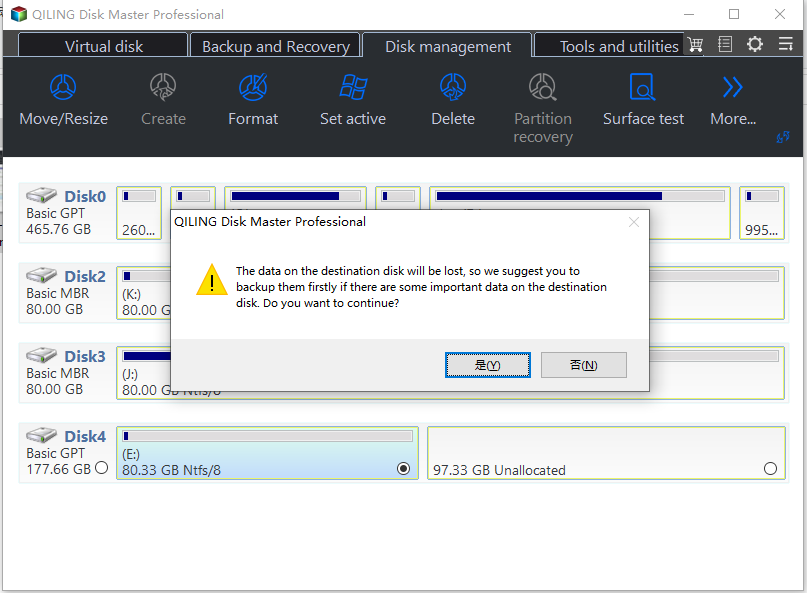
2. Click Proceed to execute the progress, then click OK to confirm the warning message.
Delete all partitions on the system disk
If you need to delete all partitions on the disk that installed Windows 10/8/7, you can create a bootable USB drive and boot the PC from it. Once booted, you can delete all partitions from the system hard drive.
Wipe hard drive/Secure Erase SSD
To delete all partitions of Windows 10/8/7 at once, you can wipe the hard drive entirely, which will remove all partitions and data. This can be done using the Wipe Hard Drive function of Qiling Disk Master, which will delete all sectors on the disk, making data recovery impossible.
Qiling Disk Master allows users to securely erase SSDs without damaging their lifespan, unlike traditional HDD wiping methods. The software's Secure Erase SSD Wizard helps users delete all partitions and erase all data on the SSD, ensuring a complete and safe wipe.
Conclusion
Deleting all partitions on Windows 10/8/7 at once can be time-consuming, but using Qiling Disk Master can greatly simplify the process, allowing you to wipe HDD, erase SSD, and even re-partition the hard drive afterwards.
If you're a Windows Server user, you can try Qiling Disk Master Server Edition. However, for enterprise-level needs, Qiling Disk Master Unlimited is highly recommended.
Related Articles
- How to Convert External Hard Drive to GPT without Data Loss?
Learn how to Convert External Hard Drive to GPT without Data Loss with clear steps, key checks, and practical tips. - How to Create Partition From Unallocated Space?
If you meet problems when you create partition from unallocated space in Windows, have a look of this article to get the solution. - [Easily Solved] Delete Volume Greyed Out in Windows 10, 8, 7
Learn how to Delete Volume Greyed Out in Windows 10, 8, 7 with clear steps, key checks, and practical tips. - Proven Best Disk Formatting Utility| Freeware Download
In this article, we would like to share you with 4 free yet effective disk formatting utilities for Windows 11, 10, 8, 7. You can easily format a hard drive for your own requirements. - 7 Easy Ways to Fix Windows 11 Stuck on Boot Screen
This guide explains 7 Easy Ways to Fix Windows 11 Stuck on Boot Screen with clear steps, key checks, and practical tips. - How to Fix Windows 11 Won't Install from USB | 2024 Guide🔥
This article provides eight efficient ways to fix the 'Windows 11 won't install from USB error, along with possible reasons to avoid the error and successfully install Windows 11 from USB. - How to Delete All Partitions on an External Hard Drive
Delete all partitions from an external hard drive with DiskPart or Qiling Disk Master, then create a new volume or securely wipe the disk when needed.
Products
Articles & Tutorials
- Data Recovery
- Data Backup
- File Recovery
- File Backup
- File synchronize
- System Backup and Restore
- Disk and Partition Clone
- Technical articles
- Disk Master Help
- Windows Deleted File and Disk Recovery Tutorials
- Windows File and Data Recovery Tutorials
- More Windows Tutorials for Install, Security, Files, and PC Tips
- Windows Boot, Repair, and Recovery Environment Tutorials
- Windows Backup Tutorials
- Windows Restore Tutorials
- Windows Clone and Migration Tutorials
- Windows Server Backup, Recovery, and Management Tutorials
- Windows Disk, Partition, and Storage Management Tutorials