Windows Modules Installer Worker High CPU
Windows Modules Installer Worker, also known as TiWorker.exe, can use high CPU while installing updates or repairing components. It should settle after update work finishes.
Understand the problem
If high CPU continues for hours, the update cache, component store, or pending update may be stuck. Avoid killing services repeatedly without checking update status.
- Confirm the exact disk, partition, file system, Windows version, boot mode, or sync setting before making changes.
- Back up or recover important files before wiping, formatting, converting, cloning, reinstalling, or repairing Windows.
- For boot and update tasks, prepare recovery media and check BIOS or UEFI settings before deeper repair.
Use Windows built-in tools
Use a steady repair order.
- Let Windows Update finish if updates are actively installing.
- Restart once and check update history.
- Run Windows Update Troubleshooter.
- Clear the update cache if downloads are stuck.
- Run SFC and DISM to repair component store issues.
Use Qiling tools for guided steps
 Qiling Disk Master
Back up important files before resetting update components or repairing Windows system files.
Function. Back up important files first
Step 1. Connect an external drive or choose a safe network location with enough free space for important files on the Windows system drive.
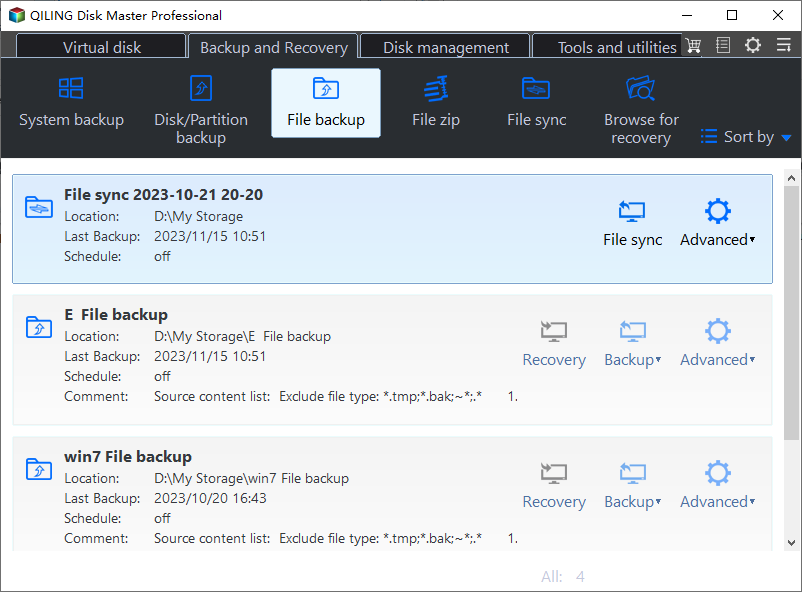
Step 2. Open Qiling Disk Master and choose File Backup. This protects files before cleanup, partition changes, repair, or system updates.
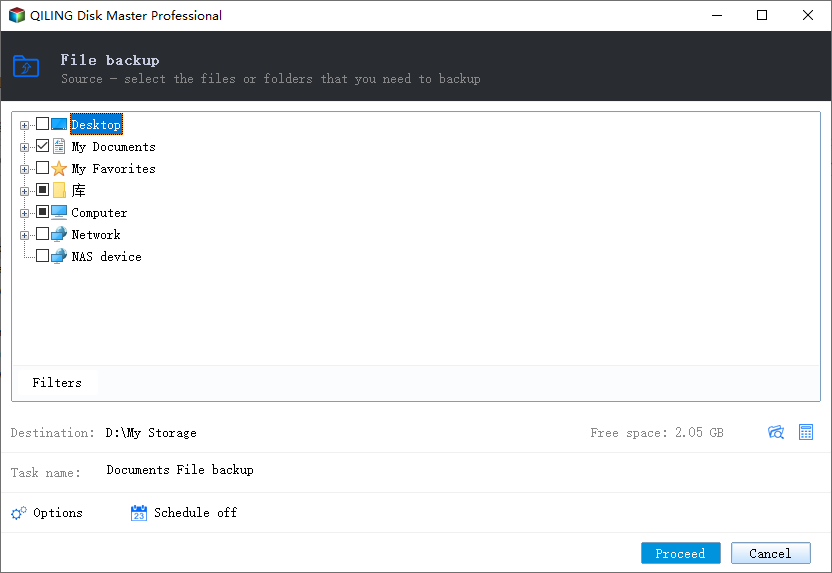
Step 3. In the tree control, select the files and folders that must be protected. Protect user files before update repair if the computer is unstable
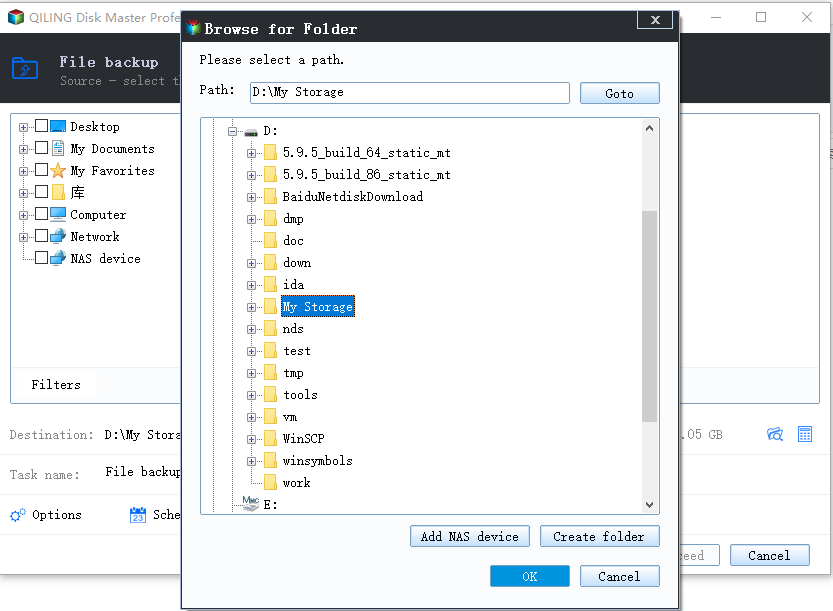
Step 4. Choose a destination that is not affected by the operation, such as another disk, external drive, NAS, or shared folder.
Step 5. Review the source and destination, then click Proceed. Wait for the backup to finish before continuing.
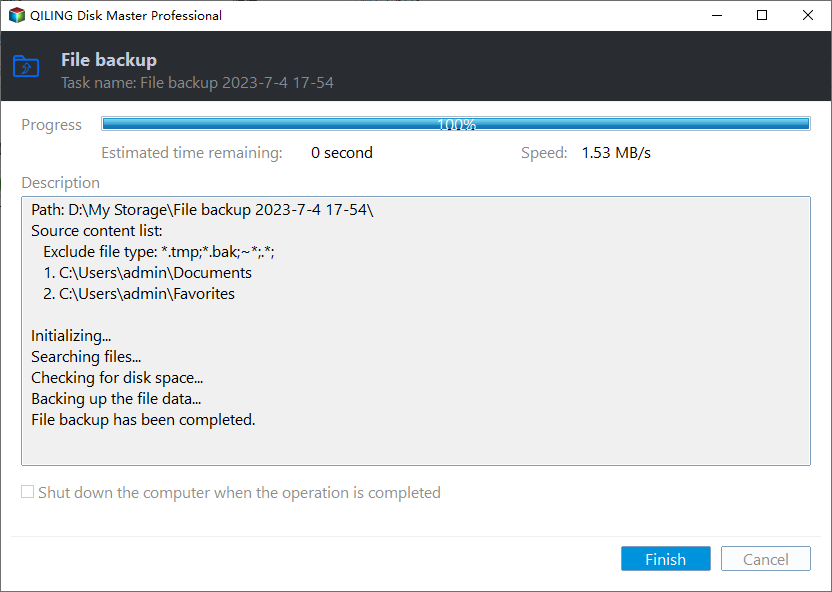
Check the result
After repair, CPU usage should drop at idle. Check update history for failed updates that still need attention.
Related Articles
-
Clear Windows 11 Update Cache
Reset update cache when Windows Update keeps getting stuck. -
Disk Cleanup Not Working
Fix cleanup and update-cache problems that affect system maintenance.
Products
Articles & Tutorials
- Data Recovery
- Data Backup
- File Recovery
- File Backup
- File synchronize
- System Backup and Restore
- Disk and Partition Clone
- Technical articles
- Disk Master Help
- Windows Deleted File and Disk Recovery Tutorials
- Windows File and Data Recovery Tutorials
- More Windows Tutorials for Install, Security, Files, and PC Tips
- Windows Boot, Repair, and Recovery Environment Tutorials
- Windows Backup Tutorials
- Windows Restore Tutorials
- Windows Clone and Migration Tutorials
- Windows Server Backup, Recovery, and Management Tutorials
- Windows Disk, Partition, and Storage Management Tutorials