Clone Recovery Partition When Samsung Data Migration Skips It
Samsung Data Migration can move Windows to a Samsung SSD, but some recovery or OEM partitions may not be copied depending on the layout.
Background and causes
Recovery partitions may store WinRE files or factory reset tools. If they are missing, Windows may boot but recovery options may fail later.
- Confirm the exact disk, partition, drive letter, file system, and capacity before changing anything.
- Recover or back up important files before formatting, deleting, converting, or recreating partitions.
- For boot-related changes, check BIOS/UEFI mode and boot order before editing disk layout.
Use Windows built-in tools
Open Disk Management and compare the original disk with the Samsung SSD. Keep the old disk unchanged until the SSD boots and recovery options are verified.
Use Qiling tools for guided steps
 Qiling Disk Master
Clone disks or partitions with a visible preview before applying changes.
Step 1. Open Qiling Disk Master, choose Clone, and select the clone mode that matches copying the recovery partition to a Samsung SSD.
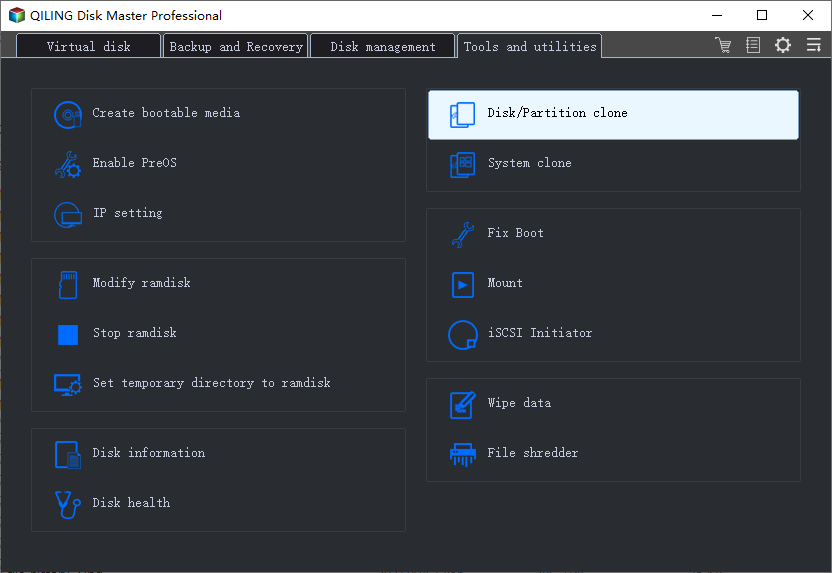
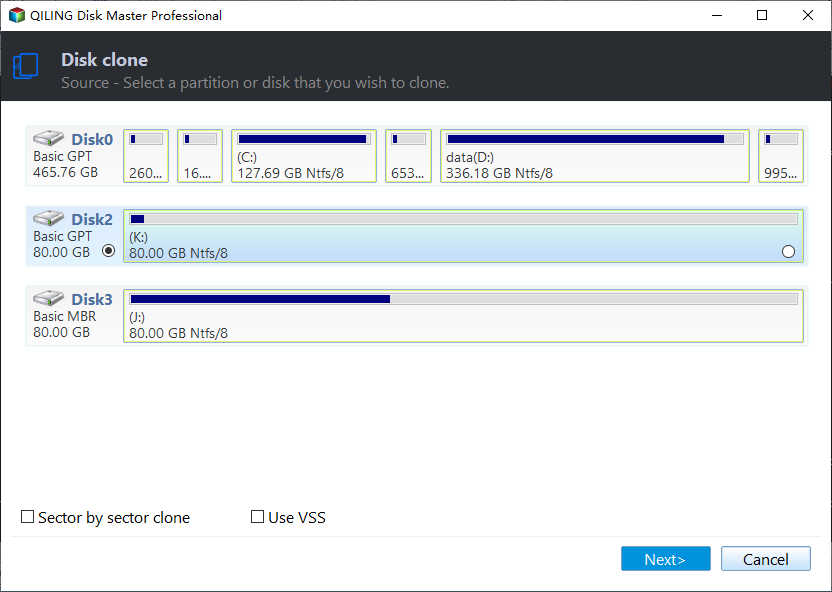
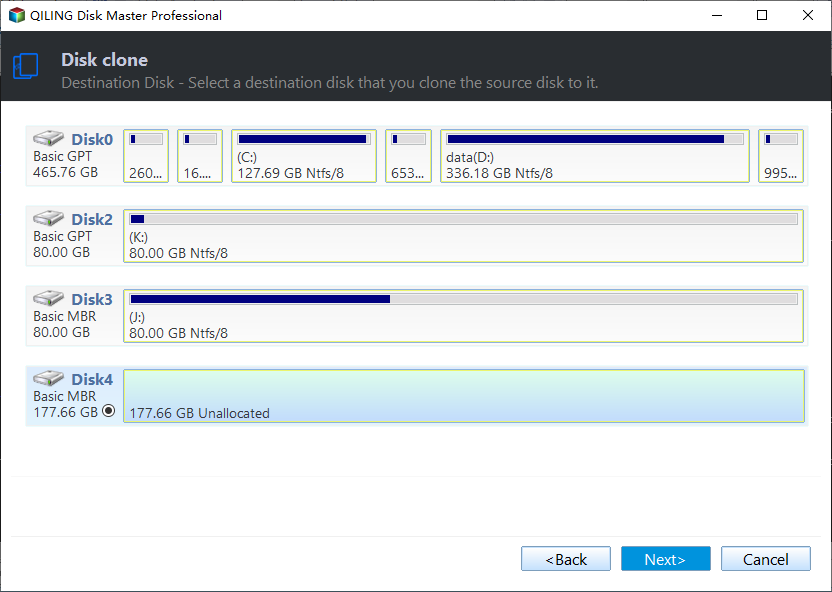
Step 2. Select the source disk or partition, then choose the destination disk. Confirm that the destination has no needed files.
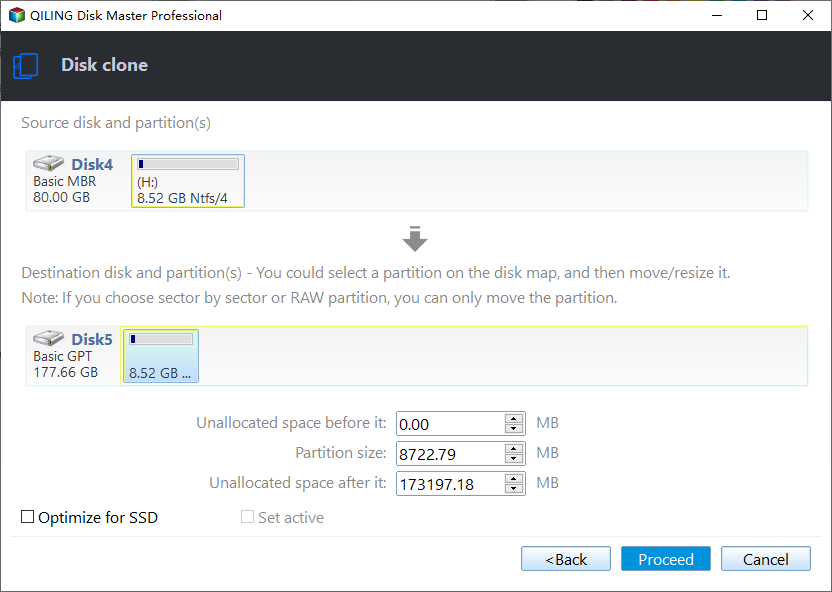
Step 3. Preview the target layout, keep required EFI or recovery partitions, and click Proceed to start.
Check the result
Boot from the Samsung SSD and run reagentc /info to confirm Windows Recovery Environment status.
Related Articles
-
Clone Hard Drive Windows 10
Clone Windows and data to another HDD or SSD with a guided workflow. -
Clone HDD to SSD
Move Windows from HDD to SSD and prepare the target disk for boot.
Products
Articles & Tutorials
- Data Recovery
- Data Backup
- File Recovery
- File Backup
- File synchronize
- System Backup and Restore
- Disk and Partition Clone
- Technical articles
- Disk Master Help
- Windows Deleted File and Disk Recovery Tutorials
- Windows File and Data Recovery Tutorials
- More Windows Tutorials for Install, Security, Files, and PC Tips
- Windows Boot, Repair, and Recovery Environment Tutorials
- Windows Backup Tutorials
- Windows Restore Tutorials
- Windows Clone and Migration Tutorials
- Windows Server Backup, Recovery, and Management Tutorials
- Windows Disk, Partition, and Storage Management Tutorials