Solved: Seagate DiscWizard Not Cloning [Causes and Fixes]
Quick Navigation:
- Does Seagate Have Cloning Software?
- The Problem: Seagate DiscWizard Not Cloning
- Fix Seagate DiscWizard Not Cloning Issue
- Need Seagate DiscWizard Alternative to Clone Hard Drive
- Safely clone HDD to Seagate SSD without Seagate DiscWizard
- Summary
Does Seagate Have Cloning Software?
Seagate offers comprehensive data protection software, similar to Dell Alienware Respawn, to ensure the security of all content on your PC. This software is called Seagate DiscWizard, which allows you to back up your operating system, applications, configuration, and user data, as well as backup entire hard drives or partitions.
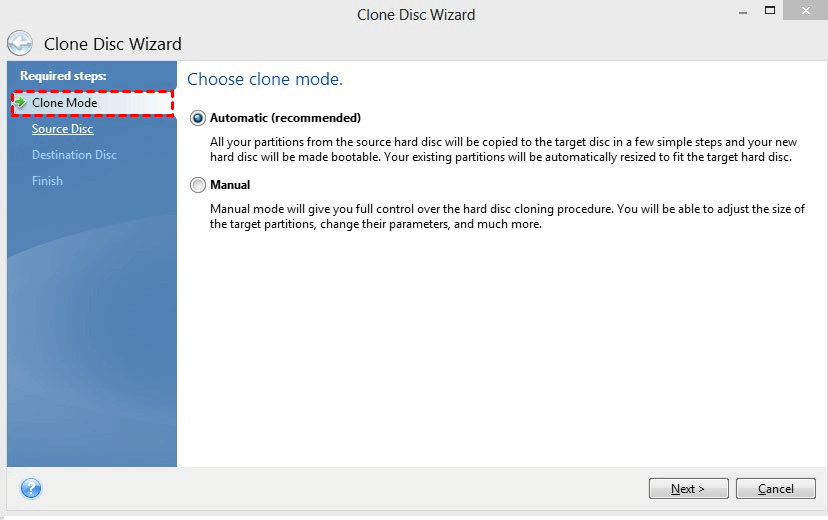
Qiling Disk Master allows you to clone a hard disk to another one in Windows operating systems, including XP/7/8/8.1/10/11 and Windows Server 2012. The Clone Disk option is available under the Tools tab, where you can access the Clone Disc Wizard and follow the on-screen instructions to clone your hard disk to a Seagate SSD.
The Problem: Seagate DiscWizard Not Cloning
However, you have probably stuck in Seagate DiscWizard not cloning problem when you try to clone hard drive to Seagate SSD/HDD like this:
Seagate DiscWizard failed to clone
You've started the cloning process with Seagate DiscWizard, and it's asking you to restart your computer to complete the process. This is normal. Once you restart, the cloning will continue and your old hard drive will be successfully cloned to the new Seagate 1TB hard drive. Just let the process run to completion.
The Seagate DiskWizard failed to clone the hard drive, and instead, the computer suddenly rebooted, returning to the desktop without any error messages, leaving the cloning process incomplete. The reason for this failure is currently unknown.
Fix Seagate DiscWizard Not Cloning Issue
If you're experiencing issues with the Seagate DiscWizard clone failing to detect your drive or the original Seagate DiscWizard not recognizing your drive, there are potential causes and solutions to consider. The clone might not be properly installed or configured, or the drive might be faulty or not supported by the software.
- DiscWizard does not clone dynamic disk. Therefore, please check if your hard disk is dynamic or not. If it's a dynamic disk, convert it to basic disk without losing data first.
- DiscWizard does not clone non Seagate drives.
- Cloning from the DiscWizard Boot CD or creating an image backup is recommended. Additionally, ensure that both disks are directly connected to the SATA/PATA motherboard.
- DiscWizard does not clone a single partition, so you can either clone the entire disk or use third-party software to clone individual partitions if needed.
- Discwizard does not clone the hard drive with file systems such as Ext2, Ext3, Ext4, ReiserFS, and Linux SWAP, and instead requires conversion of these file systems using Disk Management or another disk partition manager.
If you're having trouble cloning a hard drive to a Seagate SSD or HDD using DiscWizard, there are certain situations where it won't work. To solve the issue, you'll need to find an alternative solution.
If you're experiencing issues with Seagare DiscWizard, you have two options: follow the tips provided to troubleshoot the problem or consider using a more advanced alternative. This alternative can help resolve the issues and provide additional features, making it a viable option to explore further.
Need Seagate DiscWizard Alternative to Clone Hard Drive
If the Seagate DiscWizard is not working or you encounter situations not supported, try its best alternative - Qiling Disk Master Professional. It supports cloning entire disk (including dynamic disk), OS only, or specific partitions in Windows 11, 10, 8.1, 8, 7, Vista, and XP.
- Qiling Disk Master's Intelligent Clone feature allows for cloning only used sectors, making it possible to clone a larger drive to a smaller drive without boot issues. This feature also ensures that disk space is not a concern. If the source disk is encrypted, the cloning process will be sector-by-sector.
- If your target disk is an SSD, for example, clone HDD to SSD, its SSD Alignment feature helps to boost performance of SSD disk and prolong its life span.
- When cloning a disk to a larger one, users often find that the cloned drive doesn't show its full capacity. To resolve this issue, you can enable the "Edit Partitions" feature, which allows you to add unallocated space to all partitions or make manual adjustments to utilize the full capacity of the larger drive.
- Qiling Disk Master can clone a MBR disk to a GPT disk (or vice versa) while preserving bootability and not deleting any data on the target disk.
This software has great compatibility, supporting a wide range of storage devices and file systems, including all-branded HDD, SSD, Dynamic disk, RAID, Virtual Machine, and more, not limited to NTFS or FAT32.
If you're looking for an easy and safe way to clone a hard drive with secure boot, consider downloading Qiling Disk Master Professional, a Seagate DiscWizard alternative. This tool provides a demo of the cloning feature, and to unlock it, you can upgrade now and enjoy its benefits.
Safely clone HDD to Seagate SSD without Seagate DiscWizard
To safely clone a hard drive to a Seagate SSD without boot issues, use Qiling Disk Master Professional, a top-rated Seagate SSD clone software. For example, you can use Seagate DiscWizard to clone a hard drive to an SSD. Server users may prefer Qiling Disk Master Server.
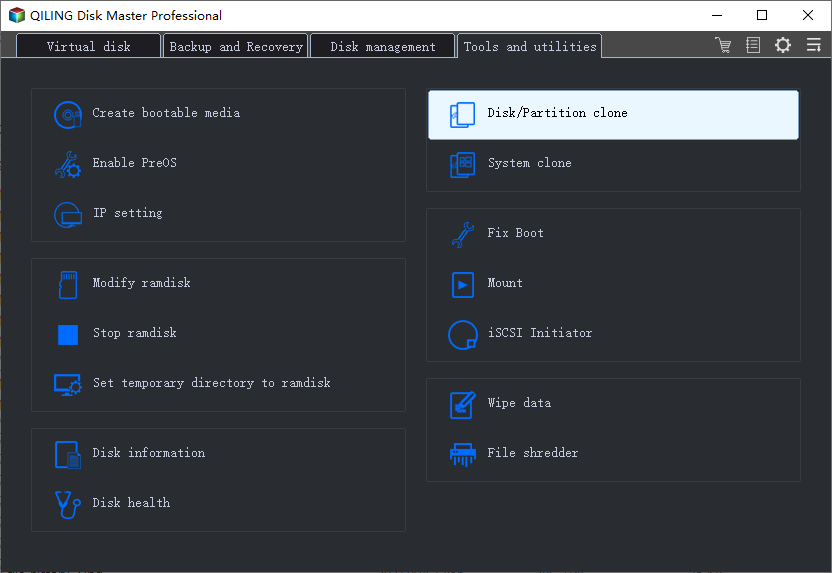
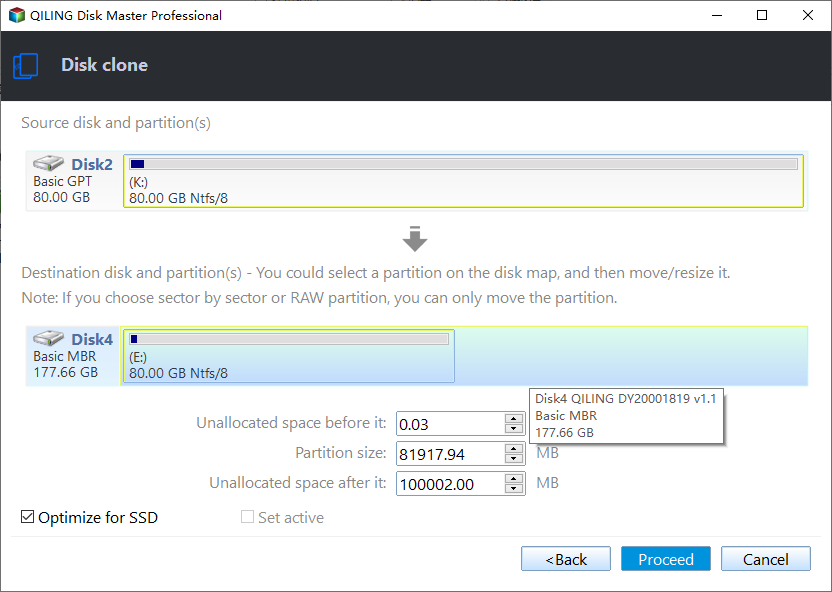
1. In Qiling Disk Master, after launching the program, select the Clone tab and then choose the Disk Clone option.
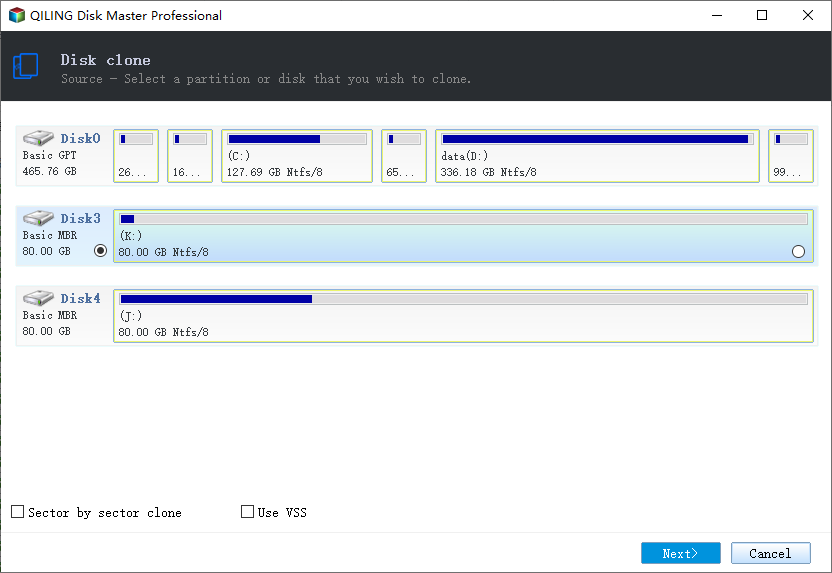
2. Choose the old hard drive as the source disk to clone, and hit Next.
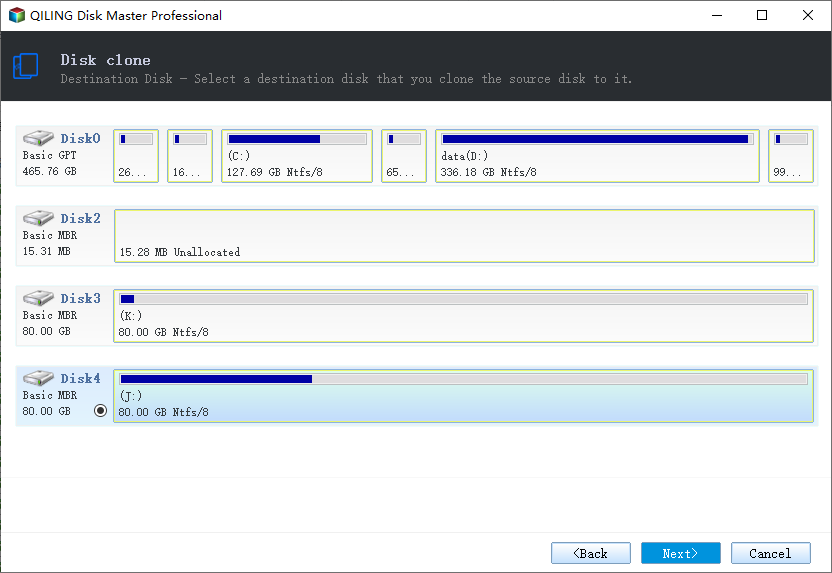
Select Seagate SSD as the destination to save everything from the old hard drive.
4. To clone a hard drive to a Seagate SSD, select the "Proceed" option, which will take time depending on the data size on the old hard drive. For optimal SSD performance, check the "SSD Alignment" option.
★ Tips:
✔ You can select to clone all sectors from the source disk to the target Seagate drive, including all sectors, if the target disk is larger.
✔ Editing the partition size automatically while cloning to fully use the storage space of the destination disk. This feature is available in the upgraded versions of Qiling Disk Master Professional or other advanced editions.
✔ This software can be used for various cloning tasks, including cloning Windows 10 to a new hard drive, replacing a laptop's HDD with an SSD, cloning an NVMe SSD, cloning an Intel SSD from one to another, and more.
Summary
Seagate DiscWizard has been found to have limitations when cloning data from one hard drive to another, with too many restrictions. To resolve these issues, it's recommended to use an alternative software, Qiling Disk Master Professional, which offers a more flexible and efficient way to clone data between hard drives.
Qiling Disk Master allows you to clone system, disk, or partition, including dynamic disks and volumes, as needed. This can be useful for tasks like cloning an SSD to a larger one, migrating Windows 10 to a new SSD without reinstalling, or cloning dynamic disks in Windows 7. Additionally, the software supports command-line cloning, backup, and restoration, as well as real-time file syncing.
Related Articles
- Quickly Create Seagate DiscWizard Image Backup with Simple Steps
This article introduces you to Seagate DiscWizard and how to create Seagate DiscWizard image backup and recovery in detail. Scroll down below to learn everything you want to know. - Free Seagate Disk Cloning Software - Qiling Disk Master
This guide explains Free Seagate Disk Cloning Software - Qiling Disk Master with clear steps, key checks, and practical tips. - Best Western Digital SSD Migration Tool to Clone OS or Disk
This guide explains Best Western Digital SSD Migration Tool to Clone OS or Disk with clear steps, key checks, and practical tips. - Cloned Hard Drive Shows Wrong Size - Quick Fix Once For All
If the cloned hard drive displays an incorrect size in Windows 11/10/8.1/8/7, it's possible that the cloning process was not executed correctly. To learn how to clone a hard drive to a larger drive without leaving unallocated space, follow the steps provided here. - Acronis Cloning Software: A Thorough Review & Alternative
The Acronis cloning software is one of the best cloning software available on the market today. In this post, we will see a detailed review of Acronis Cloning software along with the step-by-step guide and a perfect alternative (Qiling Disk Copy) with even more advanced features for Disk Cloning. - Acronis True Image WD Edition Clone Not Working - Try These Fixes
Acronis True Image WD Edition, a program exclusive to WD users, can sometimes cause issues and fail to efficiently clone hard drives.
Products
Articles & Tutorials
- Data Recovery
- Data Backup
- File Recovery
- File Backup
- File synchronize
- System Backup and Restore
- Disk and Partition Clone
- Technical articles
- Disk Master Help
- Windows Deleted File and Disk Recovery Tutorials
- Windows File and Data Recovery Tutorials
- More Windows Tutorials for Install, Security, Files, and PC Tips
- Windows Boot, Repair, and Recovery Environment Tutorials
- Windows Backup Tutorials
- Windows Restore Tutorials
- Windows Clone and Migration Tutorials
- Windows Server Backup, Recovery, and Management Tutorials
- Windows Disk, Partition, and Storage Management Tutorials