How to Remove Recycle Bin from Desktop in Windows 11/10
- Can you remove Recycle Bin from the desktop?
- Method 1. Remove Recycle Bin via Settings
- Method 2. Hide all desktop icons temporarily
- Method 3. Remove Recycle Bin with Group Policy
- How to open Recycle Bin after removing the icon
- How to restore Recycle Bin to desktop
- What if files are deleted after Recycle Bin is hidden?
Can you remove Recycle Bin from the desktop?
Yes. Recycle Bin is a system icon, but Windows allows you to hide it. Removing the icon does not delete Recycle Bin or change how deleted files are stored. You can still open it through Run, File Explorer, or search.
Method 1. Remove Recycle Bin via Settings
Step 1. Right-click an empty area on the desktop and choose Personalize.
Step 2. Open Themes.
Step 3. Click Desktop icon settings.
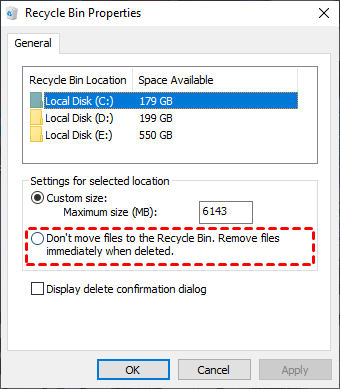
Step 4. Clear Recycle Bin.
Step 5. Click Apply and OK.
Method 2. Hide all desktop icons temporarily
Step 1. Right-click the desktop.
Step 2. Choose View.
Step 3. Clear Show desktop icons.
Step 4. Enable it again when you want desktop icons back.
Method 3. Remove Recycle Bin with Group Policy
Step 1. Press Win + R, type gpedit.msc, and press Enter.
Step 2. Go to User Configuration > Administrative Templates > Desktop.
Step 3. Open Remove Recycle Bin icon from desktop.
Step 4. Select Enabled, apply the setting, and sign out or restart Explorer.
How to open Recycle Bin after removing the icon
- Press Win + R, type
shell:RecycleBinFolder, and press Enter. - Search for Recycle Bin from Start.
- Type
Recycle Binin the File Explorer address bar. - Create a shortcut to
explorer.exe shell:RecycleBinFolder.
How to restore Recycle Bin to desktop
Step 1. Open Settings > Personalization > Themes.
Step 2. Click Desktop icon settings.
Step 3. Check Recycle Bin and apply the change.
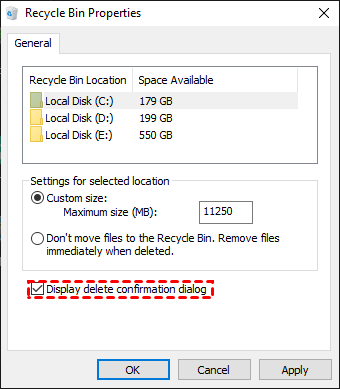
What if files are deleted after Recycle Bin is hidden?
Hiding Recycle Bin does not protect files from deletion. Open it with shell:RecycleBinFolder first. If it is empty, restore from backup or use recovery software.
 Deep Data Recovery
When Recycle Bin is hidden, emptied, or bypassed, Deep Data Recovery can scan the original drive for deleted files.
Related Articles
-
Deleted File Not in Recycle Bin | Proven Fixes
Learn why deleted files may bypass Recycle Bin and how to restore them with File History, Backup and Restore, or recovery software. -
Recover Files from Empty Recycle Bin in Windows
Recover files after Recycle Bin is emptied or bypassed, and learn safer ways to restore deleted data in Windows. -
How to Show Hidden Files in Windows 10
Use Windows settings to show hidden files and troubleshoot missing folders before running recovery software.
Products
Articles & Tutorials
- Data Recovery
- Data Backup
- File Recovery
- File Backup
- File synchronize
- System Backup and Restore
- Disk and Partition Clone
- Technical articles
- Disk Master Help
- Windows Deleted File and Disk Recovery Tutorials
- Windows File and Data Recovery Tutorials
- More Windows Tutorials for Install, Security, Files, and PC Tips
- Windows Boot, Repair, and Recovery Environment Tutorials
- Windows Backup Tutorials
- Windows Restore Tutorials
- Windows Clone and Migration Tutorials
- Windows Server Backup, Recovery, and Management Tutorials
- Windows Disk, Partition, and Storage Management Tutorials