How to Download and Use Acer Erecovery Management Software
What Is Acer eRecovery Management Software?
Acer eRecovery Management is a software that allows users to restore their Acer computers to default factory settings using a recovery partition preloaded on all Acer desktops and notebooks.
What Can Acer eRecovery Manager Do?
Acer eRecovery Management software allows you to create recovery media, reinstall Windows without using CDs or DVDs, or simply reinstall drivers and applications.
The system can be restored to its last known good configuration, which is saved as an image in a hidden partition on the hard disk, or recovered from a secondary partition or optical disk.
Stepwise Guide: Download and Use Acer eRecovery Management Application for Protection
To create a backup for your Acer laptop, you need to download the Acer eRecovery Management Application from the official Acer website. Once downloaded, follow the on-screen instructions to create a backup of your system. This will ensure that all your files, settings, and drivers are safely backed up.
Step 1. Open Acer eRecovery Management. Then, click Backup and select Create Factory Default Disc.
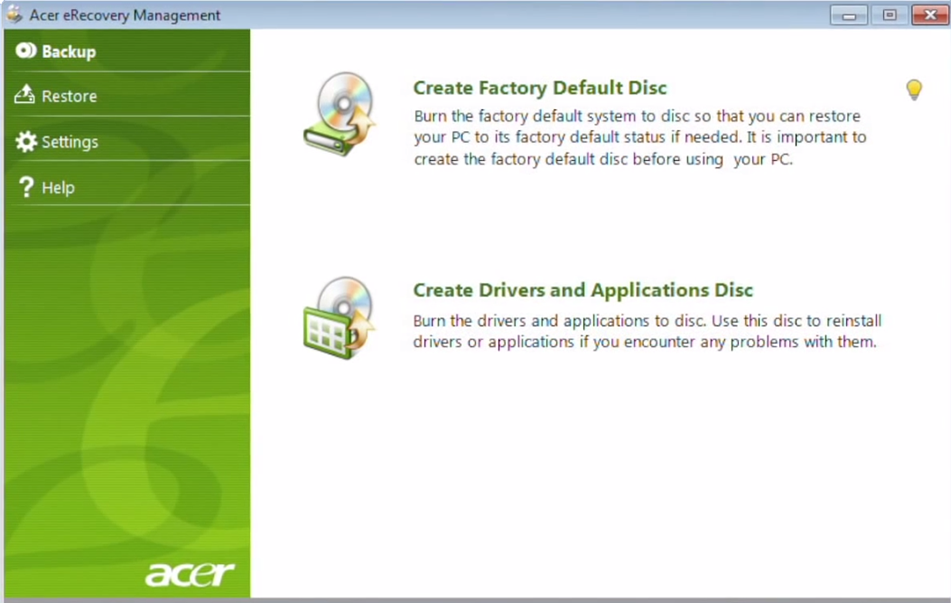
Step 2. To backup your Acer system, first, select the backup type (Full or Incremental) and the destination (External Hard Drive, NAS, or DVD). Then, select the files and folders you want to backup. Next, choose the backup location and confirm the number of disks required for the task. Afterward, click Start to begin the backup process.
To restore Acer to its default settings, follow these steps:
Step 1. In the Acer recovery Management window, click Restore and then Completely Restore System to Factory Defaults.
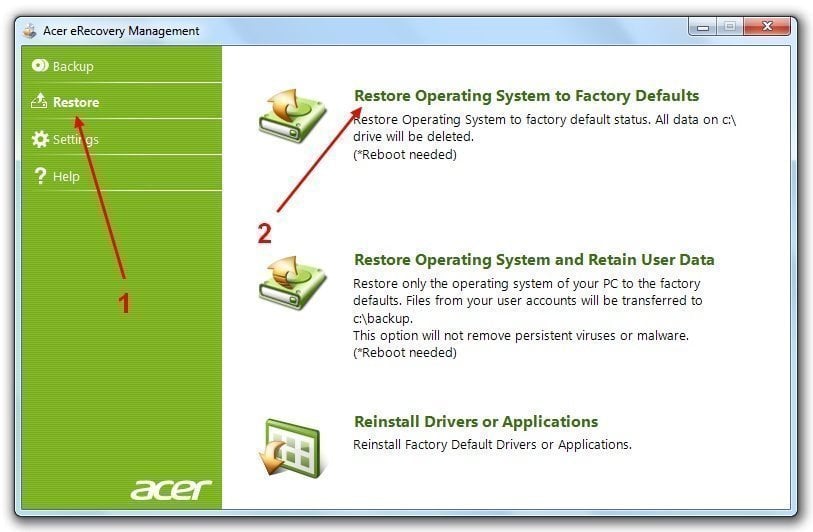
Step 2. Confirm you want to restore system and click Yes > Start.
Step 3. Then, click OK to confirm the data will be overwritten.
Step 4. Afterward, your computer will restart, just do as instructed. The entire process will take a while, please wait patiently.
Best Alternative to Acer eRecovery Management Software
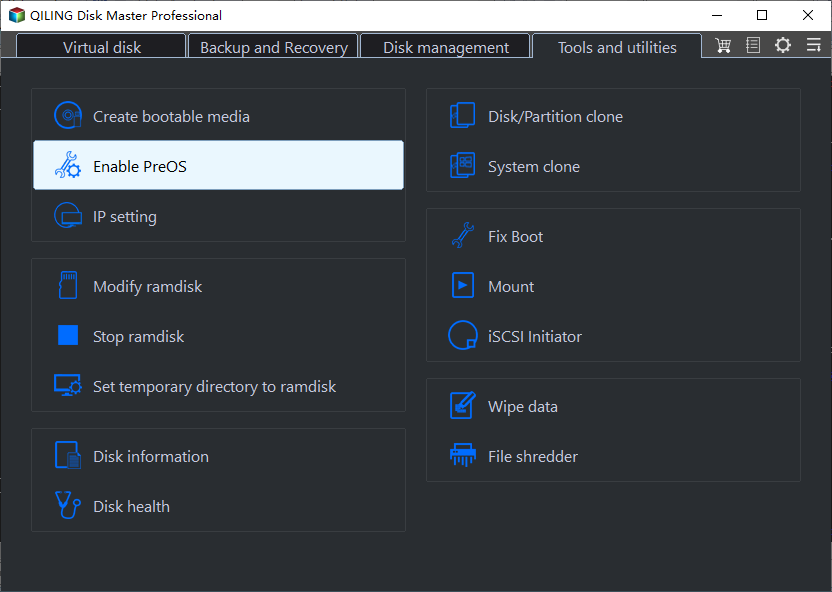
Besides Acer eRecovery Manager, you can also use Qiling Disk Master to backup and restore your Acer computer to factory default settings or a previous good state. This way, if you backup your Acer computer after installing programs and storing data, all of them will be included after recovery, ensuring you won't lose any data.
With this tool, you can backup your OS to a hidden recovery partition on the system disk or to other local disks such as an external hard drive, USB flash drive, or Thumb drive.
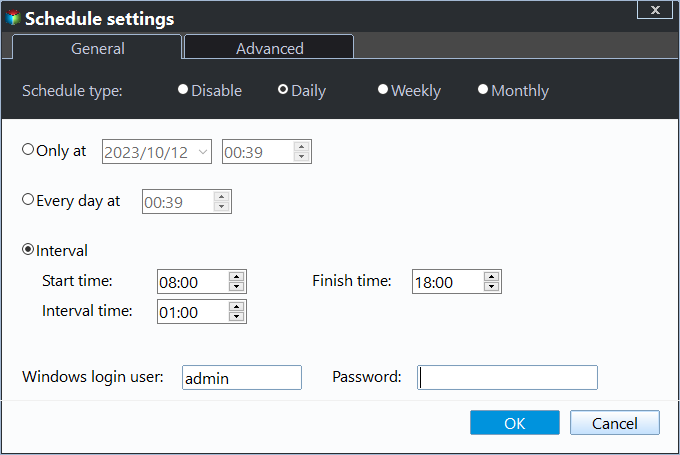
You can compress and encrypt files before saving them to the destination, and the software also allows you to keep changes made on your computer up to date with its daily, weekly, and monthly scheduler.
You can restore your system from a recovery partition or a backup image stored on another device, and you can choose to recover the operating system to its original location or to a different location as needed.
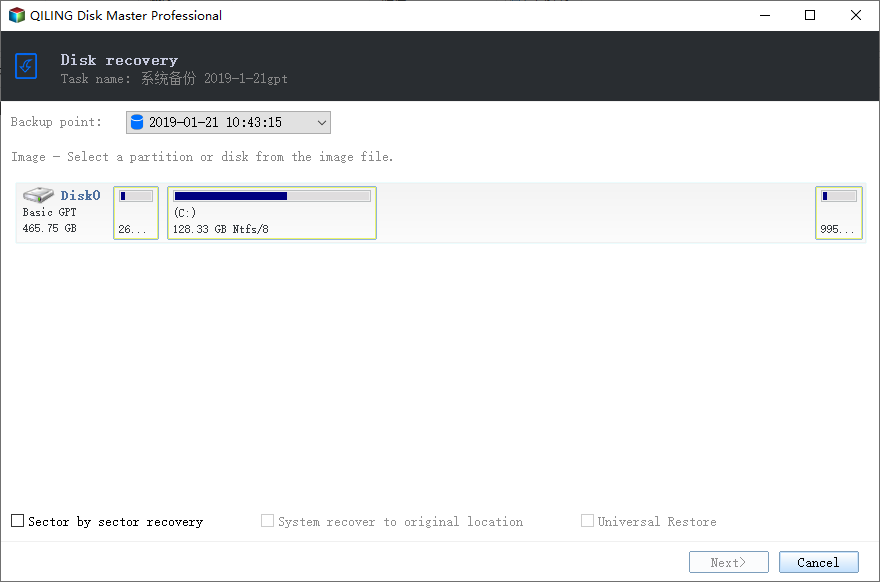
This software is surprisingly compatible with all Windows systems (Windows 11/10/8/7/XP/Vista) and various computer brands like Lenovo, HP, Toshiba, Sony, Samsung, and Asus. It's a reliable option to protect your computer, and you can download it to try it out.
Summary
If you're looking to backup and restore your Acer laptop, the Acer eRecovery Management software can be very helpful. However, due to the lack of information on the official site, it can be challenging to find the necessary eRecovery media. Fortunately, a reliable alternative is available - Qiling Disk Master, a free and feature-rich software that can assist with backup and restore operations, and is safer and more compatible than the original Acer software.
The advanced version of the software allows you to offer technical services to clients, including companies and individuals, as well as UI customization. For more information, visit the edition comparison page.
Related Articles
- Acer eRecovery Management Missing Fixed [2 Ways]
This guide explains Acer eRecovery Management Missing Fixed with clear steps, key checks, and practical tips. - How to use Acer eRecovery Management in Windows 7
Acer eRecovery Management in Windows 7 is to help to backup operating system in case of accidents and restore system back after accident happens. - Backup and Restore with Acer Recovery Management in Windows 10
This article will show you how to backup and restore with Acer Recovery Management in Windows 10. With a backup in hand, you can restore Acer to a good state. - Outlook Data Files PST Usage is Disabled on This Computer[Fixed]
Follow this guide to Outlook Data Files PST Usage is Disabled on This Computer, with backup options, storage tips, and recovery precautions. - Backup and Sync No Longer Available: Try Another Way
The article explains why Backup and Sync is no longer available, and provides a bonus tip on viable alternatives. - How to Backup Any Folder to OneDrive on Windows 10 [Step-by-step Guide]
To back up any folder to OneDrive on Windows 10, you can explore three easy ways to achieve this. This passage will guide you through the process, providing a helpful backup plan for your important files.
Products
Articles & Tutorials
- Data Recovery
- Data Backup
- File Recovery
- File Backup
- File synchronize
- System Backup and Restore
- Disk and Partition Clone
- Technical articles
- Disk Master Help
- Windows Deleted File and Disk Recovery Tutorials
- Windows File and Data Recovery Tutorials
- More Windows Tutorials for Install, Security, Files, and PC Tips
- Windows Boot, Repair, and Recovery Environment Tutorials
- Windows Backup Tutorials
- Windows Restore Tutorials
- Windows Clone and Migration Tutorials
- Windows Server Backup, Recovery, and Management Tutorials
- Windows Disk, Partition, and Storage Management Tutorials