How to Recover Data from Corrupted Windows 10
If your Windows 10 OS crashes, you're not alone - almost every Windows user has faced this issue. The worst part is losing data due to the corruption. But there are ways to recover data from crashed Windows 10, and using a top-notch Windows 10 data recovery tool is one of them.
If Windows becomes unbootable or unstable, this blue screen data recovery guide can help protect files before repair.
- Quick Navigation
- Part 1. Best Data Recovery Software to Recover Data from Crashed Windows 10
- Part 2. Reasons for Windows 10 Crash and Its Solutions
Part 1. Best Data Recovery Software to Recover Data from Crashed Windows 10
Deep Data Recovery is the ultimate software to restore data from corrupted Windows 10, relied upon by multinational and small companies worldwide to recover lost files, unformat hard drives, and recover from RAW drive situations. It's considered the best data recovery software for Windows, offering the highest recovery rate compared to other tools, making it a well-known Windows and Mac data recovery software.
Your Safe & Effective Windows 10 Data Recovery Tool
- Regardless of how your data was lost, whether it was due to accidental deletion, formatting, a Windows or software crash, a virus attack, or hardware corruption, this software offers a solution for every data loss scenario.
- To recover lost data, you can choose from two modes: quick scan and deep scan. Select the mode that best suits your situation, depending on whether your data was lost recently or if you need a more thorough search.
- Qiling software can recover various types of files, including images, audios, messages, documents, and videos, making it a reliable tool for file recovery.
- This tool allows for the recovery of data from external storage devices, such as digital cameras or memory cards, making it possible to restore data from these sources.
How to retrieve files lost when Windows 10 is crashed
- To start the file recovery process, download the Windows 10 data recovery software on your computer.
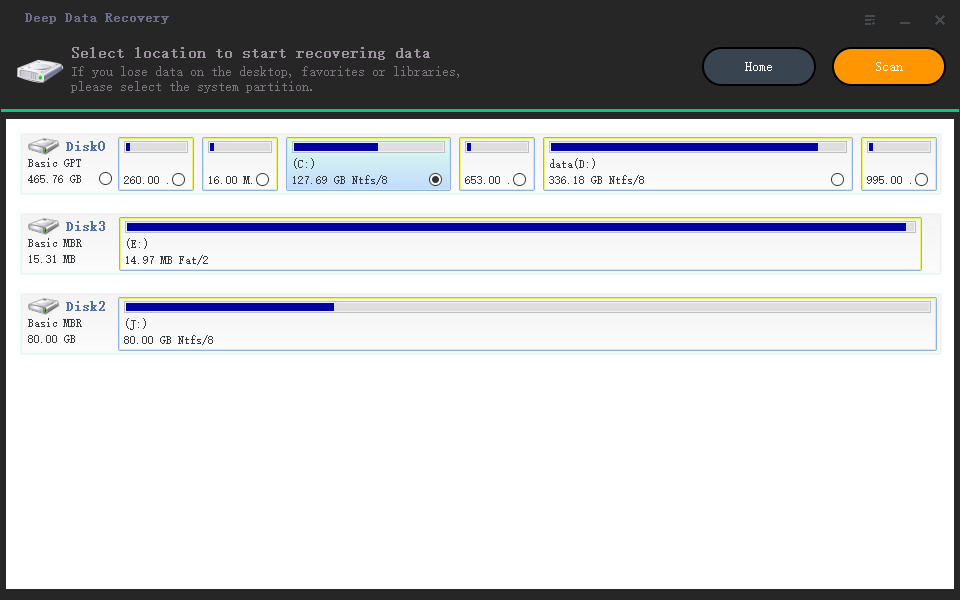
- After installing the software, run it and select the partition where your lost data was located. Then, click on the "Scan" button.
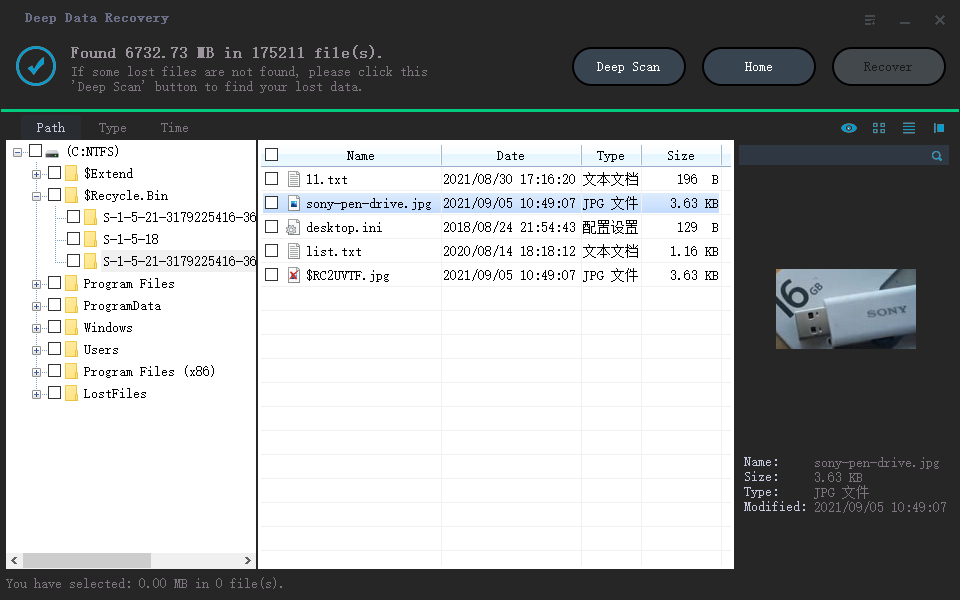
- After scanning, the software will display all deleted files from corrupted Windows on its interface, allowing you to preview them before recovering. You can then locate and select your desired files, and click the "Recover" button to restore them.
Part 2. Reasons for Windows 10 Crash and Its Solutions
Windows 10 crashes can occur due to various reasons, including software conflicts, hardware issues, and system file corruption. Some common causes include driver problems, malware infections, and outdated software. Additionally, Windows 10 crashes can also be triggered by system file corruption, which can be caused by a power outage, a faulty hard drive, or a virus attack.
1. Poor Motherboard
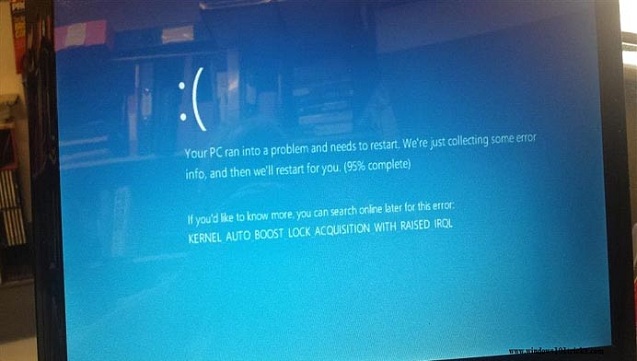
The most common reason for corrupted Windows 10 is a faulty motherboard, which can cause frequent crashes in the form of BSOD (Blue Screen of Death) and Fatal Exception errors. These issues occur when the motherboard fails to properly restore data saved in memory, leading to system crashes. To prevent such problems, it's essential to diagnose your Windows motherboard using diagnostic tools. If the motherboard is indeed the issue, it's crucial to replace it promptly to prevent further system crashes.
2. Corrupt Drivers
Corrupt drivers can cause Windows 10 crashes, including BSODs, even with good hardware. This is because drivers tell hardware what to do. If you encounter this, search online for solutions, and the best fix is to uninstall corrupt drivers and install new ones.

3. Virus Attack
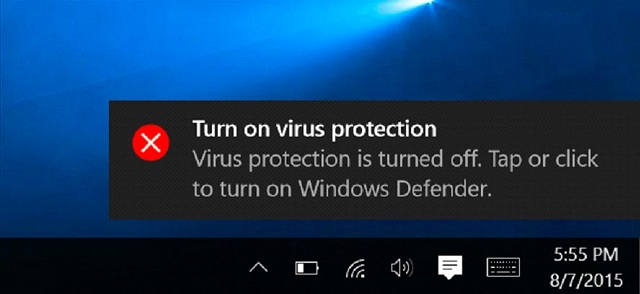
A virus can severely harm your computer, corrupting Windows 10 and even deleting your data. It can also automatically delete installed drivers, leading to frustration. If your computer has a virus, you may experience unexpected errors and crashes. To prevent this, install reliable and efficient anti-virus tools to protect your computer.
4. Overheating
Computer components are sensitive and can be damaged by overheating, which can cause corrupt Windows OS 10, random reboots, and driver issues. Prolonged power usage or placing the computer on a heated surface can lead to overheating, resulting in a beep sound from the computer. To prevent this, keep the computer away from heat sources and avoid overcharging, or manually check the motherboard for any issues.
Conclusion: The Deep Data Recovery tool offers a reliable solution for recovering data from corrupted Windows 10 systems, and can also recover data from other Windows Operating Systems, providing a comprehensive data recovery solution.
Related Articles
- Recover Shift Deleted Files in Windows 10
- Restore Deleted Files on C Drive in Windows 10/11/8/7
- Recover Unsaved/Deleted Notepad Files in Windows 10/11
- How to Recover Files Lost During Cut and Paste in Windows 11/10
- How to Recover Data from Corrupted SD Card
If you need to recover photos and videos from a corrupted SD card, follow these steps with Deep Data Recovery. - Word Recovery Online - Top 5 Repair Corrupted Word File Online | Qiling
You can restore and repair corrupted Word files online for free using top 5 text recovery converter online solutions, which provide a way to recover corrupted Word files online.
Products
Articles & Tutorials
- Data Recovery
- Data Backup
- File Recovery
- File Backup
- File synchronize
- System Backup and Restore
- Disk and Partition Clone
- Technical articles
- Disk Master Help
- Windows Deleted File and Disk Recovery Tutorials
- Windows File and Data Recovery Tutorials
- More Windows Tutorials for Install, Security, Files, and PC Tips
- Windows Boot, Repair, and Recovery Environment Tutorials
- Windows Backup Tutorials
- Windows Restore Tutorials
- Windows Clone and Migration Tutorials
- Windows Server Backup, Recovery, and Management Tutorials
- Windows Disk, Partition, and Storage Management Tutorials