Write Zeros to a Hard Drive to Fix Bad Sectors?
Writing zeros overwrites every sector on a hard drive. It can force the drive firmware to remap some weak sectors, but it does not repair physical damage and permanently erases data. Back up or recover files before considering it.
Can writing zeros fix bad sectors?
A full overwrite may resolve logical sector errors or trigger remapping on a healthy drive with a small number of weak sectors. It cannot restore damaged platters, failing heads, or a drive that disconnects, clicks, or reports growing SMART errors.
Back up and check the drive first
Step 1. Copy important files to another drive. If files cannot be read normally, recover them before any write operation.
Step 2. Check SMART health with the drive manufacturer's diagnostic tool. Replace the drive if it reports failure, many reallocated sectors, or pending sectors.
Step 3. Run chkdsk X: /r only for a readable data volume, replacing X with its letter. Do not run repair commands on a failing disk before securing important data.
Write zeros only when the disk can be erased
Step 1. Confirm the target disk number and disconnect other external disks to prevent selecting the wrong drive.
Step 2. Use a trusted disk-wipe utility and choose a one-pass zero-fill operation. This can take hours on a large hard drive.
Step 3. After it completes, initialize the disk, create a new partition, and run another health check. Do not use the drive for important data if errors return.
Wipe a disk with Qiling Disk Master when data can be erased
 Qiling Disk Master
Wipe a selected disk with a clear preview when the drive can be erased and reused.
Step 1. Back up or recover needed files first. A zero-fill or wipe operation permanently removes existing data.
Step 2. Open Qiling Disk Master, right-click the target disk, and choose Wipe Hard Drive. Confirm the disk by model and capacity.
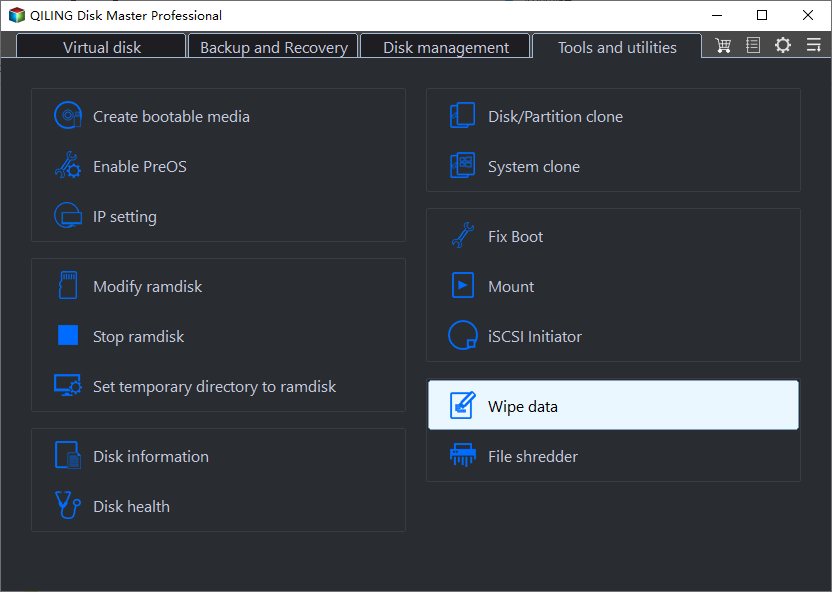
Step 3. Select Fill sectors with zero and set Erase times to 1. This means the selected disk or partition will be overwritten once with zeros.
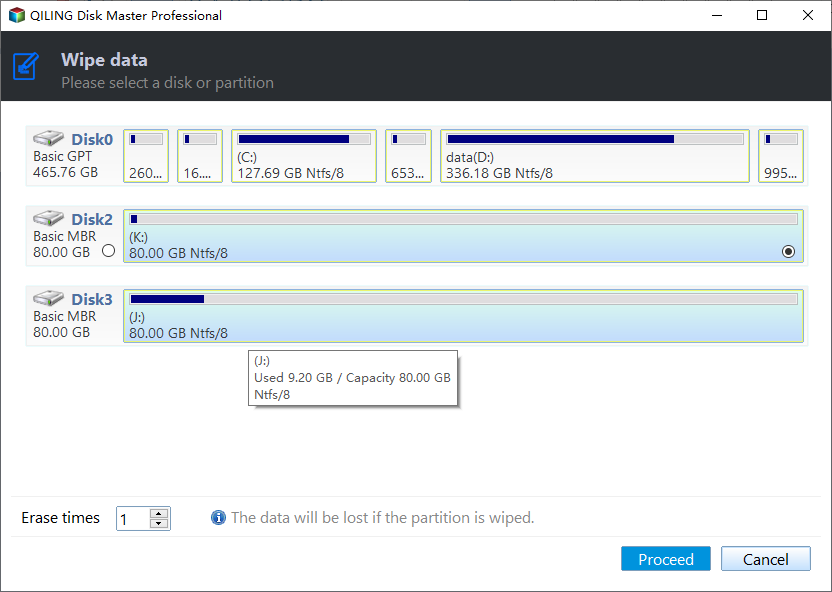
Step 4. Click Proceed to start the zero-fill wipe task.
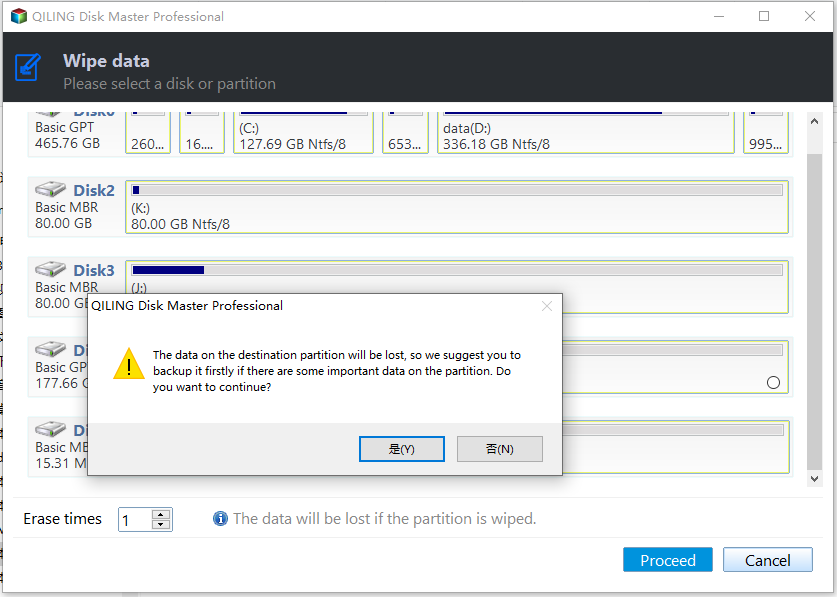
Step 5. Review the warning and confirm that the selected disk contains no files you still need. Continue only if you are sure the disk can be erased.
After writing zeros
After the wipe completes, you may initialize the disk, create a new partition, and check SMART health again. These checks are follow-up actions, not steps inside the wipe function itself. Replace the drive if bad sectors or pending sectors return.
Conclusion
Writing zeros is an erase and diagnostic measure, not a reliable repair. Replace a drive with physical symptoms or worsening SMART data.
Related Articles
- Hiren's BootCD low-level format explained
Choose a suitable HDD overwrite method and avoid using it as a physical repair. - Delete All Partitions on an External Hard Drive
Remove partitions from an external disk only after backing up files and confirming the target drive. - Fix FAT32 Option Not Available in Windows
Format USB drives, SD cards, or external disks to FAT32 when Windows hides the option.
Products
Articles & Tutorials
- Data Recovery
- Data Backup
- File Recovery
- File Backup
- File synchronize
- System Backup and Restore
- Disk and Partition Clone
- Technical articles
- Disk Master Help
- Windows Deleted File and Disk Recovery Tutorials
- Windows File and Data Recovery Tutorials
- More Windows Tutorials for Install, Security, Files, and PC Tips
- Windows Boot, Repair, and Recovery Environment Tutorials
- Windows Backup Tutorials
- Windows Restore Tutorials
- Windows Clone and Migration Tutorials
- Windows Server Backup, Recovery, and Management Tutorials
- Windows Disk, Partition, and Storage Management Tutorials