Qiling Disk Master Doesn't Recognize Drives Correctly
This article applies to: all editions of Qiling Disk Master.
If backup jobs also return an error code, check Qiling backup error code guidance before retrying the task.
Overview
Introduction:
In Windows or after booting from Qiling Disk Master bootable media, a drive may not appear as an available source or destination. When this happens, you may be unable to select the correct disk for backup, clone, or restore operations.
Solution
Solution:
Running Qiling Disk Master in Windows
1. Make sure the drive is listed in Windows Disk Management. If Windows cannot detect the drive, Qiling Disk Master cannot use it either.
2. Check the drive type and confirm that it is not an eMMC storage device. Qiling Disk Master does not support eMMC storage, which is commonly used in tablet PCs.
3. Check whether the drive uses 4096 bytes per sector. You can install and run Partition Assistant, right-click a partition on the drive, select Properties, and then open File System Info to view the sector size.
You can also check this information in Windows. Press Windows + R, type "msinfo32", and open System Information.
Storage-->Disks-->check the Bytes/sector value of the drive.
Qiling Disk Master does not support backing up or cloning drives with 4096 bytes per sector. However, you can still save backup image files to those drives.
4. Check whether the drive is encrypted. If it is encrypted, decrypt it first, run the backup or clone task again, and then re-enable encryption if needed.
5. If you want to back up or clone a dynamic disk, use System Backup or Partition Backup instead of Disk Backup or Disk Clone. For cloning, use System Clone or Partition Clone. Qiling Disk Master does not support dynamic disks through the standard disk-level backup or clone methods.
Running Qiling Disk Master in WinPE
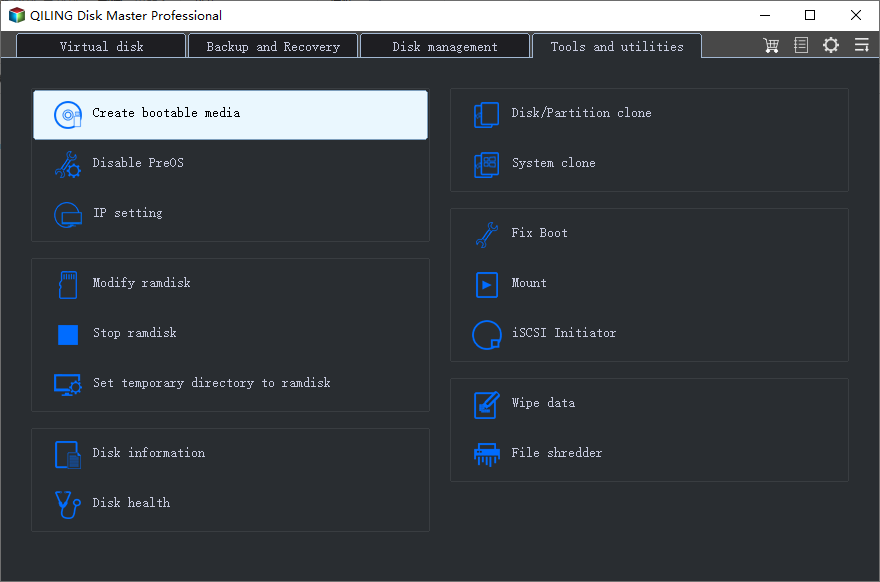
If the drive is missing in WinPE, the most common reason is a missing RAID, storage controller, or disk driver. Create a new WinPE bootable disk and manually add the required driver during the creation process.
If the drive still cannot be recognized, please contact our Qiling Support Team for further assistance.
Related Articles
- How to Solve Windows Migration Assistant Not Working
Discover effective solutions to fix Windows Migration Assistant not working issues. Learn step-by-step troubleshooting tips to ensure a smooth transition to a new Windows system. - How to Rebuild RAID Without Losing Data [for RAID 0/1/5]
Learn how to Rebuild RAID Without Losing Data with clear steps, key checks, and practical tips. - How to Install Windows 11 Without Microsoft Account
Learn how to Install Windows 11 Without Microsoft Account with clear steps, key checks, and practical tips. - How to Upgrade Acer Aspire Laptop to SSD in Windows 10/8/7/XP?
Learn how to Upgrade Acer Aspire Laptop to SSD in Windows 10/8/7/XP with clear steps, key checks, and practical tips. - Best NAS Backup and Disaster Recovery Solution in Windows 10/8/7
NAS drive isn't 100% safe. To ensure the data security, an efficient NAS backup and disaster recovery solution is required. If unluckily, you lost some data without any backup, you may need data recovery software to retrieve deleted files. - Quick Fix: No Restore Previous Versions Option in Windows 10
This guide explains Quick Fix: No Restore Previous Versions Option in Windows 10 with clear steps, key checks, and practical tips.
Products
Articles & Tutorials
- Data Recovery
- Data Backup
- File Recovery
- File Backup
- File synchronize
- System Backup and Restore
- Disk and Partition Clone
- Technical articles
- Disk Master Help
- Windows Deleted File and Disk Recovery Tutorials
- Windows File and Data Recovery Tutorials
- More Windows Tutorials for Install, Security, Files, and PC Tips
- Windows Boot, Repair, and Recovery Environment Tutorials
- Windows Backup Tutorials
- Windows Restore Tutorials
- Windows Clone and Migration Tutorials
- Windows Server Backup, Recovery, and Management Tutorials
- Windows Disk, Partition, and Storage Management Tutorials