Best Centralized Server Backup Software for Windows Servers
Best solution for centralized server backup
For centralized server backup, you can consider solutions such as Veeam Backup & Replication, Microsoft Azure Backup, or a LAN-based centralized backup tool. The right choice depends on whether you need cloud storage, local network management, database backup, or a simpler console for Windows Servers and PCs.
Before deploying centralized backup, review server backup strategy to decide schedules and storage rules.
For enterprise users with multiple Windows Servers and PCs, performing backups one by one is time-consuming. A centralized backup solution simplifies data protection by creating and monitoring backup tasks for all machines from one interface.
When servers are located in the same office or LAN, a centralized server backup strategy lets administrators protect them from one location, saving time and reducing manual errors.
A centralized backup strategy collects data from remote computers and saves backup files to a defined storage path, such as a network share or NAS. Keeping client computers on the same LAN makes deployment and management easier.
Centralized backup software is therefore a practical tool for securely managing server backup, client backup, and recovery tasks with less effort.
Centralized backup software for enterprise servers and PCs
An effective centralized backup solution can help you create and manage backup tasks for client servers with less effort and cost. Qiling Backup is centralized server backup software that enables users to back up multiple servers and PCs through an intuitive console.
It offers practical features that make data backup and backup management easier.
- Intuitive console and easy management: With an easy-to-use interface, the software allows anyone to easily back up all servers and PCs. A graphic dashboard is provided, offering clear task statuses.
- Backup all data, only system, or a partition: This software allows users to back up an entire disk, the system partition, or selected partitions according to the protection plan.
- Hot backup: You can back up open files and running programs without closing them or interrupting work on the client computer.
- Backup to multiple locations: Store backup images to a local disk, external drive, network share, or NAS to improve redundancy and recovery options.
- Customizable and automatic backup: This software offers great flexibility and usability, allowing users to easily set up a schedule to automate backups on a regular basis or create a backup scheme to automatically delete old backups.
- Supports all Windows Servers and PCs: It supports all Windows operating systems from XP to Windows 10, as well as Windows Server versions from 2003 to 2019.
To back up servers and computers, download the tool and follow the guide below to create a centralized backup task.
Stepwise guide to centrally back up all Windows Servers
Before we get started, please install Qiling Backup on a Windows computer (such as Server 2019, 2016, 2012, etc.) as the central console.
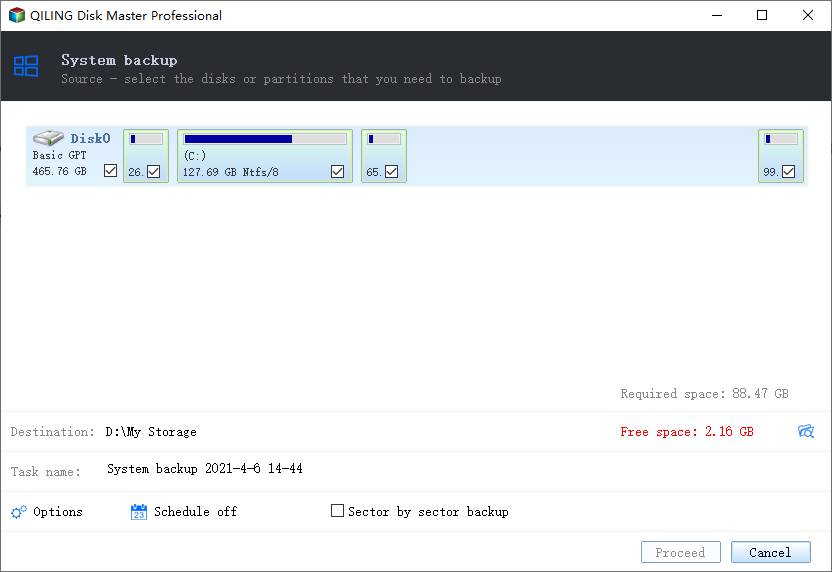
Note:
Task Name: You can customize the task name
Device Name: Select the backup device.
Schedule: Set automatic backups to run once, daily, weekly, or monthly, and choose full, incremental, or differential backup according to your recovery needs.
If you enable email notifications, you'll receive an email when a job is completed successfully or if there are any issues.
Qiling Backup supports VMware, Hyper-V, and SQL backup, allowing users to select virtual machines and databases to back up.
Conclusion
Enterprise IT technicians can centrally back up remote client computers and Windows Servers with Qiling Backup, reducing repeated operations and administrative time.
You can also use schedules, backup schemes, notifications, and SQL Server Backup to make the server backup strategy more reliable and easier to maintain.
Related Articles
- How to Backup All Computers on Network Effortlessly
For administrator of multiple machines, a centralized solution to backup all computers on network can greatly save time and effort. Try this software out. - Small Business Backup | Centrally Backup All PCs in Company
For small business, a backup strategy that protects critical business data is essential. Here's an example to help you centrally create and manage backups for all PCs within LAN. - Centralized Backup Software - Backup All Computers on Network
You can try this centralized backup software to backup all computers within LAN simultaneously. Follow the steps below to create centralized task for Windows PCs and Servers. - 4 Methods to Automatically Backup SQL Server Databases
If you don't want to set up backup task every time, you can try the following 4 methods to auto backup SQL Server databases with schedule. In addition to SSMS tools and batch file, auto backup software is also a considerable solution. - Fix Windows Server Backup Failed Not Enough Space on the Disk
Learn how to Fix Windows Server Backup Failed Not Enough Space on the Disk with clear steps, key checks, and practical tips. - Top 2 Ways to Stop Windows Backup Service in Server 2012
You will learn how to stop Windows backup service in server 2012 and protect your system without running backup at startup.
Products
Articles & Tutorials
- Data Recovery
- Data Backup
- File Recovery
- File Backup
- File synchronize
- System Backup and Restore
- Disk and Partition Clone
- Technical articles
- Disk Master Help
- Windows Deleted File and Disk Recovery Tutorials
- Windows File and Data Recovery Tutorials
- More Windows Tutorials for Install, Security, Files, and PC Tips
- Windows Boot, Repair, and Recovery Environment Tutorials
- Windows Backup Tutorials
- Windows Restore Tutorials
- Windows Clone and Migration Tutorials
- Windows Server Backup, Recovery, and Management Tutorials
- Windows Disk, Partition, and Storage Management Tutorials