Centralized Backup Software - Backup All Computers on Network
- Scenario: Any suggestion for centralized backup software?
- What is centralized backup?
- Best centralized backup software - Qiling Backup
- Create automatic centralized backup for all clients within LAN
- Part 1. Install the centralized backup software and gain control over clients
- Part 2. Create automatic centralized backups for all computers
- The epilogue
Scenario: Any suggestion for centralized backup software?
Our organization has 40 computers in a LAN. We want to perform centralized backup with reliable centralized backup software to protect the data and emails on all computers. Please suggest a suitable tool.
In businesses and organizations of different sizes, data backup is a routine but critical task. As teams rely more on computers for daily work and transactions, a centralized backup solution helps managers protect data, reduce repeated operations, and minimize manual errors.
- What is centralized backup?
- Comprehensive centralized backup software - Qiling Backup
- Create automatic centralized backup for all clients within LAN
What is centralized backup?
Centralized backup is a data protection strategy that involves backing up all remote clients to a network share or NAS, and managing the backup tasks from a central machine. This approach is particularly suitable for small businesses, enterprises, or companies with multiple computers to maintain simultaneously, as it simplifies backup management and ensures all devices are protected.
With centralized backup, you could get the following benefits:
✤ Save time and reduce the centralized management cost.
✤ Automatically create centralized backups with one click.
✤ Flexible and centralized backup management.
✤ Reduce the risk of human error...
To take advantage of these benefits, you'll need a professional centralized backup software.
Best centralized backup software - Qiling Backup
Qiling Backup is designed for small businesses and enterprises. It provides centralized backup solutions that help administrators back up or sync data across computers within a local area network (LAN) with less effort, and it offers broad compatibility for multiple machines.
- Operating system: It supports Windows Server 2016, 2019, and 2022, as well as Windows 11, 10, 8, and 7.
- Storage device: It supports local storage and network storage.
- Partition style: Both MBR and GPT disks are supported.
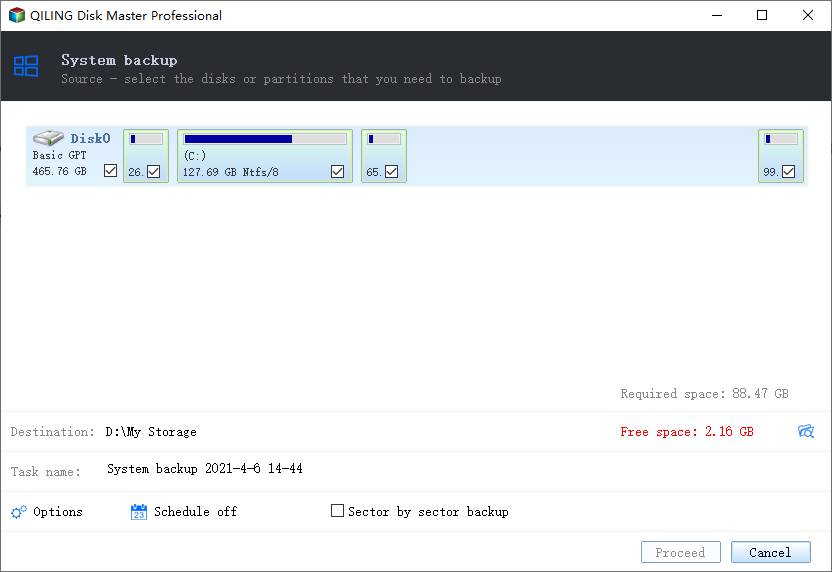
With this centralized backup solution, you can create File Backup for files and folders, Partition Backup for volumes and partitions, System Backup for the operating system, and SQL Server Backup for MSSQL databases. If you want to duplicate folders directly to a network share or NAS, use File Sync instead.
You can also manage backup tasks with flexible options for scheduling, retention, and task control.
- Schedule Method: Create automatic backup tasks that run daily, weekly, or monthly at the time you choose.
- Scheme Type: Set a retention policy to automatically delete old backup images after a specified period and keep storage usage under control.
To start protecting data centrally, use the button below to download the centralized backup software and test the workflow.
Create automatic centralized backup for all clients within LAN
✎ Attention:
- Before creating a centralized backup, ensure that all computers and servers are connected to the same local area network (LAN) for stable data transfer and management.
- You can also use virtual machines as backup clients, as long as they run Windows OS and have separate IP addresses.
To create centralized disk backups for all clients in your company, set up one computer as the central console, connect it to client machines, and create regular backup tasks from that console.
Part 1. Install the centralized backup software and gain control over clients
To make the centralized backup mechanism work, download and install Qiling Backup on your computer as the central management console.
Install the Agent package on all client computers, then add or request control of those clients from the central console.
Part 2. Create automatic centralized backups for all computers
After setting up the centralized backup software, you can create backup tasks as needed. For example, choose Disk Backup to protect complete disks and store the backup images in a selected destination for later recovery.
With Qiling Backup, creating a centralized task is straightforward, allowing you to manage backups efficiently. This backup software can also be used to perform centralized server backup on Windows Servers, adding another layer of protection for critical business data.
If you use SQL Server, the SQL Server Backup feature can safeguard databases on any computer within your local area network (LAN). It allows you to back up multiple or even all SQL databases at the same time.
After creating a centralized backup task, you can access it in the Tasks tab, where you can edit, delete, restore, or run it immediately.
The epilogue
If you need enterprise backup software for a LAN, Qiling Backup is a practical centralized option for backup, sync, and task management.
You can use the software for centralized system backup, allowing for immediate disaster recovery in case a computer on the network fails. This feature enables you to restore your system quickly and minimize downtime.
Related Articles
- How Backup All Computers on Network Effortlessly?
For administrator of multiple machines, a centralized solution to backup all computers on network can greatly save time and effort. Try this software out. - Best Server Centralized Backup Strategy for Multiple Windows Servers
This guide explains Best Server Centralized Backup Strategy for Multiple Windows Servers with clear steps, key checks, and practical tips. - Backup SQL Server Database and Restore to Another Server | Guide
Here's a simple guide to backup SQL Server databases and restore to another server. In addition, you can also migrate databases via Copy Database Wizard, or try a centralized backup solution. Keep reading to learn the details. - Best Solution to Clone Multiple Computers over Network in Windows
You will learn the best solution to clone multiple computers over network, which ensures that you could clone over network successfully and quickly. Get it right now! - Quick Start Guide to Sysprep in Windows Server 2012 (R2)
Before deploying an operating system to multiple devices, you must clear the security information via Sysprep. Learn how to run Sysprep in Windows Server 2012 (R2) and deploy OS to other computers simultaneously from this page. - How to Take System State Backup in Windows Server 2012 (R2)?
Learn how to Take System State Backup in Windows Server 2012 (R2) with clear steps, key checks, and practical tips.
Products
Articles & Tutorials
- Data Recovery
- Data Backup
- File Recovery
- File Backup
- File synchronize
- System Backup and Restore
- Disk and Partition Clone
- Technical articles
- Disk Master Help
- Windows Deleted File and Disk Recovery Tutorials
- Windows File and Data Recovery Tutorials
- More Windows Tutorials for Install, Security, Files, and PC Tips
- Windows Boot, Repair, and Recovery Environment Tutorials
- Windows Backup Tutorials
- Windows Restore Tutorials
- Windows Clone and Migration Tutorials
- Windows Server Backup, Recovery, and Management Tutorials
- Windows Disk, Partition, and Storage Management Tutorials