[Official] Photo Recovery Software Free Download
Accidentally deleted photos, formatted a memory card, or lost pictures after a device error? Photo recovery software can help you scan the original storage device and recover deleted or lost image files before they are overwritten.
Introduction
Photos may disappear from a Windows PC, Mac, SD card, USB drive, camera card, external hard drive, or phone storage for many reasons. Common causes include accidental deletion, quick format, RAW drive errors, virus attacks, file transfer interruption, and system crashes.
When photo loss happens, stop saving new files to the affected device. New data may overwrite the deleted pictures and reduce the recovery chance. With Qiling Deep Data Recovery, you can scan the device, preview found photos, and recover pictures such as JPG, JPEG, PNG, GIF, BMP, TIFF, RAW camera files, and more.
How to recover deleted or lost photos?
Step 1. Download, install, and launch Qiling Deep Data Recovery on your computer. If you need to recover photos from an external device, connect the SD card, USB drive, camera card, or external hard drive first.
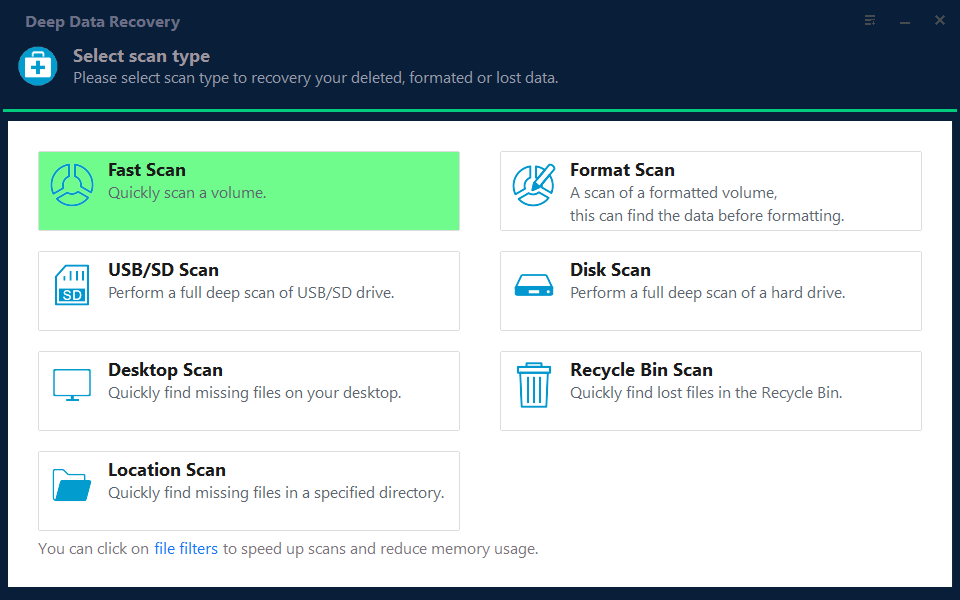
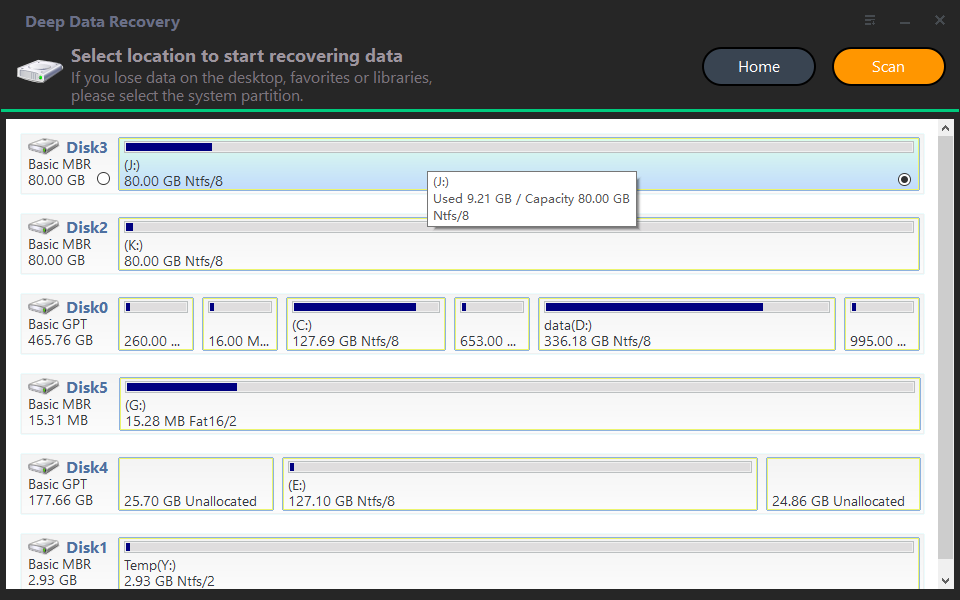
Step 2. Select the location where your photos were lost, such as a partition, desktop folder, recycle bin, SD card, or removable drive. Click "Scan" to search for deleted and lost pictures.
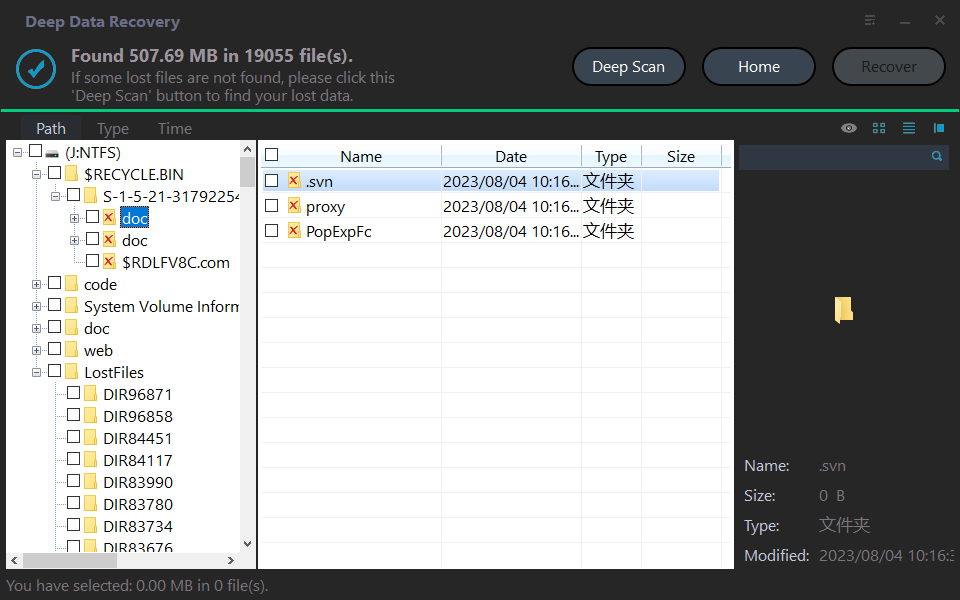
Step 3. After the scan, use file type, path, or search options to locate photos quickly. Preview recoverable images and select the photos you want to restore.
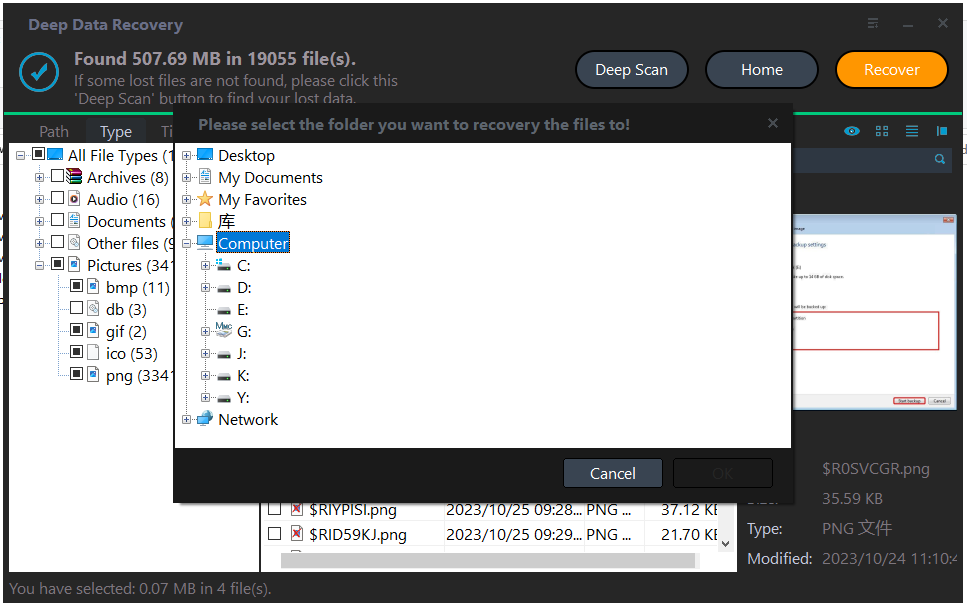
Step 4. Click "Recover" and choose another safe drive or folder to save the recovered photos. Do not save them back to the original location before recovery is complete.
Step 5. Open the destination folder and check the recovered pictures. If some photos are still missing, run a deeper scan and recover the remaining files to a different safe location.
When do you need photo recovery software?
- You deleted photos and emptied the Recycle Bin.
- The SD card or USB drive asks to be formatted before use.
- Photos disappeared after a cut-and-paste interruption or file transfer failure.
- A digital camera, memory card, or external drive becomes RAW or inaccessible.
- Pictures were lost after system crash, virus attack, partition loss, or accidental formatting.
For the best result, recover photos as soon as possible and avoid writing new data to the source device. If the storage device has physical damage or makes unusual noises, stop using it and consider professional help.
Related Articles
- How to Recover Data with Partition Assistant?
Learn how to recover deleted or lost files with the Recover Data tool from HDD, SSD, USB drive, SD card, and other Windows storage devices. - Top 6 Photo Recovery Software for Windows PC
Compare practical photo recovery software for Windows and choose a suitable tool to restore deleted or lost pictures from computers, cards, cameras, and drives. - How to Recover Permanently Deleted Photos from Canon Camera
Find a safe way to recover deleted Canon camera photos from memory cards and avoid overwriting lost pictures before the recovery process finishes. - How to Recover Hidden Files in USB using CMD [Full Guide]
Learn how to unhide files on a USB drive and recover missing data when files are hidden by virus infection, incorrect settings, or file system errors. - Guide to Recover Deleted Files with System Restore in Windows 10, 11
See whether System Restore can help recover deleted files and learn another way to restore lost data when Windows restore points are not enough.
Products
Articles & Tutorials
- Data Recovery
- Data Backup
- File Recovery
- File Backup
- File synchronize
- System Backup and Restore
- Disk and Partition Clone
- Technical articles
- Disk Master Help
- Windows Deleted File and Disk Recovery Tutorials
- Windows File and Data Recovery Tutorials
- More Windows Tutorials for Install, Security, Files, and PC Tips
- Windows Boot, Repair, and Recovery Environment Tutorials
- Windows Backup Tutorials
- Windows Restore Tutorials
- Windows Clone and Migration Tutorials
- Windows Server Backup, Recovery, and Management Tutorials
- Windows Disk, Partition, and Storage Management Tutorials