Top 6 Photo Recovery Software for Windows PC
Quick Navigation:
- 1. Deep Data Recovery
- Your Best Photo Recovery Software for Windows
- 2. Recuva
- 3. Pandora Recovery
- 4. Aryson Data Recovery
- 5. Undelete 360
- 6. PhotoRec
You're upset because you lost your photos of your Miami Beach trip and other important moments, and you suspect your kid accidentally deleted them while playing video games on the computer.
If your photos were lost from a camera card, this SD card photo recovery guide gives more focused recovery steps.
If you find yourself in an uneasy situation where you've lost your photos, you still have options. You can rescue them with the help of the best photo recovery software for Windows PC. To help you with this, we recommend the top 6 photo recovery software for Windows 11/10/8/7, so you can find the perfect tool to recover your lost photos.
1. Deep Data Recovery
Deep Data Recovery is a powerful and versatile photo recovery software for Windows PC that can recover lost files and folders in Windows, with a user-friendly interface and simple navigation features, allowing recovery of various file formats, making it a trustworthy and well-organized tool for Windows and Mac data recovery.
Your Best Photo Recovery Software for Windows
- Recover lost photos on your Mac or Windows PC, regardless of how they were deleted, including from a formatted drive or due to incorrect operations such as cutting, copying, or moving data/folders.
- You can store graphics in almost any format, including JPEG, PNG, GIF, NEF, CRW, CR2, ORF, SR2, and many others.
- Recover lost images from various devices such as disks, flash drives, phones, SD cards, digital cameras, and external hard drives.
- Photo recovery can occur due to various reasons, including a drive displaying as RAW, a virus attack, system or hard drive crashes, or Windows being reinstalled. Additionally, unknown reasons can also lead to photo recovery.
- Pros
- Compatible with both Mac and Windows OS
- The best photo recovery software for Windows 11/10/8/7 can help recover files lost due to various reasons such as accidental deletion, formatting, virus attacks, turning off the USB while it's in use, or pulling it out incorrectly.
- To restore the lost file, you can use a data recovery software that can scan your device and retrieve the deleted or lost file. This software can help you to recover the file in its original format, without any modifications.
- Cons
- No cons observed so far.
2. Recuva
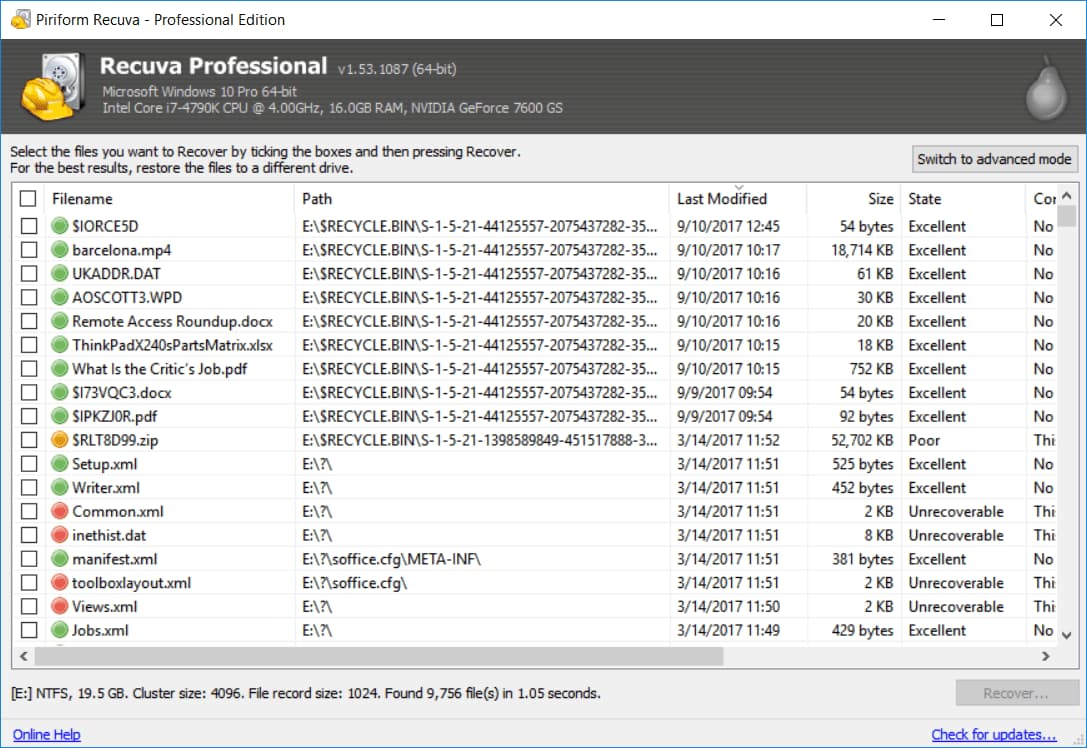
Recuva is also a top-notch photo recovery software for Windows PCs, making it easy to use even without prior experience. It's as effective as any other freeware or premium file recovery program, and is highly recommended for restoring valuable photos and files from DVDs, CDs, hard disks, external drives, and memory cards.
- Key Features
- Well-The software is compatible with all Windows versions and has a user-friendly interface, making it easy to use.
- This software offers highly advanced features for profound scanning, making it possible to recover recently formatted or damaged files.
- The secure overwriting feature uses military and industry-standard techniques to ensure the deletion of data, making it unrecoverable. This ensures that sensitive information is completely erased and cannot be accessed by unauthorized parties.
- Pros
- Very easy to use
- Powerful recovery features like deep scan
- Trusted software for photo and other data recovery
- Cons
- Most recovery features may be limited to paid version only.
3. Pandora Recovery
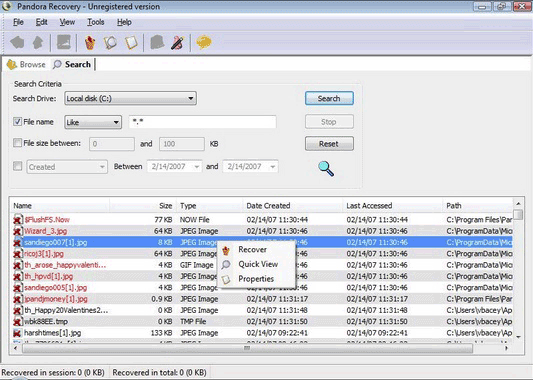
Pandora Recovery is a top photo recovery software for Windows PC, offering a free photo recovery tool that can recover photos from various devices. It can recover data with minimal loss in most cases, making it a reliable data recovery solution. The free Disk Drill has now become the next generation of Pandora Data Recovery, inheriting its prominent file recovery functionality and enhancing it with modern algorithms for increased efficiency, providing more accurate results and a user-friendly experience.
- Key Features
- The software has a user-friendly interface and offers various options to recover hidden, archived, compressed, and encrypted files.
- There are alternative methods to recover data from NTFS and FAT-formatted volumes, such as using data recovery software or seeking professional help from a data recovery service.
- You can view deleted files of specific types like photos and text files without running a full recovery process.
- Pros
- Portable because of the tiny size of the tool
- The interface is user-friendly, with an explorer-like view that makes it easy to navigate and find what you're looking for.
- Cons
- File detection system is not reliable
- Not support custom file types
4. Aryson Data Recovery
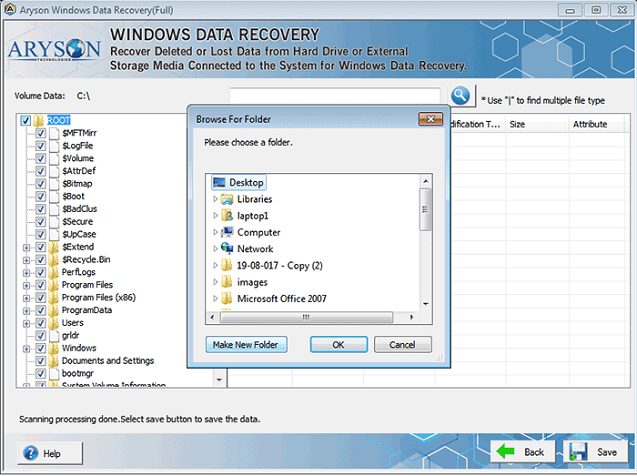
Aryson data recovery software is a free tool that can recover deleted, formatted, or lost data from Windows devices, including PCs, laptops, and removable devices, and supports recovery from corrupted file systems, system crashes, and other issues. It can also recover deleted files and photos from digital cameras, memory cards, and other storage devices.
- Key Features
- 3 steps recovery system – Launce, Scan and Recover
- Compatible for any Windows OS versions
- Most effective for restoring any type of deleted, damaged files
- Pros
- No prior experience is required
- Flexible and time saving
- Cons
- Only 1 GB of data can be recovered for free with this service.
- User interface is a bit different
5. Undelete 360
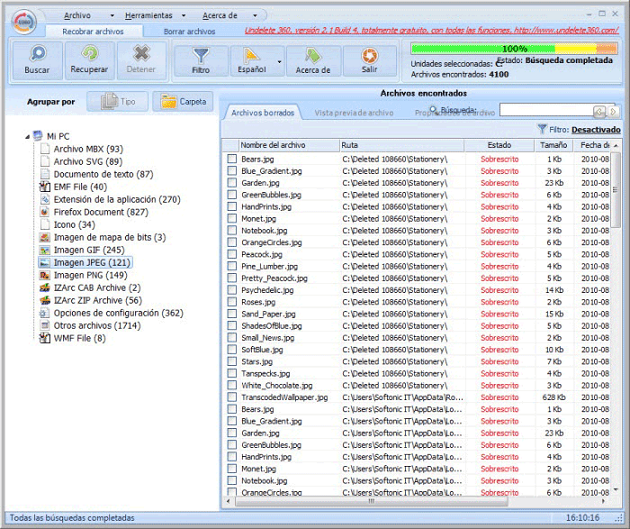
Undelete 360 is a top-rated photo and data recovery software that effectively restores accidentally or unintentionally deleted files from any storage medium, including computer hard drives, USB drives, memory cards, and more. Built on a fast and efficient algorithm, this tool allows users to browse, search, and recover deleted files due to accidents, viruses, software, or computer failures.
- Key Features
- Supports both file recovery and folder recovery
- The program offers a Hex Viewer, a data-wiping tool, and the option to preview data files before proceeding with the recovery process.
- This data recovery tool can work on various devices and is more well-organized than many other free data recovery tools.
- Pros
- File preview being available, you can choose files to recover
- A wide variety of file types supported
- Cons
- Slow scanning speed
- Free version makes you select each file individually
6. PhotoRec
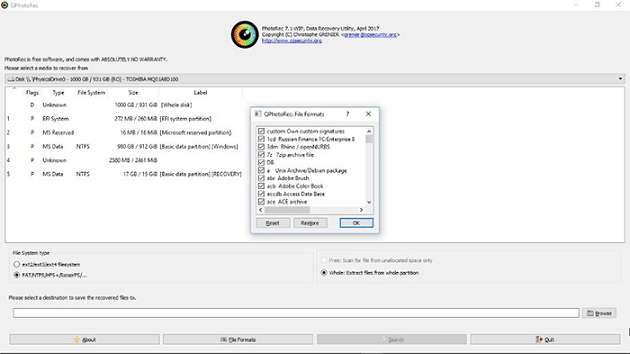
PhotoRec is a free and efficient photo recovery software for Windows PC that offers both command prompt and graphical versions. It's considered one of the best data recovery software, capable of recovering files from various devices including hard disks and digital cameras. The tool is specifically designed to recover files like documents, videos, and photos from CD-ROMs and computer hard disks.
- Key Features
- This software has the capability to recover multiple file formats simultaneously, making it a convenient option for users who need to recover various types of files from a single device or storage location.
- Compatibility with both Mac and Windows
- Can recover lost files from FAT, NTFS, exFAT, ext2/ext3/ext4 filesystems and HFS+ file systems.
- Pros
- A potent and dependable option for adding custom file types is available.
- A wide range of file types and devices are supported
- Cons
- The GUI interface has fewer features, making you reliant on the command prompt for certain tasks.
- A bit slower than some other photo recovery software
Here are the top 6 best photo recovery software for Windows 11/10/8/7, which can help you recover lost photos from your computer.
Related Articles
- Best Photo Recovery Software Free Download
- How to Recover Permanently Deleted Photos from Canon Camera
- Guide to Recover Deleted Files with System Restore in Windows 10, 11
You can recover deleted files with System Restore, and for further assistance, you can also use another data recovery tool to recover deleted files in Windows 10/11. - How to Recover Hidden Files in USB using CMD [Full Guide]
Learn how to Recover Hidden Files in USB using CMD with clear steps, key checks, and practical tips. - [Fixed] Windows File Recovery There Was an Error Parsing Your Command
This guide explains Windows File Recovery There Was an Error Parsing Your Command with clear steps, key checks, and practical tips. - 8 Fixes | Windows Text Not Showing up!
Learn how to fix Windows text not showing up via eight solutions and how to retrieve deleted texts via Windows features or data recovery software on this page.
Products
Articles & Tutorials
- Data Recovery
- Data Backup
- File Recovery
- File Backup
- File synchronize
- System Backup and Restore
- Disk and Partition Clone
- Technical articles
- Disk Master Help
- Windows Deleted File and Disk Recovery Tutorials
- Windows File and Data Recovery Tutorials
- More Windows Tutorials for Install, Security, Files, and PC Tips
- Windows Boot, Repair, and Recovery Environment Tutorials
- Windows Backup Tutorials
- Windows Restore Tutorials
- Windows Clone and Migration Tutorials
- Windows Server Backup, Recovery, and Management Tutorials
- Windows Disk, Partition, and Storage Management Tutorials