"Allocate Free Space" function: One-key redistributes free disk space
Allocating free space from one partition to another partition
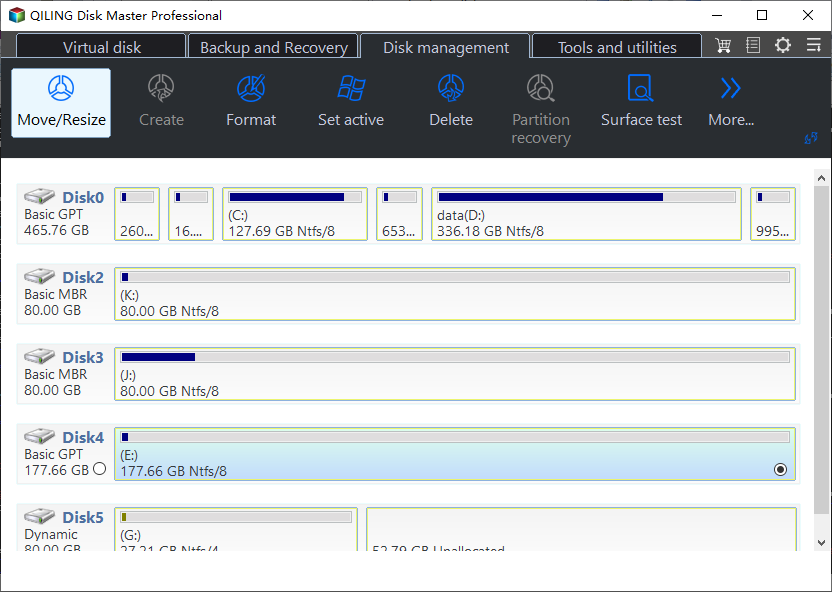
To resolve the "Low Disk Space warning on C" issue, you can increase the capacity of partition C by extending the volume, but this requires contiguous unallocated space behind C drive, which can be achieved by shrinking a partition and deleting the partition behind C drive to gain unallocated space that can be added to C drive.
If Extend Volume is unavailable in Windows, compare this feature with Extend Volume greyed out fixes.
To allocate free space from one partition to another partition such as partition C without deleting partition, you can use Qiling Disk Master's Allocate Free Space function. This feature enables you to redistribute free space among existing partitions, effectively resizing them without deleting any of them.
Benefits of Allocate Free Space
- To optimize disk space utilization, you can reallocate unused space from one partition to another, effectively making the most of the available space on your disk. This process involves moving free space from a partition with unused space to a partition that's running low, thereby increasing the available capacity of the latter. This can be particularly useful in scenarios where one partition has a significant amount of free space, while another partition is nearing full capacity.
- You can adjust how much space is redistributed to other partitions when resizing a partition. This allows you to customize the distribution of space to meet your specific needs.
- Undo operation immediately if you choose wrong partition.
Related Articles
- Backup or Sync Files to Cloud Drive | Which Is Better?
This article illustrates the differences between cloud backup, cloud sync and cloud storage and how to backup or sync files to cloud drive easily. - Splitting Image File to Smaller Ones to Fit on Disk Space
Splitting an image file into multiple smaller files helps to fit in different storage devices like USB, CD, FAT32 partition, etc. Qiling Disk Master can make it. - How to Convert Dynamic Disk to Basic in Windows 10 without Losing Data?
Learn how to convert a dynamic disk to basic disk without losing data on Windows 10 with Qiling Disk Master. - Factory Reset Dell Laptop for Windows 10 without Password – 2 Ways Included
This article tells you how to factory reset Dell laptop for Windows 10 without password. Read on for more details. - Windows Server Backup Schedule Less Than Once a Day
Learn the simple trick to use Windows Server Backup to schedule less than once a day backup job. Besides, an easier way to create multiple daily/weekly/monthly backup schedules is also included in this article. - How to Do Windows Server 2012/2016 Offsite Backup Easily?
Windows Server offsite backup saves a lot of troubles that may happen with onsite backup. This article tells how to perform offsite backup on Windows Server 2012/2016 with reliable software.
Products
Articles & Tutorials
- Data Recovery
- Data Backup
- File Recovery
- File Backup
- File synchronize
- System Backup and Restore
- Disk and Partition Clone
- Technical articles
- Disk Master Help
- Windows Deleted File and Disk Recovery Tutorials
- Windows File and Data Recovery Tutorials
- More Windows Tutorials for Install, Security, Files, and PC Tips
- Windows Boot, Repair, and Recovery Environment Tutorials
- Windows Backup Tutorials
- Windows Restore Tutorials
- Windows Clone and Migration Tutorials
- Windows Server Backup, Recovery, and Management Tutorials
- Windows Disk, Partition, and Storage Management Tutorials