The Solution to Lenovo One Key Recovery Error
In the era of big data, people often post problems online to seek answers, leading to numerous similar issues being shared online. However, some problems remain unsolved, including the Lenovo one key recovery error, which many users continue to face despite searching for solutions online.
For better Lenovo One Key Recovery error solutions, this article has compiled typical errors users encounter, and Qiling Disk Master and its programmers will guide you on how to protect your computer system easily and safely.
The common errors on Lenovo one key recovery
The part of code error:
1、one key recovery 7.0 error code 0xEB1b068A
Description:To resolve the error code 0xEB1b068A when using Lenovo One Key Recovery to create a DVD recovery (default factory discs), try the following: Ensure the system is running on Lenovo recommended hardware and software configurations. Update Lenovo One Key Recovery to the latest version. If the issue persists, try creating a USB recovery media instead of a DVD. If you're still experiencing problems, check for any BIOS updates and ensure the system is running with the latest drivers.
Explanation: The error may be caused by a lack of authorization for the one key recovery software, and running it as administrator before creating a DVD recovery may resolve the issue.
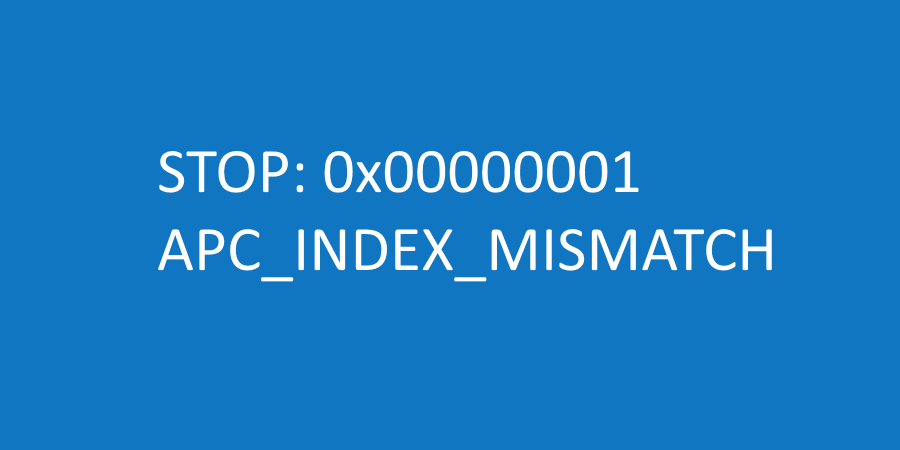
2. One key recovery error 0xe0ef005d
Description:Unfortunately, Lenovo's One Key Recovery feature can sometimes malfunction and get stuck during the system restore process, resulting in an internal error 0xe0ef005d.
Explanation: The 0xe0ef005d error message is typically caused by a partitioning error, often due to bad sectors on the hard drive (HDD), or a faulty RAM.
3. One key recovery error code 0xE0EF0050
If you want to recover with one key to initial setting, an error 0xE0EF0050 may occur during the restoration process.
The part of operation error
1. one key recovery start-up error
When attempting to restore the system using One Key Recovery, it fails and displays an error message, such as "Disk read error" or "The program cannot find the service partition", preventing both system and One Key Recovery from functioning properly.
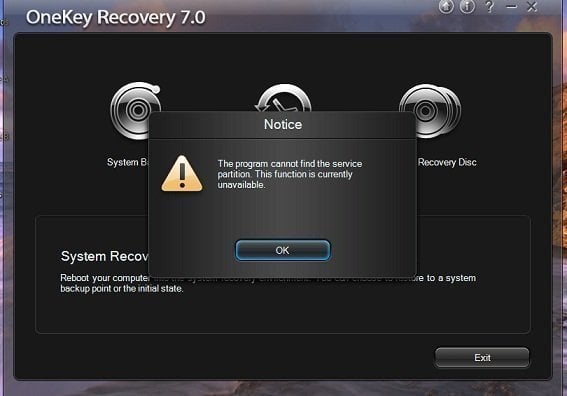
Explanation:
There are some conditions where Lenovo one key recovery will not work.
- If you make any changes on size of existing partitions.
- If you format your system through any other function or tools, the system will be completely wiped out and all data on the system will be lost. This includes all installed software, settings, and files.
- If you remove hidden partition from your system.
A solution can avoid all common errors mentioned above
Lenovo One Key Recovery errors can be numerous, but some common ones include errors during the recovery process, failure to boot, and issues with the recovery disk. However, these problems can often be avoided by using Qiling Disk Master, which can help resolve all issues related to Lenovo One Key Recovery. In fact, Qiling Disk Master can be a solution to all the common errors mentioned above, making it a more reliable option for users.
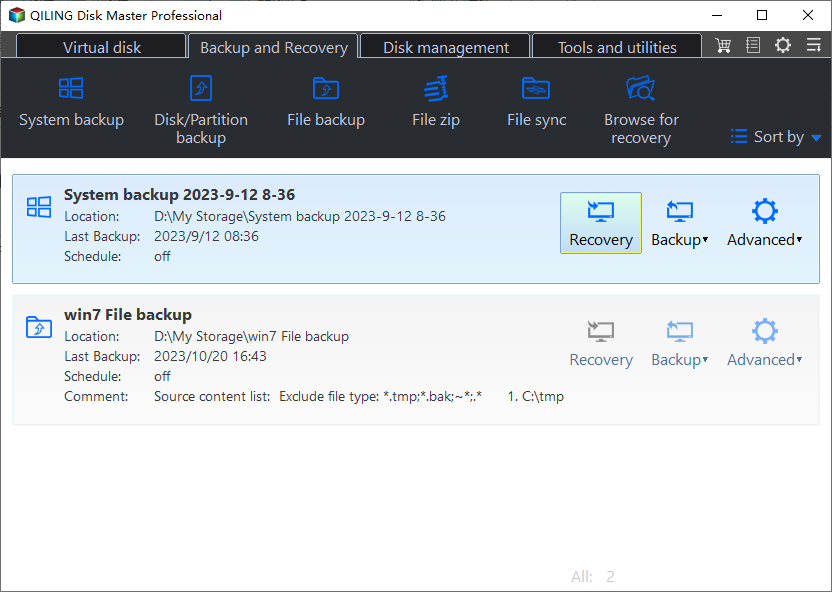
"Being a third-party Qiling Disk Master is a party software designed to back up and restore systems, adhering to professional one-key recovery standards and user demands, according to programmer Michael Lee."
Most branded one key recovery programs are designed for specific computer brands, making them incompatible with other brands, such as installing Lenovo OneKey recovery on an HP computer.
Changing the size of a partition on a Lenovo laptop can be problematic, as it may render the recovery partition useless. If you resize the partition without following Lenovo's guidelines, you may encounter an error with the one key recovery feature, making it unavailable. This is because the recovery partition is tied to the original partition size and may not function properly if altered.
Qiling Disk Master breaks limitations of traditional disk backup and restore tools, allowing installation on any laptop or desktop and enabling backup and restore of systems at any time and location, even with changes to partition size. For guidance on using Qiling Disk Master, visit .
The interface of Qiling Disk Master is very simple and straightforward, with no clutter or unnecessary options, making it easy to use for backups and restores.
Related Articles
- Troubleshoot | Lenovo One Key Recovery Partition Has Damaged
I cannot access Lenovo OneKey Recovery after resizing my partition, saying "onekey recovery partition has damaged so do not launch the main application". Be relax and see this article. - Fixed: Lenovo Onekey Recovery Current System Cannot Support Backup
This guide explains Fixed: Lenovo Onekey Recovery Current System Cannot Support Backup with clear steps, key checks, and practical tips. - Lenovo Onekey Recovery Driver Initialization Failed after Windows Update
Lenovo OneKey Recovery driver initialization failed please reinstall application and still fails after reinstalling, this mainly occurred after users upgrading Windows from 7 to 8 or 10. To reuse OKR, reinstall Win7 or just use. - Lenovo F11 Not Working Solved: Reactivate F11 Key to Restore System
You will learn how to fix Lenovo F11 not working in Windows 7/8/10/11 and reduce the impact of this issue. - How to Restore Onekey Recovery Function After Changing Partition Size?
Many people have asked online that can't restore one key recovery function after changing partition size. Here are the solutions to cope with it. - Best Software to Automatically Clone Hard Drive[2022 Roundup Review]
Use this guide for Best Software to Automatically Clone Hard Drive, with cloning or migration steps, boot checks, and tips to keep data safe during the move.
Products
Articles & Tutorials
- Data Recovery
- Data Backup
- File Recovery
- File Backup
- File synchronize
- System Backup and Restore
- Disk and Partition Clone
- Technical articles
- Disk Master Help
- Windows Deleted File and Disk Recovery Tutorials
- Windows File and Data Recovery Tutorials
- More Windows Tutorials for Install, Security, Files, and PC Tips
- Windows Boot, Repair, and Recovery Environment Tutorials
- Windows Backup Tutorials
- Windows Restore Tutorials
- Windows Clone and Migration Tutorials
- Windows Server Backup, Recovery, and Management Tutorials
- Windows Disk, Partition, and Storage Management Tutorials