Quick Fixes for Windows 10 Backup Failed Error
Windows 10 backup failed error
It's a good habit to back up all important data, including the operating system and created files, by using tools like Windows Backup and Restore (for Windows 7) or File History.
Sometimes, you may encounter different errors when performing system image backup and file backup, such as Windows 10 backup not completing successfully. The causes vary, but universal fixes and specific fixes can be tried.
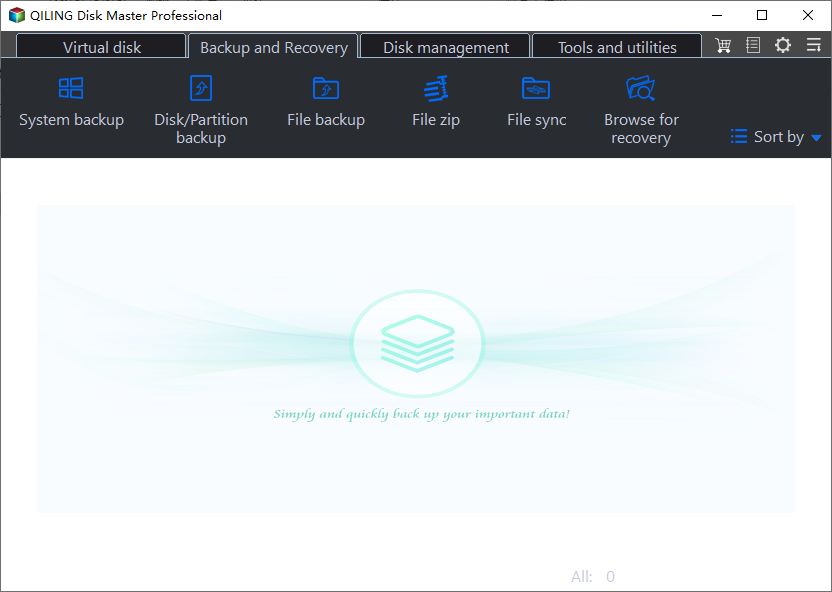
Besides fixing Windows 10 backup failed error directly, it is also a good idea to use an all-in-one backup software to backup system, files, disk or partition, such as Qiling Disk Master Standard.
How to fix Windows 10 backup keeps failing in different situations
Before troubleshooting, ensure you meet the basic requirements for a successful Windows 10 backup. Check these common factors first and see if you can run Windows 10 backup successfully.
Universal fixes for Windows 10 backup not working
To resolve the issue of Windows Backup not showing up in File Explorer, ensure that the drive storing the backup files is formatted with NTFS, both internal and external drives, and has sufficient disk space for the backup images.
- Delete the WindowsImageBackup folder permanently. To resolve the Windows 10 backup error "There was a failure in preparing the backup image of one of the volumes in the backup set. (0x807800C5)", you can try deleting the problematic backup files or move them to a safe place before deletion if they're useful. These files are usually located in the hidden C:\System Volume Information folder. This may resolve the issue.
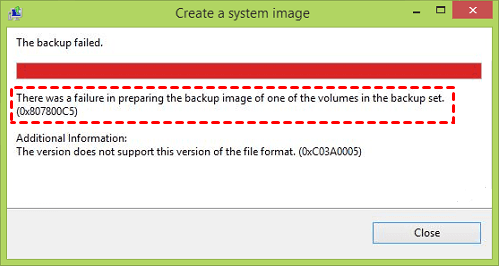
- Remove EFI System Partition and Recovery Partition. To delete multiple recovery partitions in Windows 10, run Diskpart commands such as LIST DISK, SELECT DISK N, LIST PARTITION, SELECT PARTITION N, DEL PARTITION OVERRIDE, and EXIT, replacing N with the correct disk/drive number. This is helpful when dealing with error codes like 0x807800c5, 0x80780081, or 0x8078004F after migrating Windows OS from an original HDD to another one, where the original EFI System Partition and Recovery Partition may be the cause.
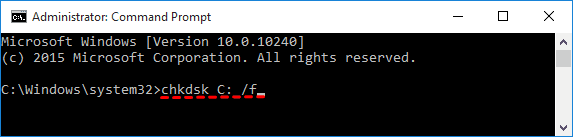
- Check disk errors and bad sectors. To troubleshoot the "The system cannot find the file specified (0x80070002)" Windows 10 backup error, type "chkdsk [driveletter]: /f" (e.g., "chkdsk C: /f") in an elevated Command Prompt and press Enter. It's recommended to run the check on all drives, and this may resolve the issue.
- On MBR disks, assign a drive letter to the System Reserved Partition and set it as Active.
- Delete previous system restore points and turn off Windows system protection To disable system protection for all hard drives, press Windows Key + S and type System. Select System from the search results. In the System window, click on System protection on the left. Locate Windows 10 System Image and click Configure. Select Disable system protection and click Delete. This will disable system protection for all hard drives.
- Recreate a new partition To back up your Windows 10 system, you can do it in Disk Management.
- Update Windows backup assistant or File History to the latest. That is suitable for Windows 10 file backup not working.
The above methods apply to Windows 7 backup failed, too. If you still cannot start back up service in Windows 10 successfully after all those tries, see whether you are in one of the following situations.
Fixes for Windows 10 backup disk cannot be found (0x80780081)
The error may be caused by incorrect Wbadmin command or disabled VSS service, aside from insufficient disk space and improper file system.
# 1: Use the correct format of Wbadmin command
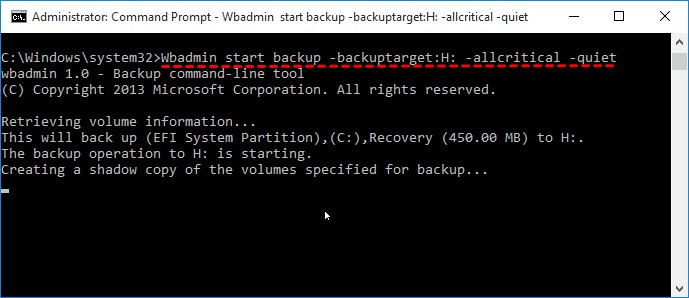
If you're encountering an error while using the Wbadmin command, ensure the syntax for the system state backup is correct. The correct syntax is "Wbadmin start backup --backuptarget:{driveletter} --allcritical -quiet", where you need to replace {driveletter} with your actual drive letter. For instance, the command would be "Wbadmin start backup --backuptarget:H: --allcritical -quiet".
#2: Check if the VSS is enabled
To check if Volume Shadow Copy Service (VSS) is enabled, open an elevated Command Prompt, type "vssadmin list writers", and see all registered writers with VSS.
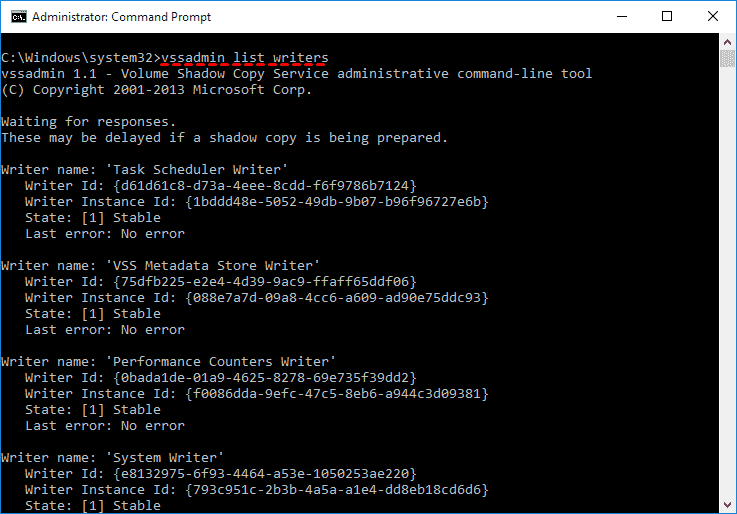
Fix for Windows 10 backup fails shadow copy
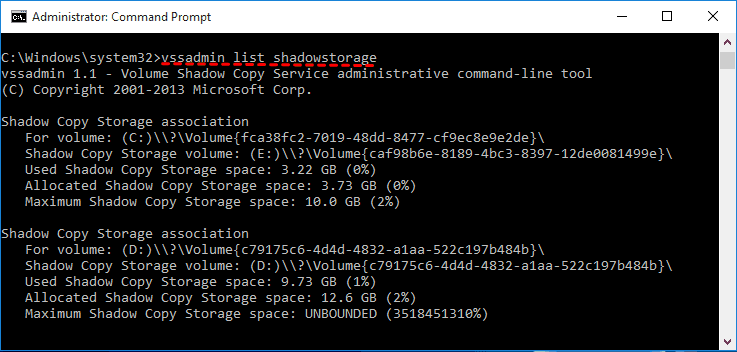
If the shadow copy storage is insufficient, you may receive a backup failed error. To resolve this, increase the storage space by following these steps:
1. In an elevated Command Prompt, type "vssadmin list shadowstorage" to see the shadow copy storage space currently in use.
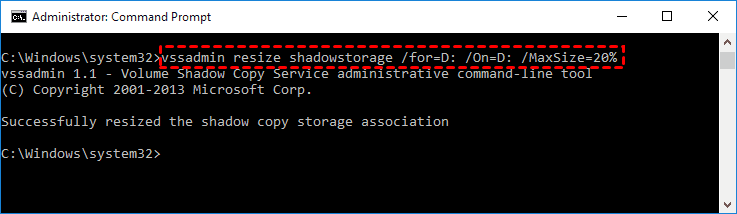
2. To increase the maximum shadow copy storage, use the command "vssadmin resize shadowStorage" followed by the specific parameters. For example, to set the maximum size to 20% on drive D:, you would use the command "vssadmin resize shadowstorage /For=D: /On=D: /MaxSize=20%".
Fix for Windows 10 backup to network drive fails
To resolve the error of backing up Windows 10 to a network drive, simply create a new folder on the network drive, then add a new task in the Task Scheduler to run the backup to that folder instead of the default location. This will allow the backup to be saved to the network drive.Map Network Drive to local disk. And then, start the backup service.
If Windows 10 won't backup to an external drive, ensure the drive is properly connected and formatted to the NTFS file system.
Fix for Windows 10 backup I/O device error
This error typically occurs when a backup process has been ongoing for a while or is nearing completion. It may be caused by bad sectors or clusters, or using a large drive with a 4K sector size instead of the standard 512 bytes. This can lead to issues during the backup process.
You can try closing other software, resizing partition, formatting the hard disk to factory default, or checking the physical sector size to fix the issue. For detailed steps, please refer to the article on backing up with an I/O device error.
If the built-in backup utility on Windows 10 fails, users may need to try alternative methods or consider using other powerful backup software to resolve the issue. Some users may find it more effective to switch to a different backup tool, as one user suggested, rather than relying on the built-in utility.
Flexible way to backup Windows 10
Qiling Disk Master Standard is a free backup software that offers professional-level functionality, making it a suitable replacement for Backup and Restore (Windows 7) and File History. Its advantages include.
- Support all backup solutions and easy to manage. This software offers comprehensive backup options, including system, disk, file, and partition backup, allowing users to select and manage their backups in a single, user-friendly interface.
- Make all backups automatically: You can schedule backups of any items at various intervals, including daily, weekly, and monthly.
- Backup only changed files: You can choose to backup only changes with its default backup method - Incremental backup.
- Multiple destination selection: You can backup your data to various external storage options, including an external drive, a network shared folder, or a Network-Attached Storage (NAS) device. This allows you to safely store your files and keep them accessible in case your primary device fails or is compromised.
You can easily restore a system image to a new hard drive or SSD if your computer is damaged, and you can also create bootable media in advance to avoid booting issues. The interface is user-friendly, making it easy for most users to understand and use.
To backup Windows 10, download and install Qiling Disk Master Standard, and connect an external storage device if desired for backup to an external drive.
The standard edition only applies to Windows 11, 10, 8, 7, XP, and Vista. If you're using a server system, you might want to try the Qiling Disk Master Server instead.
1. Launch the software, click Backup, then System Backup, and you can also choose other backup options if needed.
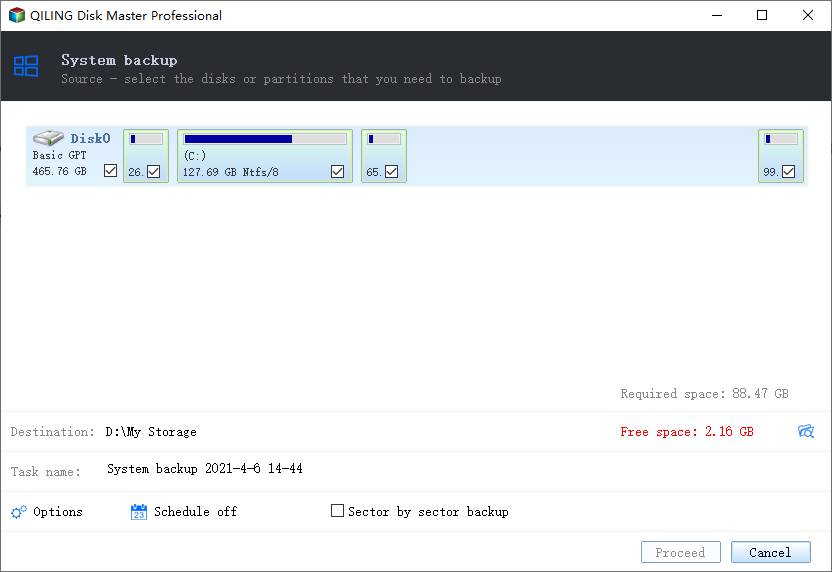
3. The system partition (s) is automatically selected. Choose the external hard drive as the destination path to store the backup files.
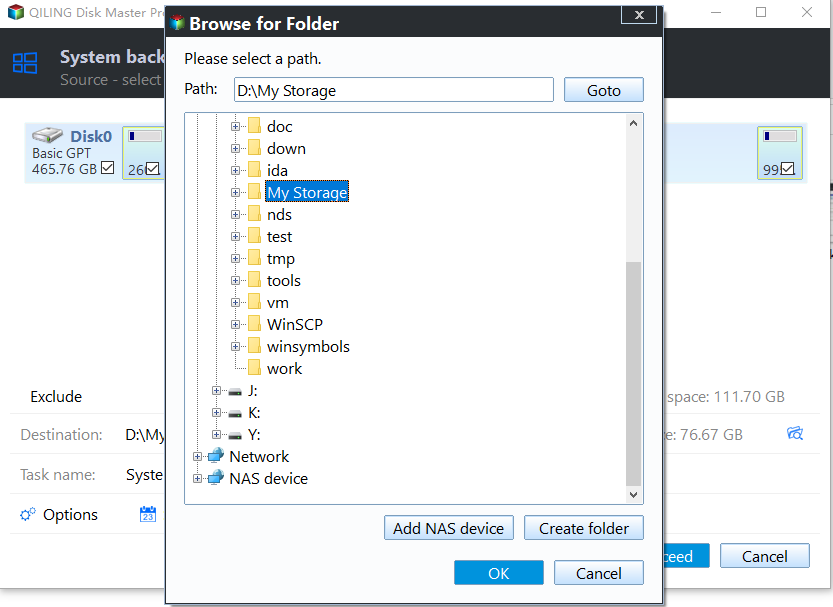
4. Confirm the information and click Proceed.
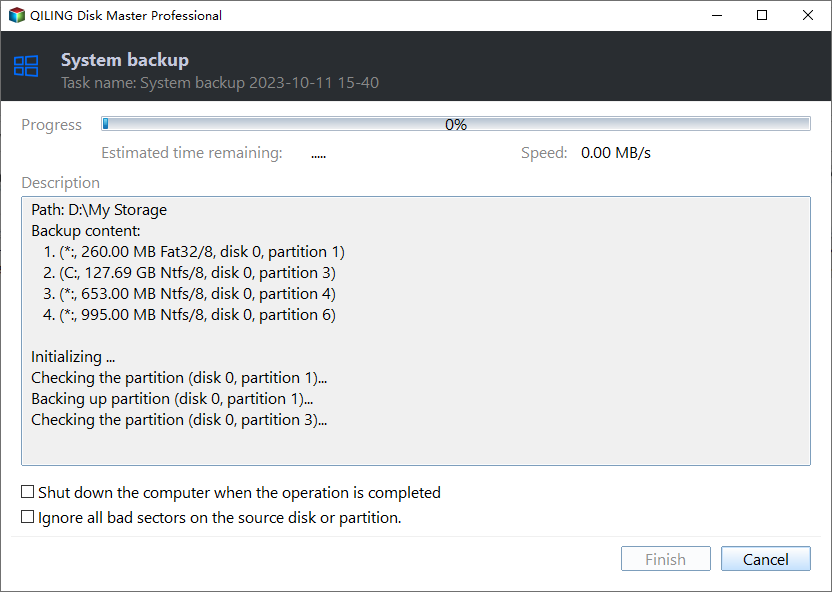
Wait until the backup process completes, you will get an exact copy of your system partition. This is a single system backup, meaning it won't capture any changes made later. If you want to avoid missing any changes or prefer an automatic backup, consider exploring other features that can help with that.
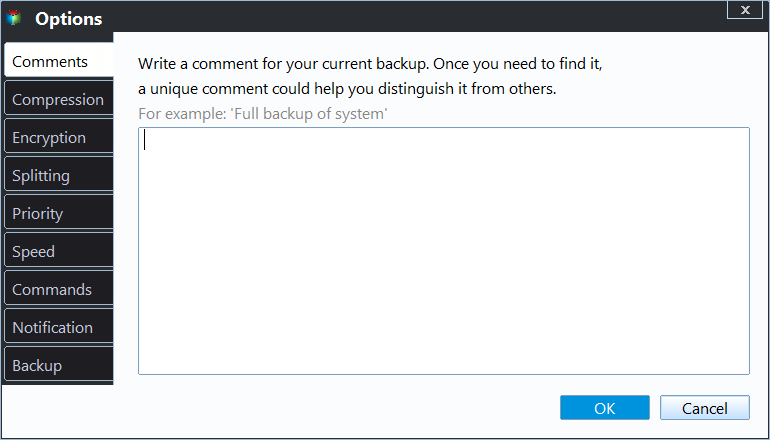
✍ Options: Windows 10 allows you to set various features such as email notification, compression, and intelligent sectoring for backups, but to password-encrypt the backup image, you need to upgrade to at least the professional version.
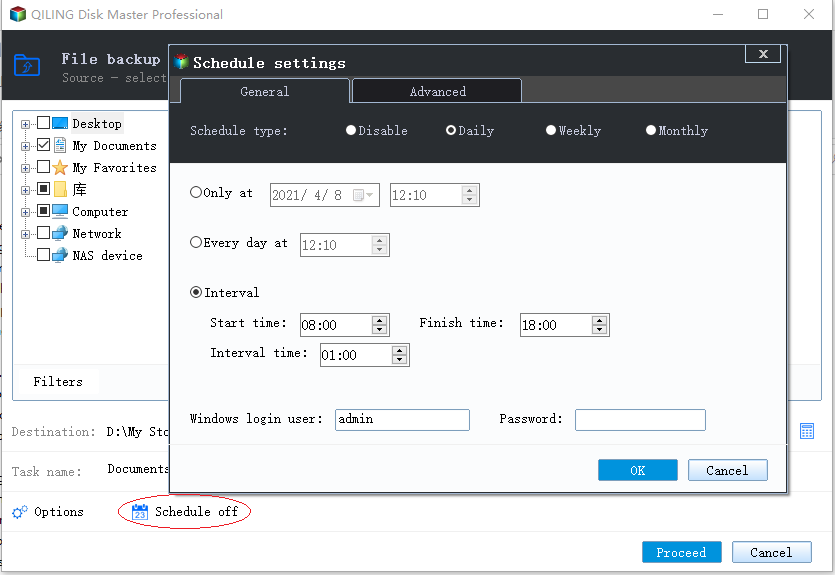
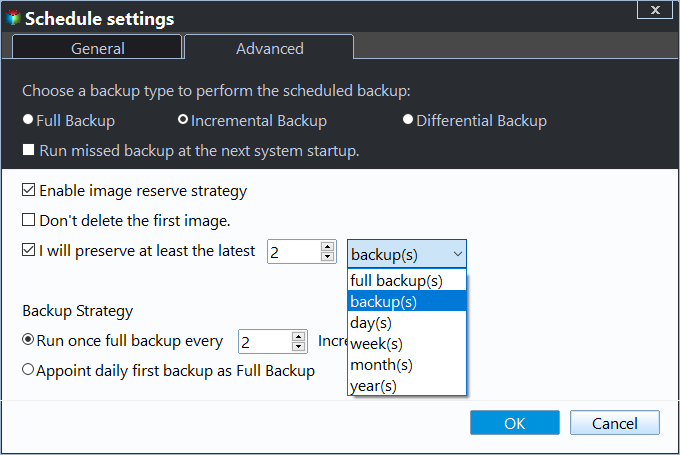
✍ Schedule Backup: You can schedule automatic Windows 10 backups with various frequency options, including daily, weekly, monthly, and event triggers, and also with USB plug-in for automatic backups to a USB flash drive, with the latter two options only available on the professional version.
✍ Backup Scheme: You can choose between the default backup method or upgrade to differential backup in the advanced version. Additionally, you can regularly delete old backup images using the software's cleanup methods, which allow you to select by quantity, time, or daily/weekly/monthly frequency.
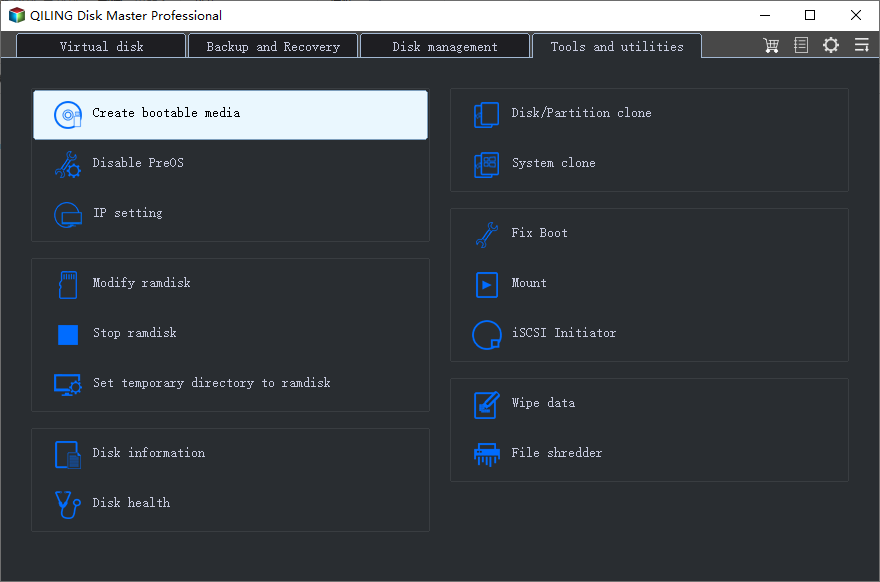
The tool allows you to create a bootable USB drive that can be used to boot a computer even if it's not functioning properly, making it a useful recovery tool.
It's a good idea to create a recovery environment in Windows 10 if you don't have a USB or CD/DVD, allowing you to access it easily without needing to insert a USB and boot from it.
★ Advanced way to backup system when Windows 10 backup failed
To quickly and easily restore your computer to its previous working state, you can use Qiling Disk Master, a one-key recovery software. It not only creates a system image backup but also adds a boot menu, allowing you to directly factory reset your computer or restore to its last working status without booting into Windows.
Conclusion
Windows 10 backup may fail due to various reasons, and some errors might not be listed here. However, the universal fixes mentioned can still be helpful in resolving these issues, regardless of the specific error code.
You can either fix the error or use a professional backup software to backup Windows 10, which is easier and offers more features like compression and differential backup.
Related Articles
- 5 Methods to Fix System Image Backup Failed in Windows 10/8/7
Many reasons can cause system image backup failed in Windows 11, 10, 8, 7. This article includes 4 solutions to fix 3 different situations and a free backup tool to create system image easily. - Top 3 Ways to Fix Windows Backup Keeps Failing
Fix Windows Backup keeps failing with three practical methods, and learn how Qiling Disk Master can create reliable system image backups when built-in backup tools fail. - Windows 10 Backup Error 0x807800C5 – How to Solve It Easily
This guide explains Windows 10 Backup Error 0x807800C5 – How to Solve It Easily with clear steps, key checks, and practical tips. - Clone SSD/HDD Sector by Sector
Cloning a hard drive sector by sector is a process where the entire hard drive is copied, including every sector, bit by bit, to create an exact replica. This is different from a normal clone, which may skip over empty or unused sectors, resulting in a smaller copy. A sector-by-sector clone is - QNAP NAS Backup: How to Back Up QNAP in 2 Ways [Solved]
This post offers two methods for backing up a QNAP NAS, using either Qiling Backup or the built-in Hybrid Backup Sync tool. By reading this post, you can determine the most effective backup solution for your QNAP NAS.
Products
Articles & Tutorials
- Data Recovery
- Data Backup
- File Recovery
- File Backup
- File synchronize
- System Backup and Restore
- Disk and Partition Clone
- Technical articles
- Disk Master Help
- Windows Deleted File and Disk Recovery Tutorials
- Windows File and Data Recovery Tutorials
- More Windows Tutorials for Install, Security, Files, and PC Tips
- Windows Boot, Repair, and Recovery Environment Tutorials
- Windows Backup Tutorials
- Windows Restore Tutorials
- Windows Clone and Migration Tutorials
- Windows Server Backup, Recovery, and Management Tutorials
- Windows Disk, Partition, and Storage Management Tutorials