How to Recover Deleted Files in Windows 7 without Backups
Help! Need to recover deleted files
Computers have become an essential part of our daily life, used for studying, working, and playing. As a result, numerous files and folders are created and stored on them. To conserve disk space, it's common to delete old or unnecessary files and empty the Recycle Bin regularly. However, situations may arise where you need to recover deleted files, such as when you accidentally delete important documents or need to retrieve files from a recently emptied Recycle Bin.
- The files are deleted by human error.
- The deletion of important files without realizing their significance can lead to unforeseen errors and complications. This often happens when users overlook the importance of certain files, only to discover their value when issues arise.
One user fell into such situation and asked for help in the forum:
"Hi all, thank you all in advance. I accidentally deleted some important files, and my computer doesn't have a restore point. How am I gonna get back those files? After I realized this, I searched for solutions on the internet, but none of them worked. Is it possible to get them back? Help please!"
How to recover permanently deleted files in Windows 7 without backups
I believe there are many other users who encounter the same situation: files are deleted by accident and no backups are created before. Then, how to recover deleted files without backups? Put your mind at ease and keep reading.
If you're experiencing data loss, a professional data recovery tool like Deep Data Recovery can be a lifesaver. This software allows you to recover a wide range of deleted and missing files, including pictures, videos, audio files, documents, emails, and more, with its ability to recover over 200 file types.
To recover permanently deleted files in Windows 7, follow the steps below. First, download and install Deep Data Recovery software.
Step 1. Install and launch the app, select a location to start data recovery, and then click "Scan".
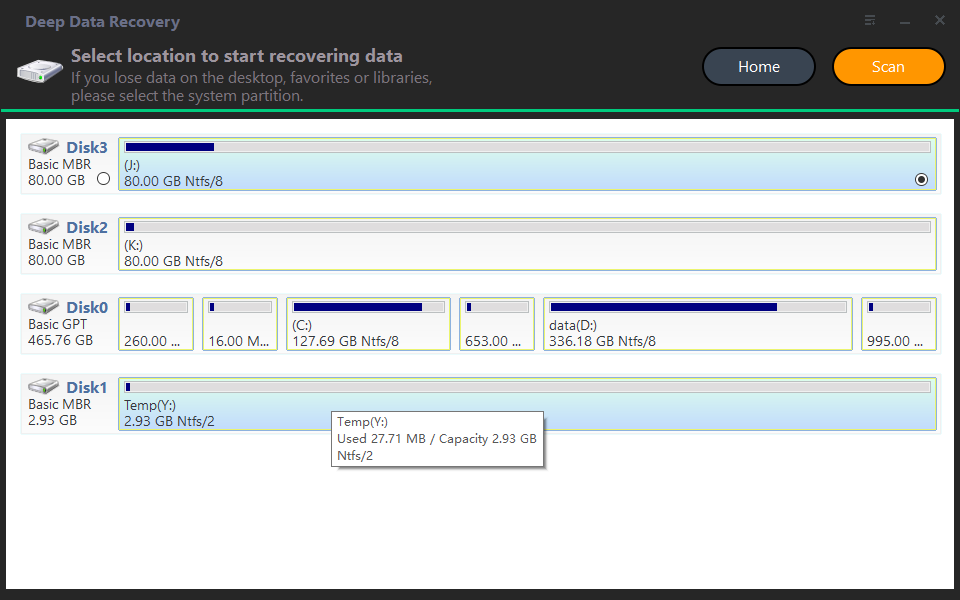
Note: Please don't install the program on the partition/drive where your files are deleted.
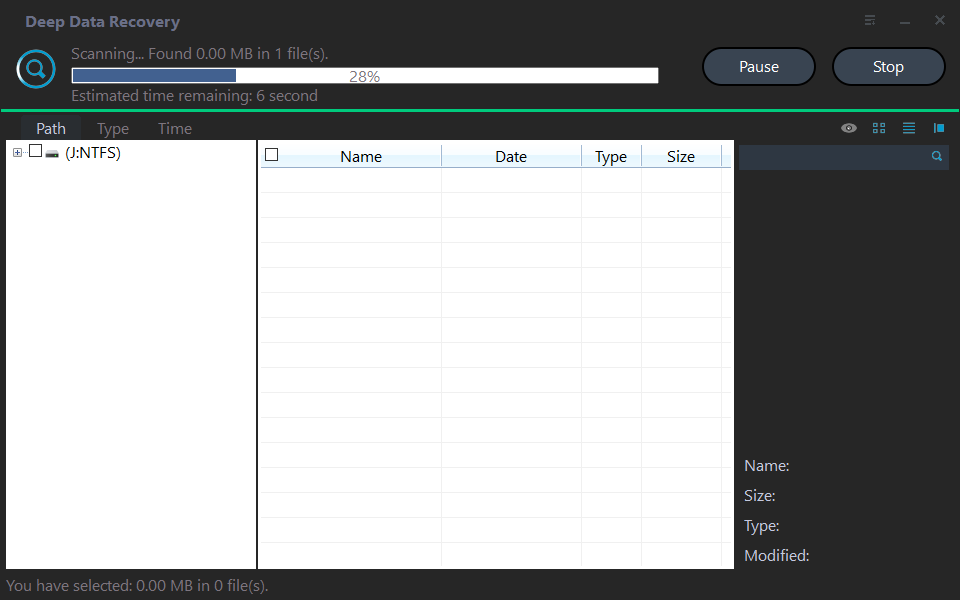
Step 2. You can scan and search for files by various criteria such as file extensions, names, types, size, path, and more.
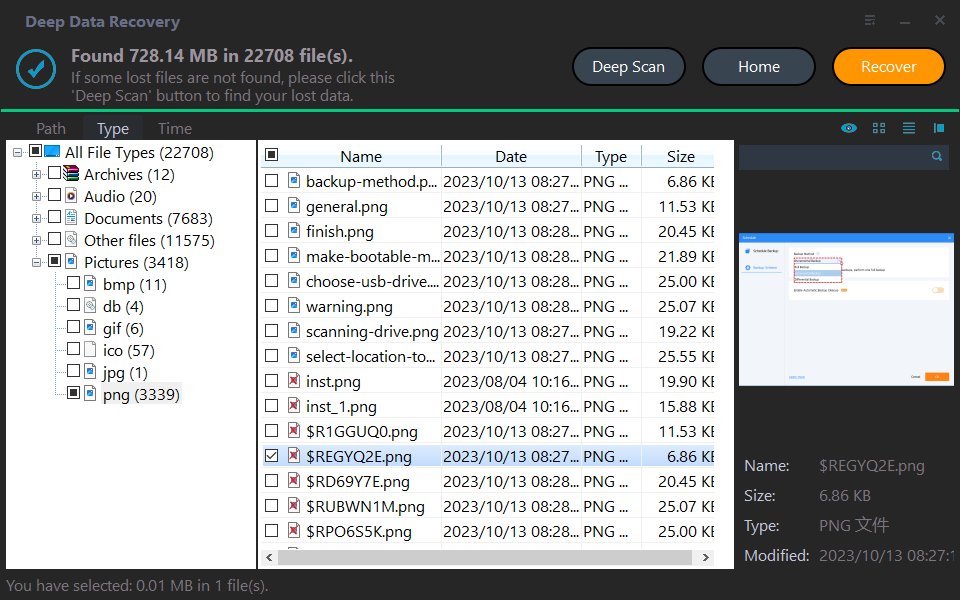
Step 3. To recover deleted files, go to the "Deleted files" section, check the original location, select the desired files, and click "Recover". Alternatively, you can select specific file types, such as "Photos", to restore.
Backup to make data recovery easier
While it's possible to recover deleted files in Windows 7 without backups, the process can be lengthy, taking hours if you enable the deep scan feature. Furthermore, if there are bad sectors on your hard drive, you may need professional data recovery services, which can be costly. Is there a quicker and more affordable way to recover permanently deleted files in Windows 7?
Qiling Disk Master Standard, the best free backup software, is here to help.
✧ This software provides four types of backup options: System, Disk, Partition, and Files backup, catering to various user needs and preferences.
✧ Backup images can be saved in various locations, including NAS, USB flash drives, and external HDD/SSDs, allowing for multiple backup options.
✧ All Windows PC operating systems like Windows 10/8.1/8/7/Vista/XP are supported.
To backup important files, you can use Qiling Disk Master, a tool that allows you to create a backup of your files and folders. With Qiling Disk Master, you can select specific files or folders to backup, and the tool will create a compressed copy of them, making it easy to store and retrieve your important files in case of data loss or system crashes.
1. Download, install and launch Qiling Disk Master. Click on "Backup" and select "File Backup" from the menu.
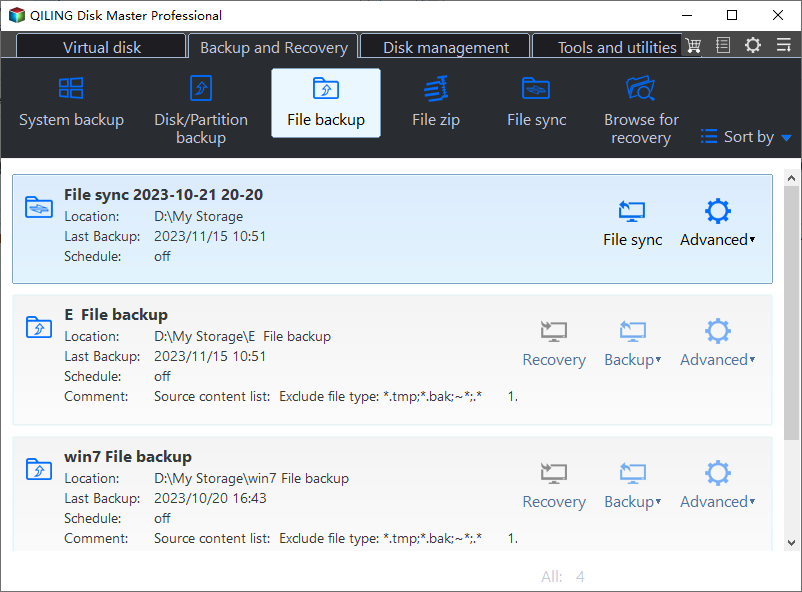
2. Rename the task to something unique, such as "Daily Files Backup" or "Weekly Folder Backup". Then, click on the "Files" or "Folder" option to choose the specific files or folders you want to include in the backup. This will help you avoid confusion with other backup tasks and ensure you're backing up the correct data.
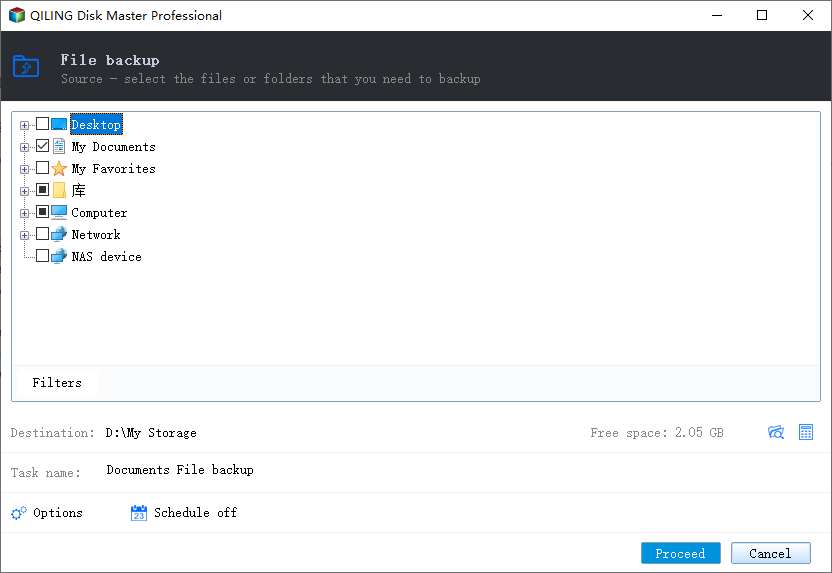
3. Select a destination location to store the image file by clicking the second bar.
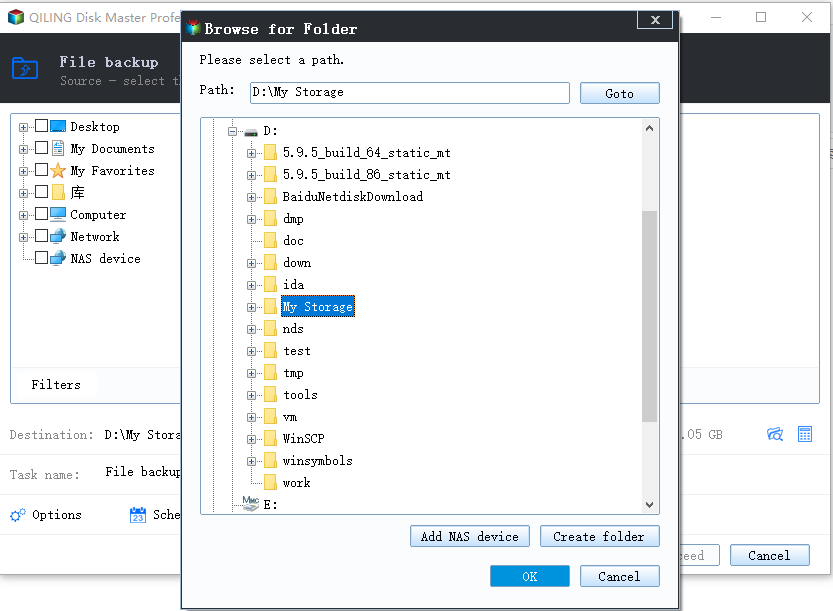
4. Confirm the operation and click "Proceed".
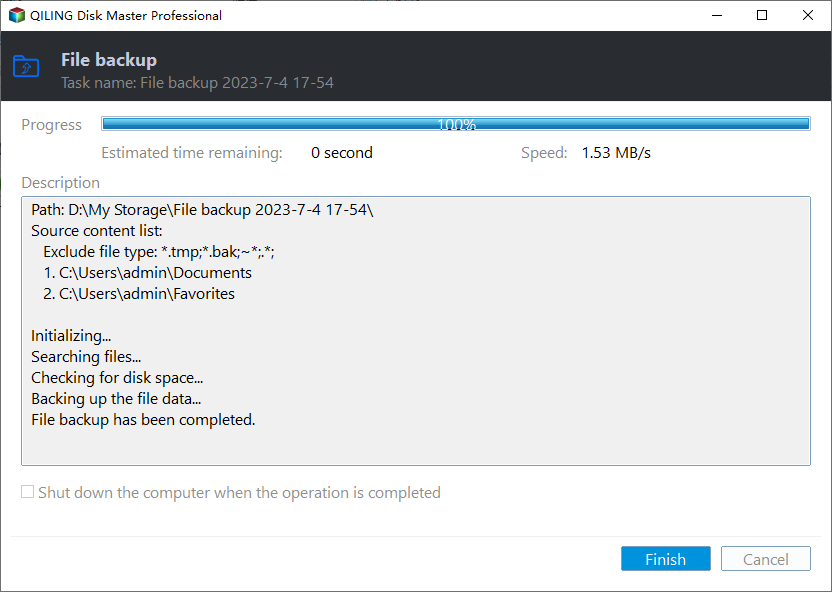
>>Options: You can enable email notification, choose the compression level for the backup image file, and select between intelligent sector backup and sector-by-sector backup.
>> Schedule: There are five modes available, including Daily, Weekly, Monthly, Event Trigger, and USB Plug-in, with the last two requiring an upgrade to Qiling Disk Master Professional.
>> Scheme: This software will automatically delete old image files to save disk space, a feature available in the paid version.
Note: To recover deleted files in Windows 7, you can try file restore, which can help you get your files back quickly.
Verdict
To recover deleted files in Windows 7 without backups, you can use the methods mentioned earlier. However, to avoid file deletion scares, regular backup is still the best approach. Qiling Disk Master is a tool that not only allows you to backup and restore the system, disk, partition, or certain files but also offers a cloning feature. You can use it as Samsung 970 EVO cloning software and PNY SSD cloning software, among other uses. Using Qiling Disk Master can provide more functionality and peace of mind.
Related Articles
- How to Recover Permanently Deleted Files in Windows 7 Easily?
Learn how to Recover Permanently Deleted Files in Windows 7 Easily with clear steps, key checks, and practical tips. - 2 Ways to Recover Deleted User Profile in Windows 7
This guide explains 2 Ways to Recover Deleted User Profile in Windows 7 with clear steps, key checks, and practical tips. - How to Recover Deleted Files from Recycle Bin after Empty
This guide will tell you how to recover deleted files from recycle bin after empty in Windows 7/8/10. Four solutions are provided with detailed steps. - Best Free Disk Imaging Software for Windows 7 – Download Here!
This guide explains Best Free Disk Imaging Software for Windows 7 – Download Here! with clear steps, key checks, and practical tips. - Safely Backup Hard Drive from Command Prompt | 4 Ways
To backup a hard drive from the command prompt in Windows 10, 8, or 7, there are four ways to do it easily. - How to Backup Hidden Recovery Partition in Windows 11/10/8/7
The recovery partition is useful when you want to factory reset your computer, but it is usually hidden and cannot be backed up in the usual way.
Products
Articles & Tutorials
- Data Recovery
- Data Backup
- File Recovery
- File Backup
- File synchronize
- System Backup and Restore
- Disk and Partition Clone
- Technical articles
- Disk Master Help
- Windows Deleted File and Disk Recovery Tutorials
- Windows File and Data Recovery Tutorials
- More Windows Tutorials for Install, Security, Files, and PC Tips
- Windows Boot, Repair, and Recovery Environment Tutorials
- Windows Backup Tutorials
- Windows Restore Tutorials
- Windows Clone and Migration Tutorials
- Windows Server Backup, Recovery, and Management Tutorials
- Windows Disk, Partition, and Storage Management Tutorials