Best Client-Server Backup Software for Windows | Download
What is client-server backup and how to achieve it
The client-A server model (or architecture) is a distributed application framework that divides tasks between servers and clients through a computer network or the Internet. Client-server network backup typically involves backing up multiple sources of data to a central server.
In this model, a central server controls and sends commands to multiple client computers through common interfaces and data exchange protocols, allowing a single setup on the central server to manage backup jobs for all client computers, eliminating the need for separate operations.
Implementing a client-server backup model is essential in today's world, where data loss can have severe consequences. Centralized backup software is an efficient and economical solution for this critical task, allowing for easy management and restoration of data across multiple devices.
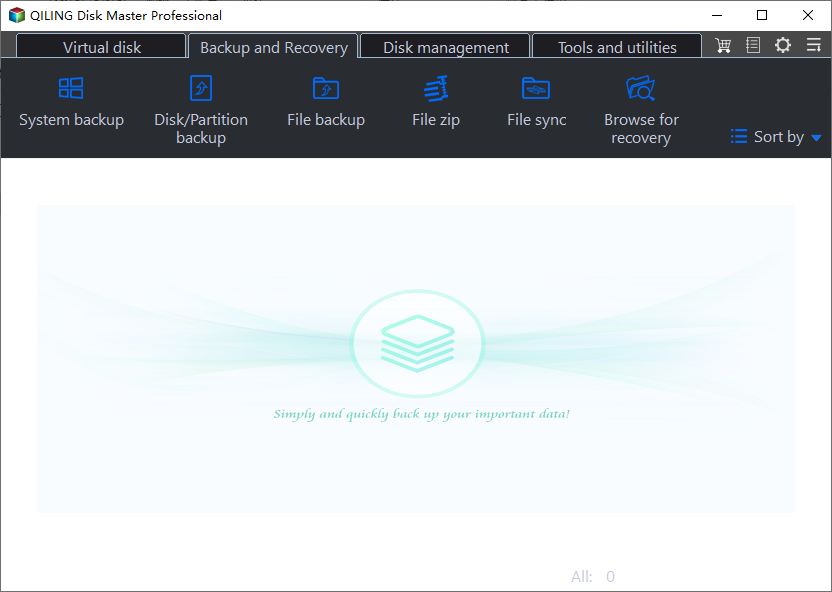
Best client server backup software - Qiling Disk Master
Qiling Disk Master is a top-notch client-server backup software that allows for centralized backup of Windows Server 2016, 2019, 2022, and Windows 11, 10, 8, 7, and enables remote monitoring of backup jobs for all client computers from a central console.
The entire process is simple and intuitive, allowing you to get control of all client computers, select backup types, and make specific settings before creating and executing the task. The created task can also be managed centrally.
With this software, you will benefit from features that save you time and administrative expenses, including:
Comprehensive backup: A backup strategy can be set up using various methods, including "Disk Backup", "System Backup", "File Backup", and "Partition Backup".
Hot backup: This backup solution can capture open files and running programs without terminating them, ensuring uninterrupted operations on client computers.
Network backup: Centralizing backups of client computers to a network share or NAS can significantly reduce the risk of local disasters such as server crashes, hard disk failures, and virus attacks.
Centralized management: It allows you to create, monitor, edit, delete, execute backup tasks centrally, or restore data directly.
If you're looking for a reliable client-server backup software, you can try this free option.
How to perform client server backup with easy-to-use software
To create a client-server backup using the software, download and install Qiling Disk Master on the host computer, and then install the latest agent on the client-side.
You can now create client backups for Windows Server 2016/2019/2022, as well as Windows 10, 8, 7, and other versions.
After installing the software, launch Qiling Disk Master on the central server and click "Backup" >> "Disk backup".
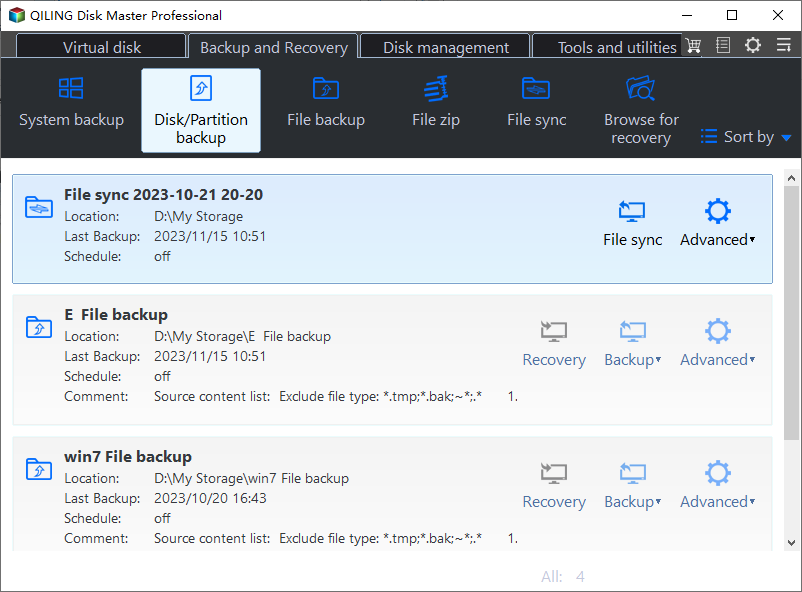
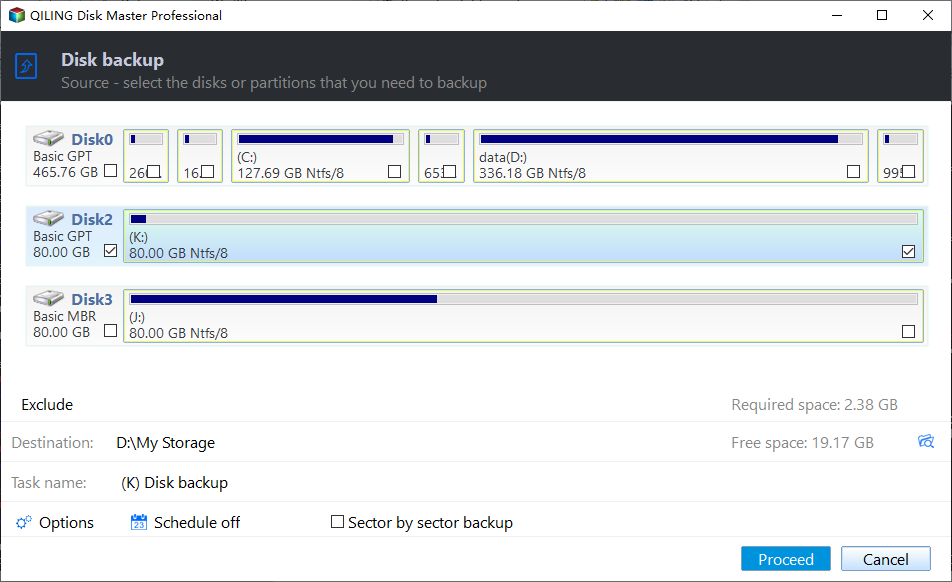
2. Select the areas you want to back up according to your needs, you can select more than one area at the same time.
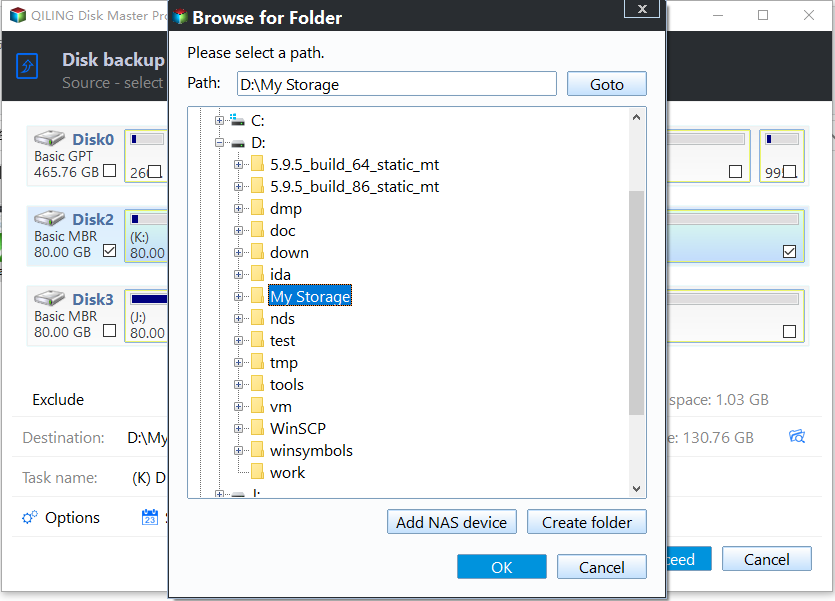
3. Select to back up to a new local storage, or to a new network storage, where used paths will be saved in Favorite Storage for easy selection.
4. The automated backup can be set up to run daily, weekly, or monthly, and can track VM data with full, incremental, or differential backup options, keeping a record of the data over time.
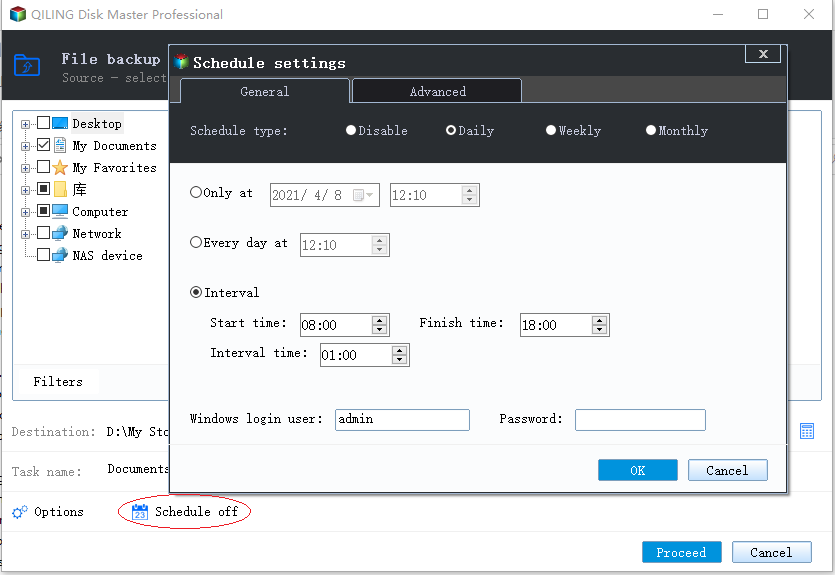
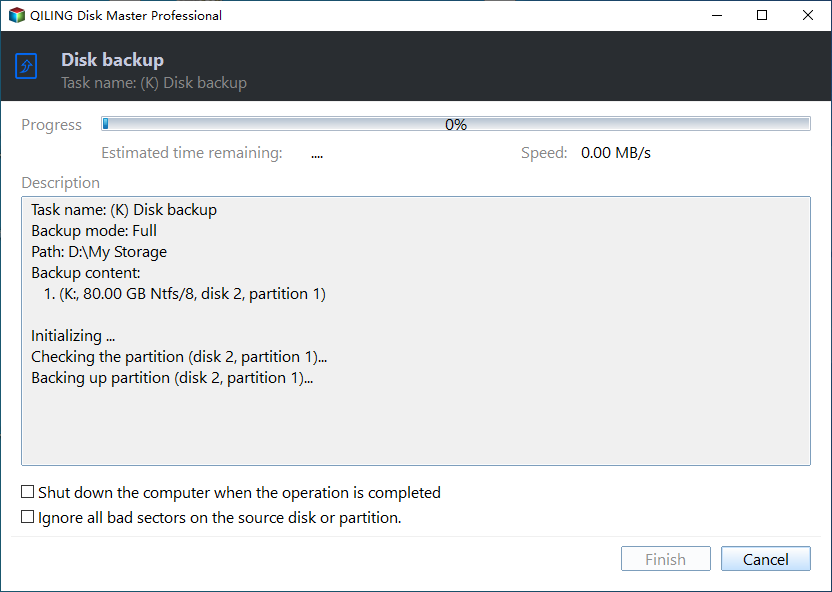
5. You can select "Add the schedule and Proceed now" or "Add the schedule only".
Conclusion
With Qiling Disk Master, you can easily and quickly create a backup of your Windows Server 2016, 2019, 2022, and Windows 11, 10, 8, 7 with its complete backup and sync solutions, including System Backup, Disk Backup, and more. This best client server backup software for Windows PCs and servers also offers multiple useful features such as normal or high compression level, scheduled backup, incremental/differential backup, backup scheme, and more.
This software allows for the backup and restoration of multiple SQL databases, with the option to restore databases to a different SQL Server on a different client computer.
Related Articles
- How to Backup All Computers on Network Effortlessly?
- Best Centralized Server Backup Software for Windows Servers
Set up backup All Computers on Network Effortlessly Best Centralized Server Backup Software for Windows Servers with practical backup or sync options, storage checks, and safer ways to protect files. - Small Business Backup | Centrally Backup All PCs in Company
For small business, a backup strategy that protects critical business data is essential. Here's an example to help you centrally create and manage backups for all PCs within LAN. - How to Centrally Backup Systems of All Computers on Network?
You can try this centralized backup software to backup all computers within LAN simultaneously. Follow the steps below to create centralized task for Windows PCs and Servers. - An Effective Way to Convert FAT32 to Ext4 without Data Loss
Here, we would like to teach you how to convert FAT32 to Ext4 file system without damaging inside data under Windows 10, 8, 7 environment. The free Qiling Disk Master Standard can make it easy done. - [Three solutions] How to Convert HDD to GPT Effectively
The post demonstrates how to convert a traditional HDD to a GPT (GUID Partition Table) without losing any data, providing instructions for both command-line (CMD) and graphical user interface (GUI) methods.
Products
Articles & Tutorials
- Data Recovery
- Data Backup
- File Recovery
- File Backup
- File synchronize
- System Backup and Restore
- Disk and Partition Clone
- Technical articles
- Disk Master Help
- Windows Deleted File and Disk Recovery Tutorials
- Windows File and Data Recovery Tutorials
- More Windows Tutorials for Install, Security, Files, and PC Tips
- Windows Boot, Repair, and Recovery Environment Tutorials
- Windows Backup Tutorials
- Windows Restore Tutorials
- Windows Clone and Migration Tutorials
- Windows Server Backup, Recovery, and Management Tutorials
- Windows Disk, Partition, and Storage Management Tutorials