How to Extend Dynamic System Volume in Windows Server 2003?
Cannot extend dynamic system volume in Server 2003
When Windows Server 2003 uses a dynamic disk and the C: drive is running out of space, Disk Management may show an error that the volume is a system or boot disk, or that it was created on a basic disk in an earlier Windows version and cannot be extended. This means the built-in tool cannot extend the dynamic system volume directly. To solve the low disk space problem, you need adjacent unallocated space and a tool that can safely resize dynamic system volumes.

In Windows Server 2003 built-in Disk Management, users can extend simple and spanned volumes, but extending a system or boot volume on a dynamic disk usually fails with an error. In this situation, third-party dynamic disk software is required.
How to extend dynamic system volume in Windows Server?
To extend a dynamic system volume in Windows Server 2003 or other Windows systems, Qiling Disk Master Server can add adjacent unallocated space to the C dynamic system volume. If the free space is not next to C drive, you can use the "Move Volume" feature to make it adjacent first.
Download the demo version and follow the steps below to extend dynamic system volume safely.
Step 1. Install and run Qiling Disk Master Server. Click "Disk Manager" tab page.
Step 2. Right-click the volume (F) next to dynamic system volume and choose "Resize/Move Volume".
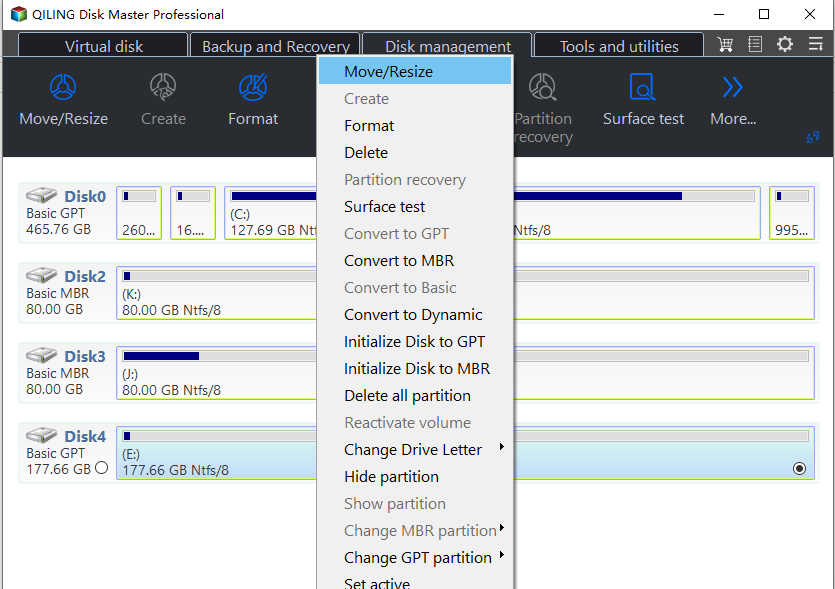
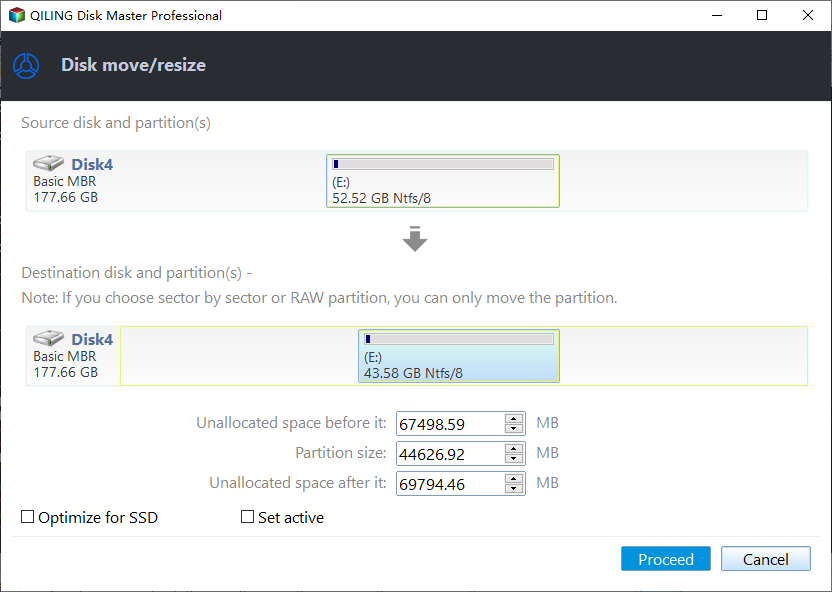
Step 3. In the pop-up window, drag the slider rightwards to make some unallocated space for the dynamic system volume.
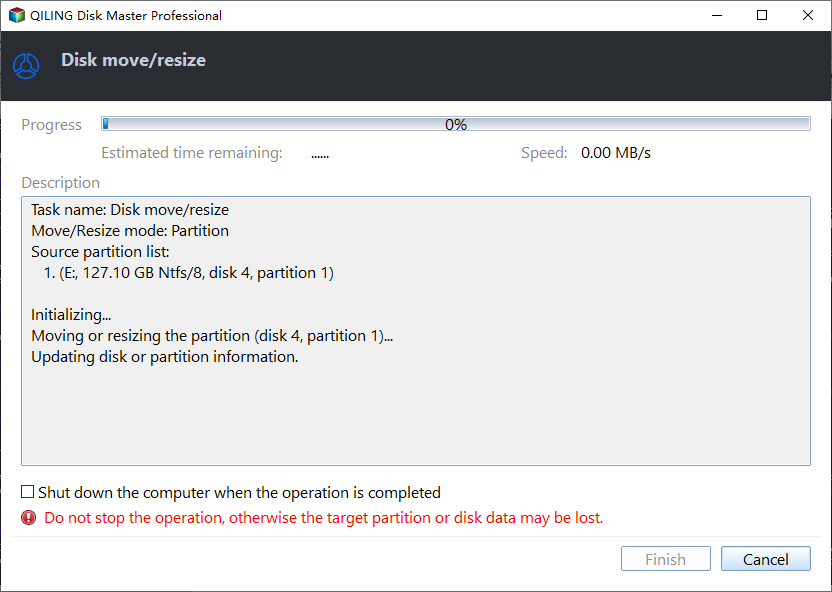
Step 4. Click "Proceed" on the main interface to apply the pending operation.
To shrink a volume with extra free space on the same dynamic disk, use the resize method to create unallocated space, and then move it next to the dynamic system volume if needed. You can also use the "Move Volume Slice" feature to move volume slices from one disk to another and create adjacent unallocated space.
After unallocated space becomes adjacent to the system volume, use the steps above to add it to C drive and increase the dynamic system volume size.
Summary
Qiling Disk Master Server helps extend dynamic system volumes in Windows Server 2003, 2008 (R2), 2012 (R2), 2016, 2019, and Windows 10/8/7. It can also resize striped, mirrored, and RAID-5 volumes, and convert dynamic disks to basic without deleting volumes.
Related Articles
- 2 Ways: Upgrade RAID 5 Drives to Larger Capacity without Data Loss
When you need to upgrade RAID 5 drives to larger capacity, you can read this article and learn how to increase RAID 5 disk size via two different methods. - 3 Ways to Backup C Drive in Windows 10 [Step-by-Step Guide]
Learn how to back up C drive in Windows 10 with three practical methods and step-by-step guidance. - How to Auto Backup Windows 11/10/8/7 on System Shutdown
To ensure your newest data is always safe, you can schedule Windows 10, 11, or other versions to automatically back up on system shutdown. - How to Change My Documents Location Windows 10 Registry?
Learn how to change My Documents location in Windows 10 via Registry Editor. Step-by-step guide to move Documents folder to D drive or another partition to free up C drive space safely. - Backup Windows Server 2022 to USB Drive in 3 Steps
To protect your Windows Server 2022, it's essential to back it up to a USB drive, and this article will guide you through the process step by step. - Windows Server 2022 Recovery Disk Creator - Fastest and Safest
You can learn how to create a Windows Server 2022 recovery disk with the most reliable software in this article.
Products
Articles & Tutorials
- Data Recovery
- Data Backup
- File Recovery
- File Backup
- File synchronize
- System Backup and Restore
- Disk and Partition Clone
- Technical articles
- Disk Master Help
- Windows Deleted File and Disk Recovery Tutorials
- Windows File and Data Recovery Tutorials
- More Windows Tutorials for Install, Security, Files, and PC Tips
- Windows Boot, Repair, and Recovery Environment Tutorials
- Windows Backup Tutorials
- Windows Restore Tutorials
- Windows Clone and Migration Tutorials
- Windows Server Backup, Recovery, and Management Tutorials
- Windows Disk, Partition, and Storage Management Tutorials