Copy Partition in Windows Server 2008 Safely
When should you copy a Server 2008 partition?
You may need to copy a partition in Windows Server 2008 when replacing a disk, migrating data to a larger volume, preserving an application partition, or preparing a backup before maintenance.
Preparation before copying
- Check used space on the source partition.
- Prepare a destination partition or unallocated space with enough capacity.
- Stop database, email, or line-of-business services before copying active data.
- Schedule the task during low-usage hours.
Copy data partition manually
Step 1. Create a destination partition in Disk Management.
Step 2. Assign a drive letter and format it as NTFS.
Step 3. Use File Explorer or robocopy to copy data while preserving permissions:
robocopy D:\ E:\ /MIR /COPYALL /R:2 /W:5
Step 4. Review the log and confirm application folders copied correctly.
Clone a partition with Qiling Disk Master
 Qiling Disk Master
Qiling Disk Master can clone partitions in Windows Server 2008 and keep the copied layout easier to verify before applying changes.
Step 1. Stop services that write to the source partition, such as databases, mail services, or line-of-business applications. Confirm that the destination disk has unallocated space large enough for the source partition's used data.
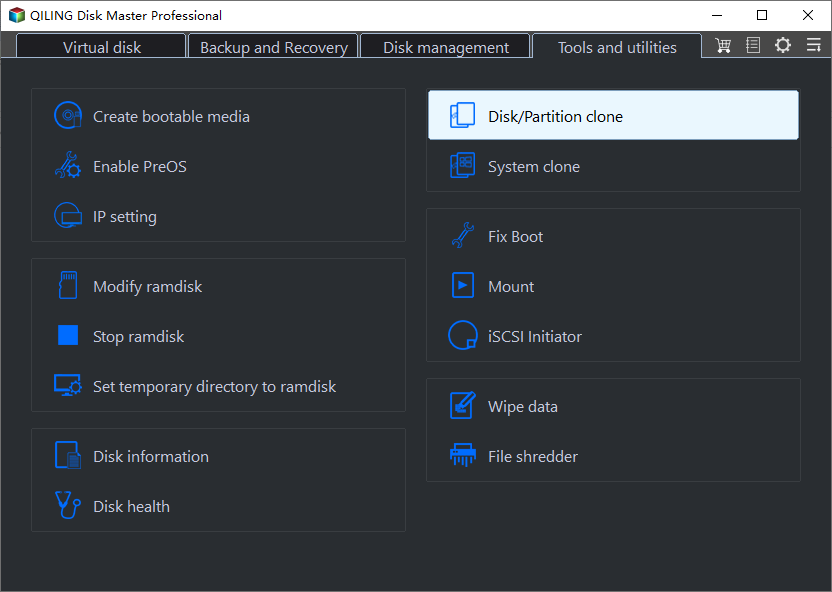
Step 2. Open Qiling Disk Master, select Clone, and choose Partition Clone. Use Disk Clone only when you need to copy every partition on the disk.
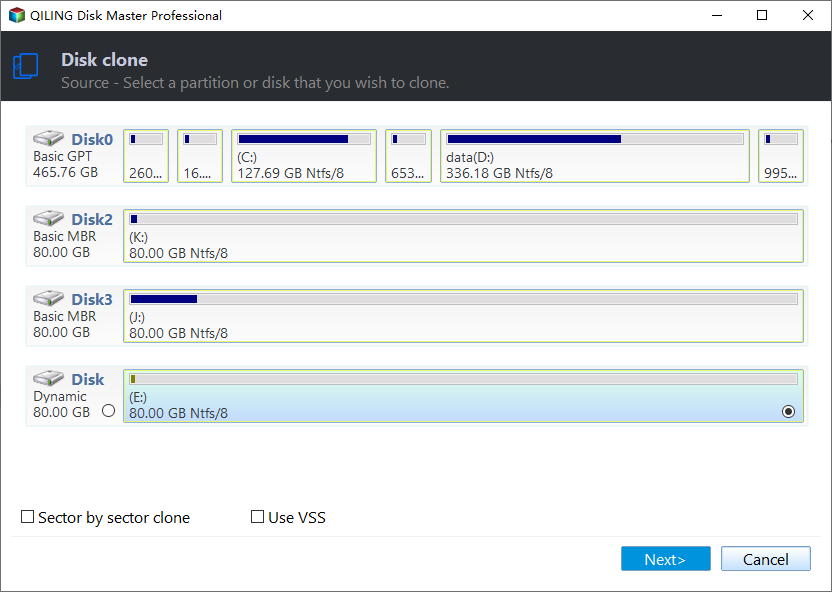
Step 3. Select the Server 2008 source partition. Check its drive letter, capacity, and data type carefully so you do not clone the wrong volume.
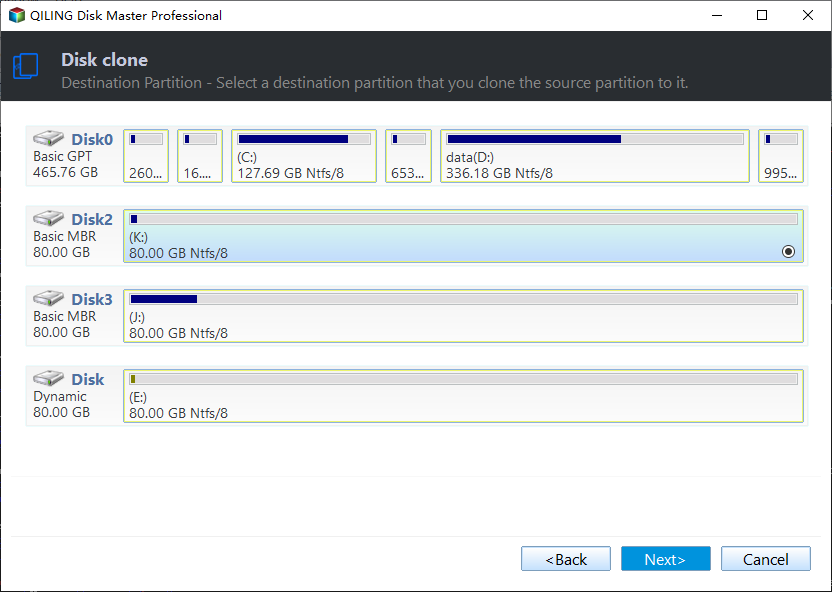
Step 4. Select unallocated space on the destination disk. If the destination contains data, back it up first; cloning to a used destination partition can overwrite its contents.
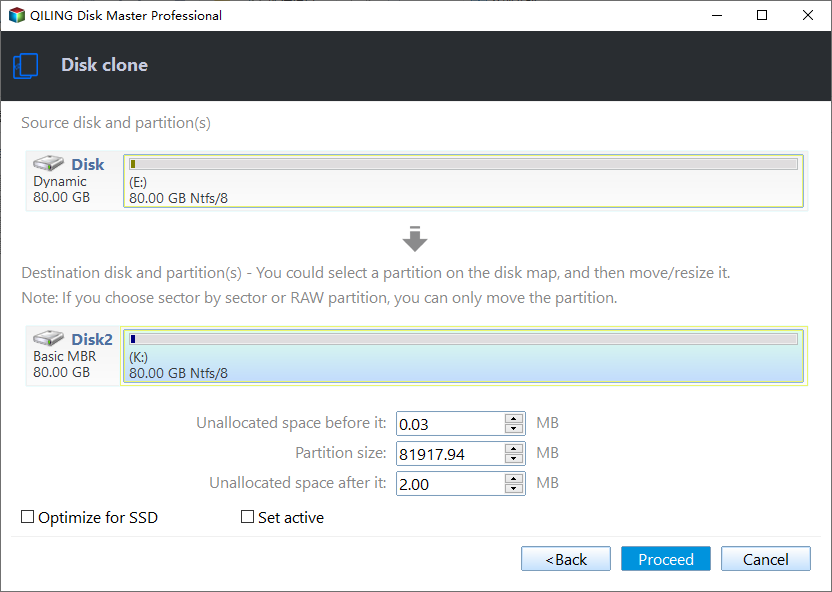
Step 5. Choose the clone method. Keep the original partition size when the destination is large enough, or resize the copied partition only when you have confirmed the final capacity and free-space requirements.
Step 6. Review the source, destination, and previewed partition layout. Verify that the destination is on the intended disk, then click Proceed to start the clone.
Step 7. Wait for the copy to finish without restarting the server or disconnecting either disk. Then bring the copied partition online, assign a temporary drive letter if needed, and verify files, permissions, and application data before changing production paths.
Verify the copied partition
Compare folder size, spot-check important files, confirm permissions, and test the application path before removing the original partition. If the copied partition will replace the original, change drive letters only during planned downtime.
Conclusion
For Windows Server 2008, simple file partitions can be copied with robocopy. For partition migration or disk replacement, cloning software provides a clearer and safer workflow.
Related Articles
-
How-To / Copy Partition to Another Drive on Windows 10, 11
Copy partitions to another disk with preparation and verification steps. -
Best Software to Clone Hard Drive in Windows Server
Clone Windows Server disks when replacing storage hardware. -
Schedule Windows Server Backup to Remote Shared Folder
Create server backups before partition or disk maintenance. -
Convert to Dynamic Disk Greyed Out in Server 2012
Review safer Server disk-management alternatives before changing a partition or disk layout. - How to Shrink Extended Partition in Windows Server 2008
Shrink an extended partition in Windows Server 2008 safely by preparing free space, checking logical drives, and using guided resizing. - Extend Primary Partition in Windows Server 2008 R2
Extend a primary partition in Windows Server 2008 R2 with Disk Management or Qiling Disk Master while protecting server data.
Products
Articles & Tutorials
- Data Recovery
- Data Backup
- File Recovery
- File Backup
- File synchronize
- System Backup and Restore
- Disk and Partition Clone
- Technical articles
- Disk Master Help
- Windows Deleted File and Disk Recovery Tutorials
- Windows File and Data Recovery Tutorials
- More Windows Tutorials for Install, Security, Files, and PC Tips
- Windows Boot, Repair, and Recovery Environment Tutorials
- Windows Backup Tutorials
- Windows Restore Tutorials
- Windows Clone and Migration Tutorials
- Windows Server Backup, Recovery, and Management Tutorials
- Windows Disk, Partition, and Storage Management Tutorials