Best Free Allway Sync Alternative 2024 - Qiling Disk Master
About Allway Sync
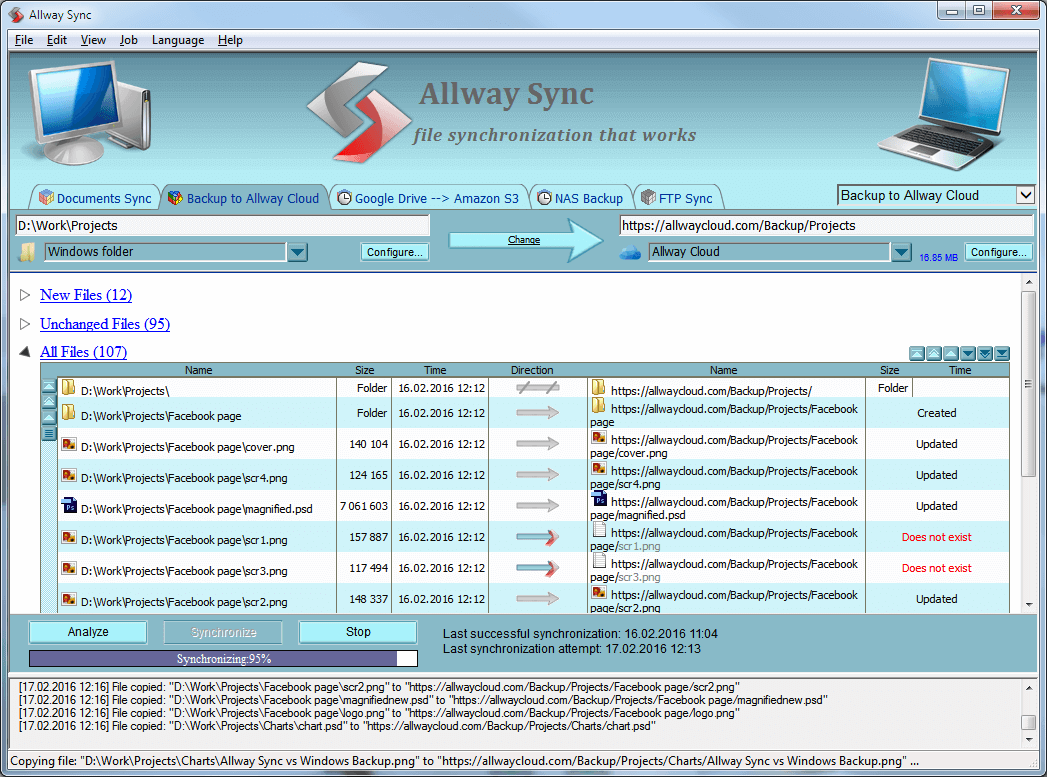
Allway Sync is a backup and file synchronization software that works with various devices and locations, including local and network folders, NAS devices, and USB flash drives, designed to keep the contents of two or more folders synchronized.
Allway Sync allows you to backup files in case of data loss or work across multiple computers with the same files. To do this, simply create a link for two or more folders, and then synchronize all the files under those folders in a short time. This feature helps prevent data loss and ensures that your files are always up-to-date across all connected devices.
Why do you need Allway Sync alternative?
Although Allway Sync is a professional file synchronization tool, it has some drawbacks. Despite its capabilities, it has some shortcomings, which can be summarized in a chart highlighting its pros and cons.
|
Pros |
Cons |
|
✅ Sync multiple folders, drives, and networks at once |
❎ Outdated interface |
|
✅ Work well on small folders or drives |
❎ Memory errors on large drive or folder syncing |
|
✅ Abundant schedule modes |
❎ If you're experiencing issues with your device syncing due to a power outage or internet outage, you can manually continue the sync process once the power and internet are restored. To do this, go to your device's settings, then select the option to sync your data. |
Moreover, users are frustrated with the errors they encountered:
- It crashes when it gets up to around XXX,000 files analyzed.
- Analysis or synchronization may not complete when there are significant messages appearing.
- The FTP session is terminated during synchronization.
- After installation, the application window appears empty, with all functional buttons greyed out and option fields blank.
If you're struggling with these errors, you may find assistance in using software like Allway Sync to help resolve the issues.
Best free alternative to Allway Sync in Windows
If you're looking for a free alternative to Allway Sync, Qiling Disk Master Standard is a good option to consider.
- Backup and Restore: This software offers a range of backup options, including system, disk, partition, and file backups, as well as cloud Backup, allowing users to restore their system and data from backup images in case of unexpected errors.
- Sync: It allows you to synchronize files between two folders, disks, or computers, and also sync files to cloud drives like OneDrive.
- It supports Windows 11, 10, 8.1/8, 7, Vista, and XP, but is not compatible with Windows Server OS, which requires server backup software instead.
How to sync files in Windows 11/10/8/7 easily
To sync files from one location to another via Qiling Disk Master, select the source and destination paths, choose the files and folders to sync, and click the "Sync" button to start the process. You can also select specific file types to sync, and the software will automatically detect and sync the files.
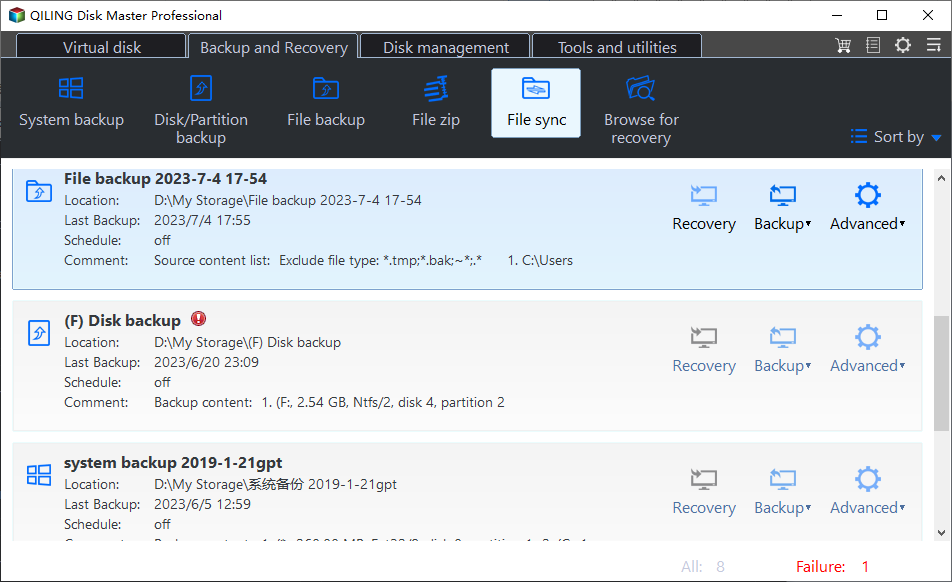
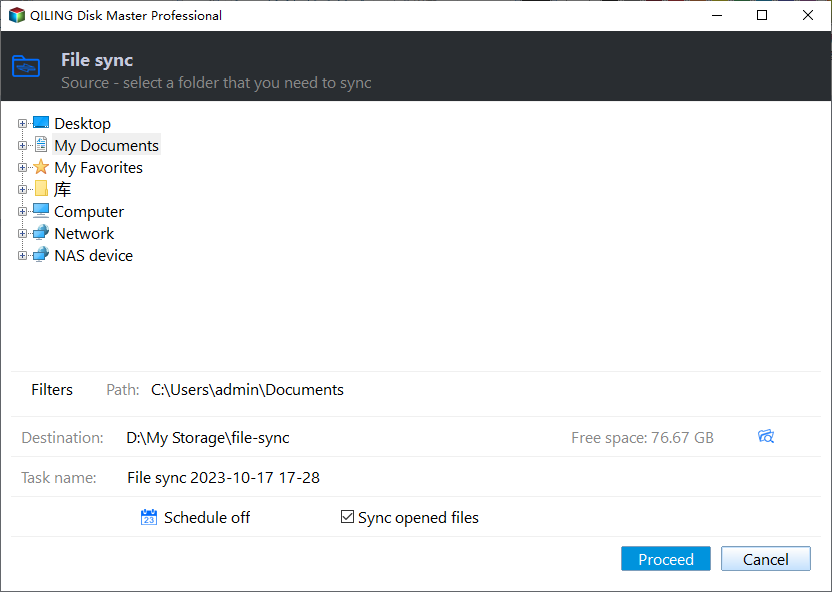
Step 1. To use Qiling Disk Master, first install and run the program, then navigate to the "Backup" tab page and select the "File Sync" option.
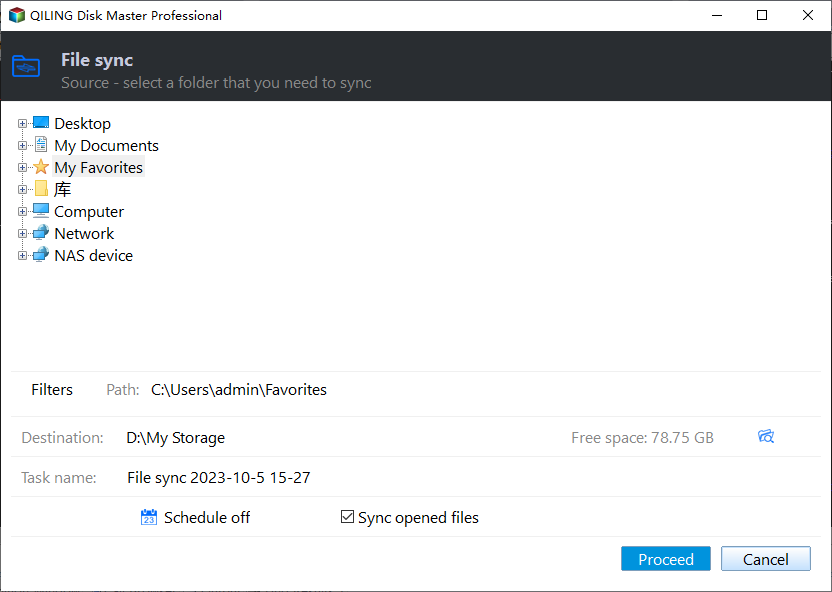
Step 2. Name the task so that you can distinguish it from other sync tasks, and click "Folder" to select the folder(s) you want to synchronize.
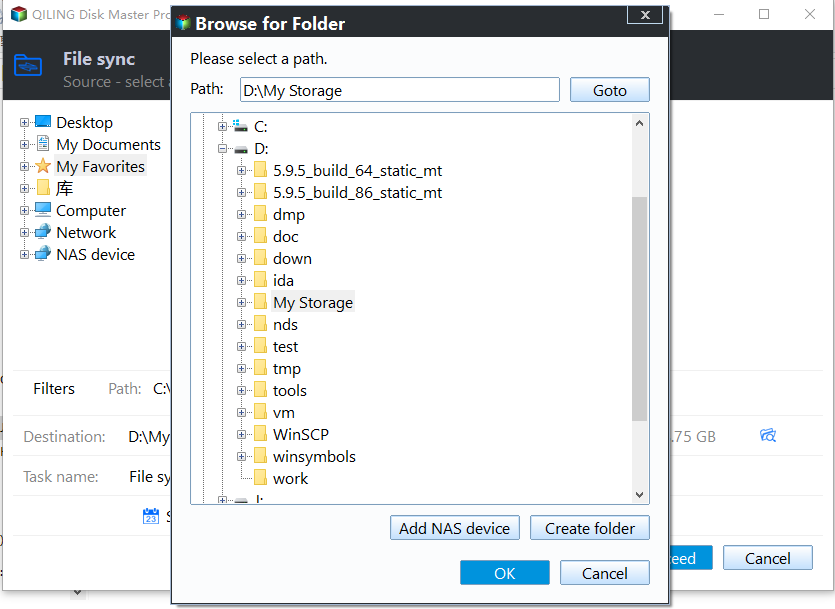
Step 3. Select a destination path where the synced folder(s) will be stored, which can be either a local or network location.
Step 4. (Optional) Customize your sync task with the following settings:
Options: You can comment on your task, enable email notifications, and choose whether to sync deletions based on your specific needs.
Schedule Sync: choose a schedule mode to sync files automatically and periodically.
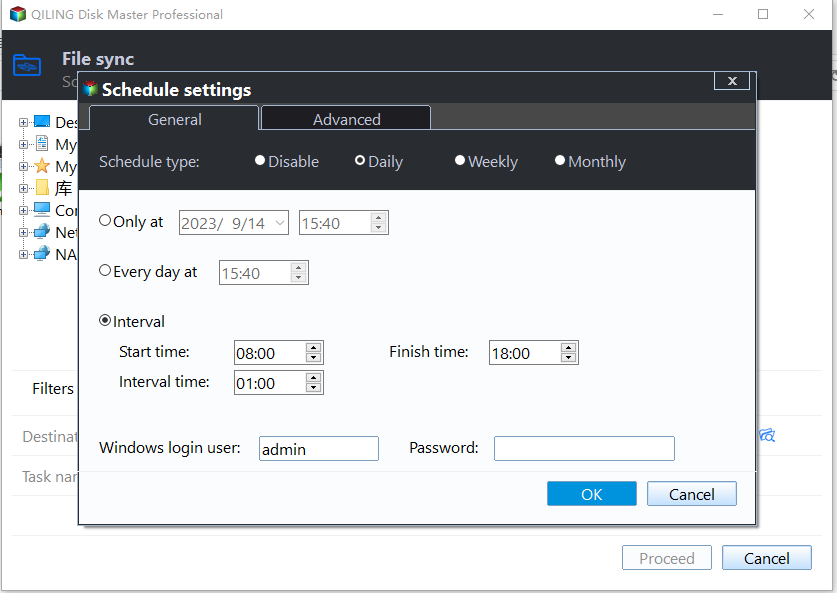
Step 5. Click on "Proceed" button to perform the operation.
💡 Notes:
◑ Don't modify the source folder name after doing file sync, or the program won't be able to synchronize it anymore.
◑ To use advanced sync modes like "File Sync", please upgrade to a higher edition of Qiling Disk Master. See the edition comparison for details.
Summary
When encountering issues with Allway Sync file sync failures or unexpected errors, consider Qiling Disk Master Standard as a reliable alternative. This freeware not only syncs files but also enables cloning Dell laptop hard drives and transferring files from Windows 7 to Windows 10 over a network.
Related Articles
- Best SyncBack Alternative - Qiling Disk Master in Windows 10/8/7
Find practical guidance for Best SyncBack Alternative - Qiling Disk Master in Windows 10/8/7, including disk, partition, file system, or Windows troubleshooting steps. - Free FBackup Alternative You Need to Backup Windows 10/8/7
As the best free alternative to FBackup, Qiling Disk Master is easier to use and provides more features than FBackup. - WD My Cloud Dropbox Sync | Two Ways
Here are two ways to perform WD My Cloud Dropbox Sync, one is manually and the other is automatic. Check out the following and find out. - File Transfer Stops/Freezes in Windows 10 | Solved
This guide explains File Transfer Stops/Freezes in Windows 10 | Solved with clear steps, key checks, and practical tips. - How to Exclude Files/Folders with Xcopy (Guide and Alternative)
This article will tell you how to let xcopy exclude folder or files from Windows backup and another easier way to exclude specific files and folders. - How to Recover Files from External Hard Drive without Formatting?
Want to know how to recover files from external hard drive without formatting, see this article and find the solution.
Products
Articles & Tutorials
- Data Recovery
- Data Backup
- File Recovery
- File Backup
- File synchronize
- System Backup and Restore
- Disk and Partition Clone
- Technical articles
- Disk Master Help
- Windows Deleted File and Disk Recovery Tutorials
- Windows File and Data Recovery Tutorials
- More Windows Tutorials for Install, Security, Files, and PC Tips
- Windows Boot, Repair, and Recovery Environment Tutorials
- Windows Backup Tutorials
- Windows Restore Tutorials
- Windows Clone and Migration Tutorials
- Windows Server Backup, Recovery, and Management Tutorials
- Windows Disk, Partition, and Storage Management Tutorials