Windows Server Backup Disk Full | Solutions & Workaround
Case: Windows Server Backup is running out of disk space and failing
You're running Windows Server 2012 Essentials and got an alert about low free space on the Server Backup disk, which will be overwritten if you ignore it.
The scheduled backup didn't complete successfully due to a lack of disk space.
I am confused. Why didn't the latest backup overwrite as promised? I just want to keep recent backups.
How does WSB automatic disk usage management work
The built-In Windows Server Backup, the automatic disk usage management feature automatically frees up disk space by reusing the space occupied by older backups when creating new backups.
WSB automatically shrinks the storage space allocated for snapshots when there's not enough space on the disk to accommodate a new backup, deleting old snapshots and corresponding backup versions to free up space.
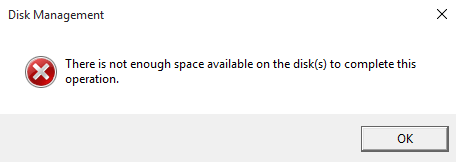
Why does Windows Server Backup disk full error occur
Windows Server Backup occasionally experiences a backup disk full error, despite its usual mechanism of freeing up space by shrinking the differential area and overwriting old backups, suggesting that there may be an issue with the backup process or disk management.
Windows Server Backup checks the disk space before shrinking the diff area, ensuring it's at least 1/8 of the target volume size, to prevent losing past backups. However, this can sometimes cause backup failures due to disk full errors, despite the automatic disk usage management feature.
How to fix Windows Server 2008/2012/2016 backup disk full
If the backup disk is full and Windows Server Backup Automatic Disk Usage Management fails to function, you can either delete old backups or add a new disk to the backup set to increase storage capacity.
- Add a larger disk as the backup disk
- Manually free some disk space for creating new backups
In Windows Server 2012 or later versions, you can also use WBADMIN DELETE BACKUP command. The syntax is:
[-version]: to delete specific version(s)
[-keepVersions]: to delete all backups but the specified versions
[-deleteOldest]: to delete the oldest backup
For example:
In Windows Server 2008 (R2) or earlier, WSB only allows deleting system state backups, but if non-system state backups are occupying disk space, you can delete some snapshots using diskshadow.exe.
Type diskshadow in Command Prompt and press Enter. Then you can run this command:
The parameter "G:" here refers to your backup drive letter or volume GUID.
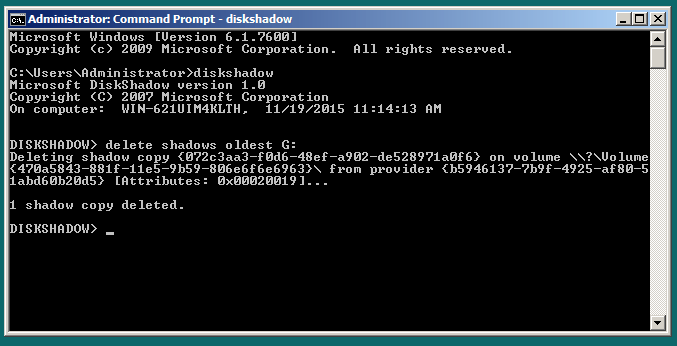
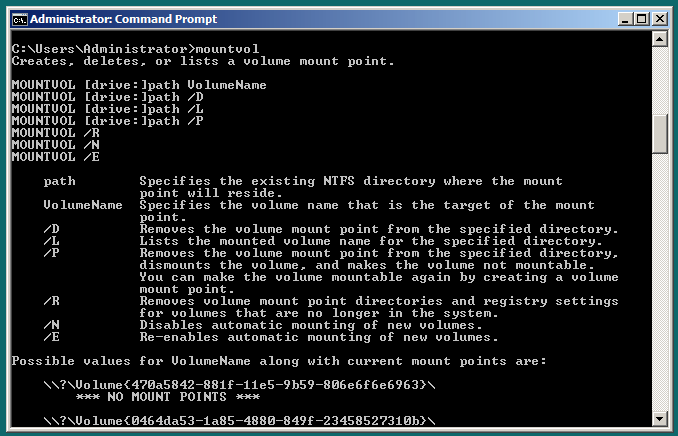
The backup target location can be specified using either a drive letter or a volume GUID. If the backup disk does not have a drive letter by default, you can manually assign one using Disk Management. The volume GUID can be found by running the Mountvol command.
If the backup disk is full, you can repeat the process to clean up Windows Server Backup. However, if you want a long-term solution, it's recommended to consider using a different backup program to avoid this issue in the future.
Long-term solution to avoid Windows Server Backup disk full
For users who need to make frequent backups, manually clearing old backups is not a long-term solution. A dedicated Windows Server backup program like Qiling Disk Master Server can be used as a workaround to avoid insufficient disk space error.
The software works seamlessly with all Windows Server and Client computers, making it a versatile solution for various versions, including Server 2008, 2012, 2016, and newer ones like 2019 and 2022.
✤This comprehensive backup program offers 4 types of backup solutions: System Backup, Disk Backup, Partition Backup, and File Backup.
✤To make the backup process more efficient, you can opt for incremental or differential backup, which copies only the changed data, or select a higher compression level to reduce the size of the backup files.
✤WSB allows you to auto-backup daily, weekly, or monthly, and set multiple backup schedules, unlike WSB, which can only create one scheduled backup task at once.
✤You can also enable automatic backup cleanup to auto delete old backups in five different schemes, ensuring that Windows Server backup doesn't fill up your drive.
Download the free trial now to try it out:
You can choose the Technician Plus edition to protect unlimited PCs and servers within your company, which also offers unlimited billable technical services and allows you to copy the installation directory for portable version creation.
How to create disk space-saving system backup on Windows Server:
1. To perform a backup on Windows Server, launch the backup software and navigate to the Backup tab, where you can choose the type of backup you need. For example, to create a system backup, select the System Backup option, which is a commonly used solution.
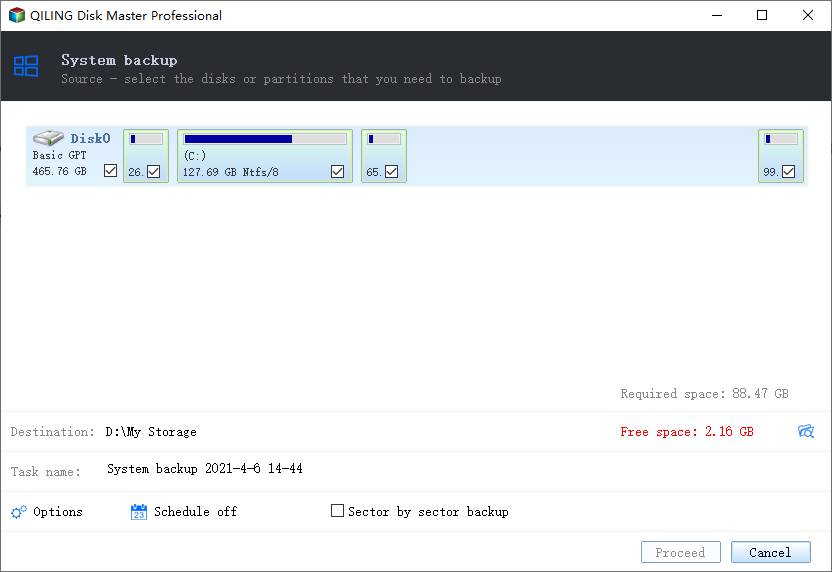
2. System Backup will automatically include the partitions containing system and boot files. Then choose a target location to save the image backups.
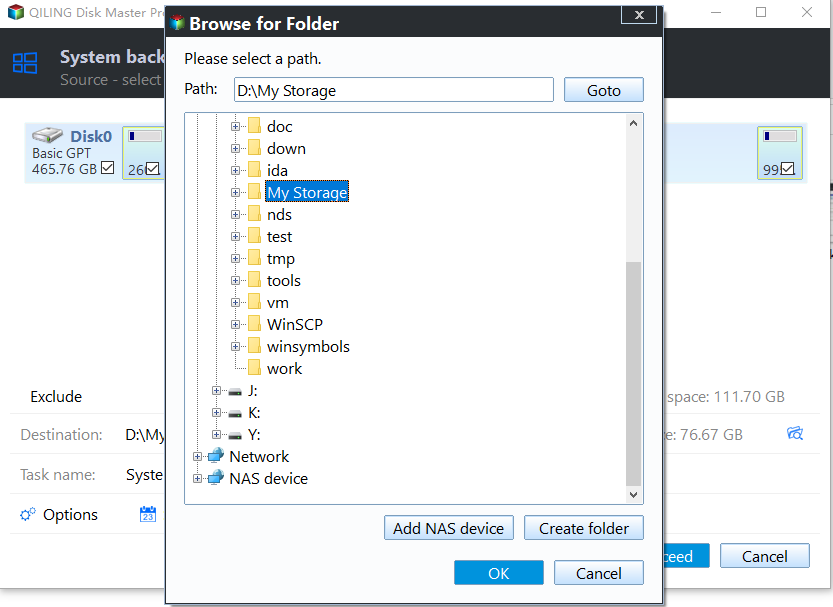
3. Click Schedule Backup to configure a scheduled automatic backup. To set up a backup scheme, select the Backup Scheme option and choose the desired backup method, which can be full, incremental, or differential. This will determine how often and what type of data will be backed up. Additionally, you can set a retention strategy to manage how long backed up data will be kept.
Click Proceed to execute the operation and wait for it to complete.
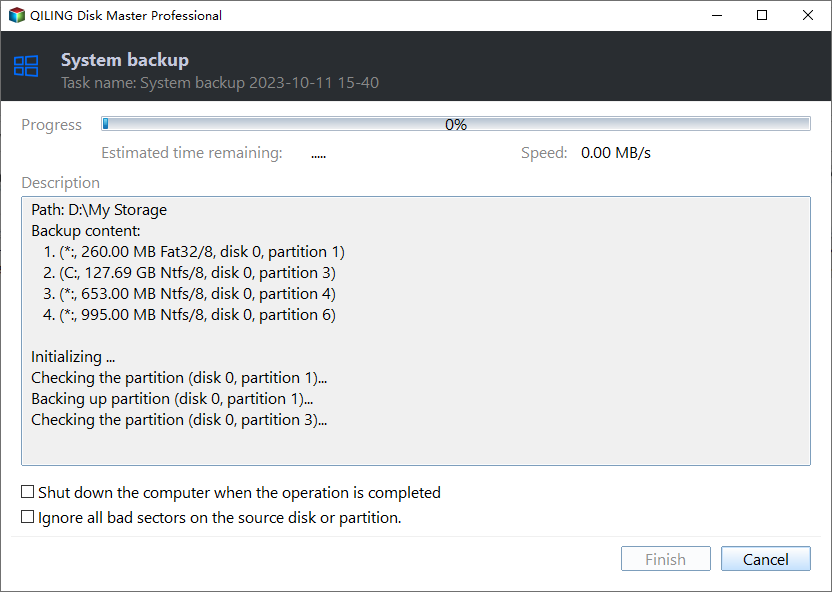
Manage your Windows Server backup disk space with useful features
Here are details about Backup Schedule and Backup Scheme provided in Qiling Disk Master, which helps manage backups in Windows Server easily. These features allow users to automate backups, set reminders, and customize backup settings to ensure data protection and recovery. By utilizing Backup Schedule and Backup Scheme, users can streamline their backup processes, reduce errors, and minimize downtime, ultimately enhancing the overall reliability and security of their Windows Server environment.
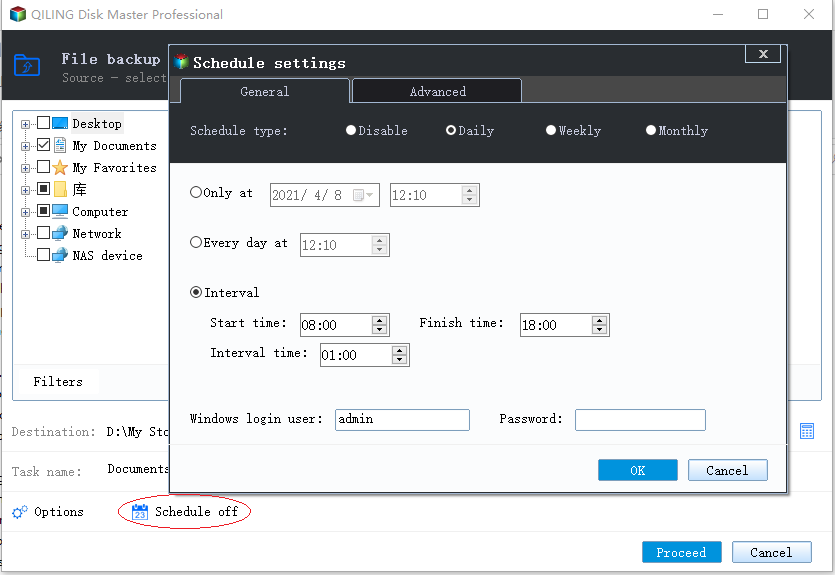
👉To create a task with Backup Schedule, you can select from 6 different options.
- To ensure continuous backup of your Windows Server, set up automatic backups to run daily, weekly, and monthly, thereby avoiding the need to manually repeat backups or risk forgetting to back up your data.
- The backup can be triggered by four different events, allowing you to choose when it happens: User logon, User logoff, System startup, and System shutdown.
- Qiling Disk Master will automatically back up data to or from a USB drive once it detects the source or destination USB device that the task is plugged into.
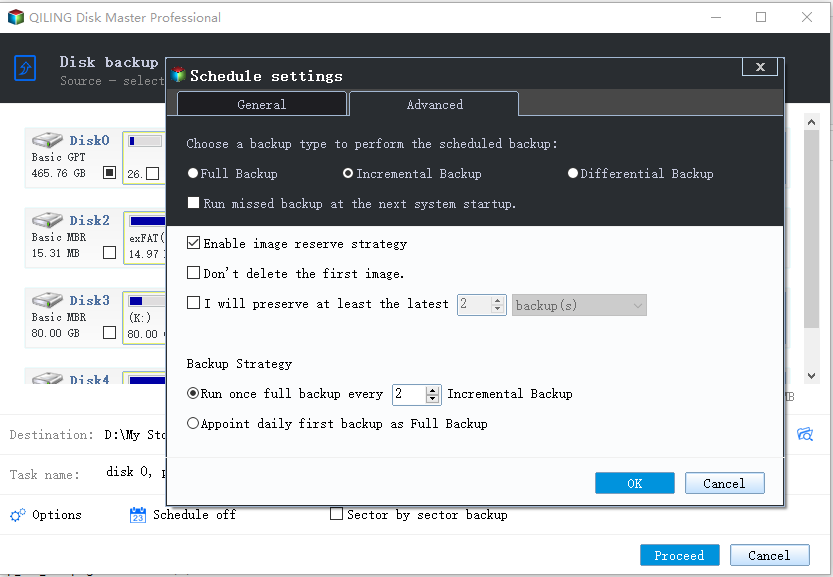
👉In the Backup Scheme tab, you can select a backup method, with Incremental Backup being the default option for scheduled backups, and Full or Differential also available.
- Full Backup: Create a complete copy of the source data.
- Incremental Backup: Copy only changed data since the last backup.
- Differential backup is a type of backup that stores only the data that has changed since the last full backup, rather than copying the entire dataset again. This approach reduces the backup size and time compared to a full backup, but still provides a complete point-in-time snapshot of the data.
👉If you toggle on the option of Enable Automatic Backup Cleanup, you can set a retention policy based on the selected backup method, which will automatically remove backups based on metrics such as time since last backup, oldest backup, or maximum number of backups.
- By quantity
- By time
- By daily/weekly/monthly
- By space
Conclusion
When you encounter the Windows Server Backup disk full problem, you can try deleting some snapshots from the command line to free up space. However, if you continue to use WSB to create backups, you'll likely encounter the drive full issue repeatedly.
To permanently resolve the Windows Server backup disk full issue, consider using Qiling Disk Master Server. This tool ensures that your backup disk never runs out of space, and the image backups it creates can be easily restored to the original location or another location, even if the hardware is different.
Related Articles
- How to Create Multiple Schedules in Windows Server Backup
This guide provides two practical ways to create multiple schedules in Windows Server Backup, which can be applied to various Windows Server versions, including 2003, 2008, 2012, and others. - Create Backups with Windows Server Backup Command Line
You will learn how to use Windows Server Backup command line with Wbadmin or third-party tool. Besides, you can use the GUI version of backup software if you want a simpler way. - Windows Server Backup: Differential & Incremental Backup
Understand how Windows Server Backup differential backup works (although Microsoft calls it incremental backup) and get the methods to take differential or incremental backup in Server 2008, 2012, 2016, etc. - Create Windows Server 2008 R2 Backup Schedule Weekly
Although Windows Server Backup can either schedule a daily backup, or more frequent backup, it's not enough. Read this guide to get two ways to configure Windows Server 2008 backup schedule weekly task. - How to Create a Schedule Backup with Qiling Backup Personal Edition
This article includes basic steps how to create a schedule and also tries to give you some suggestions how to create a proper and suitable schedule to ensure your backup job finished in an efficient way. - How to Use Image reserve strategy in Qiling backup Personal Edition
Manage backup image retention, merge image files, and release disk space while keeping useful recovery points available.
Products
Articles & Tutorials
- Data Recovery
- Data Backup
- File Recovery
- File Backup
- File synchronize
- System Backup and Restore
- Disk and Partition Clone
- Technical articles
- Disk Master Help
- Windows Deleted File and Disk Recovery Tutorials
- Windows File and Data Recovery Tutorials
- More Windows Tutorials for Install, Security, Files, and PC Tips
- Windows Boot, Repair, and Recovery Environment Tutorials
- Windows Backup Tutorials
- Windows Restore Tutorials
- Windows Clone and Migration Tutorials
- Windows Server Backup, Recovery, and Management Tutorials
- Windows Disk, Partition, and Storage Management Tutorials