How to Solve Convert to Basic Disk Greyed Out Question?
The Scenario
The user cannot convert a dynamic disk with simple volumes into a basic disk because the "Convert to Basic Disk" option is greyed out. In Disk Management, this option is available only when all dynamic volumes on the disk have been deleted. If the disk still contains volumes, especially system or boot volumes, Windows will not allow direct conversion.
To convert a dynamic disk to a basic disk without deleting volumes, use a third-party dynamic disk converter. DiskPart and Disk Management require deleting volumes first.
Why convert dynamic disk to basic disk?
Users often convert a dynamic disk to a basic disk for better compatibility, easier disk management, or support for older systems and recovery tools. When Disk Management greys out "Convert to Basic Disk", it usually means the disk still has dynamic volumes and cannot be converted without deleting them.
How to convert to basic disk when it is greyed out?
When the "Convert to Basic Disk" option is greyed out in Disk Management Tool, you may be unsure of what to do. Fortunately, there is a software solution available. Qiling Disk Master is a tool that can help you convert a dynamic disk to a basic disk with ease, without losing any data. To use it, simply download the free edition or purchase the software, and you'll be able to successfully convert your dynamic disk to a basic disk.
Step1. Install and launch the Qiling Disk Master Pro, click the Disk Management tab page, right-click a disk and choose Dynamic Disk Converter.
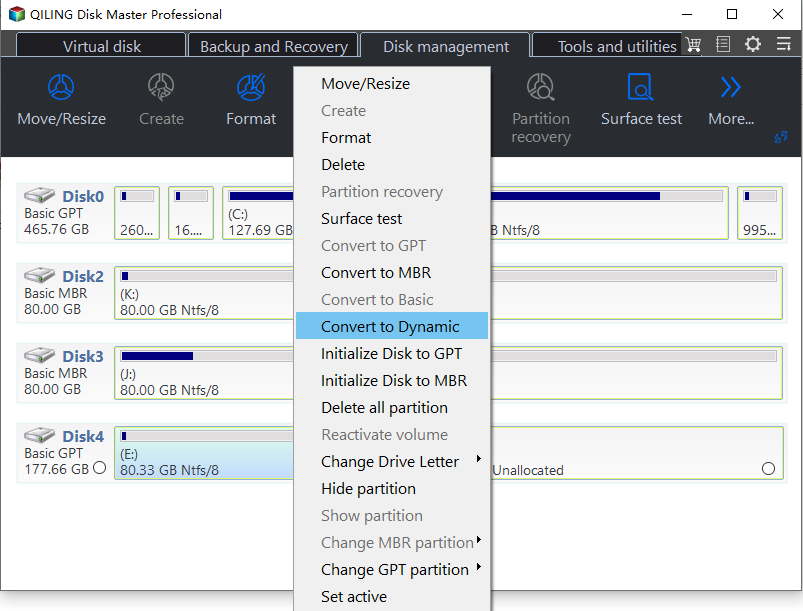
Step2. The Dynamic Disk Converter wizard opens. Click Proceed.
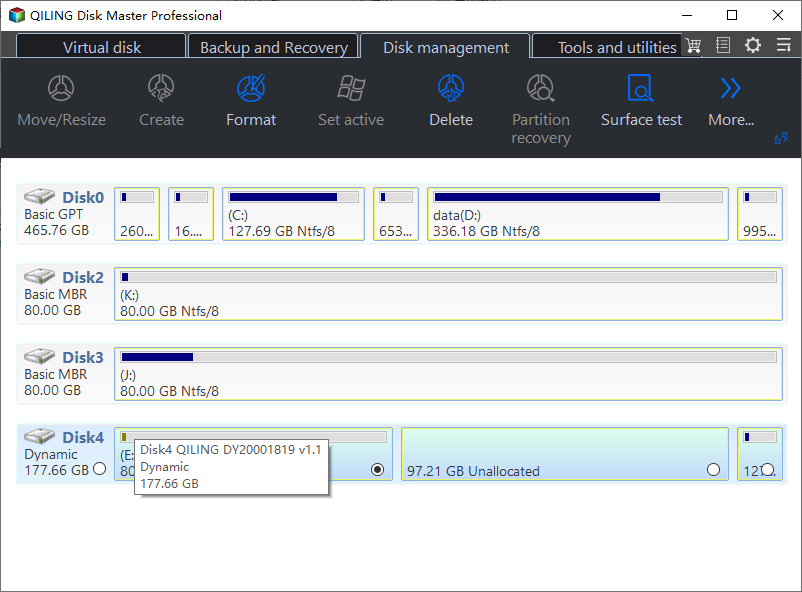
Step3. Choose the suitable conversion method and select the dynamic disk you want to convert to basic.
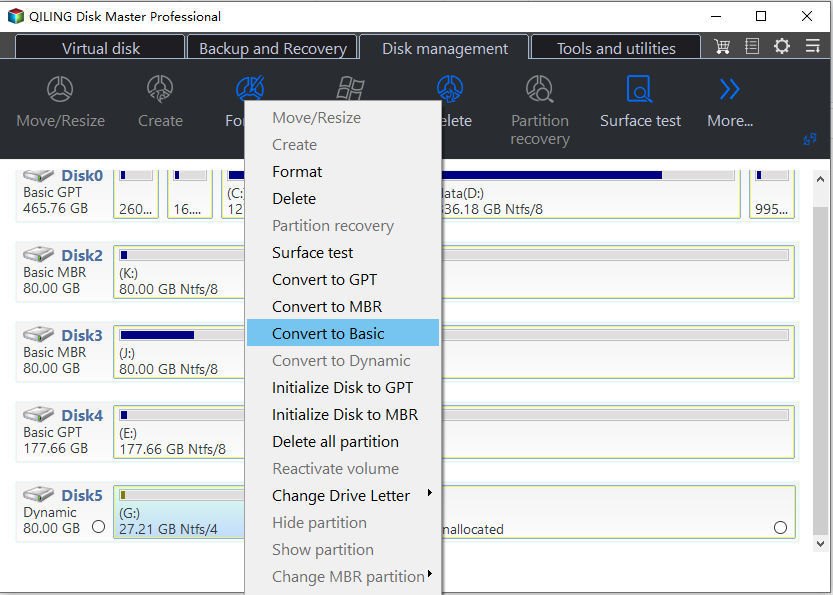
Step4. Confirm the operation and wait for the conversion to complete. The program will notify you when it is done.
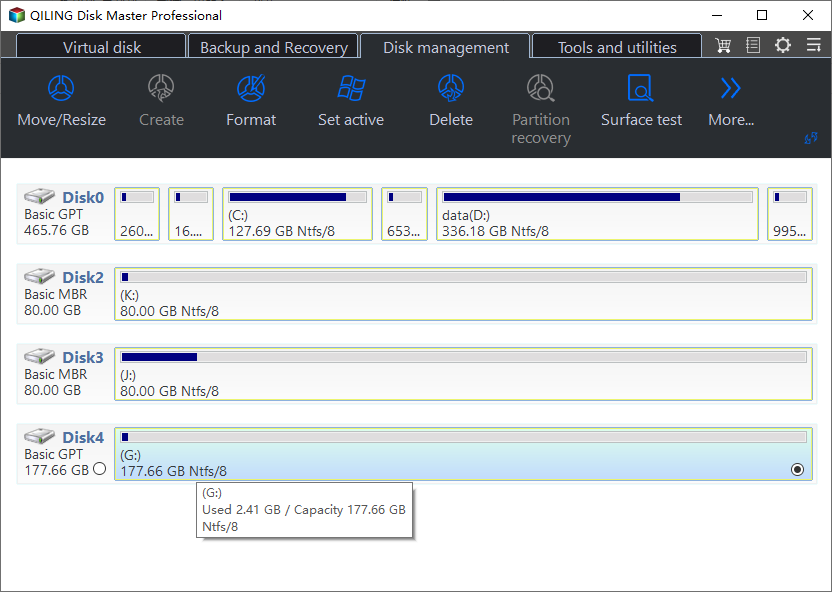
After the dynamic disk is converted to a basic disk, restart the computer if the program asks you to apply the changes.
Qiling Disk Master also provides disk management features such as resizing partitions and extending C: drive when Extend Volume is greyed out in Disk Management. It is compatible with Windows 7, 8, 10, and later versions.
Related Articles
- Top 3 Free Ways: The Volume Is Too Big for FAT32 in Windows 7/8/10
This guide explains Top 3 Free Ways: The Volume Is Too Big for FAT32 in Windows 7/8/10 with clear steps, key checks, and practical tips. - Convert Basic Disk to Dynamic |When and How?
Learn how to Convert Basic Disk to Dynamic |When and How with clear steps, key checks, and practical tips. - How to Solve Convert to Basic Disk Greyed Out Question?
Learn how to Solve Convert to Basic Disk Greyed Out Question with clear steps, key checks, and practical tips. - How to: Change Partition Style to GPT or MBR without Data Loss
This guide explains How to: Change Partition Style to GPT or MBR without Data Loss with clear steps, key checks, and practical tips. - 3 Methods: Convert MBR to GPT without Deleting Your Partitions
Converting a disk from MBR to GPT without deleting your partition is possible through three easy methods. - GPT to MBR Converter Software - Free Download
While GPT is the new standard and is gradually replacing MBR, MBR is still the most compatible and is still necessary in some cases. If you are confused with GPT to MBR conversion, read this page patiently.
Products
Articles & Tutorials
- Data Recovery
- Data Backup
- File Recovery
- File Backup
- File synchronize
- System Backup and Restore
- Disk and Partition Clone
- Technical articles
- Disk Master Help
- Windows Deleted File and Disk Recovery Tutorials
- Windows File and Data Recovery Tutorials
- More Windows Tutorials for Install, Security, Files, and PC Tips
- Windows Boot, Repair, and Recovery Environment Tutorials
- Windows Backup Tutorials
- Windows Restore Tutorials
- Windows Clone and Migration Tutorials
- Windows Server Backup, Recovery, and Management Tutorials
- Windows Disk, Partition, and Storage Management Tutorials