Backup Data to NAS Devices with Best Free Software
NAS and Backup to NAS Software Free
NAS (network attached storage) The device provides great convenience for its users, allowing all individuals within a company to share their data simultaneously by accessing remote NAS devices. Additionally, data backup can be easily managed by storing backup image files on a NAS device, eliminating the need for manual external hard drive connections.
Qiling Disk Master Standard is a free software that supports backup Windows to NAS and restore from NAS, providing a reliable solution for data protection and recovery.
The software allows you to backup Windows programs, installed software, and personal files to a NAS and network drive, as well as external hard drives and USB sticks. It supports incremental and differential backup methods, and can also be used to backup a NAS to a PC.
Backup to NAS with Free Qiling Disk Master
To backup a partition to a NAS drive using Qiling Disk Master, you need to add the partition and then select the NAS device as the destination. This involves clicking on the right edge of the column to initiate the backup process.
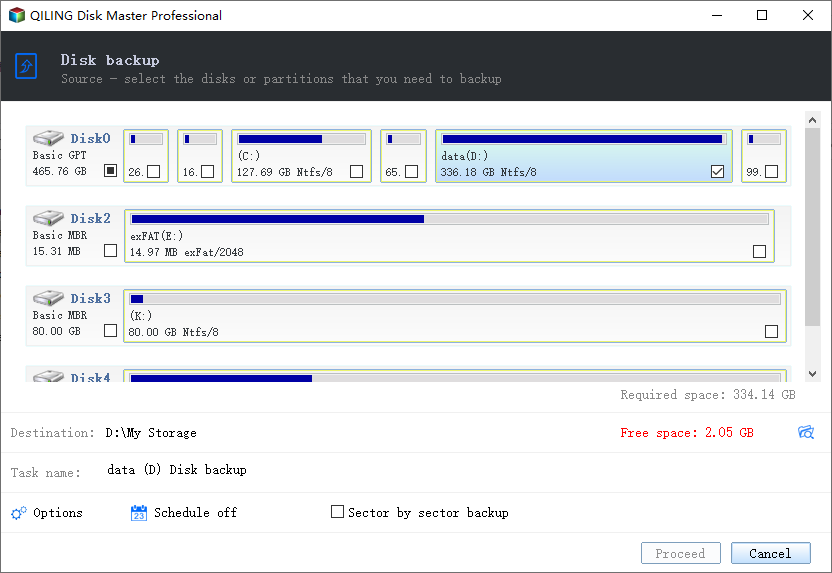
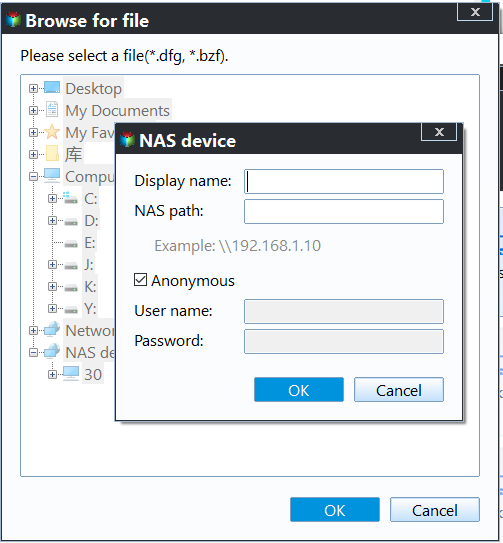
In the pop-up window, click "Share/NAS Device" on the left-hand side.
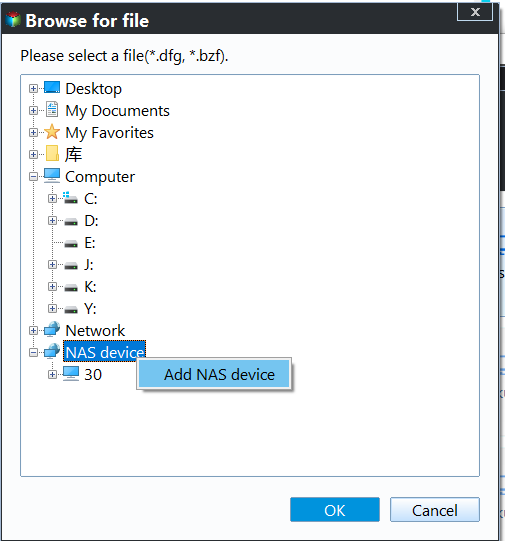
After adding the NAS device, you can find the destination folder in the right-hand side column. Check it and click OK at the bottom to start the process, completing the backup to NAS.
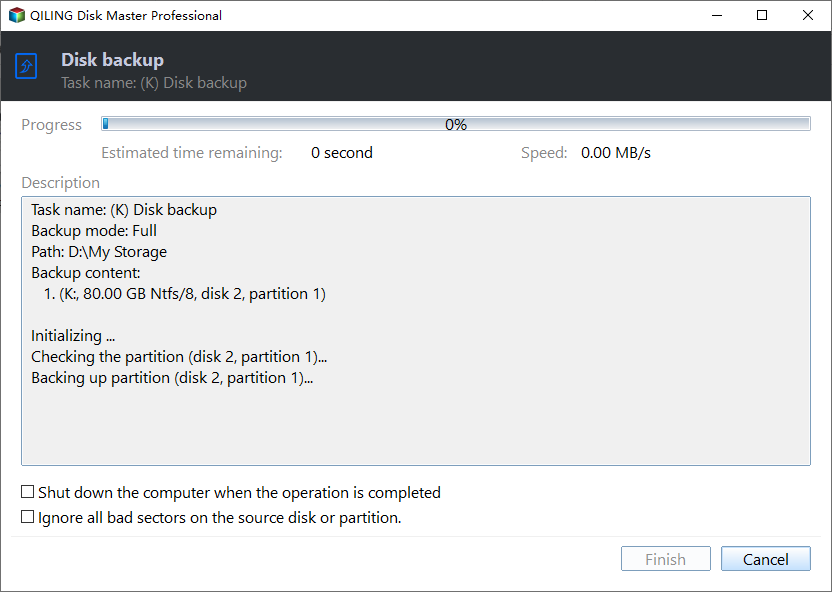
After reviewing the operation summary, confirm the details and click "Proceed" to finalize the process.
Tips:
- To do incremental or differential backup to NAS on a regular basis, click Schedule to set a recurring backup. If you only want to do a one-time backup, go Home after completion. To initiate a backup, move your mouse over the backup image and click Backup in the middle, then select the desired backup type. For more details, see the incremental and differential backup guide.
- Backup Options: You can password-encrypt backup images, split them, and compress them here.
- Scheme: To manage destination storage by auto-deleting old backups, you'll need to upgrade to the Qiling Disk Master Professional edition or higher, which includes a Standard upgrade. This feature helps you efficiently manage your backups by automatically deleting older ones, ensuring your storage remains organized and clutter-free.
- If you have a Qiling account, you can backup files to Qiling Cloud, which offers 1TB free storage for 15 days after signing up.
Restore from NAS with Qiling Disk Master
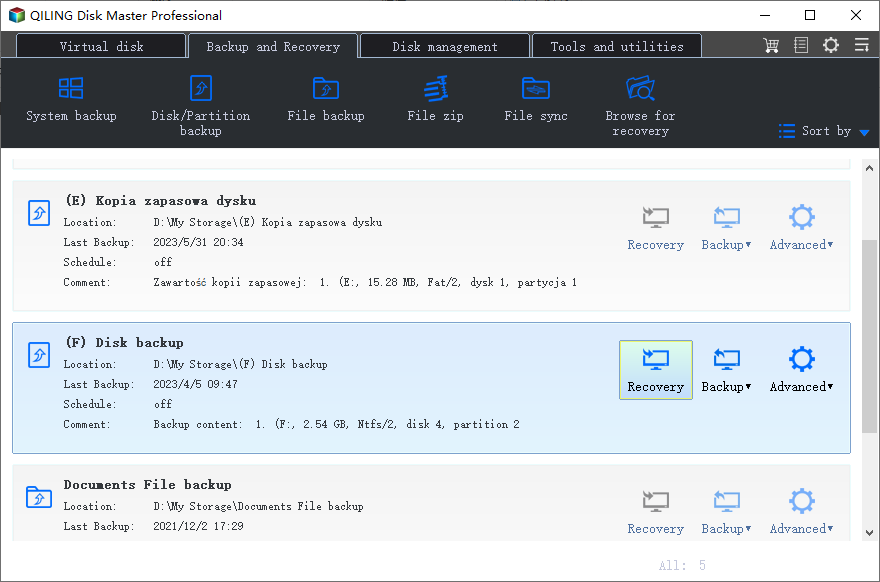
To restore from a NAS device, locate the backup image by clicking on "Restore" and selecting the image file, then select the item to restore.
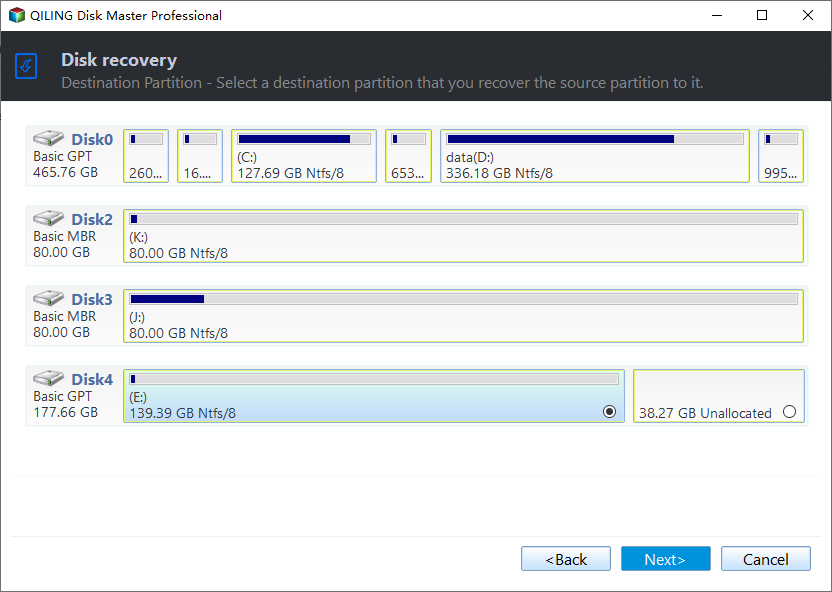
To restore a backup from a NAS, you need to select the destination partition to restore the files to. This process is similar to restoring from an external hard drive, with the main difference being the source location. You can restore your files back to their original location or choose a different one.
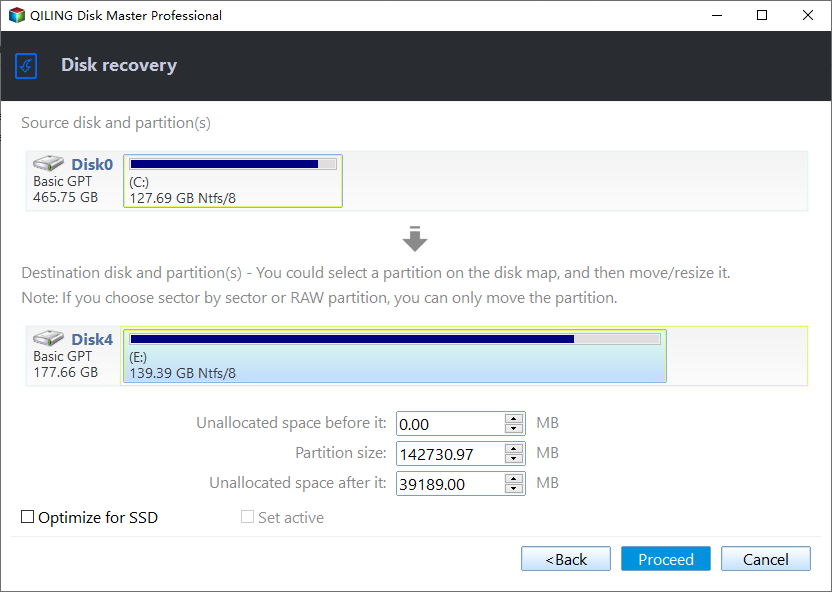
If the target location is a SSD partition, you can tick "Align partition to optimize for SSD" to improve performance. After that, click "Proceed".
Conclusion
The NAS device offers a secure and convenient way to backup PCs and Servers. Qiling Technology utilizes this by providing "Backup to NAS" and "Restore from NAS" features in Qiling Disk Master, allowing users to back up files from local to NAS and even perform NAS to NAS backup. Try it out for free!
Related Articles
- Create NAS to NAS Backup with Best Free NAS Backup Software
- Easy Steps to Backup NAS to External Hard Drive
- How to Backup Windows 10 to Different NAS Devices for FREE
- How to Fix M.2 SSD Not Detected in Windows 10 - 11 Ways
Learn the key steps, checks, and practical tips for this related guide. - Adjust Partition Size with Free Partition Software
If you're unable to adjust the partition size due to Extend Volume being greyed out or the available shrink space being 0 in MB, Qiling Disk Master can be a helpful tool. - Alienware Backup and Recovery in Windows 10, 8, 7 | 2 Ways
If you are looking for a way to do Alienware backup and recovery, learn more about Alienware Respawn and Qiling Disk Master below and select the way suitable for your situation.
Products
Articles & Tutorials
- Data Recovery
- Data Backup
- File Recovery
- File Backup
- File synchronize
- System Backup and Restore
- Disk and Partition Clone
- Technical articles
- Disk Master Help
- Windows Deleted File and Disk Recovery Tutorials
- Windows File and Data Recovery Tutorials
- More Windows Tutorials for Install, Security, Files, and PC Tips
- Windows Boot, Repair, and Recovery Environment Tutorials
- Windows Backup Tutorials
- Windows Restore Tutorials
- Windows Clone and Migration Tutorials
- Windows Server Backup, Recovery, and Management Tutorials
- Windows Disk, Partition, and Storage Management Tutorials