GoPro Recovery | How to Recover Deleted Videos from GoPro
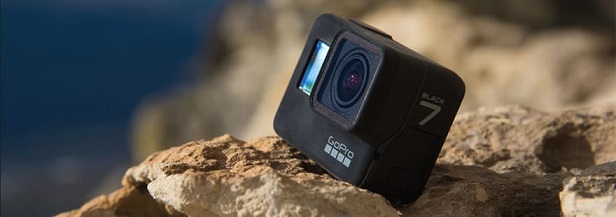
You might want to unleash your inner photographer and capture life's adventures through stunning photos and videos. A GoPro camera is a great tool for this, as it's designed to handle high-energy activities and capture crisp, clear footage and images, making it perfect for capturing your most thrilling moments.
If your GoPro card reports errors, this GoPro SD card error guide can help before formatting the card.
To get the most out of your GoPro device, you can explore a wide range of activities and features that go beyond just capturing memories. By indulging yourself in various tasks, you can unlock the full potential of your device and experience more.
- Record your journey to better explore a place, whether walking, biking, driving, or using any other mode of transportation.
- Using a GoPro can be a great way to capture your sporting activities, such as skateboarding, mountain climbing, or running, by recording yourself in action.
- Take your family videos to the next level by attaching straps to sports equipment, toys, or other objects, and then harnessing a GoPro camera to capture unique and exciting perspectives. This can add a new dimension to your home movies, making them more engaging and thrilling for viewers.
- The camera is designed for adventurous users who want to capture their experiences while swimming, surfing, or engaging in other water activities. Its waterproof casing allows it to withstand being submerged underwater, making it the perfect companion for capturing memories in these environments.
- Share funny and adorable videos of your pets on social media to get lots of comments and likes from friends and followers.
GoPro is a fun-The abundance of goodness of a GoPro gadget comes with a wrong side - the storage space it takes up. Captured videos and photos can quickly fill up the device, forcing you to delete them to make room for other content. If you've accidentally lost your property, we'll guide you on how to recover deleted GoPro videos and more.
- Quick Navigation
- Part 1. What Caused My GoPro Videos to Lose
- Part 2: What to Do When You Delete a GoPro Video Accidentally?
- Part 3. Easy Way to Recover Deleted GoPro Videos
- Part 4: Ultimate Way to Get Back Deleted Videos from GoPro
- Part 5: Comparison of the Two GoPro Recovery Methods
- Part 6: Why Can't I Open a Recovered GoPro Video? How to Repair It?
- Part 7: Tips to Avoid Further Data Loss on GoPro Memory Card
Part 1. What Caused My GoPro Videos to Lose
"I have a GoPro Hero 10. While connected to my Mac via a USB digital cable, it automatically copied the files to a folder with today's date as the name. However, after then, I found there wasn't a video at all. The folder is 0 bytes, without any file. The worst thing is that after the copy, the actual video was deleted instantly. Is there a way to recover deleted videos from GoPro? Please help me!"
People who've accidentally deleted GoPro videos or photos often want to restore them from their SD card. This can happen due to various reasons, and the desire to recover them is common among users.
- The GoPro SD card is formatted accidentally, deleting all videos and photos stored there.
- The videos and photos were just lost during the transfer without a firm connection.
- Somebody accidentally deleted GoPro videos, photos, and more files.
- You can try restarting the GoPro, checking for any software updates, and ensuring the memory card is properly inserted and recognized by the device. If the issue persists, try formatting the memory card and then restarting the GoPro.
Part 2: What to Do When You Delete a GoPro Video Accidentally?
Your GoPro videos. In such a scenario, first, you have to check for a backup for your GoPro data. If you do not have a hands-on backup of your precious images or videos, check the points below to increase your chances of a favorable GoPro recovery rate.
- To avoid overwriting important data on your GoPro SD card, stop using it immediately. This will prevent the camera from continuing to record new footage and minimize the risk of losing previously captured videos.
- Look for software that efficiently recovers video files, as their saving mechanism is different from other types of files, making it more challenging to find effective recovery tools.
If your GoPro camera's video files are deleted, there's still hope to recover them if you act quickly and perform a correct SD card recovery.
Part 3. Easy Way to Recover Deleted GoPro Videos
If your precious records have gone missing, we have a solution for you. You can use Qiling data recovery software to recover your lost records, and also use it to initiate GoPro video recovery. This will help keep your worries at bay.
This comprehensive program helps retrieve various files such as photos, documents, videos, images, and audio from any internal or external disk. It can automatically repair corrupted GoPro videos, and its algorithms can also recover deleted videos from GoPro on Mac or Windows PC.
Your Ravishingly Working GoPro Data Recovery Software
- The software supports various file formats for photos and videos, including CR2, SR2, and MPEG, among others.
- You can easily restore any GoPro video or required file with a few simple steps. This works for files deleted by accident, showing up as RAW on the drive, or due to errors, or when you improperly pull the GoPro memory card.
- The storage device is compatible with almost every type of storage card, allowing users to easily transfer files and data between devices.
- The software can recover deleted videos on Windows and Mac systems, including those from an SD card, hard disk, camera, camcorder, and USB drive.
How to Retrieve Deleted Videos from GoPro in Windows 11/10/8
- Start with downloading the software and then go for its installation on your Windows PC.
- Connect GoPro with your computer
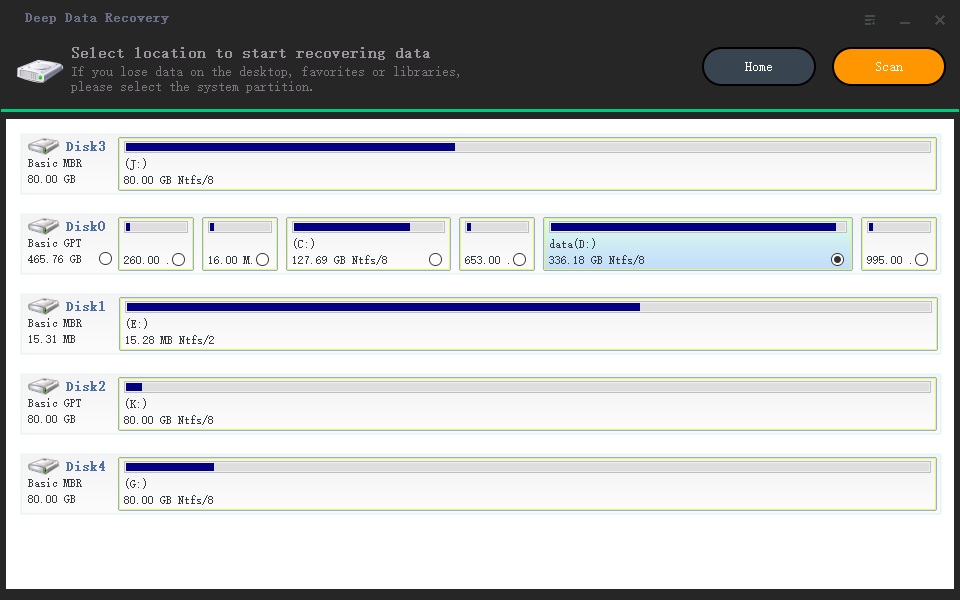
- The GoPro SD card can be scanned by hovering the mouse over it and clicking the 'Scan' button.
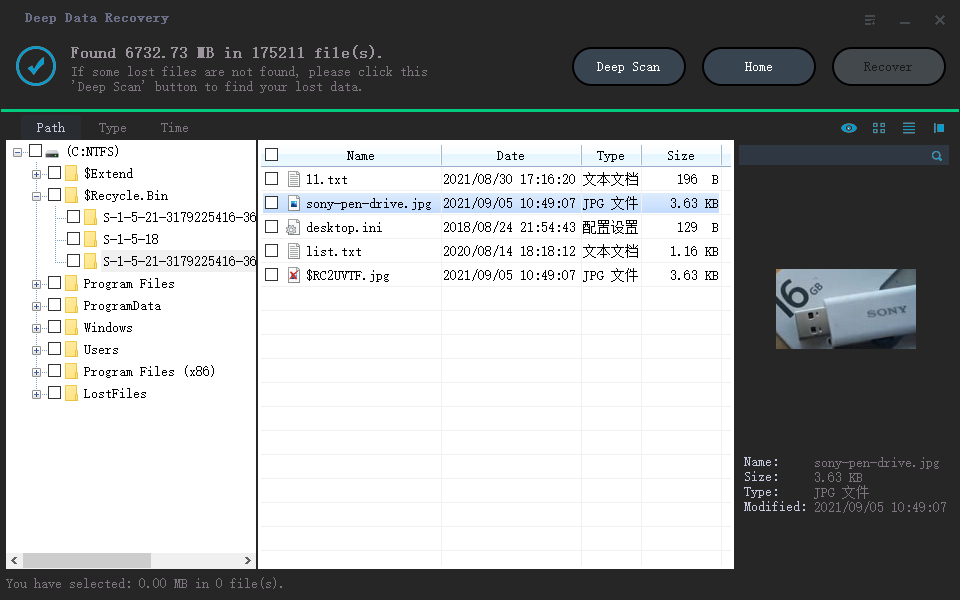
- After scanning is complete, you can preview the recoverable videos.
- Once you've located your target, select them and click on the 'Recover' option to save them on your Windows PC.
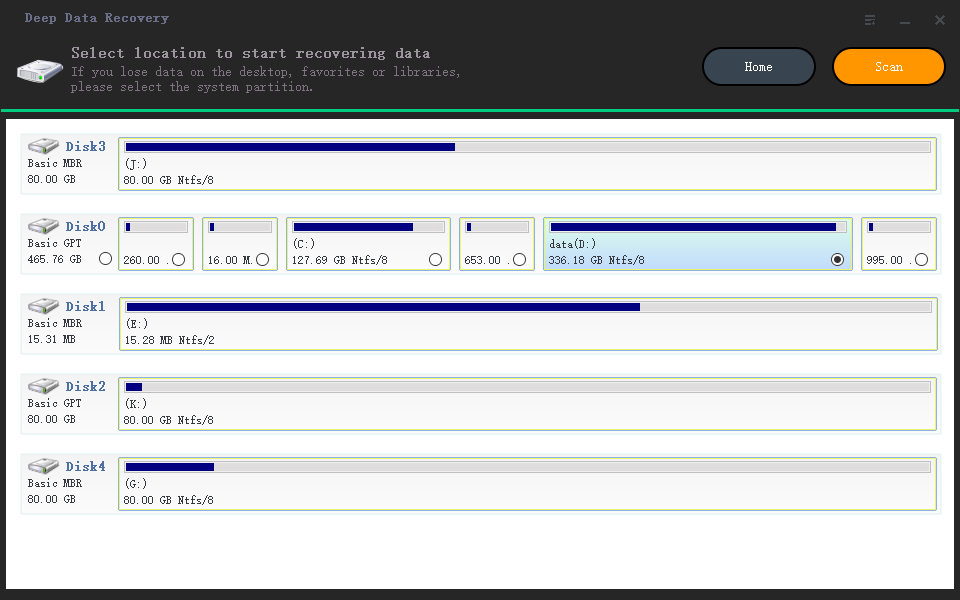
If you want to shorten the time it's taking for the scan, you can tap on the 'Go To Settings' option at the bottom of the screen and uncheck the unnecessary file types.
How to Restore Deleted GoPro Videos on Mac
- Launch the Qiling data recovery software for Mac.
- Keep the 'Video' selected and hit the 'Next' button.
- To recover data from a GoPro SD card, start by connecting the card to your Mac using an adapter. Then, open the Disk Drill software and select the GoPro SD card from the list of connected devices. Next, you see all the external devices connected to the Mac.
- The scanning process takes a few minutes to complete, and once finished, files become available for viewing in the result window. To preview individual files, tap on the directory option from the left side.
- Select the desired GoPro videos and tap on the "Recover" option to save them on your device.
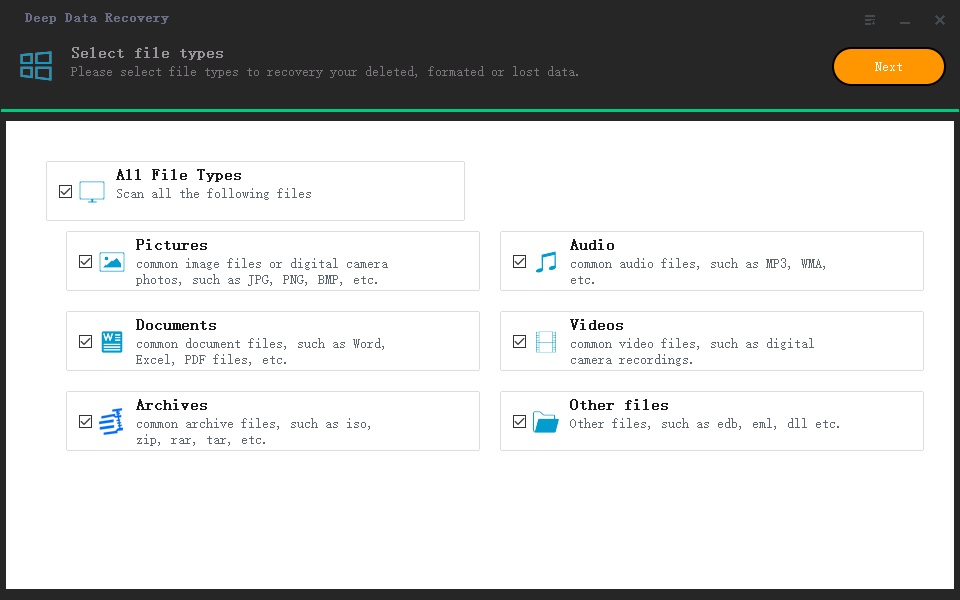
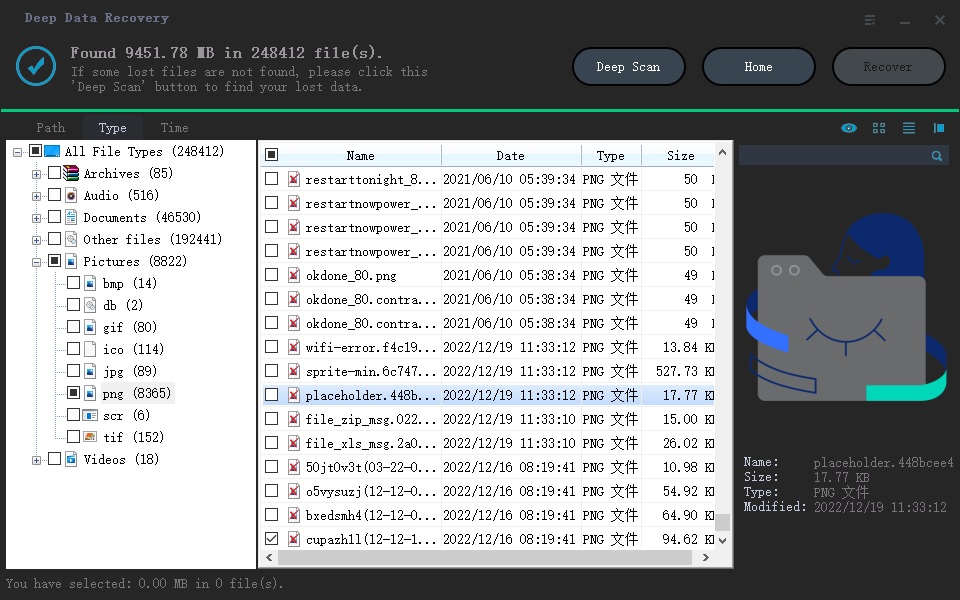
If you're having trouble finding a file on your GoPro, try switching to 'Deep Scan' mode. This mode may take longer to scan your device, but it can be more thorough and help you locate the file you're looking for.
Part 4: Ultimate Way to Get Back Deleted Videos from GoPro
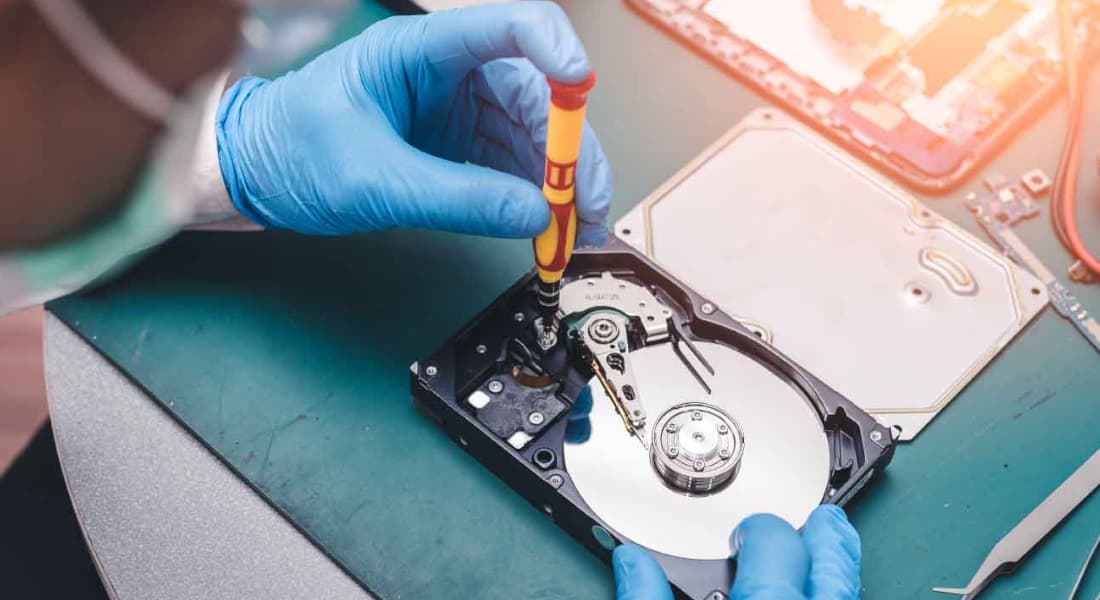
Unfortunately, video files are often saved in fragmented form, making it difficult for recovery software to locate and repair them if any of the fragments are damaged or lost. This can result in an inability to play the video, making it tough to recover and restore the file.
If your GoPro video is too precious to delete, consider contacting your local provider for data recovery services to try and retrieve it. This may be your only chance to recover the video.
Part 5: Comparison of the Two GoPro Recovery Methods
- Deep Data Recovery
- Data Recovery Services
- Other Undelete Tools
- Repair corrupt video
- Number of recovered videos
- Unlimited
- Different quantity, different price
- Unlimited
- Time Spent
- Within 30 minutes
- 3-5 Days
- Within 60 minutes
- Use again
- Privacy leak
- Possible
- Price
- Cheap
- Very expensive
- Moderate
Part 6: Why Can't I Open a Recovered GoPro Video? How to Repair It?
When videos are lost, many people turn to professional data recovery software to retrieve them. However, even after successful recovery, the restored video may fail to play due to various reasons.
- The video size/format is incorrect
- The recovered files are incomplete, containing only fragments of the video, such as some parts are missing.
- Video files are damaged during the process of loss
- The video has been overwritten
Solution
If the suffix of the video file is incorrect, you can try to modify it directly by changing the file extension from .swf to .mp4, for instance.
If your video plays only for a short time, you can try using a repair software to fix the issue. Some popular options include Video Repair, Repair Video, and Video Repair Tool.
- VLC Media Player
- DivFix++
- Fix.video
- Digital Video Repair
- MP4 Video Recovery Tool
- DivXRepair
If the videos are overwritten or the repair software can't help, they may be permanently damaged. To prevent this, it's a good idea to back up your videos regularly to keep them safe.
Part 7: Tips to Avoid Further Data Loss on GoPro Memory Card
If you don't want to have to recover deleted videos from your GoPro, make sure to regularly back up your videos and photos. This way, you'll always have a copy of your recordings and won't have to worry about losing them.
Step 1, importing GoPro videos to Windows/Mac
- Connect your SD card for GoPro to your computer
- Locate the GoPro camera on your PC, open it, and navigate to the DCIM folder where your photos and videos are stored. From there, you can copy the folder to your desired location.
- The SD card's contents can be accessed by opening the Hard drive. Two main folders are present: MISC and DCIM. The DCIM folder contains the videos and photos.
- Select the video files you need and copy them to your computer or other drives.
Step 2, Choose a method to back up your GoPro videos
If you want to avoid the hassle of recovering deleted videos from your GoPro, make sure to regularly back up your videos and photos to avoid losing them in the first place. This will save you the trouble of having to recover deleted files.
- Using a USB stick as a backup option for your GoPro content is a convenient, portable, and cost-effective solution. It allows you to easily transfer and store your footage, photos, and other files in a compact and lightweight format. This makes it ideal for travel, outdoor activities, or any situation where you need to have your media with you.
- Use an external hard drive to back up your GoPro footage, as it offers ample storage space for large files.
- If you're a Mac user, use Time Machine to automatically back up your external hard drive until it reaches its upper storage limit.
- Cloud storage options like Google Drive, iCloud, Dropbox, etc. offer third-party services with free, paid versions, or extra storage for a fee.
- Use Network-Attached storage is a convenient option for those willing to invest in it, ideal for users with multiple PCs, and those who need to save files from various sources, such as GoPro videos. It offers automatic backup and is wireless, making it compatible with tablets and phones.
Conclusion
GoPro cameras are perfect for rough use, but their SD cards can sometimes cause panic, risking the loss of precious photos or videos. This can happen when deleting large videos to make space for new ones or accidentally deleting memorable videos, prompting the need for a speedy GoPro video recovery solution. In such cases, Deep Data Recovery software can be a reliable help.
FAQ
-
When you delete a file, it's not actually erased, but rather its state is changed, making it invisible to others, and it can still be recovered if needed.
-
Even if you haven't backed up your GoPro videos, you can still recover them using professional recovery software, especially if you act quickly. However, the chances of a successful recovery decrease if you save new data over the deleted files. Therefore, it's essential to start the recovery process as soon as possible.
-
Deep Data Recovery software is the best option for retrieving deleted files due to its convenient use and advanced algorithms that can find fragmented data and combine them.
-
You can use free GoPro recovery software to recover your lost data, such as Qiling Free Data Recovery, which can help you get back up to 2GB of data for free and even repair damaged files.
-
After completing the GoPro SD card error repair, all data is gone, but you can still use Deep Data Recovery to find them.
-
If you delete a file by accident and don't continue to use the device, you can recover the file using recovery software.
Related Articles
- Reset GoPro Hero to Factory Settings Without Data Loss
- How to Recover Deleted Files Not In Recycle Bin
- Recover Deleted Videos from Canon Camera
- Top 3 Ways to Recover Deleted HTML Files on Windows 11/10/8/7
If you lost important HTML files and need to get them back, read this post. There are three ways to recover deleted HTML files on Windows 11/10/8/7. Among them, Qiling data recovery software works well in retrieving lost files from any device. - Fix Slow USB Transfer Speed in Windows 7/10/11
If you're experiencing slow USB transfer speeds on Windows 7, 8, 10, or 11, you're not alone. Fortunately, there are ways to speed up USB transfer speeds. This article guides you through the process of resolving slow USB transfer issues on your Windows operating system. - How to Fix SSD Not Showing Up in Windows 11/10/8/7
If your SSD is not showing up, it's a common issue with various causes. Fortunately, there are solutions to this problem, and we've listed them in this article, tailored to help you resolve the issue on Windows 11, 10, 8, or 7. You can choose the solution that best suits your needs.
Products
Articles & Tutorials
- Data Recovery
- Data Backup
- File Recovery
- File Backup
- File synchronize
- System Backup and Restore
- Disk and Partition Clone
- Technical articles
- Disk Master Help
- Windows Deleted File and Disk Recovery Tutorials
- Windows File and Data Recovery Tutorials
- More Windows Tutorials for Install, Security, Files, and PC Tips
- Windows Boot, Repair, and Recovery Environment Tutorials
- Windows Backup Tutorials
- Windows Restore Tutorials
- Windows Clone and Migration Tutorials
- Windows Server Backup, Recovery, and Management Tutorials
- Windows Disk, Partition, and Storage Management Tutorials