How to Add Unallocated Space to System Partition in Windows 7?
Real case about adding unallocated space to system partition
You may be unable to extend the C: partition when it is running out of space because the "Extend Volume" option is grayed out. This usually happens when the unallocated space is not directly next to the C: drive, for example when it is located after the D: partition. To solve the problem without reinstalling Windows 7, use a partition manager to move or allocate the unallocated space so it can be added to the system partition safely.
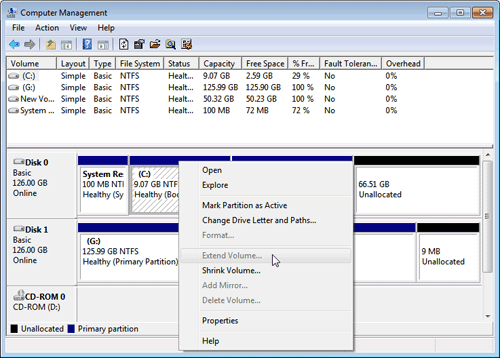
Problem analysis and solution introduction
The main reason is that Windows Disk Management can extend a partition only when adjacent unallocated space is available on its right side. If the free space is separated by another partition, the process cannot be completed. Disk Management also cannot move partitions, so a dedicated partition tool is needed in this situation.
To solve this problem, you can use highly praised partition magic tools, such as Qiling Disk Master Standard Edition or Professional (PA Pro), which are suitable for Windows 7, 8, XP, Vista, and 2000 home users. These tools can help add unallocated space to system partition easily, making them a great choice for those in need of advanced features. Simply follow the 4 steps provided to use these tools effectively.
Guide to add unallocated space to system partition in Windows 7
- Before proceeding, please download Qiling Disk Master Professional (PA Pro) in advance to better understand the steps involved. This will provide a solid foundation for navigating the process.
- If you're running into issues with unallocated space, you may need to shrink a partition in Windows 7. However, if there is no unallocated space, you'll need to follow a more detailed process to shrink the partition.
- BitLocker partition are also supported.
1. Launch Qiling Disk Master to get following disk information:
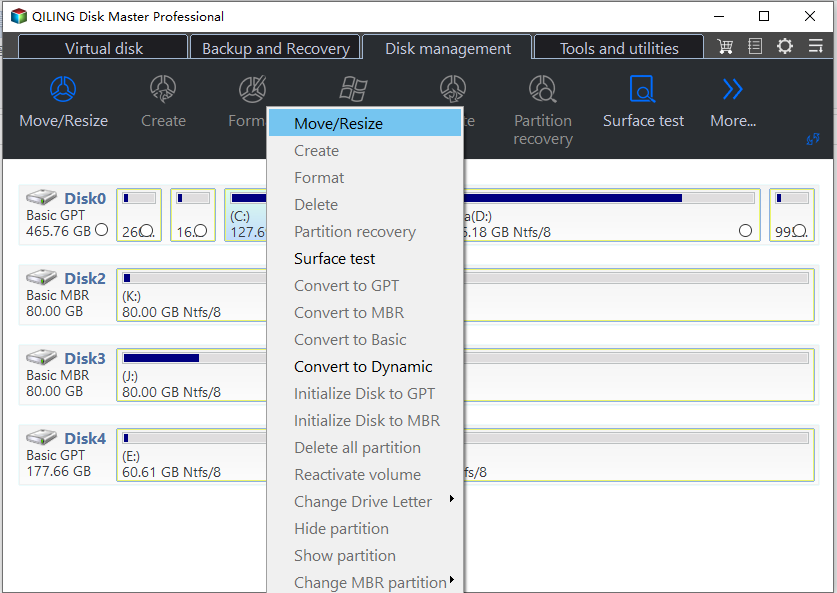
2. Right click on the D partition and select "Resize/Move Partition", then drag the D partition rightwards in the next window.
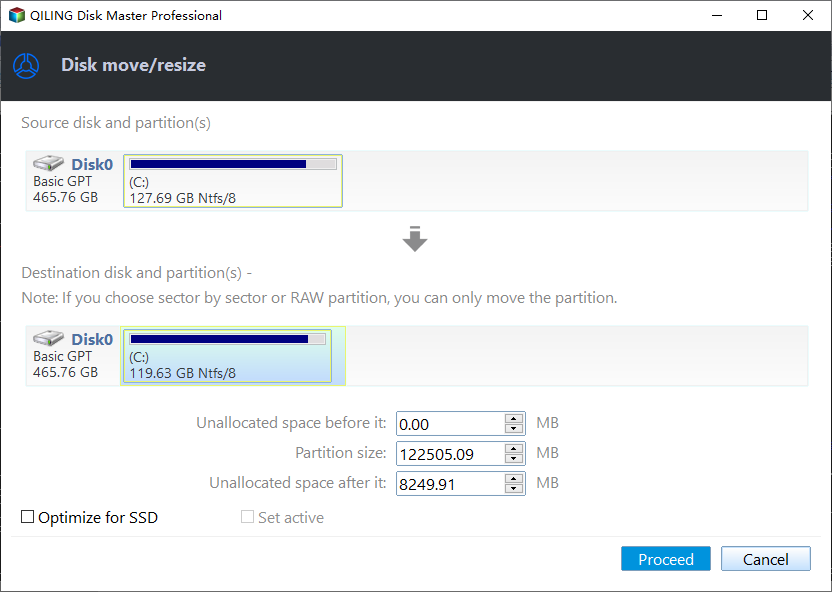
3. To resolve the issue, right-click on the system partition and select "Resize Partition". In the next window, drag the right handle of the C: partition to the right to add the unallocated space to the partition. This will move the unallocated space behind the C: partition and allow you to allocate it to the partition.
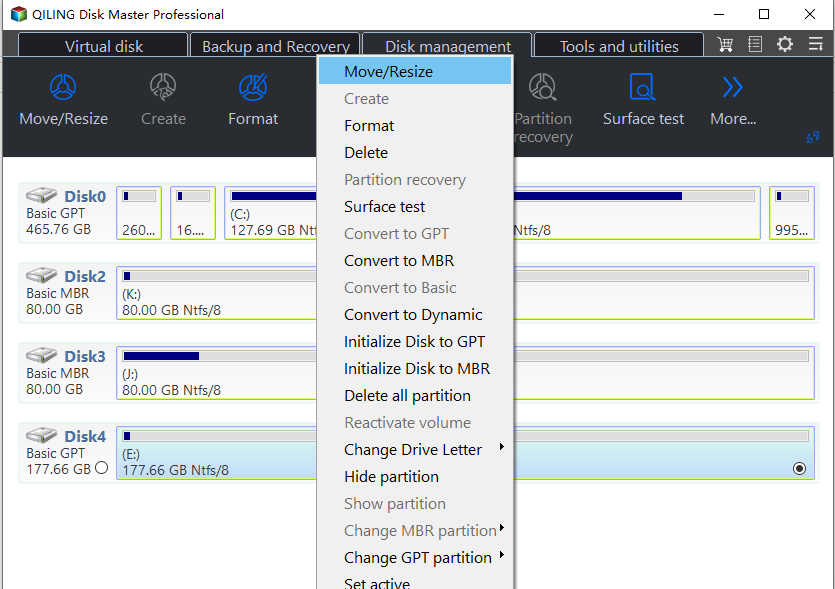
4.To save changes, click "Proceed" and wait several minutes. The unallocated space will then be successfully added to the system partition.
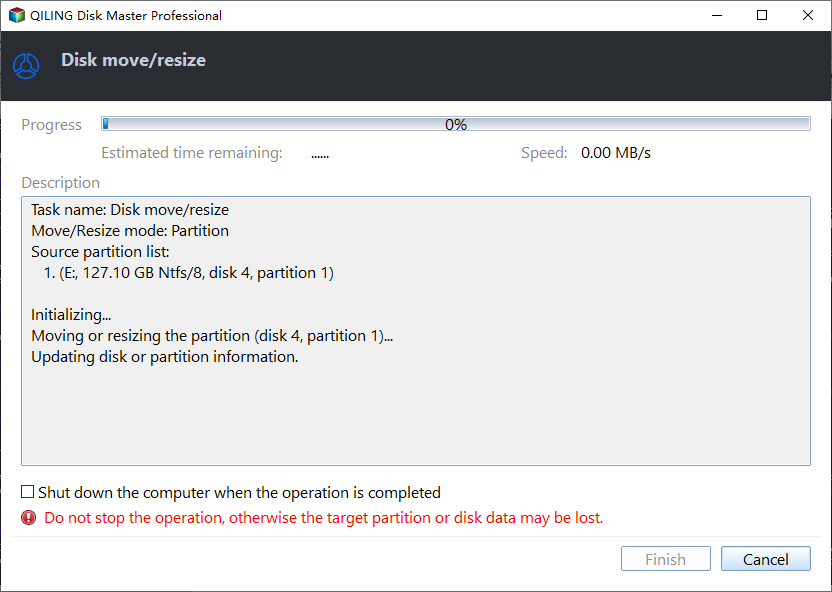
So, with this all-For a straightforward and user-friendly solution to add unallocated space to the system partition in Windows 7, consider using a reliable program. This software provides an easy method to accomplish this task, and its features can be further explored by reading related articles.
- Allocate Free Space from One Partition to Another without Formatting Hard Drive
- How to Merge Partitions to A Bigger One
Related Articles
- Best Way to Upgrade Hard Drive to Larger Drive or SSD on Windows 11
Upgrading the hard drive on a Windows 11 computer is necessary to improve performance and efficiency. To do this, the best cloning software can be used to clone the existing hard drive to a solid-state drive (SSD), effectively replacing the old hard drive with a faster and more reliable one. - How to Upgrade to Windows 11 and Keep Files (4 Ways)
Learn how to Upgrade to Windows 11 and Keep Files (4 Ways) with clear steps, key checks, and practical tips. - Fixed: Windows 11 Black Screen After Update
Recently, some users have encountered Windows 11 black screen after update. Microsoft is changing the screen color of BSOD error from Blue to Black. You can find the cause and 7 solutions of this error in this tutorial. - [Clear Guide] How to Create Windows 11 Boot USB
This article shares 2 methods on how to create Windows 11 boot USB. Also you can learn to boot from the Windows 11 bootable USB. - How to Remove/Delete Unallocated Partition Effectively in Windows 10/8/7?
To delete unallocated partition in Windows 11, 10, 8, 7, you can create a new partition or extend another partition. Either way, you can find the step-by-step guide on how to do it right here. - Fixed: Dell Alerts Hard Drive Not Found
Fix Dell alert hard drive not found error. Learn how to troubleshoot and resolve hard drive detection issues on Dell laptops and desktops in Windows 11/10/8/7.
Products
Articles & Tutorials
- Data Recovery
- Data Backup
- File Recovery
- File Backup
- File synchronize
- System Backup and Restore
- Disk and Partition Clone
- Technical articles
- Disk Master Help
- Windows Deleted File and Disk Recovery Tutorials
- Windows File and Data Recovery Tutorials
- More Windows Tutorials for Install, Security, Files, and PC Tips
- Windows Boot, Repair, and Recovery Environment Tutorials
- Windows Backup Tutorials
- Windows Restore Tutorials
- Windows Clone and Migration Tutorials
- Windows Server Backup, Recovery, and Management Tutorials
- Windows Disk, Partition, and Storage Management Tutorials