How to Make Windows Server Backup Mapped Network Drive
Can you backup mapped network drive with Windows Server Backup?
Windows Server Backup, the built-in backup tool of Windows Server operating systems like Server 2008 (R2) and Server 2012, allows creating a backup image for the Server and backing up to a network share, but only full backups are supported. It is not possible to select a mapped network drive as the backup item.
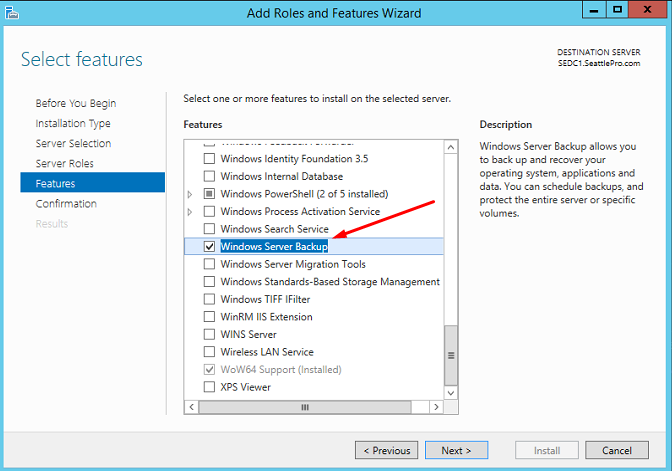
The answer is NO, with Windows Server Backup service. The Windows Server Backup utility is limited in that it only backs up local drives, excluding network shares and NAS devices from its backup scope.
To backup a mapped network drive, it's more complicated due to the mapped drives not existing outside of the logged on user's session, making it difficult to run the backup from within the session, especially for servers. A possible solution is to recreate the mapping in the backup run context, but this requires knowing the UNC path of the location, not just the mapped drive's name.
You have more choices than the complicated ones. You can let Windows manage mapped drives and backup mapped network drive with third-party backup software.
Backup mapped drive with Windows Server Backup alternative
Qiling Disk Master Server is a dedicated backup and restoring software designed for Windows Server operating systems, allowing for easy backup of mapped network drives and providing various other functions.
- Flexible Backup: This tool enables backing up a mapped network drive with incremental and differential backup options. It also allows backing up local/external drives and creating system state backups.
- Auto Backup: The schedule backup feature allows for mapped drives to be backed up, with options to set daily, weekly, or monthly backups, or to trigger backups based on specific events.
- Save Backup Space: The Disk Space Management feature automatically deletes previous image backups to free up space.
To backup from a network share or NAS path on Windows Server 2008 (R2), you can directly specify the network path without mapping it to a local drive. This allows for a backup of files from the network location without the need to create a local drive mapping. For example, if you want to backup files from a network share located at \\server\share\folder, you can simply specify this path in the backup settings without mapping it to a local drive. This approach enables you to backup files from remote locations without the need for local drive mapping.
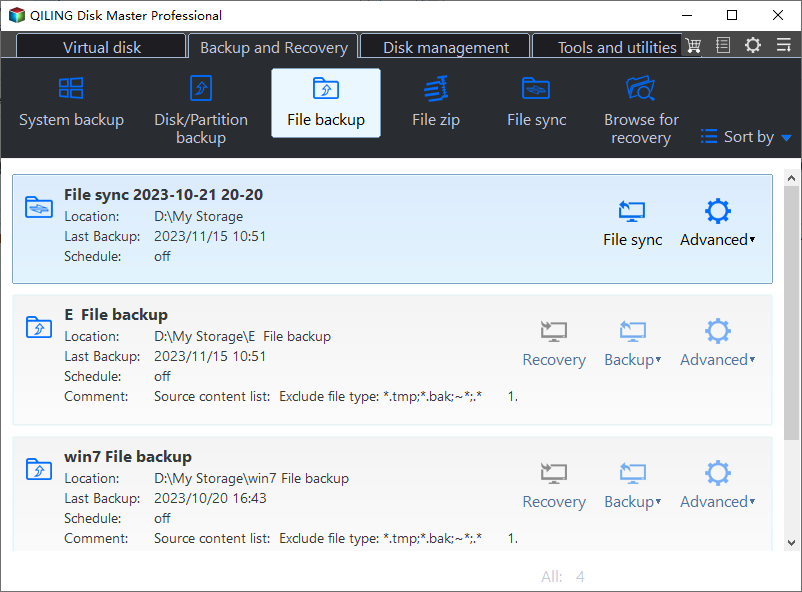
1. Install and launch Qiling Disk Master Server on your server. Click on the "File Backup" option under the "Backup" tab.
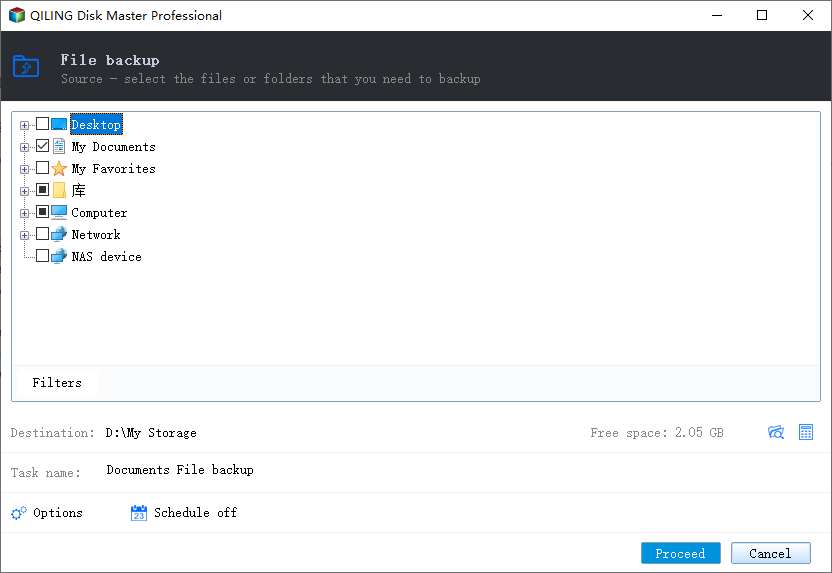
2. To back up folders/files on a mapped network drive, click on "Folder" or "Files" to select the desired folders/files on the mapped network drive, which appears as a local drive in File Explorer.
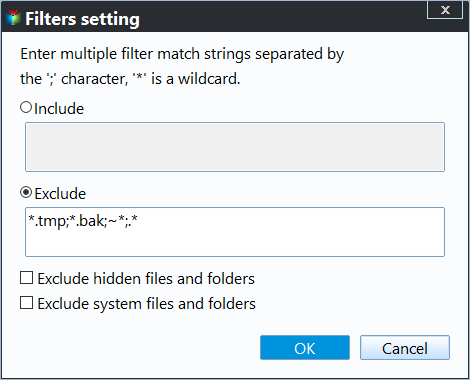
The Filter settings option allows you to include or exclude specific file types during the backup process.
3. You can choose a different location as the destination path for your backup, such as backing up to a local disk, an external drive, a NAS (Network Attached Storage), or cloud storage.
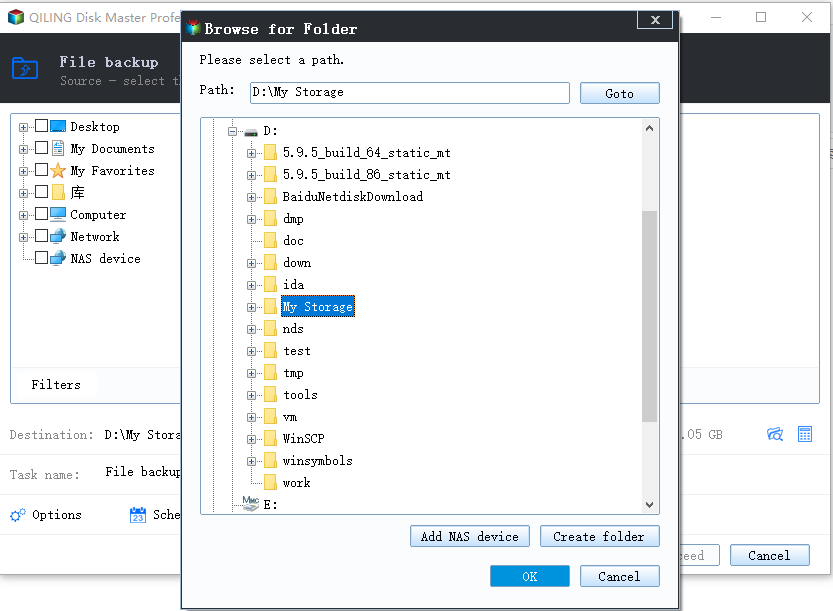
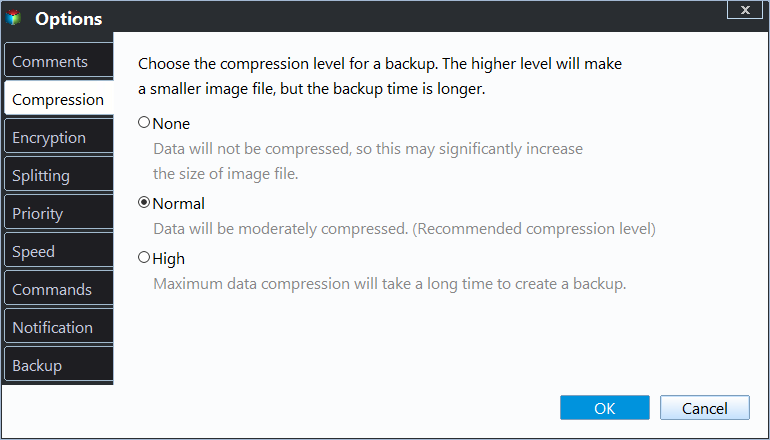
4. You can now password encrypt the backup image, set scheduled backup tasks, and manage the destination backup disk space.
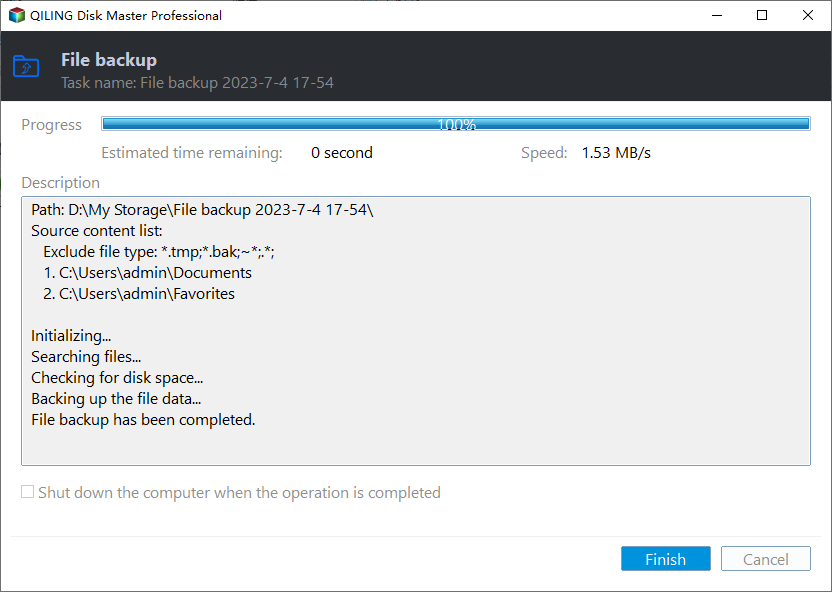
5. To resolve the issue of a Windows Server backup mapped drive not working, you can proceed with running the backup immediately or at the next scheduled time. This will help ensure that the backup process is completed successfully and that your data is protected.
Tips:
♦ Qiling Disk Master performs incremental backups by default, but creates a full backup for the first time it is used.
♦ The method also applies to Windows Server 2012/2016 backup mapped drive and backup to network share.
♦ This software allows for effortless backup of Active Directory on Windows Server.
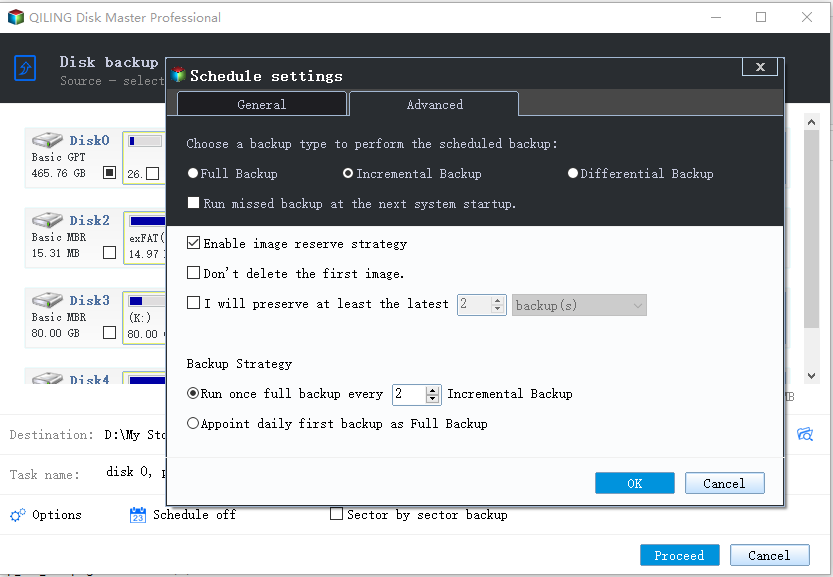
More Details about Schedule Backup and Scheme
Qiling Disk Master offers two key features to simplify backup management in Windows Server 2008, 2012, and other systems: Schedule Backup and Scheme, allowing for efficient and organized backup processes.
There are 5 options in Schedule Backup that you may need:
- Daily/Weekly/Monthly: To avoid forgetting to backup data, you can set automatic backups to run daily, weekly, and monthly, ensuring your data is constantly backed up.
- Event triggers: Trigger the backup event via the following events: User logon, User logoff, System startup, System shutdown, allowing the backup process to run automatically and independently of your working time.
- Qiling Disk Master will automatically back up data from a USB device or save local data to a USB device once it detects the USB device, making it a simple and flexible solution.
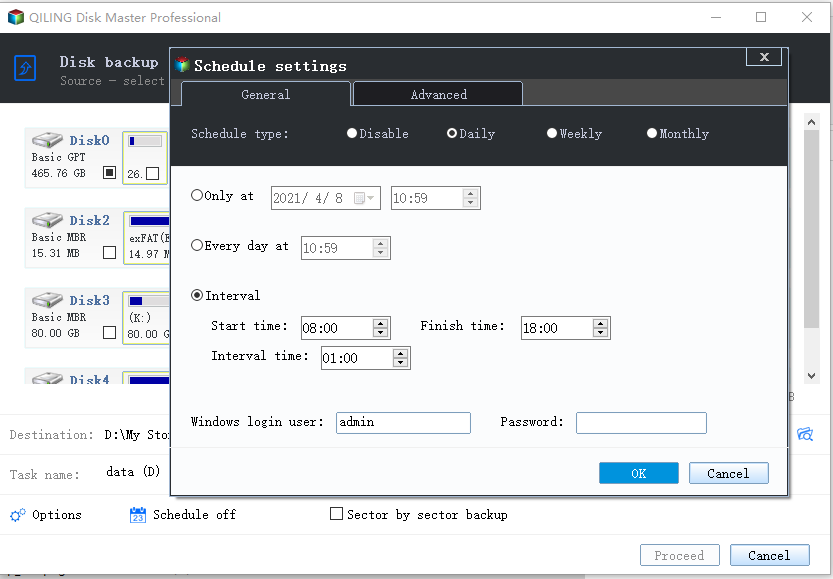
To customize the retention policy, click Scheme -> Enable Backup Scheme.
There are 5 backup schemes that can help you delete old backup images to free up space: Full Backup Scheme, Incremental Backup Scheme, Differential Backup Scheme, Space Management Scheme, and Other Backup Scheme. Each scheme has its own rules for deletion, so it's best to refer to the specific scheme you're using to know how to delete old backups.
Bonus tip: Best enterprise data backup solution
If you're an enterprise user with multiple Windows Server devices that need to be backed up, Qiling Disk Master is a top choice. This software offers comprehensive enterprise data backup solutions, making it a great option for your needs.
- A software that allows creating system, disk, and partition backups for multiple Windows PCs and Servers, supporting various Windows versions including Windows 11/10/8.1/8/7 and Windows Server 2022/2019/2016/2012 (R2)/2008 (R2).
- The backup images can be saved on a local disk, external hard drive, network share, or NAS device.
- You can schedule a backup task to run automatically on a daily, weekly, or monthly basis using the full, incremental, or differential backup method. This allows for regular and consistent data protection, ensuring that your important files and information are safely preserved and easily recoverable in case of data loss or system failure.
Download this powerful enterprise backup software now to have a try and experience its capabilities firsthand.
To make backups for client computers, log in to Qiling Disk Master, add the Windows device you want to backup, and then select System backup under the Backup and recovery tab page.
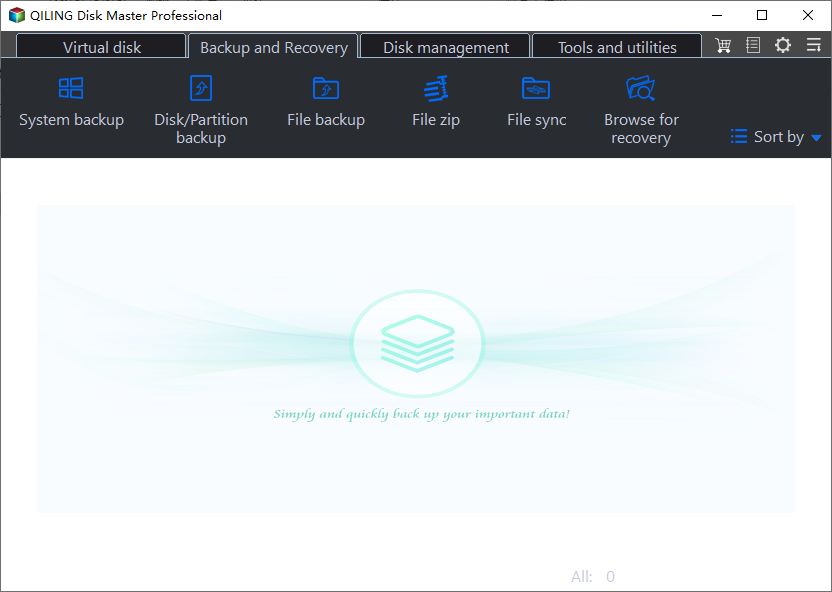
Note: Qiling Disk Master allows you to easily backup both physical and virtual machines, including VMware and Hyper-V, in addition to backing up physical machines.
FAQs about Windows Server Backup Mapped Drive
#1. What does mapping a network drive do?
A mapped drive is a shortcut to a drive on another computer, assigned its own disk drive letter, and appears as a local hard drive, but stores files physically on the other computer.
#2. Why does Windows Server Backup not recognize my mapped drive as a backup destination?
Windows Server Backup requires backup destinations to be specified using local paths, volumes, or UNC paths (\server\share). Use a UNC path instead of a mapped drive letter to ensure the mapped drive is accessible.
#3. How do I specify a network drive path as a backup destination in Windows Server Backup?
When configuring a backup using Windows Server Backup, select "Remote shared folder" and enter the UNC path (\server\share) to the network location where you want to store the backup.
Conclusion
When Windows Server backup to a mapped drive isn't working, consider using alternative reliable backup tools that can also handle system, disk, and clone backups. For service providers, the Qiling Disk Master Technician Plus edition is a good option, offering charged technical services to unlimited companies or individuals.
Related Articles
- Create Backups with Windows Server Backup Command Line
You will learn how to use Windows Server Backup command line with Wbadmin or third-party tool. Besides, you can use the GUI version of backup software if you want a simpler way. - The Solution to Windows Server Backup Disk Full
This guide explains The Solution to Windows Server Backup Disk Full with clear steps, key checks, and practical tips. - Can Windows Server Backup Work with Volume Greater Than 2TB?
If you don't know how to fix Windows Server Backup greater than 2TB, continue to read this article and learn the possible reasons as well as 6 effective methods. - Schedule Windows Server Backup to Remote Shared Folder
Learn how to use Windows Server Backup for schedule to remote shared folder in Windows Server 2008/2012/2016 and overcome the limitations. - How to Migrate OS to HDD or SSD in Windows 11/10/8/7?
This article tells how to migrate OS to HDD or SSD step by step via using Qiling Disk Master Professional. - How to Partition USB Drive in Windows 7/8/10/11 Simply?
Learn how to Partition USB Drive in Windows 7/8/10/11 Simply with clear steps, key checks, and practical tips.
Products
Articles & Tutorials
- Data Recovery
- Data Backup
- File Recovery
- File Backup
- File synchronize
- System Backup and Restore
- Disk and Partition Clone
- Technical articles
- Disk Master Help
- Windows Deleted File and Disk Recovery Tutorials
- Windows File and Data Recovery Tutorials
- More Windows Tutorials for Install, Security, Files, and PC Tips
- Windows Boot, Repair, and Recovery Environment Tutorials
- Windows Backup Tutorials
- Windows Restore Tutorials
- Windows Clone and Migration Tutorials
- Windows Server Backup, Recovery, and Management Tutorials
- Windows Disk, Partition, and Storage Management Tutorials